Team Tools
Team Tools guides and comparisons
Pick the tools a small team will actually use. These guides compare and configure Notion, Airtable, Slack, Toggl, Zapier, Otter, and the rest of the everyday stack, covering project tracking, client portals, intake forms, SOP libraries, meeting notes, time tracking, password management, and two-factor access. You will find head-to-head comparisons, setup walkthroughs, and roundups aimed at teams under ten people. Most tool decisions at this size are reversible and cheap, so the guides focus on switching cost and workflow fit rather than on feature counts.
Showing 151–171 of 171 Team Tools guides
 Team ToolsBest Password Managers for Small Teams in 2026When I choose password managers for small teams, I care less about flashy extras and more about clean handoffs. Shared v…
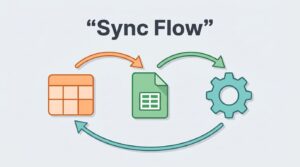 Team ToolsHow To Sync Airtable And Google Sheets With MakeAirtable and Google Sheets can feel like twins that don’t speak the same language. When I need them to work togeth…
 Team ToolsHow I Send Google Forms Alerts to Slack With MakeWhen a form response matters, I don’t want it buried in an inbox or lost in a spreadsheet tab. I want it in Slack,…
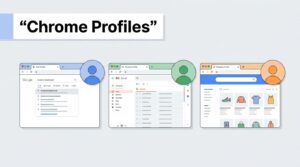 Team ToolsHow I Use Chrome Profiles to Keep Client Work SeparateWhen I juggle several clients, the biggest risk is not slow work. It’s opening the wrong account, saving the wrong…
 Team ToolsHow To Build A Shared Password Vault For Small TeamsA shared password vault is one of the easiest ways I know to cut down on password chaos. It keeps team logins in one pla…
 Team ToolsHow I Automate Lead Capture for Service Businesses With ZapierMissed leads cost service businesses more than most owners admit. A form submit sits in a shared inbox, a chat message w…
 Team ToolsHow To Track Competitor Traffic With The Similarweb Free PlanCompetitor traffic can look opaque until I strip it down to a few useful signals. The Similarweb free plan gives me enou…
 Team ToolsOtter AI vs Fireflies AI for Meeting Notes in 2026I care less about the transcript itself and more about what happens after the call. If the notes are messy, the meeting…
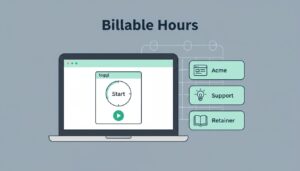 Team ToolsHow I Track Client Work in Toggl Track Without Losing Billable HoursAs of April 2026, I still see the same problem everywhere. Client work slips away when I trust memory. A quick call here…
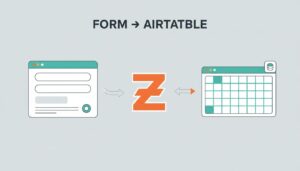 Team ToolsHow I Route Form Responses to Airtable with ZapierA form submission should not sit in an inbox like a loose receipt. I want it filed, sorted, and ready to use. That is wh…
 Team ToolsHow I Turn Meeting Notes Into Action Items With Otter AIMeeting notes are easy to collect and hard to use. I’ve seen too many good conversations disappear into a transcri…
 Team ToolsHow To Build A Client Portal In Notion That Clients Can UseA messy client portal gets ignored fast. I build mine in Notion because it lets me keep projects, files, updates, and re…
 Team ToolsHow I Use Slack Huddles For Faster Team DecisionsA decision that drags on in chat can take five minutes in Slack Huddles. I use them when the team already has context an…
 Team ToolsHow I Build a Notion SOP Library for Small TeamsHow many times have you hunted for the same checklist in Slack, email, or a half-forgotten folder? That search costs mor…
 Team ToolsHow To Create A Slack Channel Structure For Small TeamsSlack gets messy fast when every chat looks the same. I keep a Slack channel structure simple so people know where to po…
 Team ToolsReadwise Reader Vs Instapaper in 2026: Which Fits Busy Professionals?Busy professionals don’t need more reading apps, they need one that keeps up with their day. With Readwise Reader…
 Team ToolsNotion vs Airtable for Freelance Project Tracking in 2026Freelance project tracking gets messy fast. One client wants a task board, another wants meeting notes, and a third want…
 Team ToolsBest Time Tracking Apps for Solo Freelancers in 2026If I miss one billable hour, I feel it at invoice time. For solo freelancers, that tiny gap turns into lost money fast.…
 Team ToolsHow To Create A Freelance CRM In AirtableI start every freelance CRM Airtable build with one simple rule, if I can’t spot the next action fast, the setup i…
 Team ToolsTally vs Typeform for Client Intake Forms in 2026When I build a client intake form, I want two things, fewer back-and-forth emails and better leads. In 2026, tally vs ty…
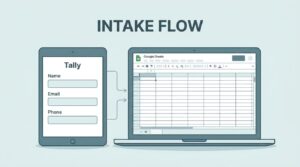 Team ToolsHow To Build A Client Intake Form With Tally And Google SheetsWhen I need new client details fast, I want one form and one clean spreadsheet. A client intake form should feel easy fo…