How I Build a Content Calendar With Exploding Topics
A blank editorial sheet can feel like staring at a white wall. I fix that by using Exploding Topics to spot early movement, then I turn that movement into a practical content calendar. My method is simple. I find trends with real business p...

A blank editorial sheet can feel like staring at a white wall. I fix that by using Exploding Topics to spot early movement, then I turn that movement into a practical content calendar.
My method is simple. I find trends with real business pain behind them, score each one, and give every idea a format, date, and goal. By the end of the week, I know what I’m publishing and why.
Table of contents
- Why I start my content calendar with trend signals
- My step-by-step planning workflow
- How I turn trends into a monthly content calendar
- FAQ
- My final take
Why I start my content calendar with trend signals
I start with Exploding Topics because it shows me where interest is building, not where it already peaked. That matters when I’m planning content for AI tools, business software, automation, or security.
Still, I don’t chase every pretty graph. A rising chart is only useful when it connects to a problem my readers already feel. In March 2026, I keep seeing strong interest around short-form video, AI personalization, and more human, expert-led content. Those are not random waves. They point to real business needs.

To stay grounded, I compare what I see inside Exploding Topics with broader trend thinking, like this guide to monitoring industry trends. Then I ask three fast questions. Does this matter to my audience? Can I teach something useful here? Can this topic support more than one piece of content?
If I can’t name the reader, the pain, and the format in 30 seconds, the idea stays in my notes, not in my content calendar.
That filter saves me from noise. It also helps me find better angles, which is the same logic I use when I’m finding rising keywords with low competition. I’m not looking for the loudest term. I’m looking for the earliest useful angle.
My step-by-step planning workflow
My weekly workflow takes about 45 minutes. I do it once, then I adjust lightly during the week.

I start with a narrow problem
First, I open a small set of trend ideas inside one lane. For example, I might focus on AI sales tools, privacy-first analytics, or customer support automation. A tight lane keeps my calendar coherent.
Then I write a one-line angle for each topic. “AI personalization” is too broad. “How B2B teams use AI personalization without sounding creepy” is much better. The second line already sounds like something I can publish.
I score the trend before I schedule it
Next, I give each idea a quick score. I keep it simple:
- Reader fit: Does it solve a clear pain point?
- Business fit: Can it support a product, service, or lead magnet?
- Format fit: Is it better as a guide, comparison, case study, or video?
- Shelf life: Will it still matter in 30 to 60 days?
I also cross-check with my search data and with Google Trends for SEO and content marketing. If Exploding Topics shows early movement and Google Trends shows widening interest, I pay attention.
I build around one pillar and two support pieces
Once a trend passes the score test, I don’t schedule one lonely post. I build a small cluster around it. That means one main article, one support post, and one lighter asset, usually an email, short video, or LinkedIn post.
That cluster approach keeps my content calendar from feeling like a junk drawer. It also helps me cover a topic from more than one angle. If I’m planning for tech buyers, I often use the same lens I use to spot emerging tech startups early, because rising tools often reveal rising questions.
How I turn trends into a monthly content calendar
I build a four-week content calendar, not a quarter of guesses. Trends move, so I want enough structure to publish, but enough room to change my mind.
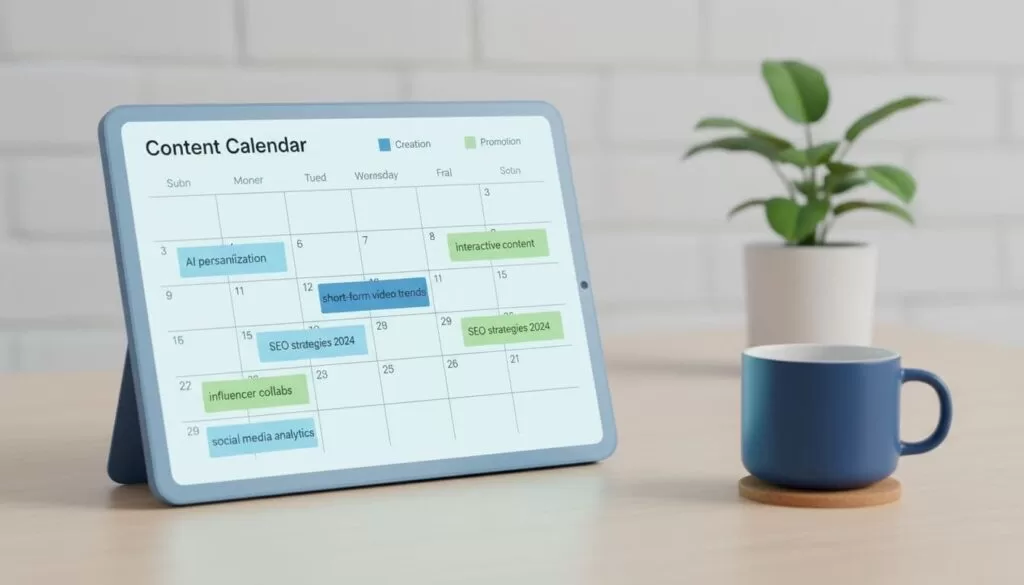
Here’s a simple version of how I map one month:
| Trend signal | My angle | Format | Week |
|---|---|---|---|
| AI personalization | Safer B2B nurture flows | Guide | 1 |
| Short-form video analytics | Proving ROI from clips | Comparison | 2 |
| Human-led brand content | How expert voices beat bland copy | Case study | 3 |
| Website chat workflows | Turning support chats into leads | Tutorial | 4 |
The pattern matters more than the exact topics. I give each week one strong piece, then I add support content around it. If I want a cluster-first planning model, I like this post on building a content calendar from keyword clusters.
After I publish, I watch three things, clicks, engagement, and follow-up questions. When readers lean in, I expand the cluster. When a trend fades, I stop feeding it. That keeps the calendar alive instead of frozen.
FAQ about building a content calendar with Exploding Topics
How often do I refresh the calendar?
I refresh it every week and review the full month once a month. Weekly checks catch new movement early. Monthly reviews keep the bigger plan on track.
Do I need the paid version?
No, not to start. I can build a useful content calendar with a smaller set of trends and outside validation. The paid side helps when I want more depth, faster filtering, or team-scale research.
What makes a trend worth writing about?
I only keep trends that can support at least three useful angles and tie back to a real business problem. If I can’t turn the trend into a guide, a support piece, and a conversion step, it doesn’t earn a slot. When my workload grows, I also borrow ideas from this guide to automate trend detection and content briefs.
My final take
A blank calendar used to feel heavy. Now it feels like a map. When I build a content calendar with Exploding Topics, I’m not guessing what to publish next, I’m following signals and shaping them into useful work. Try it with five trends and one month, and the next draft week will feel a lot less foggy.
