Daycare Billing Automation on Twin.so
Billing mistakes create more than unpaid invoices. They create parent questions, staff rework, and unclear cash flow. Daycare billing automation gives you a repeatable way to charge families correctly and follow every payment. Recurring tui...
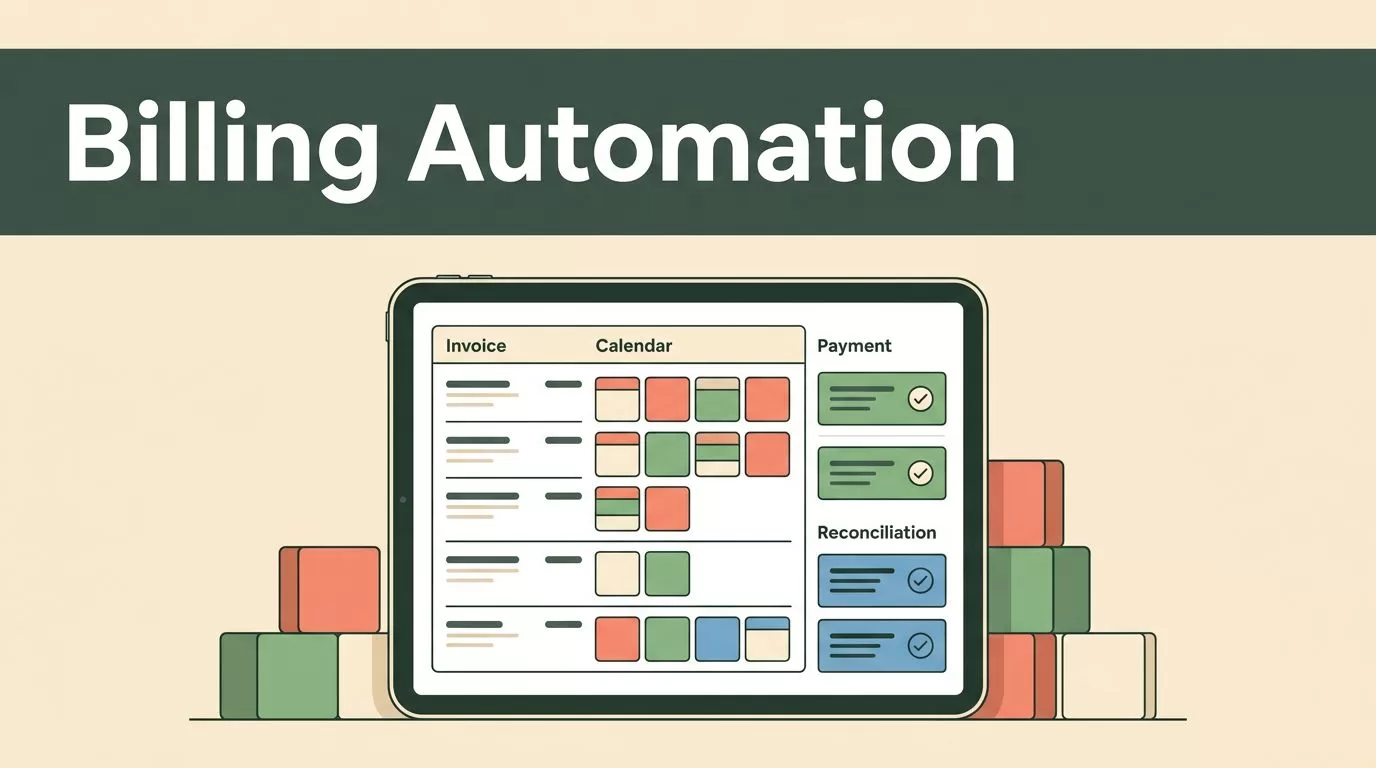
Billing mistakes create more than unpaid invoices. They create parent questions, staff rework, and unclear cash flow. Daycare billing automation gives you a repeatable way to charge families correctly and follow every payment.
Recurring tuition, attendance charges, discounts, late fees, and credits all need different rules. Twin.so gives you a practical place to organize those rules, trigger routine billing work, and review exceptions before they become larger problems.
Start with the billing logic. Then connect it to payments, reminders, and reconciliation.
Why Daycare Billing Automation Needs Clear Rules
Manual billing usually fails at the points where childcare records change. A child moves classrooms. A family changes schedules. A sibling discount starts mid-month. An extra attendance day gets missed.
One incorrect field can affect the invoice total, payment reminder, and account balance. Staff then spend time checking spreadsheets, correcting invoices, and explaining differences to parents.
Accurate daycare billing automation starts with a clear billing record. Each family account should connect the following information:
- The child’s active enrollment dates and program.
- The tuition rate and billing frequency.
- The approved attendance schedule.
- Discounts, credits, and other adjustments.
- Payment status, due dates, and late-fee rules.
Use Twin.so to organize these records before you automate invoice actions. Keep one current source for each family. Avoid separate rate sheets that staff update manually in different places.
An invoice is accurate only when the enrollment, attendance, rate, and billing date point to the same active record.
Set effective dates for every change. If a family changes from three days per week to five, record when the new schedule begins. Don’t apply the new rate to earlier days unless your policy requires a correction.
This structure also helps with review. When a parent questions a charge, staff can see the rule, date, and record that produced it.
Configure Recurring Tuition in Twin.so
Recurring tuition is the best starting point because it follows a predictable schedule. Define the billing cycle, due date, rate, and active enrollment condition in Twin.so.
Set the automation to create tuition charges only for active enrollments. A child who withdraws before the next billing cycle shouldn’t receive a new invoice. A newly enrolled child may need a prorated charge instead of a full monthly amount.
Record the rate at the time the invoice is created. If tuition changes later, preserve the earlier invoice and apply the new rate to future billing periods. This keeps the account history clear.
Use separate rules for each program or schedule. Full-time care, part-time care, preschool, after-school care, and summer programs may have different prices or billing dates.
Add Attendance-Based Charges
Attendance-based billing needs a reliable attendance source. Connect the charge to approved attendance records, not informal notes or memory.
For example, Twin.so can apply a configured daily rate when an attendance record shows an additional care day. It can also support separate rules for drop-in care, extended hours, or schedule changes, provided those records are captured consistently.
Use a simple billing table to define the expected behavior.
| Charge type | Trigger | Review point |
|---|---|---|
| Monthly tuition | Active enrollment on the billing date | Rate and effective date |
| Extra care day | Approved attendance outside the schedule | Attendance record |
| Extended care | Pickup or care time passes the policy limit | Time record |
| Registration fee | New enrollment meets the fee condition | Enrollment status |
The goal is not to automate every unusual case. The goal is to automate repeatable charges and route exceptions to a staff review queue.
Apply Discounts, Late Fees, and Credits Correctly
Discounts need start dates, end dates, and eligibility rules. A sibling discount may apply to one child, several children, or the lower tuition charge. An employee discount may require an active employment record. Financial assistance may cover a fixed amount instead of a percentage.
Store the rule with the family account in Twin.so. Don’t reduce the invoice total manually without recording the reason. A discount that lacks a clear source becomes difficult to audit later.
Late fees also need a fixed process. Define the due date, grace period, fee amount, and maximum frequency. A common control is to add the fee once per overdue invoice, not every day that the balance remains unpaid.
Handle failed payments separately from late payments. A failed card transaction may need a payment retry or parent notification before a late fee applies. Your policy should determine the action.
Credits and refunds require the same discipline. Apply a credit to a named invoice or billing period. Record the reason and approval. Avoid leaving unexplained negative balances on family accounts.
Payment reminders should follow the invoice status. Use a schedule such as:
- Send an upcoming-payment reminder before the due date.
- Send a due-date notice when the invoice remains open.
- Send an overdue reminder after the grace period.
- Notify staff when a balance needs personal follow-up.
Keep the messages short. Include the amount, due date, payment route, and contact option. Parents shouldn’t have to search through a long message to understand what they owe.
Use Twin.so to Reconcile Payments
Creating invoices is only one part of daycare billing automation. You also need to confirm that every payment reaches the correct family account.
Reconciliation means matching the payment received with the invoice issued. The match should use reliable information such as the family account, invoice number, payment amount, and transaction reference.
Set a regular reconciliation routine in Twin.so. Daily review works well for centers with high payment volume. Smaller programs may review transactions several times each week.
Separate matched payments from exceptions. Common exceptions include:
- A partial payment that leaves an open balance.
- An overpayment that creates a family credit.
- A payment with no invoice reference.
- A duplicate transaction.
- A refund that has not reached the account record.
- A failed payment marked as pending by the processor.
Don’t mark an invoice as paid only because a payment attempt occurred. Confirm the payment status your processor returns. A pending or failed transaction needs a different action from a settled payment.
Track billed, collected, outstanding, credited, refunded, and failed amounts. Review totals by billing period and program. This gives directors a clearer view of expected cash flow without rebuilding the numbers in a separate spreadsheet.
A useful exception workflow is simple. Twin.so identifies the mismatch, staff reviews the source record, and the approved correction updates the account. Keep the original invoice visible instead of overwriting it.
Improve the Parent Payment Experience
Parents care about accuracy, but they also care about clarity. An itemized invoice reduces questions because it shows tuition, extra care, discounts, fees, credits, and the final amount.
Use consistent descriptions for each charge. “Extended care, March 12” is clearer than “Additional charge.” Include the billing period and due date on every invoice.
Give parents one reliable payment path. If Twin.so connects with your payment processor, keep the payment link attached to the invoice. If payments happen in another system, record the payment reference in Twin.so after confirmation.
Send receipts after successful payment. A receipt should show the amount paid, invoice balance, and remaining credit or balance. This creates a usable record for both the family and the center.
Parent communication should also reflect account changes. If attendance creates an additional charge, notify the family before the due date when possible. If a discount expires, communicate the next invoice amount before the change appears.
Clear communication prevents small billing corrections from becoming trust issues.
Build a Controlled Twin.so Billing Workflow
Set up the workflow in stages. Don’t activate every billing rule at once.
- Clean the family and enrollment records. Remove duplicate accounts and confirm active enrollment dates.
- Enter tuition rates, billing cycles, due dates, and program-specific rules.
- Add attendance-based charges, discounts, credits, and late-fee conditions.
- Test the workflow with real account patterns, including a new enrollment, withdrawal, sibling discount, extra day, failed payment, and partial payment.
- Compare the generated totals with a manually reviewed sample before sending invoices.
- Activate reminders and payment updates after the invoice rules pass review.
- Reconcile the first billing cycle closely and document every exception.
Limit editing access to staff who manage enrollment or finance records. Keep payment details inside the approved payment system. Don’t store full card numbers or sensitive payment credentials in notes.
Create an approval step for unusual adjustments. A staff member can review refunds, backdated changes, waived late fees, and large credits before they affect the account balance.
Review the workflow each billing period. Look for duplicate invoices, missing attendance entries, unexpected discounts, and balances that remain open after payment. Small reviews protect the accuracy of the entire process.
Conclusion
Daycare billing automation works when the rules match the records. Twin.so can help you organize recurring tuition, attendance charges, discounts, late fees, reminders, and payment reconciliation in one operating workflow.
Start with clean enrollment data and predictable tuition rules. Add exceptions only after the basic process works. When invoices are accurate and account status is visible, staff spend less time correcting charges and parents receive clearer payment information.
