How to Deploy an Ecommerce Arbitrage Bot With Twin.so
An ecommerce arbitrage bot can find price gaps, check product availability, and prepare marketplace listings without forcing an operator to repeat the same browser work all day. It can also publish a bad price, oversell unavailable stock, o...
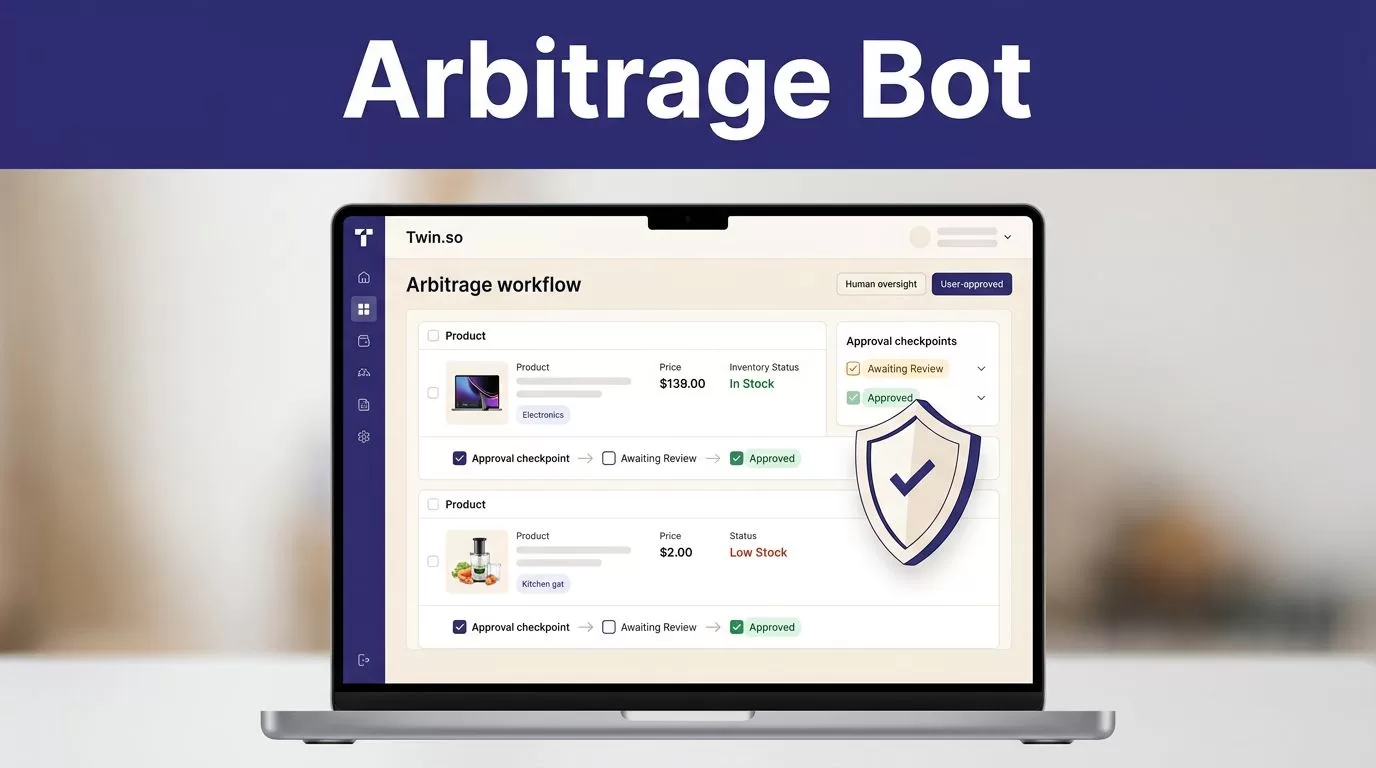
An ecommerce arbitrage bot can find price gaps, check product availability, and prepare marketplace listings without forcing an operator to repeat the same browser work all day. It can also publish a bad price, oversell unavailable stock, or create a policy violation in seconds.
Twin.so is useful when you treat it as an orchestration layer, not as an unattended profit machine. The safe design uses approved data sources, API-first integrations, strict pricing rules, human approval for risky actions, and a rollback path. Start with the workflow and controls before you build the agent.
Define the Arbitrage Model Before Building
Arbitrage is not one operating model. The source, fulfillment method, marketplace, and seller responsibility determine whether the workflow is practical and permitted.
Separate compliant sourcing from retail dropshipping
Buying inventory from a supplier you control or have an approved fulfillment agreement with is different from listing an item and buying it from another retailer only after a customer orders.
eBay states that listing an item and then purchasing it from another retailer or marketplace for direct shipment to the customer isn’t allowed under its product sourcing policy. Amazon also requires the seller to remain the seller of record and lists drop shipping rules in its seller program policies.
Your bot should not automate retailer checkout as its default fulfillment method. Build around supplier feeds, authorized wholesale relationships, owned inventory, or a third-party logistics provider that supports your seller-of-record obligations.
You remain responsible for customer service, returns, product accuracy, shipping promises, taxes, and marketplace performance. A bot doesn’t transfer those responsibilities to Twin.so.
Set the success condition
A product is not profitable because its source price is lower than its marketplace price. Calculate the complete unit economics before creating an offer.
Net margin = sale price – product cost – marketplace fees – payment fees – shipping – taxes – return reserve – automation cost
Set a minimum margin in currency and percentage terms. Use the stricter result. A product that produces $4 of profit on a $100 sale may not justify returns, support time, or price volatility.
Track accepted listings and fulfilled orders, not only discovered opportunities. If a workflow saves ten minutes but creates thirty minutes of correction work, it has failed.
How an ecommerce arbitrage bot Should Work
A production workflow needs several controlled stages. Discovery finds candidates. Validation checks the data. Pricing decides whether an offer is viable. Publishing changes the marketplace. Monitoring watches what happens after the change.

Use APIs first and browser automation second
Twin’s Web Agent is designed for multi-step website tasks, logins, and dynamic pages. It runs inside an isolated cloud computer rather than your local browser, so it doesn’t use your local cookies, open tabs, or existing browser sessions. Review the Twin Web Agent documentation before designing around authenticated websites.
Use an approved API for stable, high-volume fields such as:
- Product identifiers and titles
- Supplier cost and available quantity
- Marketplace inventory records
- Order status and tracking data
- Shipping rates and delivery estimates
Use browser automation only when an approved API doesn’t provide the required field or action. Twin’s own guidance compares browser automation with API integrations and recommends APIs for core operations where they exist. Browser steps cost more credits and can fail when a site changes its layout, requires extra verification, or blocks automated access.
Split the workflow into independent stages
Don’t give the agent one instruction such as, “Find profitable products and list them everywhere.” That task has no clear stopping point or review boundary.
Use separate stages:
- Collect data from approved sources.
- Normalize product and pricing fields.
- Validate stock, identifiers, category, condition, and source age.
- Calculate margin and apply price limits.
- Send approved candidates to a staging destination.
- Publish only records that pass the final checks.
- Reconcile listings, orders, stock, and errors.
This structure makes it possible to stop publishing while keeping data collection active. It also gives you a clear place to investigate a bad result.
Build a Clean Product Data Model
Twin.so can coordinate the workflow, but the data model determines whether the output is usable. Define the fields before writing the agent instructions.
Capture the fields that affect a sale
At minimum, store the following for every candidate:
- Internal SKU and source SKU
- Product title, brand, model, and variation
- UPC, EAN, GTIN, or other approved identifier
- Source URL or supplier record ID
- Product cost and source currency
- Available quantity and stock timestamp
- Marketplace price and listing currency
- Shipping cost, shipping service, and estimated delivery
- Condition, warranty, and return terms
- Marketplace category and listing status
- Last successful check and source response status
The bot should return a missing value when the source doesn’t provide a field. It shouldn’t guess a shipping cost, convert an unclear condition into “new,” or treat an old stock value as current.
Preserve raw values beside normalized values
Keep the original title, price, quantity, currency, and source text beside any cleaned value. Store the normalization timestamp and the rule used.
For example, retain the supplier’s original condition as refurbished, even if your internal system maps it to a standard condition category. This gives an operator evidence when a listing needs correction.
Use a staging table or file with a review status such as new, approved, rejected, needs_data, or published. If your Twin workspace doesn’t expose the destination you need, route the output to an approved spreadsheet, database, CSV process, or small service that performs the validation before marketplace writes.
Configure Twin.so as the Orchestration Layer
Twin’s current documentation describes scheduled agents, event-driven triggers, OAuth integrations, and browser-based tasks in its Quickstart guide. Use those capabilities only where your account and connected systems support them.
Write narrow instructions with explicit boundaries
An agent instruction should state:
- Which sources it may access
- Which pages, accounts, or records are in scope
- Which fields it must return
- How it handles pagination
- What counts as a valid product
- Which conditions send a record to review
- Which actions are read-only
- Which action requires approval
- Where it writes accepted records
- What it does when a source is unavailable
Tell the agent to preserve source values, return null for missing fields, stop on schema changes, and avoid duplicate records. Define the product batch size and a stopping rule.
A useful instruction might say: collect only products from the approved supplier catalog, stop after 50 records, preserve the source URL, return missing fields as null, and write only to the staging destination. Do not publish offers.
Confirm authentication before deployment
Don’t assume Twin supports a particular token format, environment variable name, secret store, or unattended login flow. The public documentation confirms browser-based authenticated work at a high level, but it doesn’t confirm every secret-management method or deployment schema.
Use the supported connection method in your workspace. Keep production credentials separate from test credentials. If a supplier or marketplace requires a credential flow that Twin doesn’t support, place a small integration service between Twin and the platform. That service can handle token refresh, request validation, and permission boundaries without putting secrets in agent instructions.
Add Pricing Guardrails Before Publishing
Pricing is the highest-risk part of an arbitrage workflow. A missing decimal, stale source price, or unexpected shipping charge can turn a profitable listing into an immediate loss.

Calculate margin with current inputs
Use the latest accepted supplier cost, stock status, marketplace fee schedule, shipping cost, and currency conversion rate. Record the inputs used for every proposed price.
Set limits for:
- Minimum net margin
- Minimum margin percentage
- Maximum price increase per update
- Maximum price decrease per update
- Maximum source cost change
- Maximum daily listing changes
- Maximum order quantity per SKU
- Maximum currency movement before review
The bot should send a candidate to review when any input is missing or changes beyond its allowed range. Don’t convert an estimated value into a normal value simply because the workflow needs a number.
Block bad listings automatically
Stop the publish step when the product has no valid identifier, unclear condition, restricted brand, missing image, stale inventory, conflicting source data, or an invalid category.
Also block products when the calculated price falls outside your approved floor and ceiling. A marketplace fee change or a supplier price update should not silently create a listing below cost.
Use a price floor that includes a return reserve. A sale that looks profitable before a return may not remain profitable after reverse shipping, handling, and refund costs.
Keep approval for high-impact changes
Use automatic publishing only for records that pass every rule. Route exceptions to a review queue with the source value, normalized value, margin calculation, proposed listing change, and reason for review.
The reviewer should be able to approve, reject, or return the item for correction. Store that decision with the record. Human approval is not a sign that the workflow failed. It is the control that prevents an uncertain product from becoming a customer-facing problem.
Synchronize Inventory and Orders
Inventory errors create canceled orders, delayed shipping, and marketplace defects. A source quantity of one is not a guarantee that the item remains available when your customer checks out.
Use the marketplace inventory API where possible
For eBay, the Inventory API overview describes inventory records and product offers as separate parts of the selling workflow. Its methods can manage inventory and publish offers through approved API operations.
Keep one internal inventory record for each SKU and map it to marketplace offer IDs. Store the last source quantity, last published quantity, and last successful synchronization time. If a marketplace supports a publish operation, call it only after the inventory and pricing checks pass. Review the Publish Offer API for the current requirements.
If a platform has no usable API in your setup, use an approved file import or staging process. Don’t make browser-based listing updates the only path for high-volume synchronization.
Add stock buffers and freshness rules
Set a quantity buffer for products with uncertain availability. If the supplier reports two units, you might publish one based on your risk policy. The correct buffer depends on supplier speed, order volume, and cancellation cost.
Add a freshness limit. For example, a record with a stock check older than your approved interval should move to review instead of publishing. When two sources disagree, stop the write action and retain both values.
Use idempotency for order updates. The same order event should not create two fulfillment requests. Save the marketplace order ID, supplier order ID, request status, and retry count.
Keep fulfillment and returns inside the design
The seller must control customer-facing communication, tracking, returns, and refunds. Confirm that the supplier or 3PL can meet those requirements before automating order routing.
Don’t allow the agent to select a cheaper fulfillment source if the packaging, invoice, or shipping identity conflicts with marketplace policy. Amazon’s seller-of-record rules and eBay’s sourcing restrictions can make a technically successful order operationally unacceptable.
Test the Workflow Before Going Live
A completed run doesn’t prove that the output is correct. Test the records your team would accept and the failures you expect to see.
Start with a small approved batch
Run 25 to 100 products from one approved source. Include normal products and difficult records with missing fields, changed prices, zero stock, duplicate identifiers, multiple variations, and unusual shipping terms.
Keep the workflow in read-only or staging mode if the available controls support it. If they don’t, disable the publish action and send proposed changes to a review destination.
Compare each result with the source. Check that the bot preserved the original values, calculated the margin correctly, selected the right variation, and handled currency conversions without rounding errors.
Use checkpoints and bounded retries
Save progress by SKU, source record ID, page cursor, or file name. A failed run should resume from the last trusted checkpoint instead of starting over and creating duplicates.
Use bounded retries with increasing delays for temporary network errors. Don’t retry permission failures, invalid credentials, blocked accounts, or schema changes indefinitely. Send those failures to review and stop the affected stage.
Record the failed step, source, error type, retry count, and last successful output. This gives an operator enough information to fix the cause without repeating the whole batch.
Create rollback before enabling writes
Before publishing, save the previous price, quantity, listing status, and offer identifier. Group changes by run ID and timestamp.
If an error appears, disable the publish or update stage first. Then restore the last trusted values through the approved API or marketplace interface. For a larger incident, end the affected offers, return quantities to the prior state, and reconcile open orders manually.
A rollback procedure should identify the person responsible, the last trusted snapshot, the systems to update, and the point where customer communication is required.
Monitor Costs, Errors, and Accepted Output
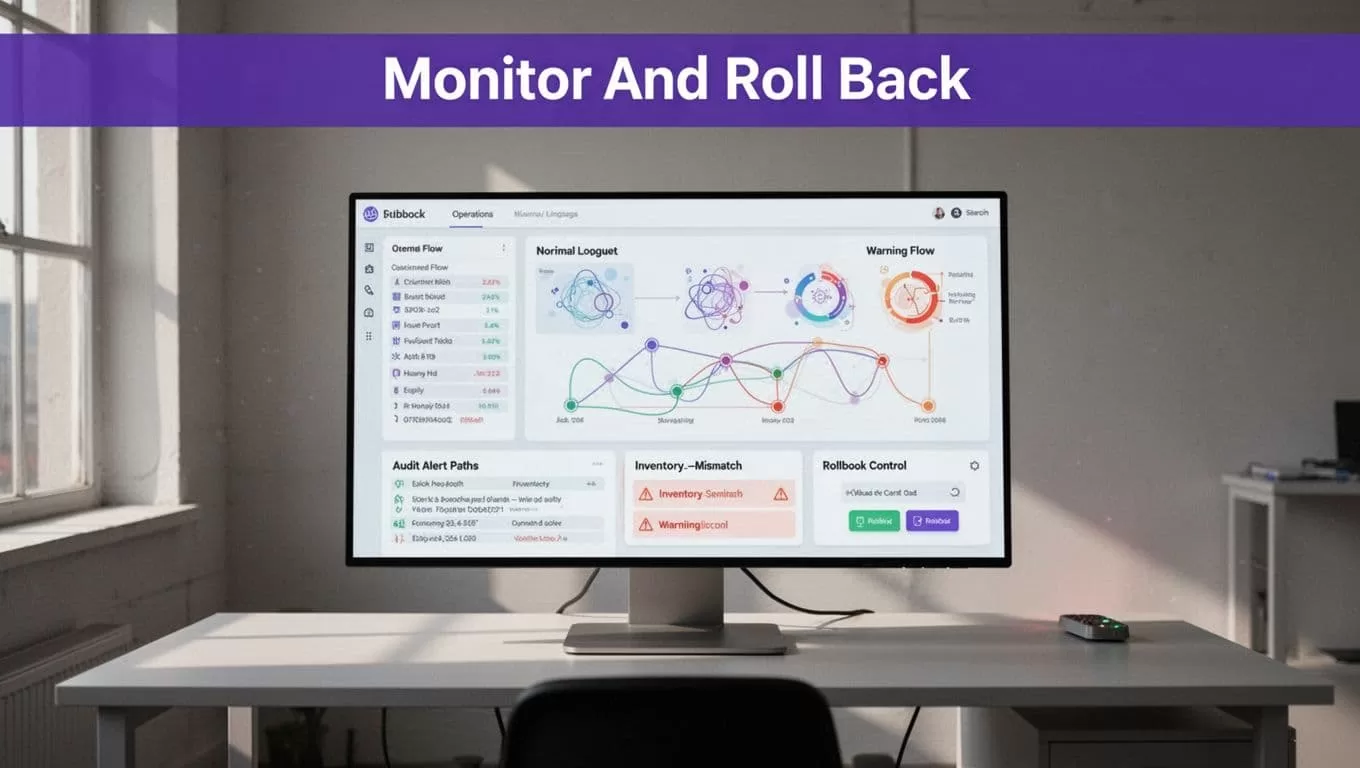
Production monitoring should measure business output, not only whether Twin completed its actions.
Track quality and operating cost
Store these metrics for every run:
- Credits used
- Accepted, missing, rejected, and duplicate records
- Listings created, updated, skipped, and rolled back
- Inventory conflicts
- Failed runs and retry counts
- Human review minutes
- Correction time
- Cost per accepted record
- Orders routed successfully
- Orders requiring manual handling
Twin credit use depends on browsing, retries, searches, document volume, and output size. The following figures are planning ranges, not fixed quotes.
| Workflow type | Planning range | Main cost driver |
|---|---|---|
| API, filter, and notification flow | About 15 to 30 credits | Connected actions and output |
| Scrape of about 100 items | About 20 to 70 credits | Page volume, pagination, and retries |
| Browser session of about 20 steps | About 100 to 200 credits | Login steps, navigation, and page complexity |
Benchmark a small approved batch before forecasting monthly spend. Divide credits used by accepted records. Add human review and correction time to the calculation.
Send alerts that stop bad writes
Create alerts for authentication failures, sudden credit spikes, zero accepted records, duplicate identifiers, stock conflicts, margin breaches, large price movements, and source schema changes.
A successful run with zero accepted products is not always a success. It may mean the source changed, the agent lost access, or a validation rule rejected every record.
Route critical alerts to a person who can stop publishing. Store the run ID and affected SKUs in the alert. Avoid relying on a generic “workflow complete” message.
Secure the Bot and Control Compliance Risk
An automated seller workflow touches credentials, pricing data, customer information, and financial records. Security controls must exist before the first production run.
Apply least privilege and secret hygiene
Give each connection only the permissions it needs. A catalog collector may need read access to a supplier system and write access to a staging table. It doesn’t need permission to publish listings or refund orders.
Use separate accounts for development, testing, and production. Keep API keys out of prompts, generated documents, logs, screenshots, and issue tickets. Restrict access to credential management and rotate keys when staff, vendors, or integrations change.
The Twin Web Agent runs in an isolated cloud environment. Don’t design a workflow that depends on local browser sessions or cookies. Confirm how your workspace handles credentials before you permit unattended authenticated actions.
Keep people responsible for high-impact decisions
Require approval for new suppliers, restricted brands, large price changes, product condition changes, refunds, cancellations, and customer-facing policy exceptions.
Review marketplace rules, supplier contracts, tax obligations, privacy requirements, product safety restrictions, and intellectual property terms. Compliance depends on the specific source, destination, product, and country. A workflow that is allowed on one marketplace may be prohibited on another.
If the design crosses supplier APIs, marketplace accounts, and fulfillment systems, Book A Call to review the permission and approval boundaries before production deployment.
Pre-Launch Checklist for Twin.so
Use this sequence before enabling live writes:
- Define the sourcing model, seller-of-record arrangement, fulfillment path, return process, and permitted marketplaces.
- Confirm that every source and destination allows the planned API or browser access.
- Write the product schema, accepted values, currency rules, freshness limits, and duplicate rules.
- Separate collection, validation, pricing, approval, publishing, order routing, and reconciliation stages.
- Connect the smallest permission set for each account and keep production credentials separate.
- Run a small batch with missing data, duplicate products, stock changes, price changes, and source failures.
- Verify the complete margin calculation against a manual calculation for every pilot record.
- Save prior prices, quantities, listing statuses, offer IDs, and run timestamps before enabling updates.
- Configure alerts for authentication failures, price errors, inventory conflicts, duplicate records, and credit spikes.
- Document who can stop the workflow, approve exceptions, restore the last trusted snapshot, and handle customer issues.
- Measure accepted records, correction time, review time, and cost per accepted record.
- Enable production writes for a limited product group before expanding source coverage or marketplace scope.
Deploy the Bot With Controlled Automation
Twin.so can coordinate product discovery, validation, pricing checks, inventory updates, and alerts when the workflow has clear boundaries. Its browser agent is useful for approved website actions that lack a practical API, but it is more expensive and less reliable than API-based execution.
Build the first version around one source, one marketplace, and a limited product group. Keep publishing behind validation and approval until the logs show stable accepted output.
An ecommerce arbitrage bot should reduce repetitive work without hiding financial, operational, or compliance risk. The deployment is ready when you can explain every write, detect a bad result quickly, and restore the last trusted state.
