How I Automate Feedback Collection Workflows With Twin.so
Feedback piles up fast. A form submission, a support thread, and five chat replies can all point to the same issue, yet each one lands in a different place. I use feedback collection automation with Twin.so when I want those signals to move...

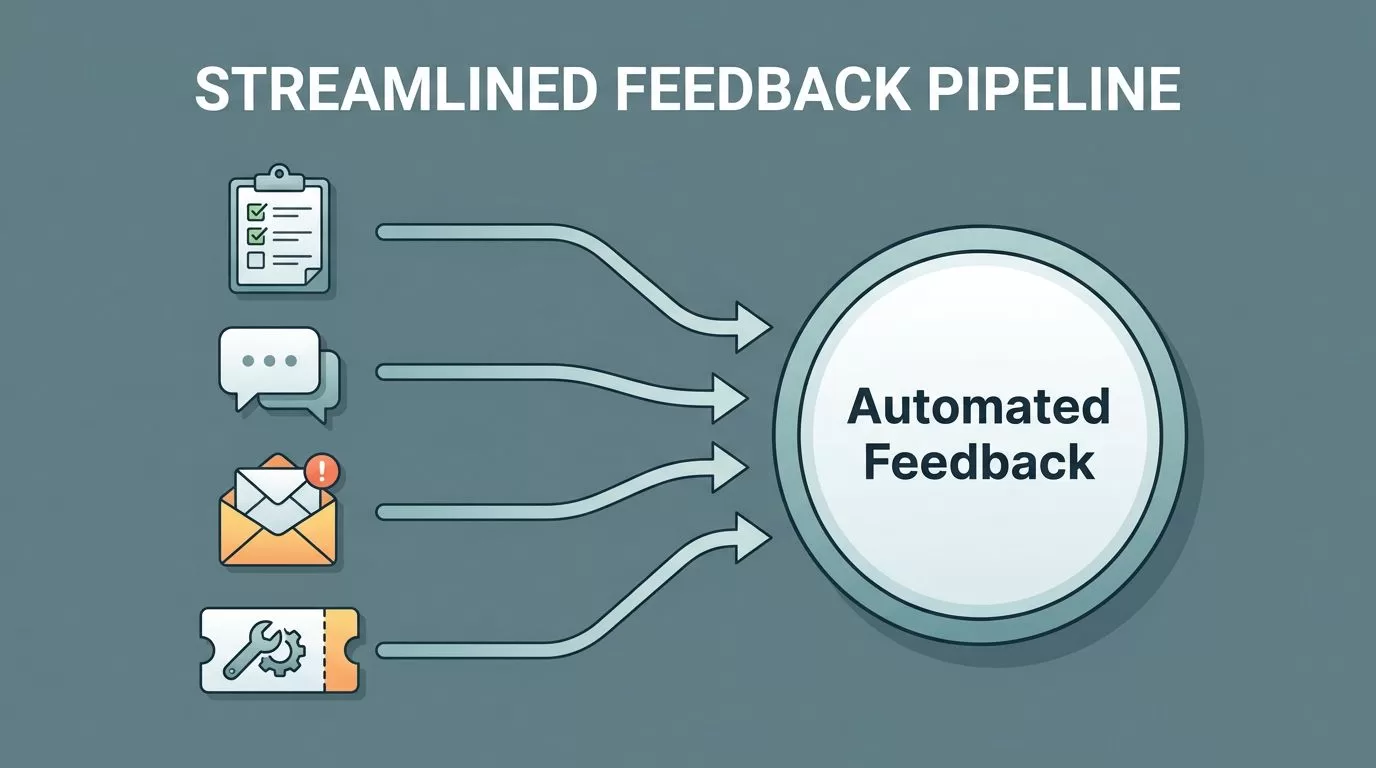
Feedback piles up fast. A form submission, a support thread, and five chat replies can all point to the same issue, yet each one lands in a different place. I use feedback collection automation with Twin.so when I want those signals to move into one path, get labeled the same way, and reach the right owner without manual copy-paste.
That matters because feedback loses value when it sits in inboxes. If someone has to read every message by hand, the team gets slower and the customer gets a slower answer. The better setup feels like a relay race, each handoff is clear, and nothing drops on the floor. I start by mapping the channels I already have.
The feedback channels I connect first
I begin with whatever already creates friction. For most teams, that means forms, shared inboxes, chat tools, support threads, and post-interaction surveys. Twin.so works well here because it can move through browser-based apps the way a person would, then pass the result to the next step.
Before I wire anything into Twin.so, I often compare automating data collection with intake forms so the source itself is worth automating. If the form is sloppy, the automation only moves bad data faster.
Microsoft’s Collect Feedback workflows are a useful reference here. They show the same basic idea I want, route an item, gather response, and move it forward without extra handling.
Here is the map I use before I automate anything:
| Feedback source | What I automate with Twin.so | Result |
|---|---|---|
| Web forms | Pull each submission into a shared record and tag it | Clean intake with less manual sorting |
| Email replies | Read the message, extract the core issue, and create a task | Fewer lost requests |
| Chat conversations | Capture the thread after the conversation ends | Faster handoff to support or product |
| Support tickets | Copy the notes, customer details, and topic into one place | Better triage and follow-up |
| Surveys | Read scores and open-text answers, then route by response type | Clear next steps after each response |
The pattern is simple. I want one channel to feed one record, and one record to trigger one owner. Anything else turns into noise.
If a feedback answer cannot trigger a next step, it is still just noise.


How I set up the workflow in Twin.so
I keep the setup plain at first. Twin.so is strongest when I give it a specific source, a simple rule set, and a clear place to send the result. That keeps the workflow stable, which matters more than fancy logic on day one.
1. I define the input and the output
I start by naming the source. That might be a public form, a shared inbox, a support portal, or a survey tool. Then I name the destination. I want Twin.so to know where the record should land, such as a task board, CRM note, Slack channel, or spreadsheet.
If the source is a long form or a survey, I also keep the fields tight. Name, email, topic, message, and urgency are enough for most workflows. More fields can come later. The first version needs to move cleanly.
2. I tag by topic and sentiment
Once the feedback lands, I tag it. I keep the first pass simple, because simple rules are easier to trust. Billing goes to finance. Product bugs go to product. Pricing complaints get their own tag. Negative sentiment gets flagged so it does not wait in line.
A broad view of feedback-to-action workflows is useful here, because it reminds me that tagging is not the finish line. It is the handoff point. The tag should tell the next system what to do.
3. I route it to the right owner
Next, I send each item to one owner. That can be a support lead, a product manager, a customer success rep, or an operations queue. I avoid shared ownership because shared ownership often means no ownership.
One clear owner beats three people glancing at the same message.
Twin.so is helpful here because it can work across the browser and push the result into the tools I already use. I do not need to wait for a perfect API connection. I only need a dependable path.
4. I trigger alerts and follow-ups
This is where the workflow starts paying for itself. A feature request can trigger a product task and a thank-you reply. A billing complaint can trigger a support alert and a payment check. A bad survey score can trigger an immediate follow-up from the success team.
If the message comes from a cancellation flow, I like to compare it with collecting feedback with Baremetrics cancellation surveys. That gives me a good model for reason-based responses, because the follow-up depends on the answer. A price concern needs a different reply than a missing feature.
I also use using Baremetrics to identify why customers leave when I want the recovery step to match the real reason behind churn. That keeps the follow-up honest. It also keeps me from sending the wrong message at the wrong time.
How I keep feedback organized after the first pass
The first pass is only half the job. If feedback gets tagged and routed, but then disappears into five different systems, I still have a mess. So I keep one home for the data, whether that is a sheet, CRM, help desk, or notes app.
The important part is consistency. I want the same fields every time, because the team needs patterns, not puzzle pieces. Topic, sentiment, source, owner, status, and next action are enough to show what is happening without forcing anyone to reread every line.
That also makes review easier. I can scan for repeated issues, compare feedback by customer segment, and spot trends by channel. A sudden spike in billing complaints looks different when I can see it next to product requests and cancellation reasons.
I use that central view as my feedback spine. Everything else hangs off it. If a team wants to search by account, month, or tag, the system should answer fast.
Where Twin.so fits best in real team workflows
Twin.so fits best when the work is repetitive and cross-system. That is usually the case in customer support, customer success, product ops, and internal operations.
For support teams, it can pull comments from chat and tickets, then sort them by urgency. For product teams, it can collect feature requests from forms and surveys, then group similar ideas before they reach the roadmap meeting. For operations teams, it can gather internal feedback from shared forms or inboxes, then push it into a central queue.
This is also where I see the value of closed-loop feedback. The loop closes when someone receives the message, acts on it, and sends something back. That reply might be a fix, a note, a refund, or a status update. Without that last step, feedback feels ignored.
For subscription businesses, I pay close attention to cancellation data. The reason a customer leaves often tells me what to fix first. When I connect that reason to the next action, I stop guessing and start responding. That is one of the clearest places where feedback collection automation saves time and protects revenue.
A cleaner feedback loop
Feedback is easy to collect and hard to use well. The difference usually comes down to routing, tagging, and follow-up. When those three parts run on their own, every answer has a place to go.
That is why I like Twin.so for this job. It can move across the web, handle repetitive steps, and keep the process steady even when feedback arrives from different channels. I get fewer missed messages, faster replies, and a cleaner handoff between teams.
If I were starting today, I would begin with one source, one tag set, and one follow-up path. Once that works, the rest is easier to trust.

