Deploy Financial Advisor Tools With Twin.so
Most financial advisor tools retrieve information, generate drafts, or update records. Few can complete a workflow across several systems without manual handoffs. Twin.so is built for that execution layer. Its agents accept a plain-language...
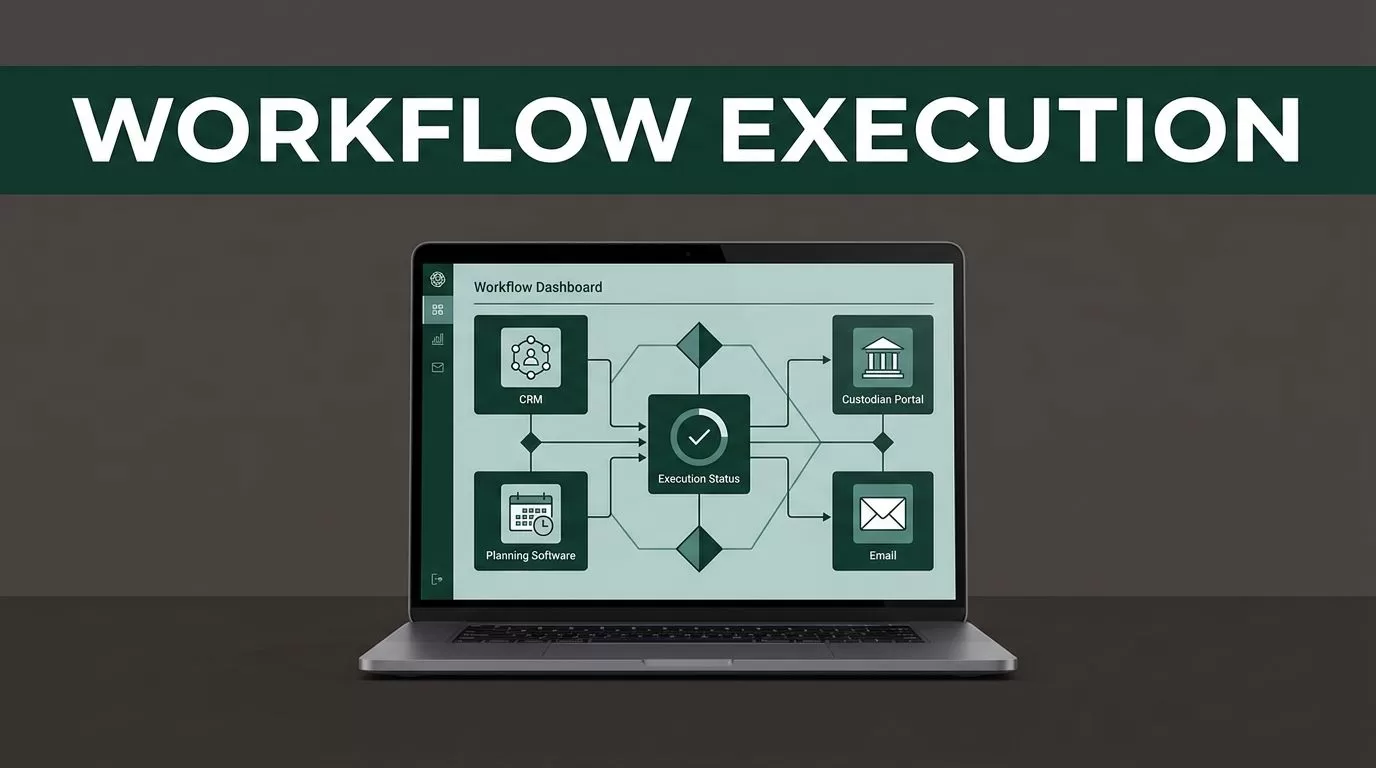
Most financial advisor tools retrieve information, generate drafts, or update records. Few can complete a workflow across several systems without manual handoffs.
Twin.so is built for that execution layer. Its agents accept a plain-language outcome, plan the required steps, use APIs or an embedded browser, and return a completed result. That makes Twin.so useful for repeatable advisor operations, but not a replacement for suitability reviews, investment judgment, or compliance approval.
The right deployment starts with workflow boundaries. Then you connect approved data sources, define agent instructions, test every output, and add human review before client use.
How financial advisor tools should fit into a Twin.so deployment
Financial firms often run on disconnected systems. Client data may sit in a CRM. Statements may sit inside a custodian portal. Planning information may live in a separate application. Service requests can arrive by email, web form, or phone.
An advisor or operations employee then moves information between those systems. Each handoff creates a chance to use the wrong account, miss a reporting period, or send an incomplete response.
Twin.so is a no-code AI agent platform for this type of recurring work. Its public documentation describes agents that select tools, execute steps across apps and websites, and run through schedules or webhooks. The Twin.so documentation provides the current product structure and setup paths.
Use Twin.so for tasks with:
- A defined starting point and completion condition.
- Repeatable steps across known systems.
- Clear source data and expected outputs.
- A low-risk pause point before external action.
Good examples include collecting missing onboarding documents, preparing a meeting brief, updating CRM fields, retrieving statements, and routing service requests.
Do not start with an agent that gives personalized investment recommendations or moves client money. Those workflows involve regulated decisions and require tested logic, documented controls, and qualified human approval.
Choose the workflow before you build the agent
A workflow map is more useful than a feature list. Write down what happens today, including every system, file, approval, and exception.
Take client onboarding as an example. The process may include receiving an application, checking for missing documents, locating the correct household record, updating a task system, and notifying an employee. Twin.so can help with collection, comparison, routing, and drafting. Your compliance team still decides what counts as complete.
Meeting preparation is another practical starting point. An agent can gather approved account data, recent service tickets, open tasks, and notes from the CRM. It can organize those items into a review packet and flag missing or stale fields. An advisor then checks the packet before using it with a client.
Data retrieval needs the same separation. Twin.so can retrieve a statement from a portal and place it in a controlled folder. It should not decide whether a payment rate matches a contract or whether a portfolio action is suitable.
Treat retrieval and interpretation as separate jobs. Automate the first where the controls are clear. Keep the second inside a tested calculation or review process.
Score each candidate workflow against four questions:
- How often does the task occur?
- Does the task use stable rules and known sources?
- Can an employee verify the result quickly?
- What happens if the output is wrong?
Start with a process that has useful volume and limited downside. A small operational win gives your team real data about accuracy, review time, and exception handling.
Build Twin.so instructions around a controlled result
Twin.so’s documentation describes an agent instruction model with sections for Purpose, Database, At Start of Run, Workflow, and Tools. Use those sections as an operating specification, not as a place for vague prompts. The Twin.so instructions guide explains how to edit this configuration.
Define the purpose in one sentence. For example: “Collect current onboarding documents for the assigned household and create a review task for missing items.”
Then define the data boundary. List the approved sources, fields, folders, and account identifiers the agent can use. State which sources are authoritative. If two systems disagree, the agent should flag the conflict instead of selecting a value silently.
The workflow should describe actions in order:
- Identify the assigned client or household.
- Confirm the reporting period and account identifier.
- Retrieve the required records.
- Compare the records against the approved checklist.
- Save the result with a timestamp and source reference.
- Create a human review task when an exception appears.
Add explicit stop conditions. The agent should stop when a portal changes layout, a document belongs to another account, required data is missing, or a requested action would send a client communication or change a financial record.
Use short examples for ambiguous cases. “If the file name is correct but the statement period is wrong, reject the file and create an exception.” That instruction is more useful than “check the statement carefully.”

Start with the Twin.so quickstart after you have written the workflow. Building first and defining the process later usually produces an agent that completes visible steps but misses business rules.
Connect APIs first, then use browser automation carefully
Twin.so’s product materials describe API connections and embedded browser use. APIs are usually the cleaner option because they provide structured data and more stable fields. The browser path helps when a custodian portal, legacy database, directory, or internal dashboard has no usable API.
The Twin.so features page lists browser agents, web scraping, schedules, webhooks, and other workflow components. These capabilities can reduce manual portal work, but browser access increases the need for permission controls.
Use a dedicated service account where the system allows it. Restrict access to the smallest set of pages, records, and actions required for the workflow. Keep retrieval accounts read-only when possible. Store credentials through approved security controls rather than inside agent instructions.
Do not allow an agent to approve trades, change beneficiary records, initiate money movement, or send a regulated client message during the first deployment. Put those actions behind a review task or separate approval system.
Also define file-handling rules. The agent should confirm the client, account, reporting period, currency, and expected columns before moving a file into a calculation process. A correct-looking filename is not proof that the document is correct.
Your team should also review the Twin.so integrations catalog before designing workarounds. Confirm the actual connection, permissions, and available fields. Don’t assume that a listed integration supports every operation your workflow needs.
Add compliance and security controls before client use
Financial advisor tools handle sensitive identity, financial, and household information. A successful test run doesn’t prove that a production deployment is safe.
Bring legal, compliance, information security, privacy, and risk stakeholders into the design. Assign ownership for the agent, its connected accounts, its instructions, its logs, and its outputs. Define who can change the workflow and who reviews those changes.
Your review should cover:
- What client data enters the agent workflow.
- Where that data is stored and for how long.
- Which model or service providers process it.
- Whether data crosses regional boundaries.
- How access, changes, approvals, and failures are logged.
- How the firm handles deletion, incidents, and vendor offboarding.
The financial-services AI compliance framework is useful for structuring this review. The financial-services deployment guidance also highlights audit records and data residency questions. Treat both as starting points for your firm’s legal and compliance analysis, not as a substitute for it.
Protect the output as carefully as the input. An agent can produce a plausible summary from stale or mismatched data. Require source references, timestamps, and exception notes in the result. A reviewer should be able to trace each important value back to an approved system.
Test for prompt injection as well. A webpage or uploaded document can contain text that attempts to change the agent’s instructions. Tell the agent to treat external content as data, not as authority. Block the run when page content conflicts with the approved workflow.
Use the financial services data security guidance to expand your threat review. Include privacy, access control, monitoring, and human oversight in the same assessment.

Pilot one workflow and measure the operating result
Do not deploy five agents at once. Select one workflow with a clear owner and a limited user group.
Use a small set of representative cases first. Include complete records, missing documents, duplicate records, changed portal layouts, incorrect periods, and conflicting fields. Review every output manually during the pilot.
Track measures that affect operating cost and risk:
- Completion rate without employee intervention.
- Exception rate by source and workflow step.
- Average review time per result.
- Incorrect records or unsupported statements.
- Time from trigger to completed task.
- Number of runs stopped by access or data errors.
Twin.so supports time-based triggers and webhooks according to its product materials. Use a schedule for recurring collection work. Use a webhook when an approved system can send an event. Keep the trigger separate from the approval decision.
After the pilot, revise the instructions based on actual failures. Add missing stop conditions. Remove unnecessary permissions. Keep a version history for each material change.
A client-facing agent needs a higher bar than an internal research assistant. Twin.so lists custom agent interfaces and deployment options, but publication doesn’t equal approval. Complete security, privacy, compliance, and user acceptance testing before exposing any client workflow.
Conclusion
Twin.so can extend financial advisor tools beyond search and drafting by executing repeatable work across APIs, portals, and business systems. The strongest use cases collect information, organize records, update workflows, and prepare drafts for review.
Keep calculations, suitability decisions, money movement, and regulated communications behind tested systems and qualified human approval. Define the data boundary, validate every result, and measure exceptions before expanding the deployment.
A useful agent is not the one that runs without interruption. It’s the one that completes routine work while giving your team a clear record of what it did and where a person must decide.
