How to Scrape Foreclosure Listings With Twin.so
A foreclosure listing is useful only when your team can verify it, compare it, and act on it. Collecting pages manually creates delays, missed updates, and inconsistent records. Foreclosure listings often sit across county portals, trustee...
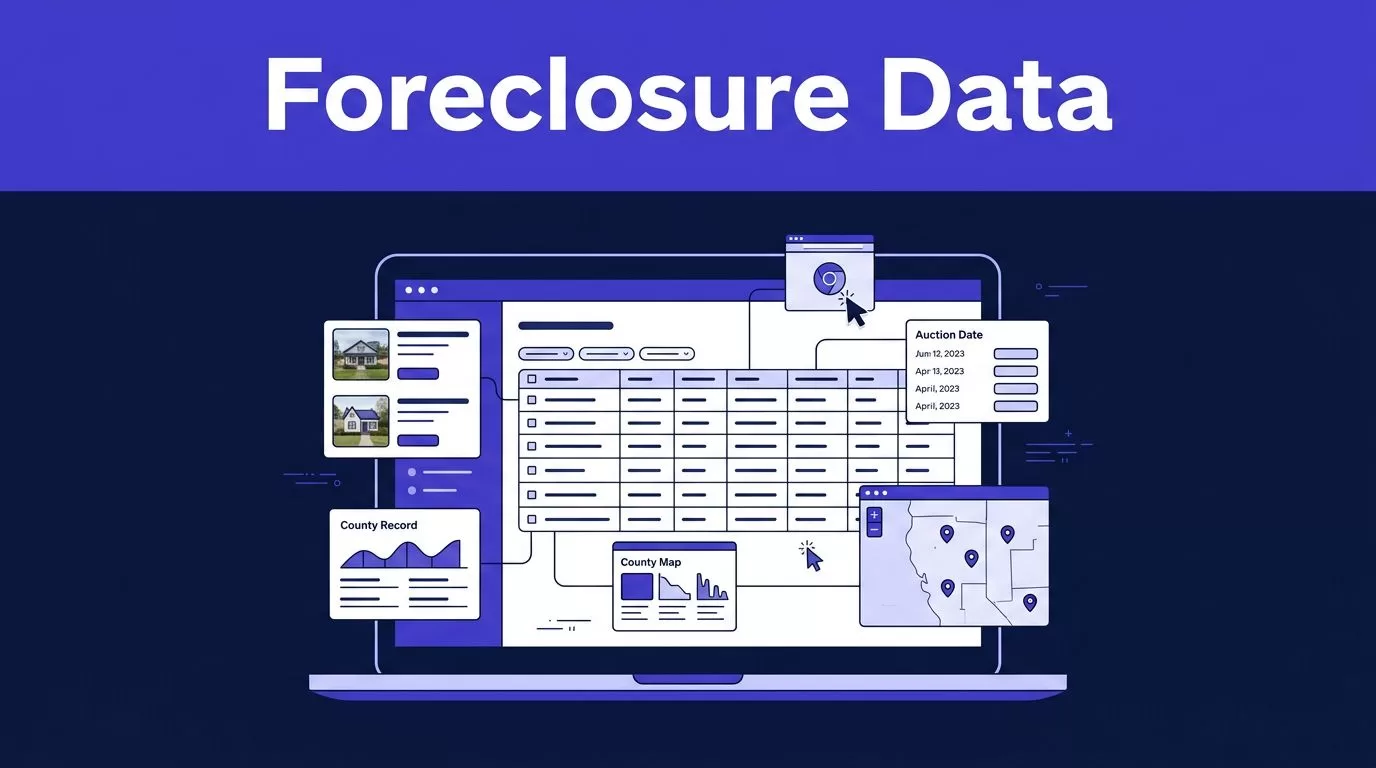
A foreclosure listing is useful only when your team can verify it, compare it, and act on it. Collecting pages manually creates delays, missed updates, and inconsistent records.
Foreclosure listings often sit across county portals, trustee pages, auction platforms, PDFs, and commercial databases. Twin.so can handle much of the browser work without a custom scraper. Your team still needs a clear schema, source rules, review steps, and a fallback process.
Why Twin.so fits foreclosure listings
Twin.so is a credit-based AI agent platform with browser automation, web scraping, API connections, webhooks, and native integrations. Its browser agent can navigate pages, click through results, scroll, search, and extract information from approved sources that don’t offer a convenient API.
Twin also publishes a Realforeclose workflow for auction research. That makes it a practical starting point for teams collecting auction records, trustee sale information, and property details from browser-based sources. You can review available connections in Twin’s integrations directory.
Use browser automation when an API isn’t available
Start with an API, file import, or official data feed when it provides the fields you need. These methods usually create fewer browser steps and reduce exposure to layout changes.
Use browser automation for approved sources that lack a useful API. This can include public auction pages, county search portals, trustee pages, and document repositories. Twin can work through the same interface a staff member uses, but it still depends on the source’s current page structure and access rules.
Don’t treat browser access as unlimited permission. Check the website’s terms, rate limits, licensing rules, and restrictions on data reuse. Never bypass a CAPTCHA, login control, IP block, or other access barrier.
Keep each source workflow separate
A county foreclosure portal may use a table. An auction website may use cards and detail pages. A trustee site may publish sale information inside PDFs.
Don’t force one extraction instruction to handle every source. Create separate source-specific workflows with their own page paths, field rules, and failure conditions. This makes layout changes easier to identify and repair.
Define the record before you scrape
The first step is not opening Twin.so. It is deciding what counts as a complete foreclosure record.
Your schema controls the quality of the final dataset. If the workflow only collects an address and sale date, your analysts may need to return to the source for every other decision.
Set required fields for each property
A practical record can include:
- Property address, city, state, and ZIP code.
- County and parcel or assessor identification number.
- Foreclosure case number or trustee reference.
- Sale date, sale time, and source time zone.
- Current status, such as scheduled, postponed, canceled, sold, or withdrawn.
- Opening bid or published amount when available.
- Trustee, court, auction provider, or agency name.
- Source URL and collection timestamp.
- Notes about missing documents, unclear status, or conflicting values.
Keep fields separate when they have different meanings. An opening bid is not the same as a final sale price. A scheduled auction is not the same as a completed foreclosure.

Photo by Artful Homes
Preserve source evidence and status history
Store the original source URL with every row. Add the date and time Twin collected the record. Keep the source status exactly as shown before applying your internal labels.
A property can move from scheduled to postponed, canceled, or sold. Your process should update the current status without deleting the previous result. This gives analysts a history of what changed and when.
A clean record without a source URL is not ready for investment research. It is an unverified claim.
Add a stable identifier whenever possible. A county and case number combination is often stronger than an address alone. If the source does not provide a case number, use a cautious matching rule based on parcel ID, normalized address, and sale date.
Build the Twin.so workflow in stages
Build the workflow in report-only mode first. Let Twin collect proposed records without writing directly to your CRM or lead database.
This prevents a page error from creating hundreds of bad records. It also gives your team a controlled sample for review.
Start with one approved source
Choose one county, trustee portal, or auction provider. Define the search filters before you build the agent.
For example, the first workflow might collect active foreclosure auctions in one county and return only properties with a sale date within the next 30 days. Keep the scope narrow. A small source-specific workflow is easier to test than a nationwide job with several page structures.
A useful instruction tells the agent:
- Which source and search filters to use.
- Which pages to open.
- Which fields to extract.
- Which fields may remain blank.
- Which records require review.
- Where to save the proposed output.
Tell the agent to return a missing value as blank or null. It should not guess a parcel number, sale date, or bid amount because the value appears plausible.
Extract, validate, then stage
Separate collection from validation. First, gather the listing. Next, check required fields, identifiers, dates, and duplicates. Only then send accepted records to a staging table, spreadsheet, CRM, or internal database.
Twin can connect to APIs, webhooks, and business tools. Use those connections to move validated records into the right destination. Keep unverified results in a review queue.
A simple acceptance rule might require a property address, county, source URL, and one stable identifier. A sale record with a missing address should not enter the lead database automatically.
Run a limited batch before enabling writes. Review 20 to 50 records. Compare the returned rows with the original pages. Check the first page, middle page, last page, and any linked documents. Look for skipped pagination and duplicate detail pages.
Use the data for investment research and lead generation
Foreclosure data can support several workflows, but it doesn’t replace title research, property inspection, legal review, or financial analysis.
Support investment research with structured records
Investors can use collected foreclosure listings to build a research queue. Filter by county, sale date, property type, estimated value, lien information, or published bid when those fields are available from an approved source.
The dataset can help you:
- Identify upcoming auctions before a research deadline.
- Group properties by county or sale date.
- Compare opening bids with public market estimates.
- Track postponements and canceled sales.
- Send high-priority records to an analyst for deeper review.
- Monitor changes between scheduled runs.
Commercial datasets can help with broader comparison. ATTOM foreclosure data includes foreclosure, auction, default, and bank-owned categories. Treat any third-party dataset as one input. Compare its coverage and update timing with the official source you plan to use.
No scraper guarantees complete or error-free coverage. A listing can disappear, change status, move to a different page, or remain absent from a public portal.
Build lead-generation workflows with review gates
Real estate teams can route qualifying records to an internal lead queue. For example, a team may flag properties with an upcoming sale date, a complete parcel ID, and a source status of scheduled.
The workflow can then create a research task, notify an acquisitions analyst, or add the property to a controlled CRM view. Avoid sending every scraped row to a sales sequence. A duplicate or outdated foreclosure record can damage trust and waste follow-up time.
If you collect owner names, phone numbers, emails, or other personal information, confirm that the source permits the collection and intended use. Apply relevant privacy, marketing, and state requirements. This guide provides operational information, not legal or financial advice.
Before contacting anyone, verify the listing against the responsible authority. County procedures differ. For example, the Denver Public Trustee records explain the trustee’s role in recording foreclosure documents and administering the process.
Troubleshoot the failures that affect data quality
A completed Twin run only proves that the agent finished its actions. It doesn’t prove that the output is complete or usable.
Track accepted, missing, duplicate, and rejected records after every run. Save the last trusted result so your team has a known fallback when the next collection fails.
Fix missing fields and duplicate records
A missing field can mean three different things. The source may not publish it. The page may require another click. The agent may have failed to identify the field.
Store the missing value as blank and add a quality flag. Then review the source page before changing the instructions. Don’t fill the gap with a value from an unrelated property or a guess based on the address.
Use stable matching rules for duplicates. Start with case number or parcel ID. If those fields are missing, compare a normalized address with the county, sale date, and trustee reference.
Save progress by record ID, page, cursor, or file name when the source supports it. This lets the workflow resume without collecting the same pages again.
Handle blocked pages and layout changes
A temporary timeout may justify a limited retry with backoff. A permission failure, CAPTCHA, changed schema, or blocked page should stop the affected path and create an exception.
Don’t retry a broken layout indefinitely. Repeated attempts can increase credit use without improving the result. Review the page manually, update the source-specific instructions, and run another small test.
Add checks for:
- Required fields suddenly returning blank.
- Record counts dropping below a normal range.
- New labels replacing expected headings.
- Pagination links disappearing.
- PDFs failing to download or parse.
- Several records receiving the same incorrect value.
- A source returning a login page instead of listing data.
For auction decisions, compare the collected output with official county, court, trustee, or auction records. The Arapahoe County sale process shows why local procedures and sale requirements need direct verification.
Estimate cost from accepted records
Twin.so uses credits for building and running agents, browsing, research, retries, and generated output. Public plans include an entry option around 2,000 credits per month for EUR 20, with larger credit bundles available. New users also receive trial credits under the current public offer.
Use planning ranges, not fixed quotes:
| Workflow type | Initial planning range |
|---|---|
| Simple API, filter, and notification flow | About 15 to 30 credits |
| Scrape of roughly 100 items | About 20 to 70 credits |
| Browser session with roughly 20 steps | About 100 to 200 credits |
Actual usage changes with pagination, detail pages, retries, document extraction, output size, and site behavior. Run 25 to 100 approved records before forecasting monthly volume.
Track credits per run, accepted records, missing records, duplicates, failed runs, retry counts, review minutes, correction time, and cost per accepted record.
A workflow that removes ten minutes of copying but creates thirty minutes of correction work has failed. Count the records your team accepts, not the number of browser actions Twin completed.
Schedule the source and define the fallback
Schedule each run after the source usually updates. Use the source’s time zone. A midnight run may collect yesterday’s status if the county updates its records later in the morning.
Record the last successful run, the number of accepted records, and the next planned run. Define what happens when the source is unavailable. Name the person who retrieves the data manually, the place where they store it, and how they identify the last trusted result.
Before wider deployment, confirm that your team can answer three questions:
- Which source produced this record?
- When was the record collected?
- Who approved it for research or outreach?
If the workflow spans several sources or needs help mapping review gates and exception paths, Book A Call to review the operating design.
Conclusion
Twin.so can reduce the browser work behind foreclosure data collection, especially when approved sources lack usable APIs. The workflow still needs a defined record schema, source-specific instructions, validation rules, and human review.
Use foreclosure listings to prioritize research and lead intake, not to skip verification. Confirm important records with official county, court, trustee, or auction sources before making investment or contact decisions. The useful output is not the largest scrape. It is a current, traceable, deduplicated dataset your team can trust.
