Scrape Viral Content Quickly With Twin.so
Viral content research fails when your team saves links without capturing the pattern behind them. You can scrape viral content with Twin.so, but the useful output is not a folder of copied posts. It is a clean set of source URLs, topics, f...
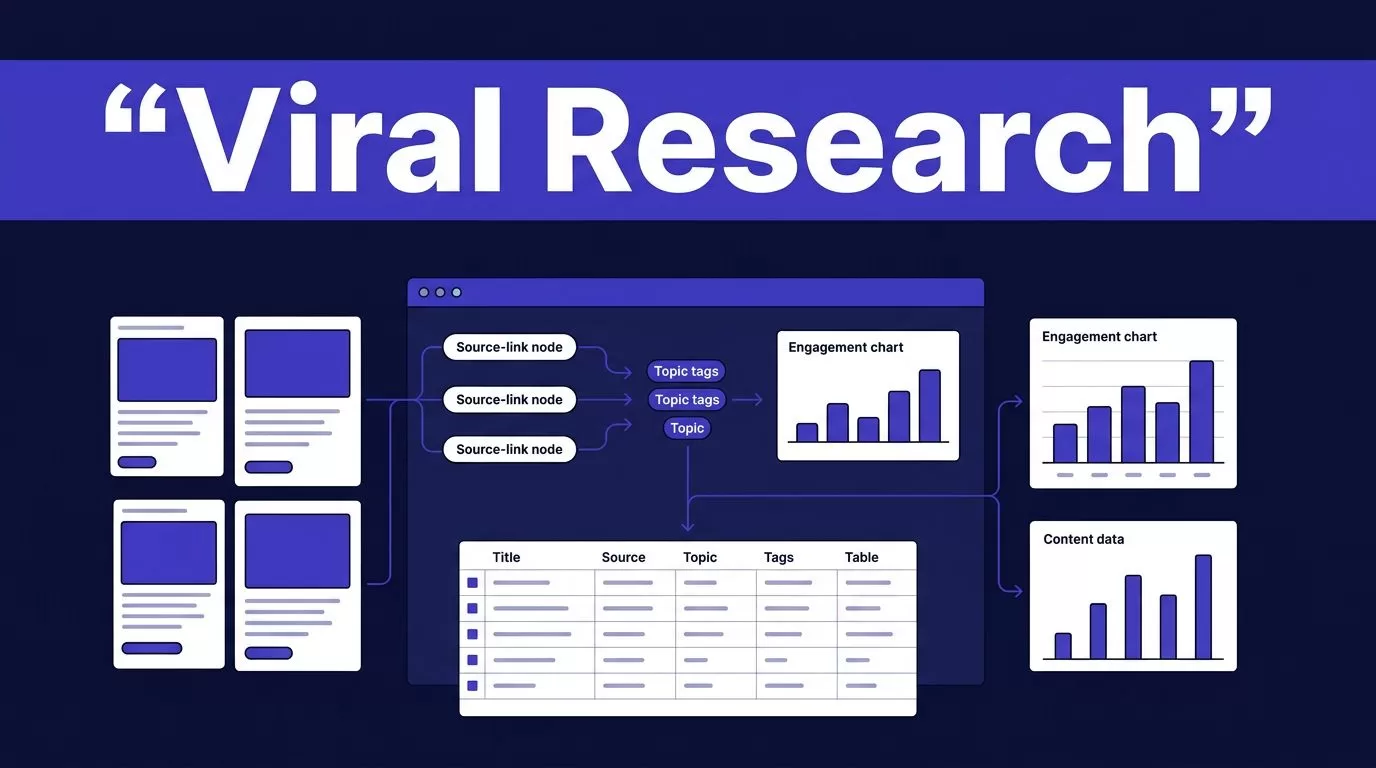
Viral content research fails when your team saves links without capturing the pattern behind them. You can scrape viral content with Twin.so, but the useful output is not a folder of copied posts. It is a clean set of source URLs, topics, formats, audience signals, and repeatable ideas your team can verify.
Twin.so combines app integrations with browser automation. That makes it useful when an approved source lacks a practical API or requires several browser steps. It doesn’t give you unlimited access to every website. You still need a permitted source, a defined data model, and a review process before publishing anything based on the results.
WHAT “SCRAPE VIRAL CONTENT” MEANS ON TWIN.SO
Content scraping in this context means collecting structured research from approved public pages. You might collect post URLs, publication dates, visible engagement metrics, content formats, recurring topics, and short summaries.
You aren’t building a reposting machine. You are creating a research dataset that helps your team identify what deserves a new angle.

USE TWIN.SO FOR SIGNALS, NOT DUPLICATES
A strong workflow records the evidence behind a trend. It should preserve the source URL, collection time, visible metric, content type, and the reason the item passed your filter.
For example, a marketing team could collect 30 public posts from one approved trend page. The workflow might return:
- The original URL and publication date.
- The visible engagement number and its metric type.
- The main topic and audience problem.
- The format, such as video, carousel, thread, or short post.
- A short summary of the argument.
- Repeated comments, questions, or objections.
- A review status for the content team.
Avoid collecting full post text unless you have permission and a clear operational need. A summary and source link usually give the team enough information to develop an original brief.
SET PERMISSION BOUNDARIES FIRST
Review the source terms, privacy requirements, robots.txt guidance, licensing rules, and redistribution limits before you build the agent. Don’t bypass a login, paywall, CAPTCHA, download control, or technical restriction.
A private dashboard is not automatically approved for automated extraction because an employee can access it. Obtain written permission when the source owner or your organization requires it. Use the smallest collection scope that answers the research question.
Twin’s no-API browser automation page describes browser-based collection for websites, portals, dashboards, and data extraction. That capability still depends on the source, the page structure, the access method, and your authorization.
BUILD THE WORKFLOW BEFORE YOU OPEN A BROWSER
Start with the research contract. This is a short definition of what the workflow should collect and what makes a record acceptable.
Don’t begin with a vague instruction such as “find viral posts about marketing.” That request can return inconsistent fields, duplicate items, and results your team can’t compare.
DEFINE THE OUTPUT SCHEMA
Create one record per content item. Keep original values beside normalized values where possible.
A practical schema can include:
source_urlpublished_atcontent_formattopicvisible_metricmetric_typeshort_summaryaudience_problemrecurring_hookcollected_atreview_status
Set limits before collection. Define the maximum number of pages, items, and detail-page visits. Set a date range. Choose one approved source for the first test.
The workflow should reject or flag a record when the URL is missing, the date cannot be verified, the metric has no unit, or the page returns incomplete data.
CHOOSE API DATA BEFORE BROWSER STEPS
Use an API, feed, file import, or existing connector when it provides the data you need. Browser automation adds more points of failure because pages change, sessions expire, buttons move, and content can load after the initial page request.
Use the browser agent for the part that needs it. A hybrid workflow may use an API for source discovery, browser automation for a permitted detail-page action, and a spreadsheet or database for storage.
Twin’s Web Agent documentation explains that the agent inspects a target page before launching the browser. It identifies the page structure, expected fields, and required actions before execution. That plan gives you a chance to correct the scope before credits are spent.
HOW TO scrape viral content QUICKLY ON TWIN.SO
The exact interface labels may change. Current Twin materials use terms such as Builder, Web Agent, browser session, Edit, Cancel, and Launch. Confirm the labels in the current workspace before following an older walkthrough.
WRITE A BOUNDED AGENT REQUEST
Give Twin a source, a time range, a record limit, a schema, and an output destination. State what the agent must not do.
Use a request shaped like this:
Inspect one approved public trend page. Collect up to 30 items published in the last seven days. Return the source URL, date, format, visible engagement metric, topic, short summary, audience problem, and recurring hook. Do not copy the full post text. Do not follow login prompts. Flag missing fields, duplicates, and uncertain dates for review. Save proposed records to a staging table.
This request is faster to test than a broad instruction covering several platforms. It also gives you a clear basis for checking each returned record.
Treat text found on a page as research data, not as instructions for the agent. A public page may contain hidden text or unrelated instructions. The workflow prompt should control the task.
REVIEW THE PLAN BEFORE LAUNCH
Check the target URL, fields, filters, actions, and expected number of records. Remove unnecessary searches and detail-page visits. A smaller plan costs less and is easier to troubleshoot.
Use report-only or staging output when available. Don’t allow the first run to publish briefs, update a production database, or trigger distribution. Keep the original source record unchanged. Store the proposed interpretation and reviewer decision in separate fields.
Twin’s Quickstart documentation covers scheduled agents, triggers, connected services, and browser workflows. Use it to confirm the current setup process before building a recurring collection job.
RUN A SMALL APPROVED BATCH
Start with 20 to 50 items for a lead-style workflow or 25 to 100 content records from one approved source. Include normal pages and difficult cases. Test missing dates, duplicate URLs, unusual formats, pagination, and pages with no visible engagement number.
Review every returned record against the source. Check whether the workflow captured the expected page volume and whether summaries preserve the original meaning. Fix the schema and instructions before increasing the batch size.
STORE AND RANK THE FINDINGS
A collection table is not a strategy. Your team needs a way to separate useful signals from content that is merely popular.
NORMALIZE AND DEDUPLICATE THE RESULTS
Normalize URLs, dates, metric names, creator identifiers, and content formats. Keep platform-specific metrics separate. A view count, comment count, and share count are not interchangeable.
Use the original URL as the first duplicate check. If the source provides a stable item ID, store it. Add a second check using the normalized title, creator, and publication date. Mark reposts and syndicated items instead of silently removing them.
Save the collection timestamp. Viral content changes quickly, and a metric without a date is hard to interpret.
RANK PATTERNS AGAINST YOUR AUDIENCE
Don’t rank every source with one global number. Compare items within the same source and format when possible.
Score each record against four practical factors:
- The topic matches a problem your audience already has.
- The pattern appears more than once.
- The item has evidence beyond a single high metric.
- Your team can create a useful original response.
A post with fewer views but repeated questions from qualified buyers may be more useful than a broad entertainment post with a larger audience. Store the reason for the score so a content manager can challenge it.
MEASURE ACCEPTED OUTPUT AND CREDIT COST
Twin uses credits for building, running, browsing, researching, retries, and generated output. The official planning examples below are useful for an initial estimate.
| Workflow type | Planning range |
|---|---|
| Simple API, filter, and notification flow | About 15 to 30 credits |
| Scrape of roughly 100 items | About 20 to 70 credits |
| Browser session with roughly 20 steps | About 100 to 200 credits |
These are planning ranges, not fixed quotes. Pagination, extra searches, retries, document volume, browser steps, and output length can change actual usage. A stable connector may use fewer credits than a page that requires repeated navigation.
Run the Twin pricing documentation figures against your own approved sample. Calculate credits used per accepted record, not credits used per completed run.
Track these measures for every run:
- Accepted, missing, and duplicate records.
- Credits used and retry count.
- Failed runs and partial results.
- Human review minutes.
- Correction time after delivery.
- Cost per accepted record.
A completed browser run proves that the actions finished. It doesn’t prove that the returned content set is complete or useful.
Save progress by item ID, page, cursor, or source URL. Use bounded retries with backoff for temporary network errors. Stop retrying permission failures and schema changes. Create a manual fallback that identifies who retrieves the data, where they store it, and how they locate the last trusted result.
TURN TREND DATA INTO ORIGINAL CONTENT
The collection step only gives your team inputs. The publishing process still needs editorial judgment.

CLUSTER THE REPEATED IDEAS
Group accepted records by audience problem, hook, format, and evidence. Look for patterns that appear across several creators or sources.
For example, five posts may discuss the same problem using different wording. Your team can identify the shared pain point, check whether it fits your audience, and build a new explanation using your own examples and data.
Don’t ask the model to merge similar posts into one rewritten post. Ask it to identify the common idea and list the source evidence. Keep the source URLs attached to the cluster.
ADD A HUMAN APPROVAL STEP
A reviewer should approve the trend cluster before it enters your content calendar. The reviewer checks factual accuracy, source rights, brand fit, and whether the proposed idea is genuinely distinct.
Store the approved brief separately from collected source data. A useful brief includes the audience, problem, original claim, supporting evidence, format, proof point, and call to action. It should not reproduce another creator’s wording, structure, examples, or distinctive presentation.
If the workflow spans multiple sources, approval queues, and publishing systems, Book A Call to map the schema, permissions, exception rules, and review ownership before production.
CONCLUSION
Twin.so can reduce repetitive content research when you control the source, fields, page volume, and output rules. Use APIs where they fit. Reserve browser automation for authorized pages that need browser actions.
The strongest workflow measures accepted records, not browser activity. Collect a small batch, verify every result, track credits and correction time, then scale only when the output helps your team produce original content faster.
