How I Gamify Online Learning Inside Skool Without Gimmicks
Most online courses lose learners because momentum fades after the first few days, not because the lessons are weak. To gamify online learning in Skool, start with one goal: make progress visible, useful, and social. Skool ships with points...

Most online courses lose learners because momentum fades after the first few days, not because the lessons are weak. To gamify online learning in Skool, start with one goal: make progress visible, useful, and social. Skool ships with points, levels, and a leaderboard, so you can add a game layer without extra software.
This guide explains how the built-in system works, how to point members toward helpful behavior, and how to design onboarding quests, rewards, and challenges. Each idea is a method to test in your own group. Skool updates features over time, so check your own group settings and the official Skool pricing page before you build a plan around any feature.
Gamification works best as a scoreboard after the match, not a toy tossed onto the field. The game should reflect learning and never replace the lesson.
How the Skool game layer works
Skool awards points for activity inside the group. Third-party guides, including the SkoolPrep gamification overview, list posting, commenting, receiving likes or reactions, and completing course lessons as point sources. The author earns commissions on Skool sign-ups, so treat the claims as one view and confirm details in your own group.
Points feed levels. Levels appear on member profiles and next to names. A leaderboard shows top members by points over a recent time window. Skool does not publish exact point values or the full leaderboard window in the sources reviewed for this guide, so do not promise members a specific number of points per action.
Owners can also tie content to levels. Examples include a course, a call replay, a resource bundle, a private channel, or a discount code. This is the main lever for shaping behavior, because owners cannot set exact point values per action.
| Feature | Function | What you control |
|---|---|---|
| Points | Reward activity such as posts, comments, likes, and lessons | Which behavior you encourage in prompts |
| Levels | Show progress on profiles and beside names | Level names and level-based unlocks |
| Leaderboard | Ranks top members by points | How you celebrate and reward top members |
| Level unlocks | Release extra content at set levels | Which content sits behind each level |

The system rewards reaction from other members, not random taps. Members climb when the group finds a post or reply worth liking. This nudges members toward helpful behavior. The system is not perfect, so watch for fluff posted only to chase points.
Skool also does not reward direct messages, work done off the platform, or revenue results by default. If those outcomes matter, recognize them by hand in a public thread.
Set up points and leaderboards around helpful behavior
Telling members to be active is too vague. Point the leaderboard at one kind of action each week. A clear target gives members a reason to post and gives you a clear signal to measure.
A simple weekly prompt cycle
- Monday. Share one win from last week.
- Wednesday. Help one member who is stuck.
- Friday. Post a screenshot, takeaway, or result from the lesson.
Because members earn points from reactions, these prompts steer people toward posts which earn social proof. Pin the prompt each day so members know where to reply.
Use leaderboard views with care
A recent-window leaderboard suits a short sprint because new members can reach the top. A long-term view shows steady contributors but can freeze newer members out when the same veterans stay on top. Rotate the spotlight so new members see a path to recognition.
Four-step setup
- Pick one target behavior. Choose helpful replies, lesson reflections, or proof of action.
- Create one weekly prompt rhythm. Use the Monday, Wednesday, and Friday cycle above.
- Choose one reward. Options include a spotlight post, a bonus lesson, an office hours seat, or a template pack.
- Explain the rules. State what counts, when the cycle resets, and what members win.
Keep rewards close to the course outcome. A coaching group might unlock a call script at a mid level. An automation course might unlock a workflow teardown at a higher level. The reward should help members do the work and stay out of the way.
Design onboarding quests and milestone rewards
The first week matters most. A new member who lands in silence sees an empty gym. A member who lands in motion sees a space worth joining. Build a short first-week path.
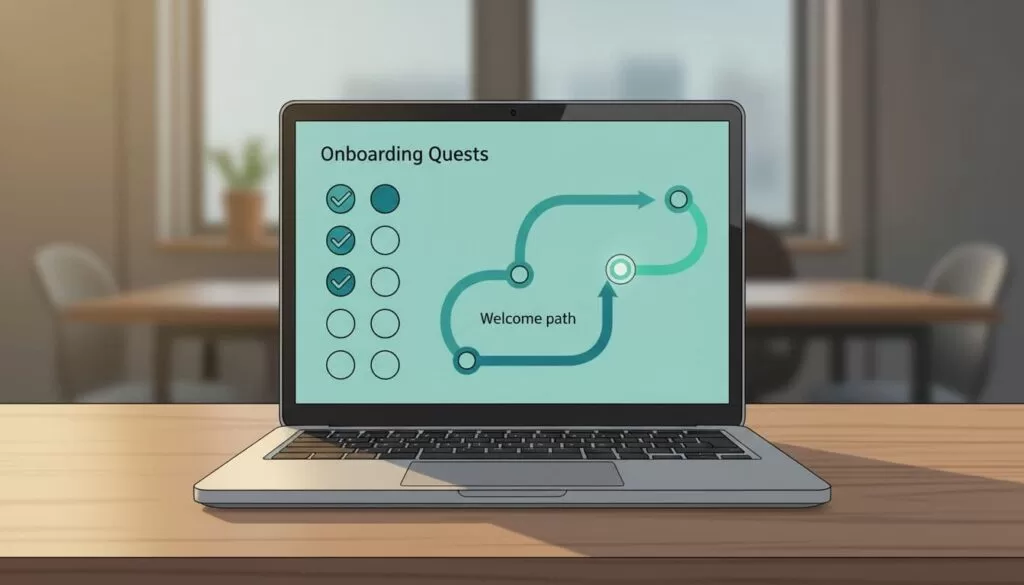
- Day 1. Introduce yourself with one useful detail.
- Day 2. Watch the first lesson and leave one takeaway.
- Day 3. Comment on two posts from other members.
- Day 4. Share a small win or a blocker.
- Day 5. Reply to one question from a newer member.
The path works as an onboarding quest without feeling childish. SkoolPrep suggests a similar first-week goal of three completed lessons and two comments on introductions. Adjust the numbers to your own course length.
Then add milestone rewards. Do not hide core lessons behind level gates. Gates punish the members who need help most. Gate extras instead, such as a bonus module, a template vault, a private question session, or a member spotlight. Progress then feels useful, not decorative.

Level unlock example
The table below shows one sample structure. SkoolPrep offers a similar example and calls the numbers a suggestion, not a Skool default. Adjust levels to match your own point flow.
| Level | Sample unlock | Benefit |
|---|---|---|
| Level 2 | Quick wins bundle | Rewards the first week of activity |
| Level 4 | Call replays course | Gives engaged members deeper study material |
| Level 6 | Advanced strategies course | Keeps top members moving toward mastery |
Run short challenges
Challenges add urgency. Skool does not include a built-in challenge tool, so you run each challenge by hand with prompts, the leaderboard, and public praise. Five-day and seven-day sprints work well because each day asks for one action.
- A writing group can run a publish-week sprint.
- A sales coaching group can run a book-one-call challenge.
- A data course can run a ship-one-dashboard week.
- A design group can run a daily sketch challenge.
Choose one clear rule, one end date, and one small reward for the top contributors. Announce results in a public post. Learners improve faster because the game pushes action, not trivia.
Match the game to the course type
Different courses need different game designs. Use the examples below as a starting point and adjust to your audience.
- Self-paced course. Focus on lesson reflections and milestone unlocks. Members work alone, so the feed supplies the social pressure.
- Cohort course. Focus on weekly sprints and live call attendance. A shared deadline gives the leaderboard meaning.
- Coaching group. Focus on accountability posts and public wins. Recognition from the coach carries more weight than any badge.
- Paid mastermind. Focus on peer help and shared resources. Reward members who answer questions with real examples.
Whatever the format, keep the rules short enough to explain in two sentences. Members ignore complex systems.
A four-week rollout plan
Roll out the game layer in small steps. Changing everything at once makes results hard to read.
- Week 1. Launch the first-week onboarding path and the weekly prompt cycle.
- Week 2. Add one level-based extra, such as a bonus template pack.
- Week 3. Run the first five-day challenge with one small reward.
- Week 4. Review the numbers, keep what worked, and drop what created noise.
Ask members for feedback after week four. Two or three short comments reveal more than any dashboard. Members often point out rewards they ignore and prompts they enjoy.
Keep motivation human
A weak game system turns smart adults into bored clickers. Keep recognition human to avoid this.
- Celebrate in public. A weekly shout-out beats a giant badge wall.
- Rotate prompts. Some members shine in comments and others in case studies.
- Watch for spam pressure. If members post fluff to chase likes, tighten the prompt and praise depth.
- Tie rewards to progress. Points should show growth, status, and a next step.
- Avoid public shaming. Never post a list of members who did not participate.
Think of the system as a dashboard. When the metric gets noisy, the signal goes soft. Review the feed each week and adjust the prompt before small problems grow.
Measure whether the game works
Pick three numbers and track them for four weeks. Compare the numbers before and after each change so you can tell which idea helped.
| Metric | How to measure | Healthy sign |
|---|---|---|
| Weekly active members | Members who post, comment, react, or finish a lesson | Steady or rising each week |
| Lesson completion | Members who finish each lesson | Fewer drop-offs between lessons |
| Reply quality | Share of replies with a real example or answer | More depth, less filler |
Frequently asked questions
Does Skool let me set point values?
No. Skool controls point values. You can shape behavior through prompts, public praise, and level-based unlocks.
Can I lock lessons behind levels?
Yes. Skool lets owners tie content to levels, according to third-party guides. Confirm the setting inside your group. Keep core lessons open and gate extras.
How long should a challenge run?
Five to seven days suits most groups because each day asks for one action. Longer challenges need stronger rewards to hold attention.
Will gamification hurt course quality?
Not when the game rewards learning. Reward helpful replies and shared work. Avoid rewards for raw posting volume.
What does Skool cost?
Skool lists Hobby at $9 per month and Pro at $99 per month. Confirm current prices and fees on the official Skool pricing page.
Conclusion
To gamify online learning in Skool, treat points as a feedback loop, not a party trick. Reward helpful action, show progress, and give members one clear next step. Start small with one onboarding path, one weekly prompt cycle, and one level-based perk. Track the numbers for four weeks, then adjust.
