How to Find Email Addresses Using Hunter.io (Practical 2026 Walkthrough)
The Hunter.io email finder returns a professional email address from two inputs. You enter a full name and a company domain. Hunter then searches a database of publicly found addresses and verifies the result. If the database has no match,...
The Hunter.io email finder returns a professional email address from two inputs. You enter a full name and a company domain. Hunter then searches a database of publicly found addresses and verifies the result. If the database has no match, Hunter builds the likeliest address from the name and the domain pattern.
This guide shows the full workflow. You pick the right tool, run a search, read the company pattern, verify the address, and protect your sender reputation. You also get the credit rules and plan figures from Hunter pages read in 2026. Hunter changes plans often. Confirm every number on the official Hunter pricing page before you buy.
How the Hunter.io email finder works
Hunter describes two modes on the official Email Finder page.
- Database search: Hunter checks addresses found publicly on the web.
- Pattern generation: if no match exists, Hunter tests likely name permutations on the domain and uses data points to pick the most likely address.
All results go through email verification. A green Verified shield means Hunter found the address deliverable. An unverified result carries a confidence score. The score shows how sure Hunter is about the address.
Hunter states the finder does not return a list of guesses like a basic permutator. The tool relies on the database and verification to confirm one likely address.
Email Finder vs Domain Search vs Bulk Email Finder
Hunter has several tools. Three do most of the work in a lead list.
| Tool | Best for | Input | Result |
|---|---|---|---|
| Domain Search | Targeting a company | A domain name | Known emails, sources, and the common pattern |
| Email Finder | Targeting one person | Full name and domain | The most likely address with a verification status or confidence score |
| Bulk Email Finder | Enriching a list | CSV or TXT file | Batch results for many names and domains |
Pick Domain Search when you want to map a company. Pick Email Finder when you know the person. Pick Bulk Email Finder when you hold a spreadsheet of names.
Hunter also offers a browser extension. Hunter lists the Chrome extension at 4.7 stars from more than 12,000 reviews and more than 600,000 users on the finder page.
Hunter.io pricing and credits
Hunter runs on credits. Credit rules shape how you work, so read them before your first bulk run.
- One credit equals one email found with Domain Search or Email Finder.
- A failed Email Finder search is free. Hunter states one search returning an email costs one credit.
- Bulk searches use one credit for up to 10 emails found.
- Verification costs 0.5 credit per email verified.
| Plan | Monthly price | Yearly price per month | Credits per month | Connected email accounts |
|---|---|---|---|---|
| Free | 0 USD | Not applicable | 50 | 1 |
| Starter | 49 USD | 34 USD | 2,000 | 3 |
| Growth | 149 USD | 104 USD | 10,000 | 10 |
| Scale | 299 USD | 209 USD | 25,000 | 20 |
| Enterprise | Custom | Custom | Custom | Custom |
Hunter lists yearly billing at a 30 percent discount on the pricing page. Paid plans include unlimited team members, auto-verification, lead enrichment, and API access. Check the pricing page for the current list before you commit.
Step by step: find an email address with Domain Search
Start with Domain Search when you target an account. The tool shows who is reachable and how the company formats addresses.

- Open Domain Search and enter the domain name. Use the domain and not the full homepage URL.
- Scan the email list for roles matching your goal. Examples include sales, partnerships, PR, and recruiting.
- Use the department filters to narrow the list.
- Sort by confidence or verification status to skip weak guesses.
- Check the pattern shown for the domain.
- Open the listed sources when available. Confirm the address came from a relevant page.
- Export only the contacts you plan to email within the next week.
What to do when you only see generic addresses
Suppose a mid-size software company shows only addresses like info@ or support@. Switch your goal. Stop looking for the person and look for the pattern. Then run Email Finder with a specific name.
Catch-all domains
A catch-all domain accepts mail for any address. Hunter lists such results as Accept all in bulk results. The server cannot confirm a real mailbox. Treat these results with care. Send small test batches and watch bounces.
Step by step: use the Email Finder for one person
- Open Email Finder.
- Enter the full name of the person.
- Enter the company domain name.
- Run the search.
- Read the verification status and the confidence score.
- Save the address only when the status fits your risk level.
Use the legal name or the name shown on the professional profile. Nicknames can break a database match. Try both when the first search fails. A failed search costs nothing according to Hunter.
How to read a company email pattern

A pattern is the format a company uses for every address. Once you know the format, you can build the right address for any person at the company.
| Pattern | Example |
|---|---|
| first.last | jane.doe@acme.com |
| first | jane@acme.com |
| f.last | j.doe@acme.com |
| firstlast | janedoe@acme.com |
| last.first | doe.jane@acme.com |
Signs of a reliable pattern
- Several sourced addresses share the same format.
- Hunter shows a high confidence score for the pattern.
- The visible emails come from different departments.
- The domain matches the brand you target.
Turn a pattern into an address
Domain Search shows jane.doe@acme.com and tom.smith@acme.com. You need Alex Rivera. The pattern is first.last. You form alex.rivera@acme.com. Then you verify before you add the address to any sequence.
Edge cases to check
- Hyphenated surnames such as Rivera-Santos.
- Nicknames compared with legal names, such as Mike and Michael.
- Middle initials in the pattern, such as john.t.smith.
- Regional or sub-brand domains.
Bulk Email Finder for lists
The Hunter help article on the Bulk Email Finder lists the rules. You upload a CSV or TXT file with first names, last names, and a company name or domain. Hunter accepts comma or semicolon separated files.
- Processing can take a few minutes up to a couple of hours, depending on file size.
- Hunter uses search credits only when you download the results. You can review findings first.
- The file limit is 10 MB.
- Result statuses are Valid, Accept all, Unknown, and Not found.
- Upload limits for unpaid rows are 2,500 on Free, 10,000 on Starter billed monthly, and 50,000 on Starter billed yearly and higher plans.
- Paid results stay for 15 months. Unpaid results stay for 6 months.
Clean your file before the upload. Remove duplicates. Remove middle names. Check each domain.
Verify addresses before outreach
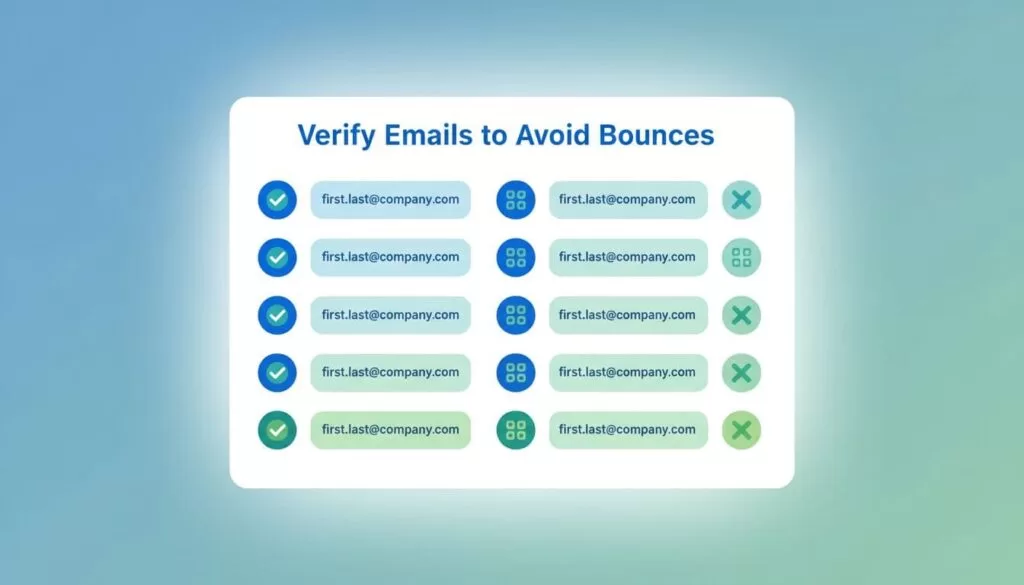
Finding an address is half the job. The other half is protecting your domain reputation. Verify every address you built from a pattern.
- Verify the high-value contacts first.
- Treat Accept all results as unknown.
- Remove risky addresses before they reach your outreach tool.
- Verify again if you email months after collection.
Verification costs 0.5 credit per email. Verify the contacts you plan to email soon. Expand only when replies justify more spend. Paid plans also include auto-verification according to the pricing page.
Common mistakes with the Hunter.io email finder
- Entering a homepage URL instead of the bare domain.
- Searching with a nickname and giving up after one miss.
- Exporting thousands of contacts and emailing none within weeks.
- Treating Accept all results as safe.
- Skipping verification on addresses built from a pattern.
- Sending the same message to every contact on a list.
- Ignoring bounces after the first batch.
Each mistake wastes credits or harms your sender reputation. Review your bounce rate after every batch. Pause sending when bounces climb, and clean the list before you continue.
Outreach hygiene checklist
- Relevance: email only people who match your offer.
- Identity: state who you are, why you write, and what you ask.
- Opt-out: include a simple way to stop future emails.
- Rules: follow CAN-SPAM and, where GDPR applies, document your legal basis.
- Volume: send small batches and watch bounce rates.
Hunter also offers sequences, with limits on recipients per sequence by plan. The pricing page lists 500 recipients per sequence on Free and 2,500 on Starter. Keep volume modest. A small accurate list beats a large list harming deliverability.
Frequently asked questions
Is the Hunter.io email finder free?
Hunter offers a Free plan with 50 credits per month. A failed Email Finder search costs no credit. Confirm the current limit on the pricing page.
How accurate is Hunter.io?
Accuracy varies by domain. Hunter marks verified addresses with a green shield and shows confidence scores for the rest. Verify before you send. Accept all domains cannot be confirmed.
How many credits does a search use?
One credit per email found in Domain Search or Email Finder. Bulk searches use one credit for up to 10 emails found. Verification uses 0.5 credit per email.
Can I find emails from a CSV?
Yes. Use the Bulk Email Finder with a CSV or TXT file holding names and company domains.
Does Hunter work for personal emails?
Hunter focuses on professional emails tied to company domains. Respect privacy rules for every address you collect.
What if Hunter finds no result?
Try the legal name, check the domain, and review the pattern in Domain Search. A failed Email Finder search costs no credit.
Conclusion
Start with Domain Search to learn the pattern. Switch to Email Finder for a named person. Use Bulk Email Finder for lists. Verify every address before you send.
Protect deliverability and spend credits where they count. Confirm all plan figures on the official Hunter pages, because Hunter updates credits and prices.
