Deploy HVAC Software Automation With Twin.so
A missed appointment, an incomplete work order, or a late invoice creates cost before anyone notices the problem. HVAC software automation reduces that waste by moving routine decisions and data entry into a controlled workflow. Twin.so can...

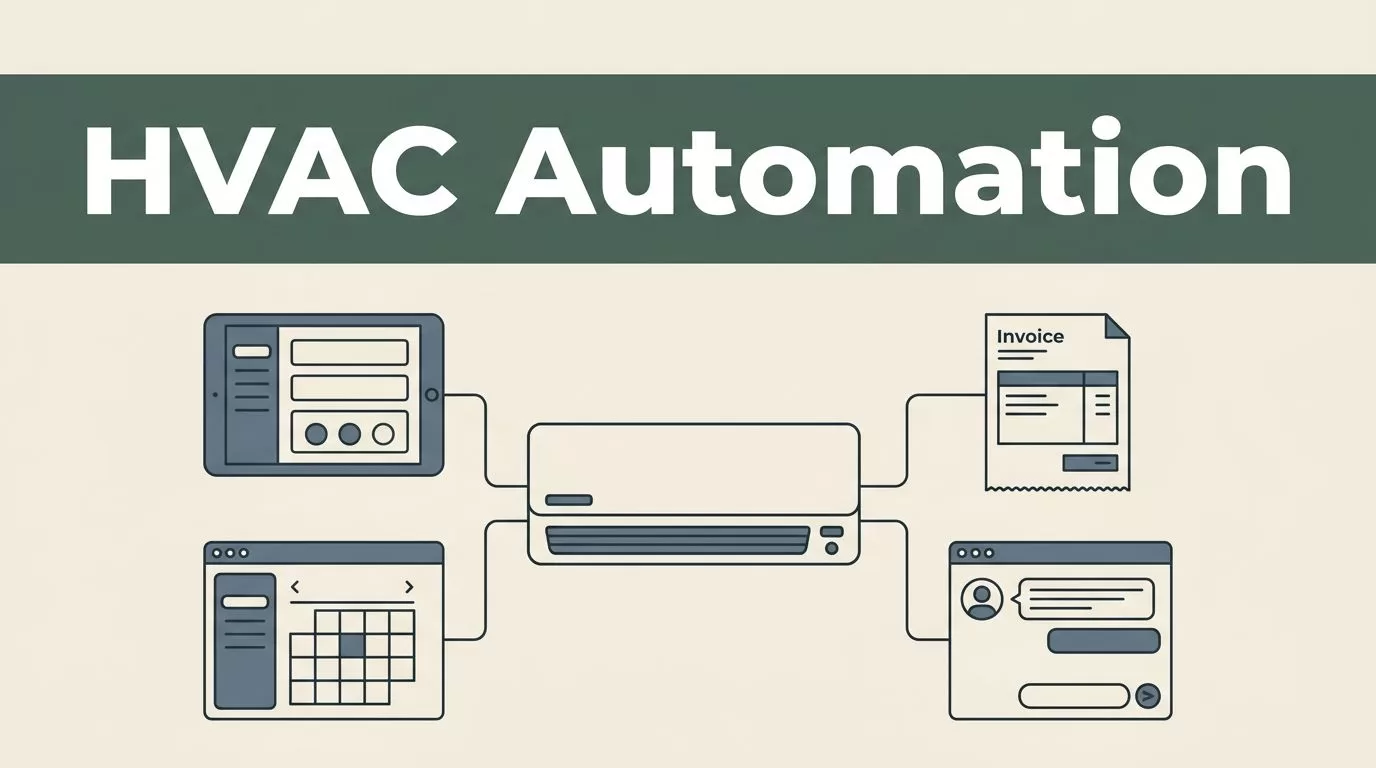
A missed appointment, an incomplete work order, or a late invoice creates cost before anyone notices the problem. HVAC software automation reduces that waste by moving routine decisions and data entry into a controlled workflow.
Twin.so can act as the workflow layer between your HVAC system, customer communication tools, accounting platform, and internal queues. Start with one measurable process, keep safety and pricing decisions under human control, and expand only after the first workflow produces reliable records.
What HVAC software automation should handle first
HVAC operations usually follow the same job lifecycle:
- A customer submits a service request.
- The office classifies the job and checks customer history.
- A dispatcher assigns the right technician and appointment window.
- The technician completes the work and submits notes, photos, parts, and signatures.
- The office reviews the job, creates the invoice, and sends follow-up communication.
- The system schedules preventive maintenance and renewal reminders.
Your automation plan should follow this lifecycle. Don’t start by automating isolated tasks that don’t connect to the job record.
A useful HVAC workflow needs a reliable customer record, site address, equipment history, service agreement, technician profile, work order, appointment status, and billing status. If these records are scattered across spreadsheets, inboxes, text messages, and separate databases, Twin.so will only move the confusion faster.
Review the core HVAC field service software features before building. Scheduling, dispatch, service history, mobile access, accounting connections, and customer communication should work as one operational chain.
The first automation target should meet three conditions:
- It happens often enough to create measurable savings.
- It follows clear rules that your team already understands.
- A human can review the output before a costly mistake reaches the customer.
Appointment requests, status notifications, work order updates, invoice drafts, and preventive maintenance reminders usually fit these conditions. Safety diagnoses, complex estimates, warranty disputes, refunds, and scope changes need human review.
Build the workflow map before opening Twin.so
Don’t begin with buttons and connectors. Begin with the process.
Write down what happens when a customer requests service. Include every handoff between the customer, dispatcher, technician, office manager, and accounting team. Record the system used at each step and the information required to move forward.
For example, a service request may start in a website form and then move to an inbox. A dispatcher copies the customer details into the HVAC system, checks equipment history, calls the customer, finds an available technician, and sends an appointment message. After the visit, the technician uploads photos and notes. An office employee checks the work, creates an invoice, and sends it manually.
That process contains several automation opportunities. It also contains several points where bad data can create a failed appointment.
Create a field map before you configure Twin.so. At minimum, define:
- Customer name, phone number, email address, and service address
- Customer ID and site ID
- Equipment type, model, serial number, and warranty status
- Job type, urgency, service agreement, and requested time window
- Technician skills, territory, availability, and current workload
- Work order ID, appointment status, completion status, and invoice status
- Photos, notes, parts used, recommendations, and customer approval
Choose one system as the source of truth for each record. The HVAC service platform should usually control work orders and appointments. The accounting platform should control invoice and payment status. Twin.so should pass information between systems instead of becoming an untracked second database.
Before deployment, confirm which Twin.so connectors, triggers, actions, permissions, and logging options are available in your account. If an integration isn’t available, use a supported API, webhook, export, or manual approval step. Don’t design a process around an untested connection.
Automate intake, triage, and dispatch


The best first Twin.so workflow is often the path from new request to confirmed appointment. It removes repetitive entry without allowing software to make technical decisions.
Set the workflow to monitor the approved request source. That could be a web form, shared inbox, call-center system, or customer portal, depending on the tools your company already uses. When a new request arrives, Twin.so should collect the available information and check whether the customer already exists.
The workflow can then classify the request using defined categories such as:
- No cooling
- No heat
- Preventive maintenance
- Installation estimate
- Commercial service request
- Warranty visit
- Emergency or safety concern
Classification should support dispatch. It shouldn’t diagnose the equipment. A request that mentions gas smell, carbon monoxide, electrical damage, flooding, or another safety concern should move to a human queue immediately.
For standard service calls, Twin.so can prepare a work order with the customer, address, equipment record, issue description, service agreement, and preferred time window. The dispatcher should review the record before assignment if the request contains missing or conflicting information.
Technician matching should use operational rules. Check skills, certifications, location, availability, job duration, and required tools. HVAC software commonly includes these dispatch controls because assigning the nearest available person isn’t enough. A technician may be close to the site but lack the certification or equipment needed for the job.
The workflow can suggest a technician and appointment slot. Keep final assignment with the dispatcher during the pilot. After your team confirms that the rules work, you can allow automatic booking for low-risk job types with clear availability.
Customer communication should use approved templates. A booking message needs the appointment window, service address, preparation instructions, and a way to contact the office. A reminder should not promise an exact arrival time unless your dispatch process supports that level of accuracy.
The HVAC workflow automation overview from ReachOut Suite also highlights recurring maintenance and custom job processes. Use those ideas as a checklist, but configure rules around your actual service territory and staffing model.
Connect dispatch to field execution

A confirmed appointment is only useful when the technician receives the right information. The field workflow should open with a complete job record, not a blank form and a phone call to the office.
When the dispatch status changes to assigned, Twin.so can pass the work order details to the technician’s approved field system if the connection supports it. Include the issue description, customer notes, equipment history, access instructions, service agreement details, and appointment window.
Avoid sending unnecessary customer data to the field. Give the technician what the job requires. Restrict sensitive billing information and internal notes that don’t support the visit.
The technician workflow should capture:
- Arrival and departure times
- Diagnostic notes
- Equipment readings
- Photos of the unit and completed work
- Parts and materials used
- Recommended follow-up work
- Customer approval for additional scope
- Customer signature or other proof of service
Twin.so can watch for a completed work order and check whether required fields are present. If photos, notes, parts, or approval details are missing, route the job back to the technician or office queue. Don’t allow an incomplete record to trigger an invoice automatically.
A useful rule looks like this:
Closeout automation should validate the record before it starts billing automation.
The system can also send an “on my way” message when the technician changes the job status, if your existing tools provide a supported communication action. Keep the message tied to the actual status. Don’t send an arrival notice when the technician hasn’t started travel.
Field data needs a clear exception path. A technician may lose connectivity, discover a different equipment problem, or need approval for a replacement. Automation should preserve the record and alert the right person. It shouldn’t force the technician through a fixed path that doesn’t match the job.
Automate invoices, maintenance, and follow-up
Back-office work creates a large share of avoidable delay. A completed job may sit for hours or days while someone transfers notes, checks parts, prepares an invoice, and sends a customer message.
Use Twin.so to prepare this sequence:
- The technician marks the work order complete.
- The system checks required notes, photos, labor, parts, and customer approval.
- Twin.so creates an invoice draft or sends the approved data to the accounting system.
- An office employee reviews exceptions.
- The invoice is sent through the approved billing channel.
- The customer receives a service summary and payment instructions.
Keep invoice creation and invoice sending separate during deployment. A draft can be created automatically. Sending should require review when the job includes a price change, warranty adjustment, discount, unusual part, change order, or missing approval.
Accounting synchronization also needs duplicate protection. Use the work order ID as the reference for the invoice. Before creating a new invoice, check whether one already exists for that work order. This prevents a retry or repeated status update from producing duplicate billing.
Maintenance agreements are another strong use case. When a service agreement reaches its renewal or scheduled visit date, Twin.so can create a task for the office, prepare a customer message, and suggest available appointment windows. A dispatcher should review the schedule before the customer receives a firm appointment.
Customer follow-up can include a service summary, payment reminder, maintenance recommendation, or review request. Keep these messages tied to real job outcomes. Don’t send a sales message when the job is unresolved or when the customer has an open complaint.
The field service management feature guide from FieldPulse covers scheduling, invoicing, reporting, and team visibility. Use those categories to check whether your workflow is improving the complete process rather than one administrative step.
Keep human review in the workflow
Automation should remove repetition. It shouldn’t remove accountability.
Set a clear human checkpoint for every action that can affect safety, money, legal obligations, or customer trust. Twin.so should route the item to a named queue with the information needed to make a decision.
| Workflow event | Automation can prepare | Human review should handle |
|---|---|---|
| New service request | Create a draft work order and classify the request | Safety concerns, unclear symptoms, angry customers, and missing access details |
| Technician assignment | Suggest a technician and appointment window | Skill conflicts, overtime, emergency priority, and complex commercial work |
| Additional work | Capture the recommendation and customer response | Price, scope, warranty coverage, and customer approval |
| Job closeout | Validate fields and prepare invoice data | Missing proof, disputed labor, unusual parts, and discounts |
| Preventive maintenance | Create a reminder and draft appointment options | Contract changes, cancellations, and customer complaints |
Name the owner of each queue. “Someone in operations” is not an owner. Assign the exception to a dispatcher, service manager, office manager, or accounting employee.
Set a response time for exceptions. A failed invoice check should not remain in a queue for three days. A missing technician photo may wait until the end of the shift, while a safety-related request needs immediate attention.
Twin.so logs should show the source record, automation step, action taken, failure reason, and human decision. If your current configuration doesn’t provide that visibility, add an operational log in the system your team already monitors.
Deploy Twin.so in controlled stages
A good deployment is small, testable, and reversible. Use the following sequence.
- Select one workflow. Start with standard residential service requests, maintenance reminders, or invoice drafts. Avoid combining dispatch, billing, inventory, and customer marketing in the first build.
- Capture a baseline. Measure the current process for at least two weeks. Record request-to-booking time, manual touches per work order, invoice delay, missing fields, and appointment errors.
- Clean the source data. Merge duplicate customers. Normalize service addresses. Remove inactive technicians. Check equipment records and service agreement dates. Automation cannot correct inconsistent source data without a defined rule.
- Build the smallest usable flow. Use one trigger, a limited number of actions, and one approval queue. Add conditions only when they solve a known operational problem.
- Test with real historical records. Use completed jobs and known edge cases. Test duplicate requests, missing phone numbers, unserviceable addresses, unavailable technicians, canceled appointments, and incomplete closeouts.
- Run a controlled pilot. Limit the workflow to one dispatcher, territory, service type, or team. Keep the manual process available. Compare automated records with the results your staff would have produced.
- Review failures every day. Group failures by cause. Common causes include missing fields, duplicate records, expired credentials, incorrect status mapping, and rules that don’t match the dispatch team’s actual process.
- Expand by job type. Add maintenance, commercial work, installations, or warranty visits only after the standard workflow is stable. Each category may need different approval rules and required fields.
- Document the fallback. Write down how staff should pause the automation, correct a record, complete a job manually, and restart the workflow. The fallback procedure should be available to dispatchers and office staff.
Before going live, confirm access controls. Give Twin.so only the permissions required for each workflow. Separate test and production connections when possible. Review who can edit rules, view customer data, send messages, create invoices, and approve exceptions.
A buyer checklist such as the one from Genic Teams can help identify missing requirements before you expand automation across the business.
Measure the return on HVAC software automation
Track operational results, not activity inside Twin.so. A workflow that runs 10,000 times but creates bad work orders has negative value.
Use a baseline and compare the same job types after deployment. The most useful measures include:
- Average time from request to booked appointment
- Dispatcher touches per work order
- Percentage of work orders with complete customer and equipment data
- Time from job completion to invoice creation
- Percentage of invoices requiring correction
- Missed appointment and rescheduling rate
- First-time completion rate
- Callback rate within a defined period
- Preventive maintenance renewal rate
- Exception volume by workflow and cause

Calculate labor savings with a simple formula:
Transactions x minutes saved per transaction / 60 = hours saved
Then multiply the hours saved by the loaded hourly cost of the employee doing the work. Include payroll taxes and benefits when available. Don’t count every saved minute as cash savings. Some saved time may become additional capacity for scheduling, customer support, or quality review.
Add recovered revenue separately. Faster invoice preparation may improve cash timing. Better appointment handling may recover jobs that previously fell through. Fewer data errors may reduce rework. Measure each result independently.
A practical ROI formula is:
(Annual labor savings + recovered contribution + avoided rework cost - annual software cost) / annual software cost
Use contribution margin instead of total revenue when measuring recovered jobs. If a $1,000 job produces $400 after direct costs, the ROI calculation should use the $400 contribution.
Review the HVAC software comparison from FieldBoss when assessing broader requirements such as mobile access, work order management, scheduling, accounting, and reporting. The goal isn’t to collect features. The goal is to connect the features that affect your baseline metrics.
Fix common deployment failures early
The first failure is usually poor source data. A duplicate customer record can create duplicate messages, incorrect service history, or a second work order. Clean the records before adding more rules.
The second failure is over-automation. A business may automate every status change before it has defined what each status means. Keep status values limited and documented. “Assigned,” “en route,” “on site,” “complete,” and “canceled” should trigger different actions only when the team uses them consistently.
The third failure is missing retry logic. A temporary connection problem should not create a duplicate invoice or lost appointment. Use unique record IDs, status checks, and a manual retry queue.
The fourth failure is poor exception ownership. If no employee owns a failed workflow, the error becomes invisible. Send each exception to a named queue and review unresolved items at a fixed time each day.
The fifth failure is measuring only time saved. Check customer outcomes, billing accuracy, technician adoption, and repeat visits too. A faster workflow that creates more callbacks is not a successful deployment.
Conclusion
HVAC software automation works when it follows the real job lifecycle, keeps source data clean, and gives employees clear control over exceptions. Use Twin.so to connect repeatable actions across intake, scheduling, field updates, billing, and maintenance workflows, but verify the available integrations and permissions before you build.
Start with one workflow and a baseline. Keep invoice approval, safety issues, scope changes, and customer disputes under human review. Measure the result through booking speed, record quality, invoice timing, exception volume, and recovered contribution. That operating discipline turns automation into a controlled business system instead of another disconnected tool.

