Market Research Automation With Twin.so: A Practical Guide
Market research automation only works when it produces usable evidence, not a large pile of unverified records. Twin.so can collect information, operate browser-based tools, classify findings, and send structured outputs to the systems your...
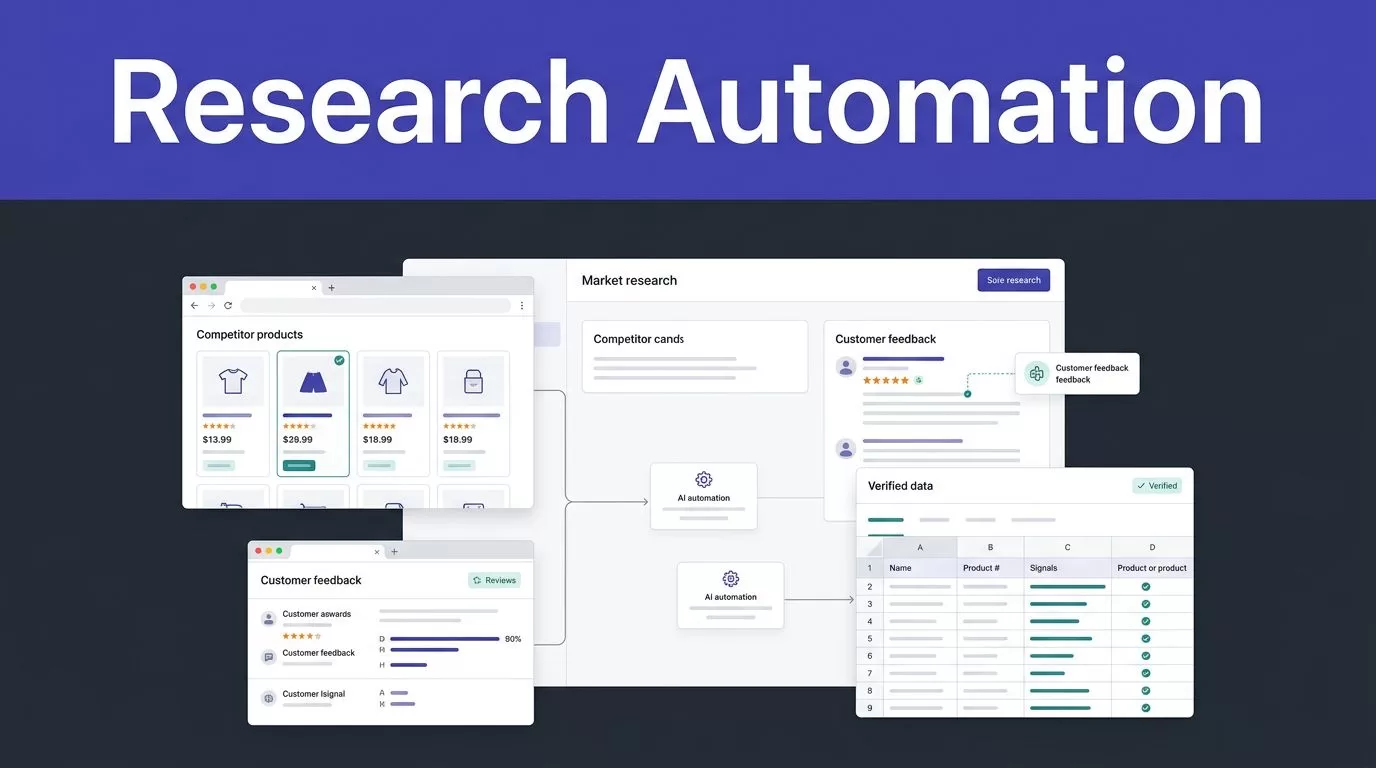
Market research automation only works when it produces usable evidence, not a large pile of unverified records. Twin.so can collect information, operate browser-based tools, classify findings, and send structured outputs to the systems your team already uses.
Most research teams lose time on repetitive work. They copy competitor prices, check product pages, review customer feedback, clean duplicate records, and prepare weekly summaries. Twin.so can handle much of that process, while people retain control over source approval, quality checks, sensitive data, and business decisions.
How market research automation works with Twin.so
Twin.so is an AI agent and workflow automation platform. It can connect to APIs, SaaS tools, databases, spreadsheets, and websites. You describe the workflow, define the expected output, and restrict the actions the agent can take.
That makes it useful for research operations with repeatable rules. A workflow can monitor competitor pages, collect product changes, classify customer feedback, update a research database, and post a summary in Slack.
Twin.so isn’t a survey panel, statistical package, or complete research data platform. If you need respondent sampling, questionnaire design, or advanced survey analysis, compare dedicated tools such as the Qualtrics market research platform. You can also review automated market research platforms to separate respondent collection from workflow execution.
The practical role for Twin.so is orchestration. It moves information through a defined process.
A competitor monitoring workflow might:
- Check approved product and pricing pages on a schedule.
- Extract product names, prices, plan limits, feature changes, and source URLs.
- Compare new records with the previous run.
- Flag a change instead of sending the same result every day.
- Save the evidence and send a concise update to the research team.
The output should support a decision. A list of copied web pages isn’t enough. Your team needs to know what changed, where the change occurred, when it was collected, and whether the result passed review.

Build a market research automation workflow in five steps
Start with one research question. Don’t ask Twin.so to “collect everything useful about the market.” That instruction creates inconsistent records and increases review time.
Use this build sequence:
- Choose a narrow research task. Track competitor pricing, monitor product announcements, collect public tender notices, or group support feedback by theme. Select a task with a clear owner and a repeatable result.
- Approve the source list. Record the domains, APIs, documents, and connected systems the agent may access. Public availability doesn’t remove the need to check terms of use, rate limits, licenses, or access restrictions.
- Define the output schema. List every required field and its format. A competitor record may need the company name, page title, plan name, price, currency, feature summary, source URL, collection time, and confidence status.
- Set rules for missing or conflicting data. Tell the agent to leave a value blank when no trustworthy source exists. It should not invent a clean-looking price or infer a product limit from unclear text. Conflicting pages should enter a review queue.
- Choose the destination and review path. Send approved records to a database, spreadsheet, research repository, Slack channel, or project management system. Keep uncertain records separate from approved findings.
A plain-language instruction can define the job, but it still needs operational detail. State the trigger, source boundaries, fields, comparison logic, failure response, and destination.
For example, a weekly competitor monitor should not only return new pages. It should compare the current result with the previous version and report changes in price, packaging, availability, or product claims. Keep the original URL with every finding so a researcher can verify the result quickly.
For teams that need help mapping permissions, review queues, and system ownership, Book A Call before deployment.
Use APIs first, then add browser automation
Twin.so supports two useful execution paths. It can retrieve structured information through an API, then use browser automation when the required page or action has no suitable API.
Use APIs for stable, high-volume fields. API responses are easier to validate, cheaper to repeat, and less affected by page layout changes. Use the Web Agent for authorized browser tasks such as reading a public table, checking a portal, downloading an approved file, or completing a process inside a legacy application.
Browser automation adds flexibility, but it also adds cost and failure points. A page redesign, changed login flow, expired credential, missing field, or new access challenge can interrupt the workflow. Never use browser automation to bypass authentication, paywalls, rate limits, anti-bot controls, or access restrictions.
Twin’s Web Agent operates in an isolated cloud browser. It doesn’t use your local browser session or active cookies by default. Account access still requires authorization, and connected credentials should have the minimum permissions needed for the task.
Treat an empty output as a possible extraction failure, not proof that the market had no new records.
Test the workflow with a small approved sample. Record successful records, skipped records, failed runs, duplicate findings, and review time before you schedule a recurring job.

Turn collected records into reliable research insights
Collection is only one part of the process. Raw pages and unstructured notes still need normalization, comparison, classification, and review.
Twin.so can help classify research records and create structured summaries. You can route those outputs to a research database or team channel. Use fixed fields instead of free-form notes when another system will process the result.
A weekly competitive intelligence workflow might classify each change as:
- Pricing change
- New feature
- Packaging change
- Positioning change
- Customer proof
- Distribution or partnership update
The classification should include the supporting URL and the extracted evidence. A summary without traceable evidence creates extra work for the researcher who must verify it later.
Store three versions of important outputs:
- The original page, document, or API response, subject to source permissions.
- The normalized record used by your research system.
- The reviewed record approved for analysis, reporting, training, or evaluation.
Add provenance fields such as the source URL, collection timestamp, extraction method, content hash, license status, and quality flags. Use content hashes or version numbers to detect whether a page changed.
Twin.so can also support voice-of-customer research. A workflow can read approved support tickets, classify recurring complaints, identify product areas, and prepare a summary for product managers. It can search approved internal documents when context is needed, but it shouldn’t treat an internal page as proof of an external market trend.
Survey work needs the same discipline. If a workflow begins with questionnaires or feedback forms, use a tool suited to that stage. A survey software comparison can help separate response collection from the automation layer that cleans, routes, and summarizes results.
Human reviewers should approve taxonomy changes, unexpected themes, and conclusions based on small samples. Automation can group evidence. It shouldn’t decide that a weak signal is a market trend without review.
Keep human review in the workflow
Automation is useful when the rules are clear and the cost of an occasional exception is manageable. Human review remains necessary when data is sensitive, ambiguous, incomplete, or likely to influence a high-impact decision.
Create an exception queue for:
- Unclear entity matches or possible duplicate companies.
- Missing values that affect pricing, eligibility, or market sizing.
- Conflicting statements across source pages.
- Personal data or sensitive customer information.
- Large changes in record volume, category counts, or sentiment.
- Failed runs, blocked pages, and unexpected output formats.
Don’t let fuzzy matching merge companies automatically when the result is uncertain. A matching CRM ID should take priority. If no reliable ID exists, use stronger signals such as a verified email address, normalized domain, and company name. Route uncertain matches to a person with the proposed match, confidence reason, and source records.
Use report-only mode before enabling updates. Let Twin.so show proposed changes without writing to production systems. Compare the results with known records and historical research. Then enable updates for a limited batch.
If collected information includes personal data, your organization remains responsible for the purpose, legal basis, retention period, deletion requests, source permissions, and access controls. Twin.so doesn’t make a data collection project GDPR compliant by itself.
If data will be exported into an external model or training pipeline, read Twin’s API terms and the source licenses first. Tool access doesn’t transfer ownership or permission to reuse the collected data.
Calculate the real cost of Twin.so research automation
Twin.so uses credits. The cost depends on the work performed, not only the number of records returned.
The documented examples provide useful planning ranges:
| Workflow type | Approximate usage |
|---|---|
| Simple automation | 15 to 30 credits |
| 100-item scrape | 20 to 70 credits |
| Browser session with about 20 steps | 100 to 200 credits |
Building, researching, and testing a workflow can cost more than running a deployed agent. Repeat runs are often three to ten times cheaper than the initial work. Benchmark a small sample before forecasting monthly usage.
Trial accounts are described as receiving 1,000 credits immediately, followed by 200 credits per day for 14 days, with up to 3,600 credits during the trial. Paid subscribers can also purchase one-time top-ups. Confirm the current credit rules and plan prices in Twin.so’s pricing documentation before budgeting.
Track cost per successful, reviewed record. A ticket or research record requiring one API lookup and a database update uses fewer credits than one requiring several API calls, browser actions, document searches, and a generated summary.
Calculate labor savings conservatively:
Monthly benefit = eligible volume x minutes removed x loaded hourly rate / 60
Then include reduced rework, fewer duplicate records, and lower backlog costs. Subtract Twin.so fees, integration costs, monitoring time, and human review time.
ROI = (monthly benefit - monthly cost) / monthly cost
Don’t count every automated run as a saving. An incorrect competitor price or bad CRM merge can create more work than the manual process.
Conclusion
Twin.so is most useful when market research automation has a defined question, approved sources, fixed fields, and a visible review path. Use APIs for stable collection. Use browser automation for authorized tasks that require website interaction. Store evidence with every record.
Start with a small queue and measure accuracy, failure rate, review time, duplicate rate, and cost per approved result. The strongest workflow is not the one that removes every human step. It’s the one that removes repetitive work while keeping important decisions accountable.
