Create Website Variations Faster With Mida.so
A high-converting page rarely appears on the first attempt. The problem is that each new version usually waits on design reviews, developer time, and a crowded sprint. Mida.so gives marketing and growth teams a faster way to create website...

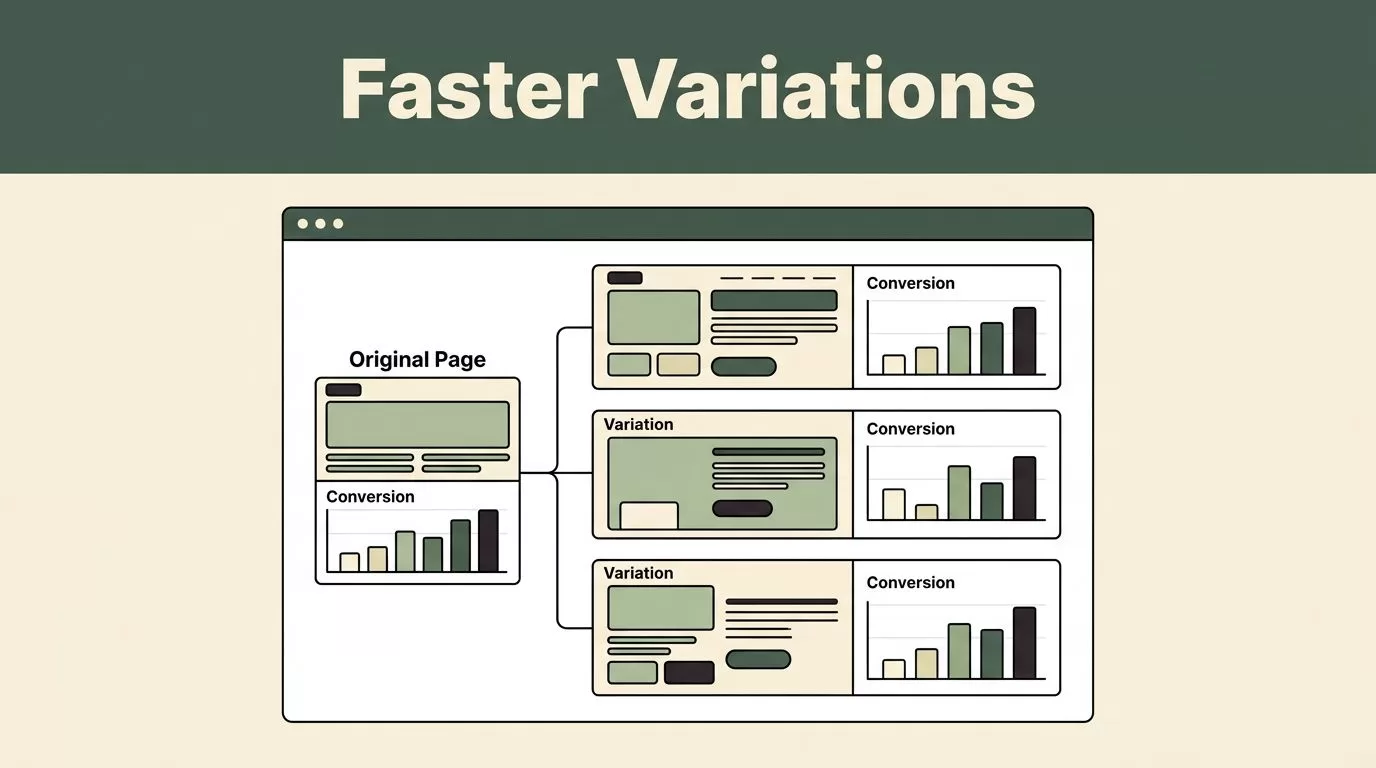
A high-converting page rarely appears on the first attempt. The problem is that each new version usually waits on design reviews, developer time, and a crowded sprint.
Mida.so gives marketing and growth teams a faster way to create website variations, review changes, and prepare pages for testing without rebuilding every version manually. The tool won’t replace a strong hypothesis, but it can reduce the time between an idea and a live experiment.
Key Takeaways
- Mida.so helps teams create alternate website experiences without starting each page from scratch.
- Strong variations change one clear conversion factor at a time.
- Test copy, layout, calls to action, forms, trust elements, and pricing presentation against a defined hypothesis.
- Review tracking, responsiveness, accessibility, and page speed before sending traffic to a variation.
- Use experiment data to choose the next action, not to confirm a personal preference.
Why Website Variations Matter for Conversion Work
Most teams don’t have a traffic problem. They have an iteration problem.
A landing page may receive thousands of visits while keeping the same headline, form, layout, and call to action for months. The team knows the page could improve, but every change requires a ticket. By the time the new version is ready, the campaign may have ended or the original assumption may no longer matter.
Website variations give you a practical way to test those assumptions. You can compare two versions of a page while keeping the audience, offer, and primary goal consistent. The result is cleaner learning than a series of unrelated redesigns.
A variation should answer a specific question:
- Does a clearer headline help visitors understand the product faster?
- Does a shorter form increase completed submissions?
- Does showing pricing earlier reduce uncertainty?
- Does moving proof closer to the call to action improve sign-up intent?
- Does a product screenshot explain more than a paragraph of copy?
The point isn’t to make a page look different. The point is to isolate a change that could affect user behavior.
Mida.so is useful when the bottleneck is production. It lets your team work directly with an existing page and create alternate versions without sending every small idea through a full development cycle. You still need a conversion goal and a measurement plan, but the execution becomes easier to manage.
That distinction matters. A faster editor won’t fix a weak hypothesis. It will help you test a good one sooner.
How Mida.so Fits Into a CRO Workflow
The most effective Mida.so website variations follow a simple operating process. Start with evidence, define the change, build the variation, then validate the setup before launch.
1. Start with a page and one goal
Choose a page with a clear business purpose. This might be a product landing page, demo request page, pricing page, or sign-up flow.
Define one primary conversion event. Examples include a completed form, account creation, booked meeting, or checkout completion. Secondary metrics can provide context, but they shouldn’t replace the main outcome.
A page with several competing goals creates unclear results. If visitors can download a guide, start a trial, and request a demo, decide which action matters for the experiment.
2. Write the hypothesis before editing
Use a direct format:
If we change [page element], [audience] will be more likely to [action] because [reason].
For example:
“If we replace the technical headline with a result-focused headline, first-time visitors will start more trials because they can understand the product value faster.”
This sentence gives the variation a job. It also prevents random changes that look impressive but produce no useful learning.
3. Build the alternate page in Mida.so
Use Mida.so to create the page changes required by the hypothesis. Depending on the variation, that may include new copy, a different section order, updated buttons, revised form fields, or a modified visual treatment.
Keep the edit narrow when possible. Changing the headline, hero image, navigation, pricing, and form at the same time may produce a different result, but it won’t tell you which change caused it.
The faster build process is most useful when it supports controlled testing. Don’t use speed as a reason to create noisy experiments.
4. Review the variation before traffic arrives
Check the page on desktop and mobile. Test every button. Submit forms with test data. Confirm that analytics events fire correctly and that the original page still works.
Look for changes that affect more than appearance. A new layout may hide important information. A shortened form may remove a qualification field. A new script may affect page speed.
Google’s Core Web Vitals guidance covers the main loading, responsiveness, and visual stability signals to review before release.
5. Launch with a decision rule
Decide what outcome will determine the next step before the test begins. A winning variation may become the new control. A losing variation may close the idea. An unclear result may require more traffic or a better-defined test.
You don’t need to predict the winner. You need to know what you will do with the evidence.
Practical Variation Ideas to Test
Mida.so works best when you give it a clear production task. The following ideas apply to common marketing and SaaS pages.
Rewrite the hero section around the visitor’s outcome
Many pages lead with a product description. Visitors often need a faster answer to a different question: what will this help me do?
Test a headline that names the result instead of the feature. Keep the supporting copy short. Make the primary button describe the next step, such as “Start free trial” or “Book a product demo.”
Keep the audience fixed. A headline for startup founders should not be tested against one written for enterprise security teams unless the traffic is segmented.
Change the order of proof
Customer logos, product screenshots, security details, reviews, and case studies can appear in different positions.
A new visitor may need proof before a form. A high-intent visitor may need pricing and implementation details instead. Create a variation that moves the most important reassurance closer to the decision point.
Don’t add invented customer results or unsupported claims. Use approved evidence that already exists in your marketing materials.
Reduce form friction
Test fewer fields against the current form. Remove fields that sales doesn’t use. Split a long form into smaller steps only when each step has a clear purpose.
Measure completed submissions, but also review lead quality. A higher conversion rate isn’t useful if the variation produces contacts that don’t match your target market.
The same rule applies to sign-up flows. Remove unnecessary questions, but keep fields that support onboarding, routing, or compliance.
Improve the call to action
Button copy can make the next step clearer. “Submit” gives little context. “Request pricing” and “Create workspace” tell visitors what happens next.
You can also test button placement, size, contrast, and repeated calls to action on a long page. Keep the surrounding offer consistent so the experiment doesn’t become a full redesign.
For contrast decisions, use the WCAG guidance on minimum contrast. A button that attracts attention but fails accessibility checks is not a good result.
Test pricing presentation
Pricing pages often create uncertainty through unclear packaging, hidden limits, or unexplained differences between plans.
Test a clearer comparison structure, a stronger explanation of the recommended plan, or a more visible link to implementation details. Don’t change price and layout in the same first test unless pricing itself is the hypothesis.
For SaaS teams, track plan selection, trial activation, and qualified pipeline. A pricing variation can affect several steps after the initial click.
Personalize the page for a defined audience
Create separate variations for traffic with different needs, such as paid search visitors, existing product users, or visitors from a specific industry campaign.
The message should match the source and intent. A visitor searching for “API monitoring for startups” shouldn’t land on a generic enterprise message if your campaign promises a focused solution.
Personalization only helps when the audience definition is clear. Avoid creating a separate version for every small traffic segment.
How to Evaluate Website Variations Correctly
A variation needs enough relevant traffic to produce a useful comparison. Avoid making a decision after a few conversions because the early result looks exciting.
Track the primary conversion event first. Then review supporting measures such as button clicks, form starts, bounce rate, trial activation, or qualified lead rate. Supporting metrics help explain the result. They shouldn’t distract from the business outcome.
Keep the test conditions stable. Record changes to traffic sources, campaign targeting, pricing, product availability, and tracking. A variation can appear stronger because the audience changed, not because the page improved.
Use consistent naming for each experiment. Include the page, audience, main change, and date. For example:
Pricing page, shorter comparison copy, paid search, July 2026
This makes results easier to find later. It also prevents teams from repeating tests without knowing what happened before.
Analytics must be connected to the decision process. If you use Google Analytics, review its documentation on events and conversions before assigning a new event to an experiment. Confirm that the event fires once, uses the correct property, and distinguishes the variation from the original page.
Don’t judge a page by conversion rate alone. Look at lead quality, revenue progression, activation, and user feedback when those signals are available.
Checks to Complete Before You Publish
A quick review protects the test and the user experience.
- Confirm the variation loads at the correct URL or page entry point.
- Check desktop, tablet, and mobile layouts.
- Test navigation, buttons, forms, calendars, and checkout links.
- Verify analytics events and experiment assignments.
- Review copy for accuracy, approved claims, and consistent terminology.
- Check accessibility, image loading, and page speed.
- Confirm that search engine settings remain appropriate for the test setup.
- Define the stop, continue, and rollout conditions.
Make a screenshot or save the final variation details before launch. Record the original page, the changed elements, the audience, the goal, and the launch date.
Mida.so can reduce the production work, but it doesn’t remove the need for quality control. A broken form creates a false result. A tracking error creates a false sense of confidence.
Conclusion
Creating website variations shouldn’t require a full rebuild for every conversion idea. Mida.so gives growth teams a faster way to turn a defined hypothesis into a reviewable page variation.
The strongest process is simple. Choose one page, set one goal, change one meaningful factor, check the implementation, and evaluate the result against business outcomes. Use the next test to answer the next unanswered question, not to decorate the page with more changes.

