Streamline Your Email Operations: How to Automate Newsletter Creation Workflows On Twin.so
Manual email operations drain your team’s time and introduce costly errors into your marketing cadence. When you rely on scattered spreadsheets, loose copy documents, and manual copy pasting, your recurring dispatches quickly become a...

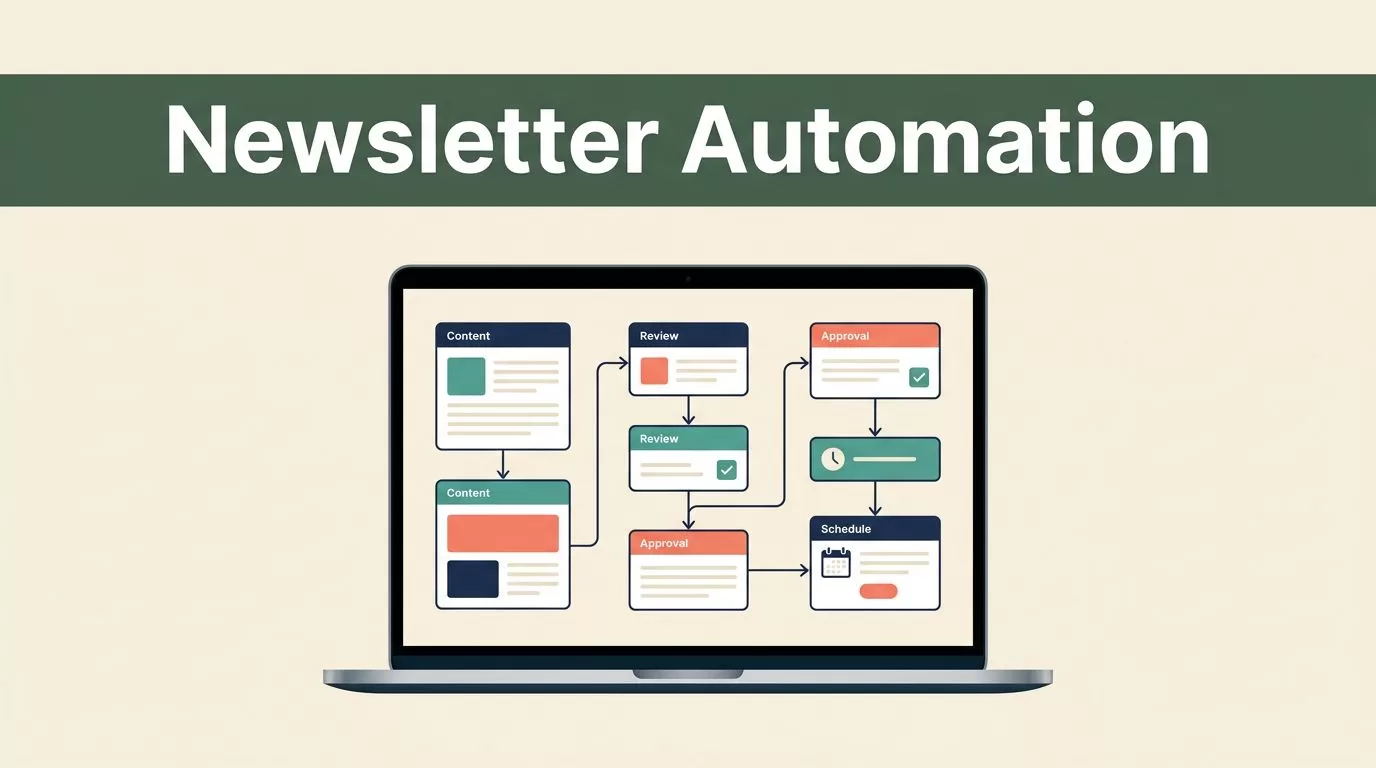
Manual email operations drain your team’s time and introduce costly errors into your marketing cadence. When you rely on scattered spreadsheets, loose copy documents, and manual copy pasting, your recurring dispatches quickly become a logistical bottleneck. You need a structured system that connects content intake, drafting, reviews, and publishing into a single predictable pipeline. Implementing newsletter automation eliminates repetitive manual touchpoints and frees your operators to focus on core messaging and strategy.
Twin.so provides the operational backbone required to run recurring email programs without friction. Instead of juggling disparate tools for drafting and approvals, you configure end-to-end sequences that execute on a strict schedule. If you want to benchmark your current email operations against industry standards, review Zapier’s guide on newsletter automation for additional strategic context.
Structuring Your Newsletter Workflow
Every successful email program starts with a standardized structure. If your team treats each weekly send as a blank slate, you will constantly miss deadlines and struggle with quality control. You need a repeatable framework that defines how raw information enters your system, moves through editorial review, and reaches your final distribution channel.
Start by mapping your current manual steps. List out where you source content, who writes the initial drafts, which stakeholders need to approve the copy, and how you format the final output. Once you document this path, you can translate each phase into a native Twin.so workflow trigger. For a broader look at how operators restructure their daily processes, you can examine this creator community discussion on automated workflows.


Photo by Walls.io
When you centralize your editorial calendar and task assignments inside Twin.so, you remove ambiguity. Team members always know who owns the current task, whether it is pulling data, writing copy, or checking links. This structural clarity prevents missed deadlines and keeps your publishing cadence intact week after week.
Collecting And Organizing Content Sources
Raw information forms the foundation of any high-performing B2B newsletter. If your data collection process is chaotic, your final output will feel disjointed and unpolished. You must establish dedicated ingestion points for industry news, internal product updates, customer case studies, and performance data.
Configure your workspace to pool these inputs automatically. You can connect RSS feeds, customer feedback logs, and research document folders directly into your Twin.so environment. As items flow into your intake queue, your team tags them based on topic, priority, and relevance to upcoming themes.
Organizing your research files into dedicated folders prevents context switching and keeps your writing queue structured. When your copywriters sit down to draft the weekly edition, all approved source material sits ready in a single dashboard. You eliminate the frantic search through Slack channels and browser bookmarks that typically consumes the first hour of writing.
Why Newsletter Automation Matters for B2B Teams
Scaling an email marketing program without operational tooling leads directly to burnout. As subscriber lists grow, the administrative overhead of coordinating reviews, formatting templates, and tracking delivery scales right along with them. Implementing newsletter automation solves this scaling crisis by standardizing repetitive tasks.
When you automate repetitive data entry and status updates, your team spends its hours on high-value strategy and messaging quality. You stop wasting time on manual formatting and status ping-pong. Twin.so handles the mechanical transitions, moving a card from draft to review automatically as soon as an author checks off the completion box.
To explore additional strategies for removing operational friction from your email production, consult Letterhead’s newsletter workflow overview for tactical insights. B2B organizations that adopt these systems routinely publish higher-quality content with half the administrative overhead.
Managing Stakeholder Reviews And Approvals
Content review bottlenecks kill momentum faster than almost any other operational flaw. If your copy sits in an unorganized review queue for days, your timely industry updates become stale before they ever reach your subscribers. You need a strict approval protocol with clear ownership and automated reminders.
Set up sequential review stages inside Twin.so. The system assigns the draft to a copywriter first, routes it to a subject matter expert for technical accuracy, and finally pushes it to marketing leadership for final sign-off. Each reviewer receives an automated notification the moment the previous stage is marked complete.
Establish strict turnaround windows for each stage. If a reviewer misses their window, the workflow can trigger an escalation alert or temporarily bypass non-critical sign-offs based on predefined rules. This automated governance keeps your production train moving forward even when key personnel are traveling or tied up in meetings.
Scheduling And Publishing Content
Once your stakeholders approve the final copy, your email needs to move smoothly into your delivery platform. Manual copy-pasting between drafting tools and email service providers introduces formatting errors, broken links, and missed UTM parameters. You want a direct, automated bridge from your final review column to your deployment queue.
Configure Twin.so to push approved copy directly into your email delivery tool using webhooks or native integrations. The system maps your headline fields, body paragraphs, author details, and call-to-action links directly to the correct template variables.

Photo by Walls.io
You should run a final automated check right before the send window opens. Verify that all placeholder tags are resolved, image URLs are active, and tracking parameters are present. Successful newsletter automation depends on these automated guardrails to ensure zero broken emails go out to your subscriber base.
Tracking Performance And Reporting Metrics
Publishing the newsletter is only half the battle. If you do not track performance data and feed those insights back into your planning cycle, your content strategy will stagnate. You need automated reporting loops that aggregate open rates, click-through rates, and unsubscribes directly into your workspace dashboard.
Pull your core delivery metrics into Twin.so within twenty-four hours of sending. Tag individual content blocks with performance labels so you know which topics drove the highest engagement. If a specific case study or product deep dive generates double the average click volume, your editorial team needs to see that data immediately.
Use these performance insights to adjust your upcoming content queue. When you make data-driven adjustments to your newsletter strategy, every subsequent issue performs better than the last. Automating this feedback loop turns your email program into a predictable engine for lead generation and brand authority.
Frequently Asked Questions
How long does it take to set up an automated newsletter workflow in Twin.so? Most teams complete their initial workspace setup, folder organization, and basic trigger configuration within a single afternoon. Complex multi-tier approval chains and third-party integrations may require an additional day of testing.
Can multiple writers contribute to the same newsletter issue simultaneously? Yes. Twin.so allows granular role-based permissions and task assignment, enabling multiple contributors to draft different sections of the same dispatch without overwriting each other’s work.
What happens if an approver is out of office during the review cycle? You can configure fallback rules in your workflow settings. If a primary reviewer does not sign off within a specified window, the system automatically routes the draft to a designated backup approver.
Does Twin.so integrate with traditional email service providers? Twin.so connects with major email deployment platforms via webhooks and API integrations, allowing your team to push finalized copy directly into your sending queue without manual exports.
Conclusion
Upgrading your email operations from manual chaos to a structured digital workflow transforms your marketing output. By standardizing content collection, enforcing strict review gates, and deploying robust newsletter automation, you protect your team’s time and elevate content quality. Audit your current email production process today, configure your initial workspace boards in Twin.so, and launch your first automated sequence to reclaim hours from your weekly routine.

