Build a Patent Research Bot in Twin.so
Patent research gets slow when every search requires several databases, manual downloads, and separate notes. A patent research bot can collect records, remove duplicates, summarize relevant documents, and return a consistent research file....
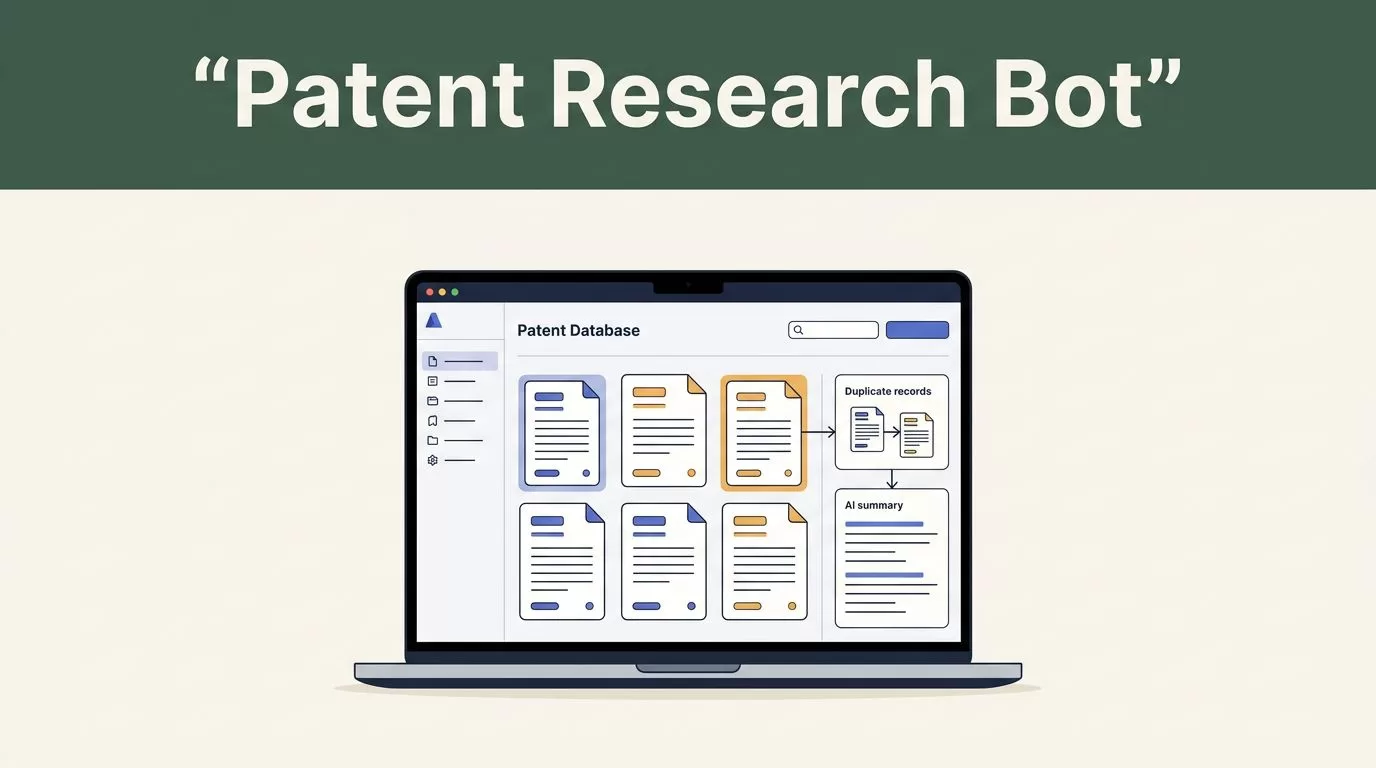
Patent research gets slow when every search requires several databases, manual downloads, and separate notes. A patent research bot can collect records, remove duplicates, summarize relevant documents, and return a consistent research file.
Twin.so fits this workflow because it builds no-code AI agents from plain-language instructions. It can use API integrations when available and browser automation when a portal lacks a usable API. The first step is to define a narrow research job with a fixed output.
Define the patent research job before opening Twin.so
Do not start with “search all patents about my invention.” That instruction is too broad. The agent needs a clear subject, jurisdiction, date range, source list, and relevance standard.
Use an input such as:
Search US and European patent publications related to battery thermal management systems for electric vehicles. Focus on documents published between January 1, 2018, and December 31, 2025. Prioritize records that mention coolant channels, thermal sensors, and adaptive temperature control. Return the 20 most relevant results.
This gives Twin.so enough structure to plan the workflow. You can add an assignee, inventor, classification, language, or publication status when those filters matter.
Separate the workflow into two jobs:
- Discovery finds candidate patent records.
- Review preparation organizes and explains those records for a human reviewer.
The bot should not decide whether an invention infringes a patent. It should not confirm that an invention is patentable. Those are legal conclusions that require review by a qualified patent professional.
Set a minimum relevance rule. For example, a record may qualify when it matches at least two technical concepts, falls within the requested date range, and contains enough source data for verification. A vague keyword match should stay out of the final list.
Build the patent research bot around a fixed output
A patent research bot is easier to test when every run returns the same fields. Use a spreadsheet, database, or structured response format as the destination.
| Field | Required output |
|---|---|
| Patent number | Publication or application number exactly as shown by the source |
| Title | Official title |
| Assignee | Current source-listed assignee, when available |
| Publication date | Date in ISO format, such as 2025-04-18 |
| Jurisdiction | US, EP, or another source jurisdiction |
| Inventors | Names when available and relevant |
| Matched concepts | Terms or features that triggered the result |
| Relevance rationale | Short explanation tied to the research brief |
| Source link | Direct URL to the record or source document |
| Collection date | Date the bot retrieved the record |
| Review status | New, reviewed, excluded, or needs legal review |
Keep the rationale short. A useful result might say:
Relevant because the abstract and claims mention a liquid cooling channel controlled by temperature sensors. The document matches two of the three requested features.
Avoid unsupported statements such as “this patent covers the invention.” The bot should report evidence, not interpret legal scope.
If Twin.so supports structured exports in your workspace, map each field to a spreadsheet or database column. If the result arrives as text, add a cleanup step that converts every record into the same schema.
A simple structured response can use this field order:
patent_number, title, assignee, publication_date, jurisdiction, matched_concepts, relevance_rationale, source_link, collection_date, review_status
The order matters less than consistency. Consistent records make deduplication, filtering, and review easier.
Design the Twin.so workflow
Create the agent in Twin.so and describe the outcome in plain language. Tell it what to collect, where to search, how to filter results, and where to save the output.
The workflow should follow this sequence:
- Receive a research brief through a manual run, custom agent interface, webhook, or scheduled trigger.
- Extract the technical concepts, date limits, jurisdictions, and result count.
- Expand the concepts into practical search terms and synonyms.
- Query the selected patent sources.
- Collect bibliographic records and available documents.
- Remove duplicate publications and repeated records.
- Compare each candidate against the research brief.
- Write a short evidence-based relevance rationale.
- Save the records in the required format.
- Send uncertain or incomplete results to a review queue.
Twin.so can plan and run agents across apps and websites. Use an API integration for repeatable searches and structured responses. Use the embedded browser when a source requires portal navigation, a login, or a workflow that isn’t exposed through an API.
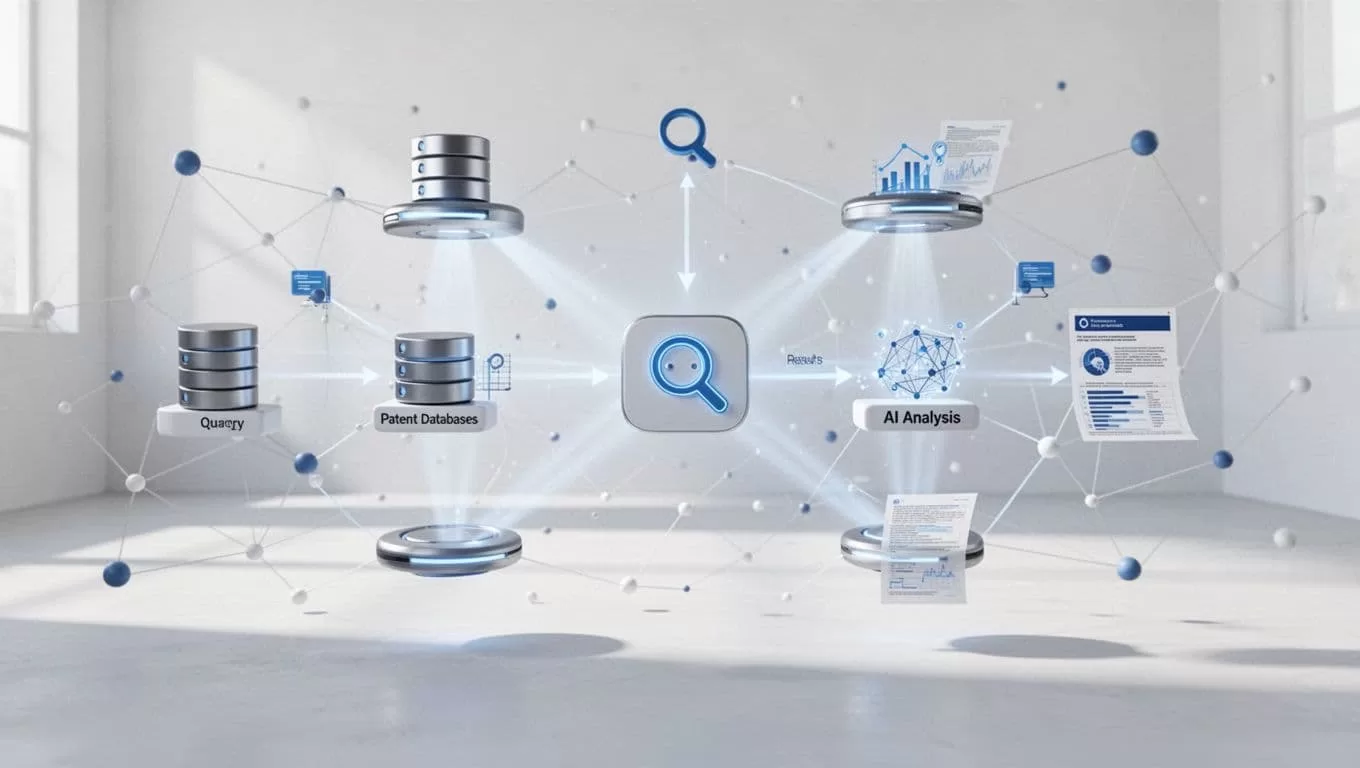
Start with one source and one destination. Add more systems after the first run produces reliable records. A small workflow is easier to audit than an agent that searches ten portals and produces inconsistent data.
Connect patent sources and handle coverage limits
The USPTO is a practical starting point for US-focused research. Its USPTO search API supports searches across patent application bibliographic and front-page data. When the bot needs attached application documents, use the USPTO document API.
For setup details, review the USPTO API getting started guide before configuring the Twin.so integration. Confirm the available fields, request limits, authentication requirements, and response structure. Your agent instructions should match the actual response fields instead of assuming every source uses the same names.
For European records, the European Patent Office provides Open Patent Services. The EPO developer portal documents access to EPO data, while the EPO OPS overview explains its REST-based service and XML data format.
Twin.so may need a normalization step because one source can return publicationNumber, while another returns doc-number or a different nested field. Map all sources into your internal names before the AI analysis step.
Patent databases also have coverage and indexing limits. No single source provides equal coverage for every jurisdiction, language, document type, family relationship, or historical period. A keyword search can miss a relevant document because the abstract uses different terminology. OCR errors can affect older scanned records. Assignee names can also appear in multiple forms.
Add these rules to the agent:
- Record the source used for every result.
- Leave fields blank when the source doesn’t provide them.
- Never infer an assignee, date, legal status, or claim meaning.
- Mark incomplete records for review.
- Preserve the original source link.
- Keep a separate collection date for every run.

Write clear instructions for search and analysis
The agent prompt should define behavior, not only the topic. Tell Twin.so what it may access, what it must ignore, and how it should handle missing information.
Use instructions like these:
Search only the approved patent sources. Use the provided technical concepts and their close synonyms. Keep results within the requested jurisdiction and publication date range. Retrieve the official title, patent number, assignee, publication date, matched concepts, source link, and available document reference. Deduplicate records by publication number. If a field is missing, return a blank value. Do not infer missing facts. Do not collect private personal information. Do not follow unrelated links.
Add the relevance rule separately:
Include a record only when the source contains evidence that matches at least two requested technical concepts. Explain the match in one or two sentences. Refer to the abstract, claims, description, classification, or metadata only when that material is available from the source.
This separation makes failures easier to identify. Search instructions control collection. Relevance instructions control filtering. Output instructions control the final record.
Ask for a source link in every result. A summary without a citation creates more review work because someone must find the original record again.
Add human review and audit controls
A useful bot prepares patent research. It doesn’t replace professional analysis.
Route a result for review when the patent number is missing, the source link fails, the publication date falls outside the range, or the rationale doesn’t cite a matched feature. Also flag results that appear to belong to the same patent family.
Use a review status such as:
newverified metadataduplicateexcludedneeds patent counsel
Keep the original record unchanged. If you clean a title, standardize an assignee name, or merge family records, save those changes in separate fields. This preserves the source version for later comparison.
A useful run log includes the workflow name, run ID, source, search brief, start time, completion time, result count, failed steps, and reviewer decision. If the agent stops, the error should identify the source, reporting period or date range, failed action, and time of failure. “Task failed” gives the operator no useful next step.
A relevance score is a sorting aid, not a legal opinion.
For search quality, compare the bot’s output with a manual review. Stanford’s guide to basic prior-art searching provides a useful reference for building a broader search process. The USPTO’s prior-art search guide also covers classifications and multiple parts of a complete search.
Schedule, test, and maintain the agent
Run the first version manually. Test a small brief with a known source and inspect every returned field. Fix the prompt before adding a schedule.
Once the output is reliable, use a Twin.so time trigger for recurring monitoring. A webhook can start the agent when a product team submits a new invention brief. Store the brief with the results so later reviewers know which search criteria produced each record.
Test these cases before wider deployment:
- A query with no matching results.
- A source that returns duplicate records.
- A missing publication date.
- An unavailable document link.
- A source with a different field structure.
- A result outside the requested jurisdiction.
- A failed API request or blocked browser page.
Keep the collection workflow separate from the legal review workflow. The agent can find and organize documents. A patent attorney or registered patent agent should assess claim scope, infringement risk, patentability, and freedom to operate.
Conclusion
A reliable patent research bot starts with a narrow brief, fixed output fields, approved sources, and clear review rules. Twin.so can automate the collection and organization layer through API integrations, browser automation, scheduled agents, and webhooks.
Start with one patent source and one structured destination. Preserve source links and collection dates. Treat every relevance explanation as research support, not legal advice. That boundary gives product teams faster research without turning an automation tool into an unqualified legal decision-maker.
