Automate Pinterest Pinning With Twin.so Without Losing Control
Pinterest automation can remove hours of repetitive publishing work, but careless automation can also create duplicate pins, weak descriptions, and account risk. Pinterest automation with Twin.so works best when you automate the repeatable...
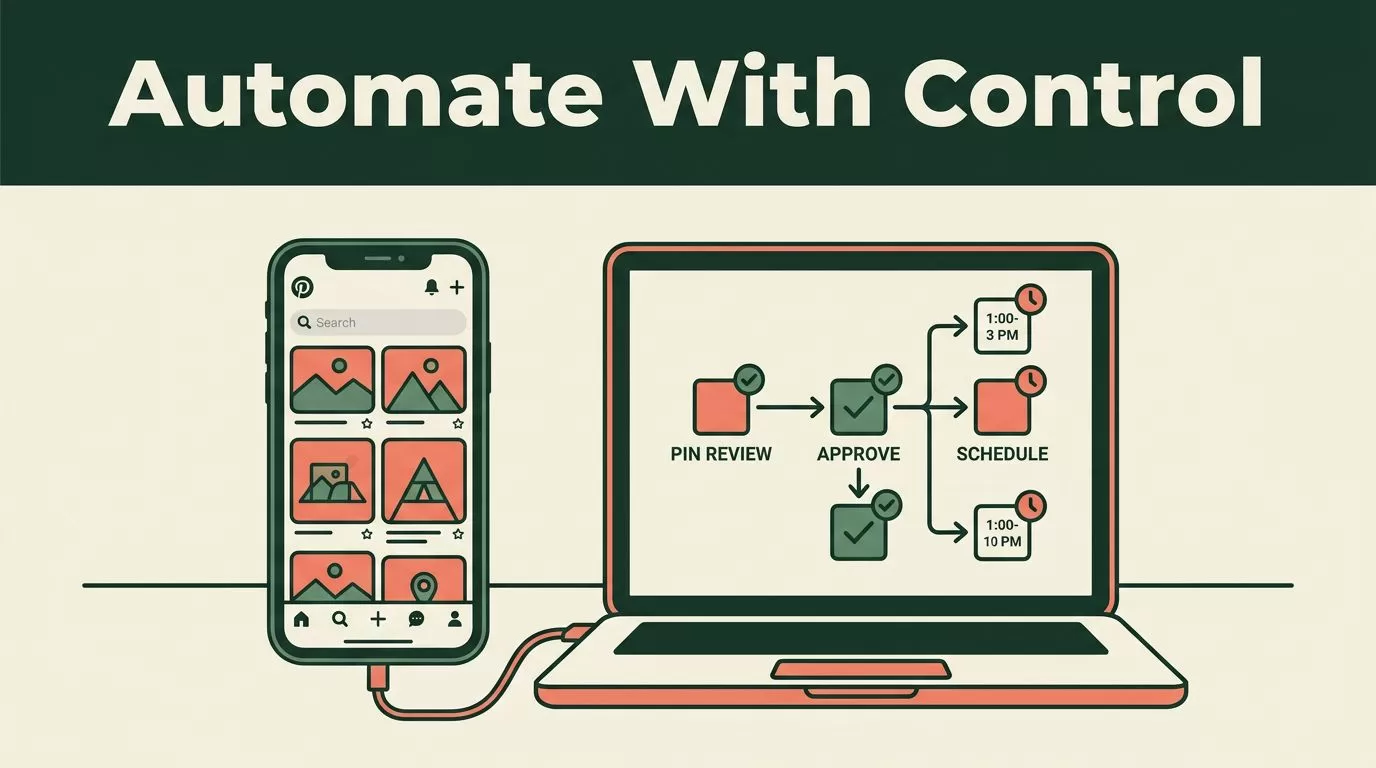
Pinterest automation can remove hours of repetitive publishing work, but careless automation can also create duplicate pins, weak descriptions, and account risk. Pinterest automation with Twin.so works best when you automate the repeatable steps and keep approval points for content quality, links, and publishing volume.
Twin.so combines AI agents, API connections, browser automation, schedules, and webhooks. That combination can support a practical pinning workflow, even when a direct Pinterest connector isn’t available. The first step is separating what Twin should handle from what your team should still review.
What Pinterest Automation Should Handle
Pinterest pinning includes more than clicking Publish. A complete workflow may involve finding new content, collecting URLs, selecting images, writing titles, creating descriptions, assigning boards, checking links, and recording results.
Twin.so is a good fit for repeatable operations with clear inputs and outputs. You can give an agent a goal, connect the required tools, and define when it should run. Twin’s platform describes agents that plan steps, select tools, act across applications, and run on schedules or webhooks. Review the Twin.so documentation before building your first workflow because available actions depend on the connected services and permissions.
Useful tasks include:
- Reading new content URLs from Google Sheets, Airtable, or a content database.
- Checking whether a URL already has a published pin.
- Preparing title and description drafts from approved page content.
- Assigning a suggested board based on a fixed category map.
- Creating a review queue for new pin assets.
- Sending approved records to a Pinterest publishing step.
- Writing status updates back to your content database.
- Flagging broken links, missing images, or incomplete metadata.
The process should begin with a controlled content source. Don’t ask an agent to search the entire web and publish whatever it finds. Store approved URLs, image files, target boards, campaign names, and tracking parameters in one structured workspace.
Organize assets by campaign, product line, or content category. This reduces context switching and gives Twin a consistent input format. It also makes failed runs easier to diagnose.
Keep creative judgment with a person. A team member should review brand-sensitive claims, product imagery, seasonal messaging, and pins that lead to high-value landing pages. Automation should prepare and route the work, not remove accountability.
How Twin.so Fits Into a Pinterest Workflow
Twin.so supports two main connection methods.
The first method uses an API or an available app connector. This is usually the cleaner option because the workflow can pass structured data between systems. It also avoids unnecessary browser clicks.
The second method uses browser automation. Twin describes browser agents that can interact with websites, forms, dashboards, and portals when a traditional API connection isn’t available. This can help with tasks such as opening a content dashboard, checking a queue, or transferring approved data between systems.
There is an important limitation. The available Twin information confirms general social media workflow automation, scheduling, webhooks, and browser automation. It does not confirm a dedicated native Pinterest publishing app in Twin’s own integration directory. A Make.com listing for Twin Web Agent and Pinterest shows that the two services can be paired in a workflow, but you should verify the current actions, triggers, permissions, and publishing path inside your account.
That distinction matters. Don’t build your operating plan around an assumed feature. Test the exact connection first.
A practical Twin setup could look like this:
- A new row enters a content sheet.
- Twin reads the URL, image, campaign, and board fields.
- The agent checks that the page loads and the image exists.
- Twin drafts pin metadata using approved brand rules.
- The record moves to a human review status.
- An approved record enters the publishing workflow.
- The final URL, board, date, and status return to the sheet.
Twin’s feature overview explains its broader agent, browser, and scheduling capabilities. Use those capabilities to build around your Pinterest process rather than assuming Twin replaces a dedicated Pinterest scheduler.

Build the Pinning Workflow in Twin.so
Start with the data model. Your workflow needs consistent fields before it needs an AI agent.
A useful content record includes:
| Field | Purpose |
|---|---|
| Page URL | Identifies the destination page |
| Image URL | Supplies the approved pin creative |
| Pin title | Provides the search-facing headline |
| Description | Adds context and relevant keywords |
| Board | Defines the Pinterest destination |
| Campaign | Groups related pins for reporting |
| UTM parameters | Separates Pinterest traffic in analytics |
| Status | Tracks draft, review, approved, published, or failed |
1. Define the publishing rule
Write the rule in plain language. For example:
“Process approved rows only. Create one pin for each valid URL. Use the assigned board. Do not publish when the image, destination URL, or approval field is missing.”
Specific instructions reduce unpredictable decisions. Include rules for duplicate URLs, excluded product categories, and expired campaigns.
2. Connect the source system
Connect the sheet, database, or project tool that holds your content queue. Google Sheets works for small teams. Airtable or a database is better when several people update records or when you need stronger status controls.
Store the approval state as a real field. Don’t rely on a comment, chat message, or informal instruction. The agent should be able to read one value and stop when the record isn’t approved.
3. Add validation before publishing
Validation is the control layer between content generation and account activity.
Ask Twin to check that:
- The destination URL returns a valid page.
- The URL matches the approved domain.
- The image loads and meets your size requirements.
- The target board exists in your mapping.
- The title and description are present.
- The record hasn’t already been published.
- The campaign is still active.
- The approval field contains the required value.
If a check fails, return the record to an exception queue. Don’t ask the agent to guess a replacement board or rewrite a missing destination link without review.
4. Generate metadata within fixed limits
Use a short brand guide inside the agent instructions. Define your tone, prohibited claims, product naming rules, and preferred calls to action.
For a home fitness company, an instruction could say:
“Write a clear title for a beginner workout article. Mention the primary topic once. Avoid medical claims. Keep the description useful and specific. Don’t use exaggerated promises.”
The agent can create a draft, but your team should review high-value content. Generated copy can be grammatically correct and still be wrong for the brand or page.
5. Add a human approval gate
The approval gate should appear before the Pinterest action. A reviewer checks the image, destination, board, title, and description in one place.
Use a limited review status such as approved_for_publishing. Avoid broad values like yes, because other systems may interpret them differently.
Start with manual approval for every pin. After several clean runs, you can consider automatic handling for low-risk content categories. Keep manual review for product launches, regulated topics, paid campaigns, and pages with legal or pricing claims.
6. Record every result
Write the result back to your source system. Store the publish date, pin identifier if available, destination URL, board, campaign, and error message.
This record gives your team an audit trail. It also prevents the same URL from entering the workflow repeatedly. The Pinterest automation options available through Make can help you compare possible triggers and actions before selecting a connection method.
Protect Pinterest Account Safety
Automation should reduce repetitive work. It shouldn’t imitate uncontrolled human activity.
Set conservative limits during testing. Run a small batch, inspect the output, and increase volume only after the workflow behaves consistently. Don’t publish large batches of near-identical images or descriptions. Don’t rotate through random boards to force activity.
Use the least access required for the workflow. Keep credentials inside the approved connection layer. Never place passwords or access tokens in prompts, spreadsheets, or plain-text notes.
Browser automation needs extra care. A browser agent can interact with a page, but that doesn’t mean every action is permitted or stable. Page layouts change. Login challenges appear. Buttons move. A workflow that works on Monday may fail on Friday.
Pause the run when Twin encounters an unexpected screen, authentication request, publishing error, or missing permission. Route the issue to a person instead of allowing the agent to continue blindly.
The safest automation is not the one that publishes the most pins. It is the one that makes every automated action easy to inspect.
Keep Pinterest’s current rules and account requirements in your operating checklist. Pinterest’s marketing automation ideas can help with campaign planning, but inspiration is not a substitute for checking your account permissions and publishing setup.

Measure Workflow Quality, Not Just Pin Volume
Publishing more pins doesn’t prove that the workflow works. Track operational and marketing results separately.
Operational metrics show whether Twin is reducing manual work:
- Approval time per pin.
- Percentage of records passing validation.
- Failed workflow runs.
- Duplicate records blocked.
- Manual corrections per batch.
- Time from approved record to publication.
Marketing metrics show whether the pins support business goals:
- Outbound clicks.
- Saves.
- Engagement rate.
- Landing-page sessions.
- Assisted conversions.
- Revenue by campaign.
Use UTM parameters that identify the source, campaign, and content group. Keep the naming format consistent. Otherwise, Pinterest traffic becomes difficult to separate from other social and referral traffic.
Review performance by content type and board. A high-volume board may produce fewer qualified visits than a smaller board with stronger commercial intent. Use those findings to adjust your content queue, not to increase publishing volume automatically.
Twin’s pricing and available capabilities can change, so check the current Twin.so pricing page before estimating software costs. Include setup, review, monitoring, and exception handling in your calculation. Automation is only efficient when the operating process costs less than the manual work it replaces.
Conclusion
Twin.so can support Pinterest pinning operations through AI agents, structured data, browser automation, schedules, and workflow connections. The strongest setup uses Twin for intake, validation, drafting, routing, and status updates while a person controls approval and account-sensitive actions.
Start with one content source and one low-risk campaign. Test the connection, add duplicate checks, review every output, and record each result. Pinterest automation becomes dependable when it runs inside a controlled process, not when it removes every human checkpoint.
