How to Automate Rent Collection Reminders on Twin.so
Late rent creates more work than the missed payment itself. You check the ledger, identify the tenant, write a message, confirm the payment status, and repeat the process across every unit. Rent collection reminders on Twin.so can handle th...

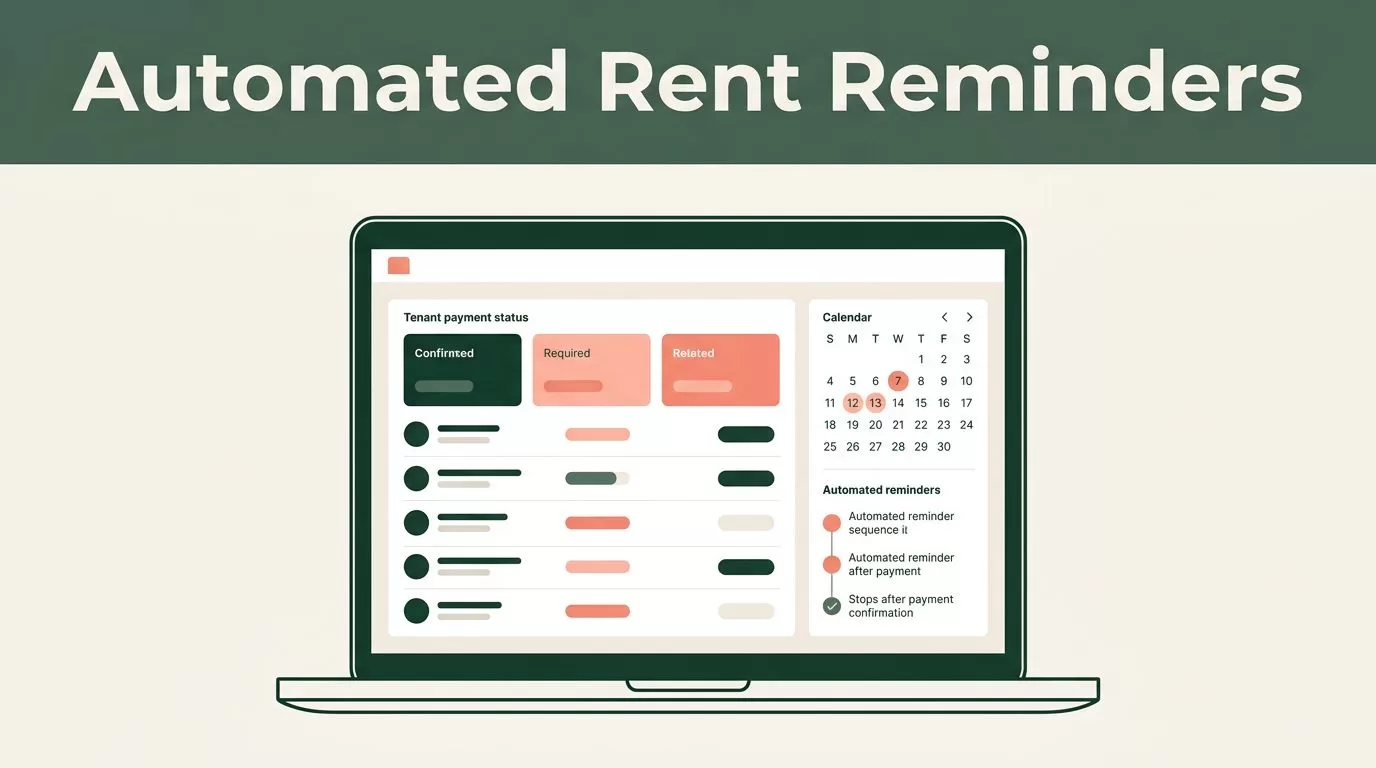
Late rent creates more work than the missed payment itself. You check the ledger, identify the tenant, write a message, confirm the payment status, and repeat the process across every unit. Rent collection reminders on Twin.so can handle the routine messages while keeping your team focused on exceptions.
The workflow needs more than a scheduled message. It must read accurate tenant data, check whether rent is already paid, send the right message at the right time, and stop when payment arrives. Build that structure first, then automate the communication sequence.
Why Automate Rent Collection Reminders on Twin.so?
Manual follow-ups fail for predictable reasons. A property manager gets busy, a due date falls on a weekend, or a payment arrives after the reminder list was prepared. These small gaps create inconsistent communication and delayed collections.
Twin.so can help you create a repeatable process around your existing tenant records and payment workflow. Instead of asking someone to remember every date, you define the conditions once. The workflow then checks the relevant record and sends a reminder when the conditions match.
A useful automation should answer four questions before it sends anything:
- Which tenant needs a message?
- How much rent is outstanding?
- When is the payment due?
- Has the tenant already paid?
Your workflow should also account for failed messages, partial payments, payment-plan arrangements, and tenants who require manual handling. Automation should remove repetitive work. It shouldn’t remove judgment from situations that need personal review.
Start with a narrow workflow for standard monthly rent. Test it on a small group of properties before adding deposits, utilities, commercial leases, or other charges.
Build a Reliable Tenant Data Source
Twin.so can only make accurate decisions when the source data is accurate. Before creating rent collection reminders, review where your tenant names, due dates, balances, and payment statuses are stored.

Use one source of truth
Choose the record that should control the workflow. This may be a property management system, a spreadsheet, a database, or another connected record source available in your Twin.so workspace.
Don’t split key fields across multiple disconnected files. If the due date is in one system and the payment status is in another, the automation can act on stale information.
Keep one current record for each rental agreement. If a tenant has multiple units, use separate records when each unit has its own balance and due date. This prevents one payment from incorrectly closing reminders for another property.
Add the fields Twin.so needs
Your tenant record should contain enough information for Twin.so to identify the recipient, calculate timing, and decide whether to send.
Useful fields include:
- Tenant name and preferred contact details.
- Property address or unit identifier.
- Lease or account reference.
- Monthly rent amount.
- Rent due date.
- Outstanding balance.
- Payment status.
- Payment link or payment instructions.
- Preferred communication channel.
- Manual-review flag.
- Last reminder sent.
- Date payment was received.
Use consistent status values such as Paid, Due, Overdue, Partial, and Manual Review. Avoid mixing phrases like “settled,” “received,” and “paid in full” unless your workflow checks all of them.
Dates also need a consistent format. A due date stored as plain text can create errors when Twin.so evaluates timing. Use a proper date field when your data source supports one.
Create the Reminder Workflow in Twin.so
Once the records are clean, create the automation around three events: before the due date, on the due date, and after a missed payment.
1. Set the timing trigger
Start with a date-based trigger linked to the rent due date. Configure the first message to send a set number of days before the due date. A common operational schedule is:
- Three to five days before rent is due.
- On the due date.
- One day after the due date if payment remains outstanding.
- A later escalation for manual review.
The exact schedule should match your lease terms, local requirements, tenant communication policy, and business process. Don’t send repeated notices at a frequency your lease or local rules don’t allow.
Set a time window for delivery. A reminder sent at 2 a.m. creates complaints and may reduce response rates. Use the tenant’s local time when your data and Twin.so setup support it.
2. Add payment status conditions
The most important condition is a payment check immediately before each message. The workflow should continue only when the balance is still outstanding.
A basic logic structure looks like this:
- Read the tenant record.
- Compare the current date with the due date.
- Check the payment status.
- Stop if the status is
Paid. - Send the message if the status is
Due,Overdue, or another approved outstanding status. - Save the reminder date and message result.
A reminder should check payment status immediately before sending, not only when the workflow starts.
Add a separate condition for partial payments if your process treats them differently. A tenant who paid part of the balance may need a remaining-balance message, not a full-rent reminder.
3. Stop duplicate messages
Duplicate reminders usually come from missing execution records. Store the date and type of the last message in the tenant record. Then add a condition that prevents Twin.so from sending the same reminder twice during the same cycle.
You can also add a unique lease reference and billing period. For example, a reminder record might be tied to Unit 204, March 2027, and Pre-Due. That gives your team a clear audit trail.
4. Handle exceptions
Create a manual-review path for records that don’t fit the standard process. This can include:
- A payment-plan tenant.
- A disputed balance.
- A vacant unit.
- A returned payment.
- Missing contact details.
- A legal or management hold.
- A lease with a different due-date rule.
Don’t force these records through the normal reminder sequence. Route them to the appropriate team member instead.
Use a Three-Message Reminder Sequence
The content should become more direct as the due date passes. Keep each message short. Include the amount, date, payment method, and a clear contact option.

Before rent is due
The first message should feel like a useful prompt, not a collection notice. Send it early enough for the tenant to resolve a payment issue.
Hi [Tenant Name], rent of [Amount] for [Property or Unit] is due on [Due Date]. You can make the payment here: [Payment Link]. Please reply to this message if you need help.
This message works because it gives the tenant the three details needed to act: amount, date, and payment route. Twin.so should insert these values from the current tenant record.
On the due date
The due-date message should be shorter. It confirms that payment is due today and avoids repeating unnecessary account details.
Hi [Tenant Name], your rent payment of [Amount] for [Property or Unit] is due today, [Due Date]. Please use [Payment Link] or the payment method in your lease. Contact us if you’ve already paid.
The final sentence reduces unnecessary replies from tenants whose payments are still processing. Your workflow should still verify the payment status before sending.
After a missed payment
An overdue message needs a clear status and a specific next step. Avoid aggressive language or claims that aren’t supported by the lease and applicable rules.
Hi [Tenant Name], our records show that [Amount] for [Property or Unit] remains outstanding after the [Due Date] due date. Please make the payment here: [Payment Link], or contact [Contact Name] at [Contact Details] if you’ve already paid or need to discuss the balance.
If a late fee applies, use only the amount and timing allowed by the lease and applicable local requirements. Don’t allow Twin.so to calculate or add a fee unless that calculation has been verified for your process.
Personalize Messages Without Adding Risk
Personalization improves clarity, but too many fields create more failure points. Use only data that stays current and helps the tenant complete the payment.
At minimum, personalize the tenant name, unit, balance, due date, and payment instructions. Keep internal fields such as risk ratings, collection notes, or staff comments out of tenant-facing messages.
Use a fallback when a field is missing. A missing payment link should route the record to manual review, not send a message containing an empty URL. The same rule applies to missing phone numbers, invalid email addresses, or blank balances.
Check whether the tenant has selected email, SMS, or another approved channel. Don’t send the same reminder through every channel unless your communication policy allows it. Multiple messages can look like duplicate billing and create confusion.
Review the message for tone before you activate it. The first reminder should be neutral. The overdue notice should be direct and factual. Keep threats, legal conclusions, and unsupported deadlines out of automated copy.
Landlords and property managers must follow applicable local laws, lease terms, notice requirements, and communication rules. Twin.so can automate the workflow, but it can’t decide whether a particular notice is legally appropriate.
Test, Monitor, and Improve the Automation
Test the workflow before connecting it to every tenant. Use records that represent different outcomes, including paid, unpaid, partial, missing contact information, and manual-review cases.
Run through these checks:
- A paid record stops before the send step.
- An outstanding record receives the correct message.
- The due date calculates the intended send time.
- The message uses the right balance and unit.
- A missing field creates an exception.
- A duplicate run doesn’t send the same reminder twice.
- A payment update stops future messages.
- Failed deliveries appear in a place your team checks.
Send test messages to internal addresses or numbers first. Review them on mobile devices because most tenants will read reminders on a phone. Check links, spacing, dates, currency formatting, and reply instructions.
After launch, monitor the workflow every rent cycle. Track the number of messages sent, delivery failures, tenant replies, payments received before the due date, late payments, and manual follow-ups. These figures show where the process needs adjustment.
If many tenants pay after the first message, the timing may be working. If delivery failures are common, clean the contact data. If tenants ask the same questions, update the payment instructions or add a short FAQ to your approved message template.
Review your Twin.so plan limits before scaling to more units. Check task runs, connected data sources, outbound messages, and any limits that could interrupt a monthly cycle. Keep a manual backup process for failed runs.
Conclusion
Automating rent collection reminders on Twin.so gives your team a consistent process for routine payment follow-ups. The system works best when tenant records are clean, payment status is checked before every send, and exception cases leave the automated path.
Start with the three-message sequence: before rent is due, on the due date, and after a missed payment. Test each condition, monitor delivery and payment results, and adjust the workflow without changing the lease-based rules behind it. A reliable reminder system won’t replace property management judgment, but it can remove the repetitive work that causes missed follow-ups.

