Scrape Concert Dates Continuously With Twin.so
If you scrape concert dates once, your event database starts aging before the next artist announcement. Venues add shows, move start times, change ticket links, and cancel events. A one-time export can’t track those changes. Twin.so c...
If you scrape concert dates once, your event database starts aging before the next artist announcement. Venues add shows, move start times, change ticket links, and cancel events. A one-time export can’t track those changes.
Twin.so can run an approved browser workflow on a schedule, return defined fields, and pass validated changes to your database or application. The reliable design isn’t a larger scrape. It’s a monitored process with clear source rules, record identity, and failure handling. Start with the source and schema.
How to scrape concert dates continuously with Twin.so
A continuous workflow does more than open a page and copy visible text. It collects the current event state, compares it with the previous trusted state, and writes only valid additions or changes.
The Twin Web Agent documentation describes browser tasks for multi-step flows, dynamic pages, and scheduled execution. Twin supports cron-based schedules, event triggers, and REST API execution, but the correct setup depends on the source and your destination system.
A one-time scrape is not a monitor
A one-time scrape usually appends whatever the page shows at one moment. That creates duplicate rows when the same event appears on the next run. It also leaves old dates, expired ticket URLs, and canceled events in the database.
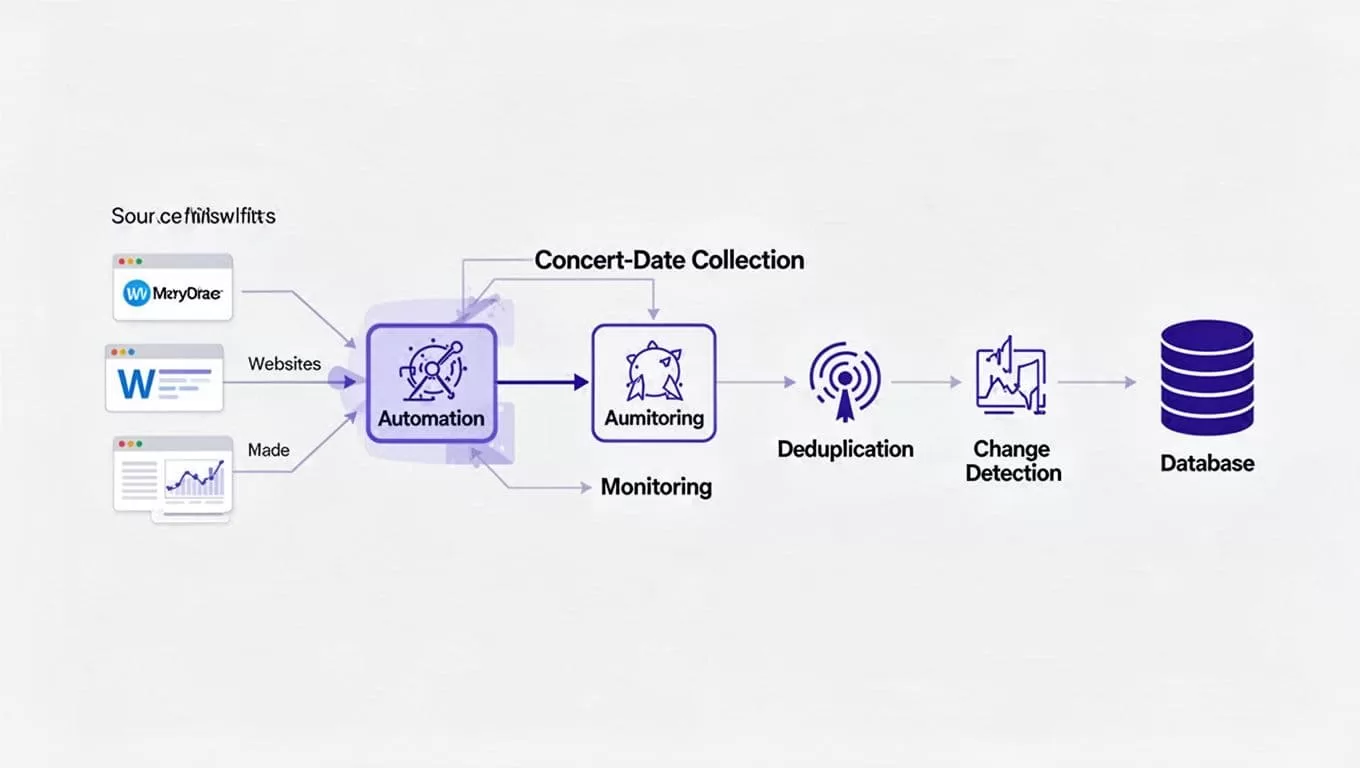
Continuous monitoring needs a different sequence:
- Read the source page on a defined schedule.
- Extract the same fields every time.
- Match each event against an existing record.
- Create new events and update changed ones.
- Flag missing, conflicting, or uncertain records for review.
When you scrape concert dates this way, the output becomes a maintained dataset instead of a collection of page snapshots.
Track event state, not only event text
Your event record should have a status such as scheduled, postponed, canceled, sold out, or unavailable when the source provides that information. A missing event on one run shouldn’t automatically trigger deletion. The source may have failed to load, changed pagination, or returned only part of the calendar.
Store the last successful extraction time and the last confirmed source state. This gives your team a way to distinguish a real cancellation from an incomplete run.
Start with one approved source
Don’t begin with every venue, ticket marketplace, and artist website. Start with one public source your team is allowed to access. Define its page path, filters, pagination behavior, update schedule, and expected record count.
Public access doesn’t remove the need to review the site’s terms. Don’t bypass access controls or collect restricted records. If a source requires a login, use only credentials your organization is authorized to use.
Narrow the first workflow
Choose one source with a clear business purpose. For example, monitor a venue calendar for new events in a defined city. Avoid combining venue pages, ticket sites, social profiles, and search results in the first version.
A narrow workflow gives you known records for testing. You can compare Twin’s output with the original page and identify missing fields, wrong dates, duplicate events, and incorrect links before adding more sources.
Record the exact page route and filters inside your operating documentation. If the source uses a city selector, event category, or date range, keep those conditions consistent between runs.
Use an API when it fits
Browser automation is useful when the required data exists behind dynamic pages, multi-step navigation, or an authorized login. It isn’t automatically the best method. If the source provides an accessible API with terms that permit your use, prefer that path for repeatable collection.
Twin’s gated-platform scraping guidance recommends using browser automation where page interaction is required and keeping the extraction focused. Browser tasks can also cost more and fail more often than a direct data connection, so benchmark the source before committing to a high-frequency schedule.
The source determines what configuration is possible. Don’t assume every concert website supports the same filters, pagination, fields, or access method.
Build a field-level extraction workflow
A useful Twin workflow needs instructions at the field level. Tell it which page to open, which records to collect, where each value appears, and what to do when a value is missing.
Give Twin a strict extraction contract
Define the record before you write the browsing instructions. A practical concert schema includes:
artistandvenuecityand the venue’s localdatetimeand timezone when availableticket_urlsource_urlstatusextracted_at- The raw date or time text shown by the source
Tell the workflow to return one record per concert occurrence. A tour page may list the same artist at several venues. A venue page may show multiple performances on one date. Don’t let the workflow collapse those rows into one artist-level record.
Use the source’s original text alongside normalized values. If the page says “Doors 7:00 PM, show 8:00 PM,” keep that distinction. Don’t turn an unclear time into a confident value.
Store evidence with every row
The source_url lets a reviewer open the original event page. The extracted_at timestamp shows when your system last saw the record. Together, they provide basic traceability when a ticket link stops working or a venue disputes a change.
Add a source identifier when one exists. Keep the source event ID, canonical URL, or page-level identifier separate from your internal database ID. These values help the workflow match future records without relying only on artist and date text.
Validate the output before writing it. Reject records with no artist, venue, date, or source URL. Route incomplete rows to a review table instead of filling missing values with guesses.
Normalize and deduplicate concert records
Different sources describe the same event in different ways. One page may use “The Fillmore,” while another says “Fillmore Auditorium.” One may show a local date with a timezone. Another may show an ISO timestamp.
Normalization makes matching possible, but it shouldn’t erase the original evidence.
Create a stable event key
Use the strongest available identifier in this order:
- A stable event ID supplied by the source.
- A canonical source URL.
- A composite key using normalized artist, venue, local date, start time, and source domain.
Don’t rely on artist name alone. Don’t use a fuzzy match to merge records automatically when the result is uncertain. Two concerts by the same artist at the same venue can have separate ticket URLs, times, or performance types.
Normalize obvious differences such as capitalization, extra spaces, punctuation, and common venue suffixes. Keep the normalized values for matching and the raw values for auditing.
If two records share some fields but conflict on date, venue, or ticket URL, send them to an exception queue. A human decision is safer than a silent merge.
Update records instead of appending rows
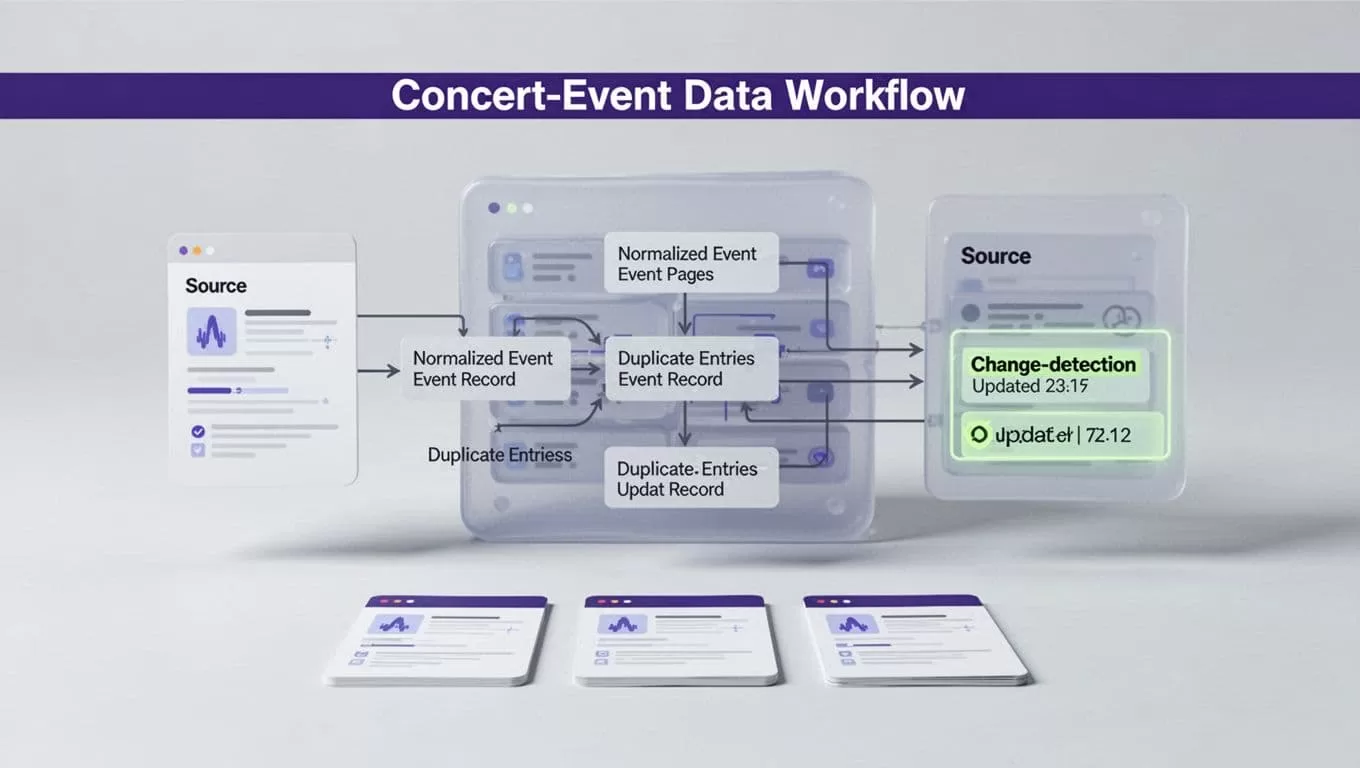
Each run should produce change types such as created, updated, unchanged, duplicate skipped, missing, or exception. Use an upsert process when the destination supports it. The workflow should update the existing event instead of creating a second row.
Compare important fields individually. An artist name change may be minor. A date change, cancellation, venue move, or ticket URL replacement needs an alert.
The Firecrawl change detection guide describes the value of comparing periodic page results instead of treating every capture as a new document. Apply the same rule to event data. Preserve the previous value, new value, source URL, and detection time for meaningful changes.
Validate every run and route exceptions
A successful browser task isn’t proof that the data is complete. The page can load without showing every event. A changed selector can return an empty list. A session can expire after the workflow reaches the source.
Add completeness and coverage checks
Set checks that run before production writes:
- Required fields are present.
- Dates use the expected local timezone.
- Ticket and source URLs are valid.
- The number of records stays within a reasonable range.
- New rows don’t duplicate existing records.
- Known sample events still appear.
- The source page reached the expected page count or cursor.
Compare each rerun with a small set of known events. Track missing records, unexpected row-count changes, duplicate rate, and field-level accuracy. A workflow that returns zero records should usually stop the write step and create an alert.
Use bounded retries with backoff for temporary timeouts. Don’t retry permission failures or page-structure changes indefinitely. Save progress by page, event ID, cursor, or another source-supported checkpoint so one failed page doesn’t force a full restart.
Keep failed work out of production
Separate staging records from your public event database. Let the workflow write proposed additions and changes to staging first. A validation step can approve clean rows, while exceptions wait for a person.
For a failed run, save the error, source URL, extraction time, and last trusted result. Twin’s workflow guidance also emphasizes run evidence such as logs, screenshots, and summaries when an exception occurs. That record helps an operator determine whether the problem is a temporary outage or a changed page.
Create a manual fallback before launch. Define who checks the source, where they record the result, and how they identify the last trusted run. This prevents a failed monitor from becoming an invisible data gap.
Schedule, measure, then scale
Schedule the workflow after the source usually updates. A daily venue calendar doesn’t need hourly checks. A ticket page with frequent changes may justify a shorter interval if the cost and source rules support it.
Use the source’s timezone when setting the schedule. Record the last successful run, records returned, records accepted, and next planned run. If the source publishes only on certain days, account for weekends and holidays.
Measure accepted records
Track operational results, not browser activity:
- Accepted records per run
- Missing and duplicate records
- Failed runs and retry counts
- Time between a source change and your alert
- Human review minutes
- Correction time
- Cost per accepted record
Twin usage depends on task length, browsing steps, retries, record volume, and output size. Benchmark a small source first. Calculate cost from accepted records, not the number of completed tasks.
A workflow that removes ten minutes of copying but creates thirty minutes of corrections is not saving time. Fix schema and matching rules before increasing frequency.
Expand source by source
Once one source produces accurate records, reuse the structure for similar venues or artist pages. Keep source-specific instructions separate. Don’t force one extraction prompt to handle every page layout.
Use Twin integrations when the destination and workflow fit an available connection. Otherwise, send validated records through your approved database or application path. Keep permissions narrow. A collector usually needs read access to the source and limited write access to staging, not permission to alter production event data directly.
If you need help mapping source coverage, permissions, exception paths, and the event schema, Book A Call before expanding the workflow.
Conclusion
To scrape concert dates continuously, treat the process as data maintenance rather than page copying. Start with one approved source, define fields such as artist, venue, city, date, time, ticket URL, and source URL, then schedule collection only after the output is accurate.
Use stable identifiers, compare records before writing, and preserve every meaningful change. Missing data, duplicates, stale events, and failed runs belong in visible review paths.
A small workflow with trusted records is more useful than a broad scraper that silently creates corrections. Your goal is a current concert database with evidence behind every update.
