How to Scrape Craigslist Ads Consistently With Twin.so
Manual Craigslist research breaks as soon as you need it every day. Pages change, listings disappear, and copy-pasting results into a spreadsheet creates inconsistent records. If you need to scrape Craigslist ads for market research, lead d...
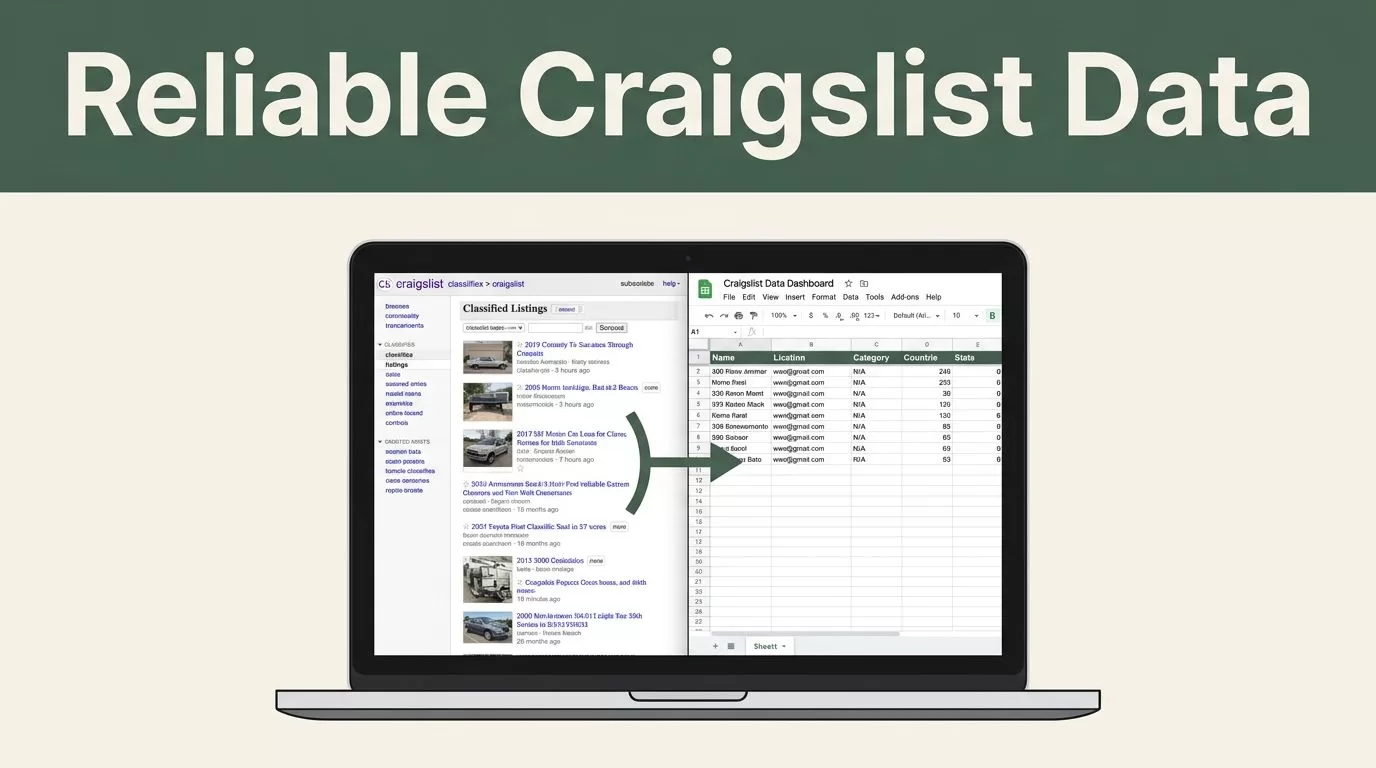
Manual Craigslist research breaks as soon as you need it every day. Pages change, listings disappear, and copy-pasting results into a spreadsheet creates inconsistent records.
If you need to scrape Craigslist ads for market research, lead discovery, pricing analysis, or inventory monitoring, Twin.so can help you build a repeatable browser workflow. The reliable setup is not a single extraction prompt. It is a controlled process with defined sources, fixed fields, deduplication, review checks, and respectful request volumes.
Why Recurring Craigslist Collection Needs Structure
A one-time search is easy to manage. A recurring process is different. You need the same locations, categories, filters, and fields on every run. You also need to know whether a listing is new, changed, removed, or already captured.
Twin.so is useful when you treat the workflow like a data pipeline. The browser collects the page content. Your extraction instructions identify the fields. The destination stores the output in a usable format.
A basic workflow can produce records such as:
- Listing title and full listing URL
- Advertised price and currency
- City, neighborhood, or Craigslist region
- Category and subcategory
- Original posting date, when displayed
- Last update date, when displayed
- Description text
- Seller-provided tags or condition details
- Collection timestamp
- Source search URL
Keep the field list focused. Collect only the data your business needs. Public availability does not remove privacy, contractual, or legal responsibilities.
A growth team may use the output to identify local service demand. A marketplace operator may compare asking prices across cities. A data analyst may track how long listings remain active. These outcomes require consistent records, not a large volume of unstructured text.
A recurring scraper is only useful when two runs produce comparable records.
Before you build the workflow, define the decision the data will support. If you want price trends, prioritize price, location, category, date, and listing status. If you want lead research, capture the listing URL and relevant business details, but avoid collecting unnecessary personal information.
How to Scrape Craigslist Ads With Twin.so
Start with one Craigslist region and one category. Do not launch a broad multi-location workflow before you confirm that the extraction works on a small sample.
Build the process in this order:
- Open the intended Craigslist search page with the location, category, and filters already applied.
- Ask Twin.so to inspect the visible listings and open each relevant result.
- Define the output schema before extracting records.
- Save one row per listing in your database, spreadsheet, or connected workspace.
- Add the collection timestamp and source URL to every record.
- Test the workflow against a small, respectful request volume.
- Add a schedule or external trigger after the results pass review.
Use precise instructions. Tell Twin.so which pages to visit, which fields to capture, and what to do when a field is missing. For example:
Open the specified Craigslist search page. Capture the visible listings that match the selected category and location. For each listing, save the title, URL, price, location, posting date, description, and collection time. Skip duplicate URLs. Do not continue when the page asks for a CAPTCHA, blocks access, or displays an access restriction.
That final instruction matters. Do not configure a workflow to bypass CAPTCHAs, authentication barriers, rate limits, or other access controls. Stop the run and review the issue instead.
Your first test should use a short list of results. Check whether Twin.so captures the correct title, preserves the full URL, handles missing prices, and separates the description from navigation text. Fix the instructions before increasing coverage.
The University of Pittsburgh’s web scraping best practices provide useful guidance on planning requests, handling source content, and building responsible collection routines.

Build a Stable Craigslist Data Schema
Twin.so can only produce reliable records when your instructions define what a complete record looks like. A schema prevents one run from storing “Call for price” as text while another stores an empty value.
Use stable field names and clear data types. A practical schema might look like this:
| Field | Format | Handling rule |
|---|---|---|
title | Text | Capture the listing headline |
url | URL | Store the complete canonical listing link |
price | Number or null | Store numeric value when available |
price_text | Text | Preserve terms such as “obo” or “free” |
location | Text | Capture the displayed city or area |
category | Text | Use the selected Craigslist category |
posted_at | Date or null | Leave blank if no date is shown |
description | Text | Capture the listing body without navigation |
collected_at | Timestamp | Record when Twin.so collected it |
status | Enum | Use new, active, changed, or removed |
The takeaway is simple: keep raw context and normalized values separate. A price field supports analysis. A price_text field preserves the original wording.
Descriptions need similar care. Do not ask the workflow to infer facts that the seller didn’t state. If a listing says “like new,” capture that wording. Do not convert it into a condition score unless your team has a separate review process.
Use the URL as the primary deduplication key. Craigslist listings can appear in multiple filtered searches. A title and price may change, but the listing URL gives you a practical record identifier.
Add a content hash when you need change detection. The workflow can compare the current description and price with the previous record. A changed price should update the existing listing, not create a second record.
Make Scheduled Runs Reliable
Consistency comes from controlling the run conditions. Use a fixed schedule that matches the business need. Daily collection may fit price monitoring. Weekly collection may fit broader market reviews. More frequent runs require a stronger reason and a careful request budget.
Keep each workflow narrow. One workflow can handle a defined region and category. Separate workflows make failures easier to isolate and reduce accidental expansion into unrelated pages.
Store run-level information beside the listing data:
- Start time and completion time
- Search URL used
- Number of pages visited
- Number of records found
- Number of records saved
- Number of duplicates skipped
- Error or access-stop message
These fields turn a silent failure into a visible operational event. If a workflow returns zero listings, compare the result with the previous run. The cause may be a changed filter, an empty category, a page layout change, or an access restriction.
Use retry logic carefully. A failed page can be retried once after a reasonable delay. Do not create rapid retry loops. They increase request volume and can place unnecessary load on the source.
Respect the site’s terms of use and applicable laws before you deploy. The ethical web scraping checklist from Bright Data covers request discipline, data minimization, and compliance considerations. You can also review this legal and compliance overview of web scraping with your legal or privacy team.
A safe operating policy should include these rules:
- Use only pages and data your team is permitted to access.
- Keep request volumes low and proportional to the use case.
- Stop when the site presents a CAPTCHA, block, or access restriction.
- Avoid collecting sensitive personal information.
- Restrict internal access to collected records.
- Set a retention period for data you no longer need.
Validate Data Before It Reaches Your Team
Automation saves time only when the output is trustworthy. Add validation before records reach a CRM, analytics table, or reporting dashboard.
Check required fields first. Every saved row should have a listing URL and collection timestamp. A missing price can be valid. A missing URL usually indicates an extraction problem.
Next, compare the current run with recent results. Watch for sudden changes such as:
- Every listing receiving the same price
- Titles containing navigation text
- Descriptions becoming empty
- A sharp increase in duplicate records
- A large drop in the number of listings
- Dates stored in inconsistent formats
Send questionable records to a review queue instead of deleting them automatically. A human can inspect a small sample and update the Twin.so instructions when the page structure changes.
Keep a raw capture when your storage policy allows it. The normalized fields support reporting. The raw listing content helps diagnose extraction errors and compare changes later.
Test the workflow after every major instruction change. Run it against known listings and compare the result with the page. Treat extraction prompts like code. Version them, document changes, and avoid editing a production workflow without a test run.
Turn Craigslist Data Into Operational Workflows
The value of recurring collection comes after extraction. Connect the records to the process that needs them.
A market research team can write new listings to a shared database and create a daily report of price changes. A sales team can route qualifying business listings to a review queue. An analyst can calculate median asking prices by category and region after removing duplicates and incomplete records.
Use simple rules first. For example, flag listings when the price changes, the category matches a defined target, or the listing appears for the first time. Do not build a complex scoring model until the underlying data is stable.
A useful operating sequence looks like this:
- Twin.so visits the approved search page.
- The workflow extracts the defined fields.
- The destination checks the URL against existing records.
- New listings are inserted.
- Changed listings are updated.
- Exceptions are sent to a review queue.
- A report summarizes the run.
This structure gives each team a clear outcome. Developers manage the workflow. Analysts manage the schema and quality checks. Marketers receive filtered opportunities instead of raw page dumps.
Conclusion
To scrape Craigslist ads consistently with Twin.so, start small and control the process. Define the search scope, use a fixed schema, deduplicate by URL, record every run, and validate results before distribution.
Respectful request volumes and compliance checks belong in the workflow itself. Stop on CAPTCHAs or access restrictions. When the collection process is stable, connect the output to reporting, review queues, and pricing analysis.
The goal is not to collect every available listing. The goal is to produce repeatable data your team can trust.
