Automate Security Clearance Tracking With Twin.so
Security clearance tracking becomes difficult when employee records, renewal dates, documents, and status updates sit in separate systems. A missed reminder can delay a hiring decision. A stale status can create an access problem. Twin.so c...

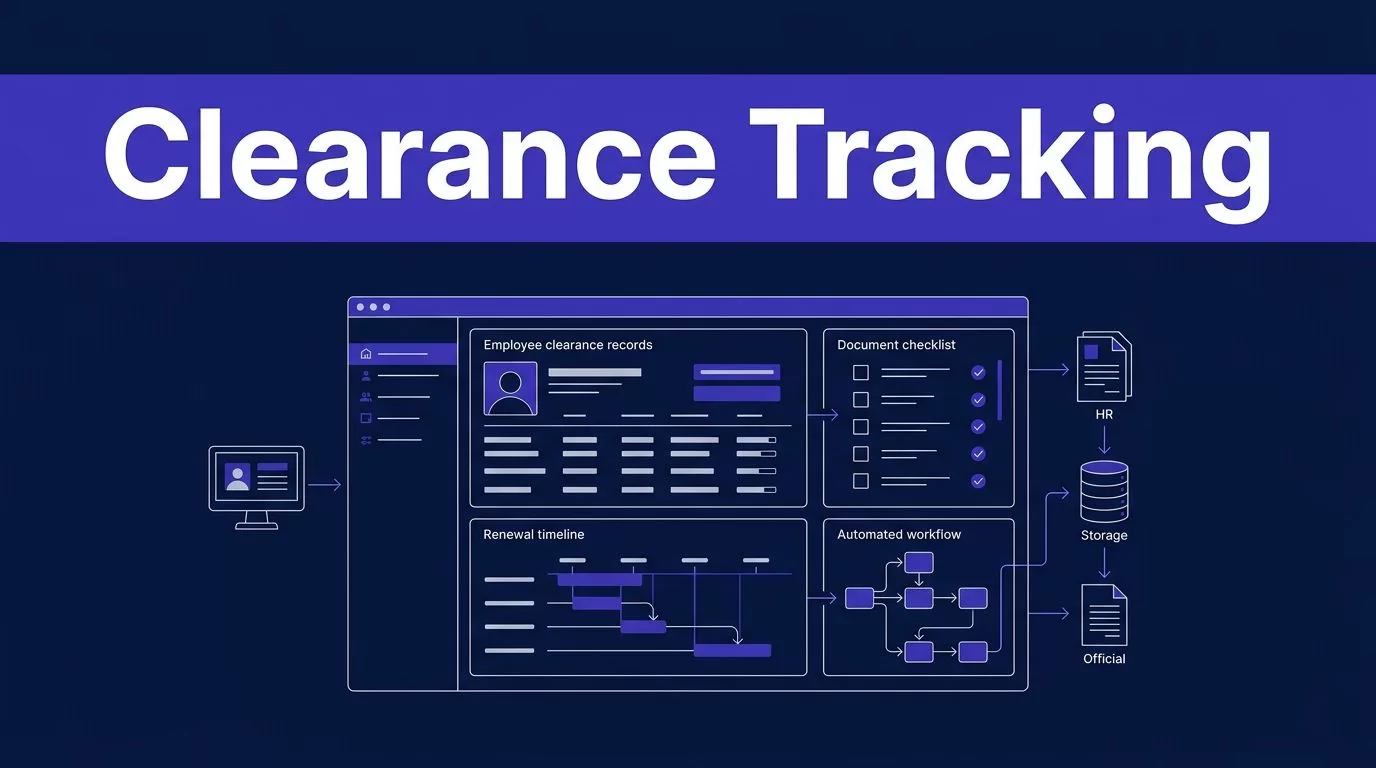
Security clearance tracking becomes difficult when employee records, renewal dates, documents, and status updates sit in separate systems. A missed reminder can delay a hiring decision. A stale status can create an access problem.
Twin.so can automate the repetitive work around clearance records without becoming the source of truth. The right setup collects authorized data, checks it, routes exceptions to people, and keeps official systems in control.
Why Security Clearance Tracking Becomes Manual
Clearance administration is rarely one simple database task. Security managers and facility security officers may work across HR software, document storage, email, spreadsheets, and government systems. Each system has different fields, dates, access rules, and update patterns.
The process also includes sensitive decisions. A workflow can remind someone to provide a document. It shouldn’t decide whether an employee is eligible to access classified information.
The records are split across systems
A personnel file may contain the employee’s role and start date. A security tracker may contain clearance level, investigation status, and review dates. A separate folder may hold forms, acknowledgments, and supporting documents.
DCSA directs security and HR professionals to check the appropriate authoritative system, including CVS, DISS, or Scattered Castles, before requesting a status update. Use the DCSA status guidance for security professionals to confirm which source applies to your workflow.
The internal tracker should point to that source. It shouldn’t replace it.


Status and renewal work create repetitive follow-up
Most delays come from routine tasks:
- Checking whether a review date is approaching.
- Asking an employee for a missing form.
- Confirming that a status changed.
- Updating a spreadsheet after a portal check.
- Preparing a report for a security manager.
DCSA’s facility security officer guidance identifies the FSO as the first contact for many clearance package and status questions. Automation can reduce the administrative load around that role. It cannot take over the FSO’s authority or judgment.
How Security Clearance Tracking Works With Twin.so
Twin.so combines connected-app workflows with browser automation. Its documentation covers scheduled agents, event-based triggers, OAuth connections, and browser tasks through the Twin.so quickstart.
That creates a practical fit for clearance administration. Twin can move information between approved systems, check a portal on a schedule, prepare a notification, or create a review task. You decide which systems it can access and which actions require approval.
Use schedules to monitor dates
Create a controlled tracker with fields such as employee ID, role, facility, clearance category, current status, source system, last verified date, next review date, document status, assigned reviewer, and exception reason.
A scheduled agent can check the tracker each morning. It can identify records that need attention within 90, 60, or 30 days. It can then send a reminder to the responsible owner or create a task in the team’s work queue.
Treat each date according to its actual meaning. A questionnaire deadline, continuous vetting date, customer requirement, and internal review date aren’t automatically the same thing.
DCSA describes continuous vetting as an ongoing review process. Your workflow should track continuous vetting information separately from investigation, adjudication, and clearance status.
Use browser automation only when authorized
Twin’s Web Agent can handle multi-step website tasks, login flows, dynamic pages, downloads, and form interactions. The Web Agent documentation describes an isolated cloud browser that doesn’t use your local browser cookies or sessions.
That can help when an approved source lacks a usable API. It doesn’t create permission to access a government portal. Confirm that your organization has authorized access, that automation is allowed, and that the workflow doesn’t bypass a control or export more data than permitted.
Twin.so doesn’t publicly claim an official DCSA connector. Treat it as an automation layer around your approved systems, not as a clearance verification service.

Build a Controlled Clearance Tracking Workflow
Start with one repeatable process. Renewal reminders are a better first project than a fully automated status system because the business rule is easier to test.
Define the source and data fields
List every system involved. Include the HR platform, document repository, internal clearance tracker, notification channel, and authoritative status system.
Create a field map before building the agent. At minimum, define:
- The employee identifier used to match records.
- The status values the workflow accepts.
- The date format and time zone for deadlines.
- The document types and required status for each employee group.
- The source URL, record ID, and last verification timestamp.
- The person responsible for resolving an exception.
Keep raw values beside normalized values. If a source uses an unfamiliar status label, store the original label and flag it for review. Don’t force every status into a clean category that may change its meaning.
DCSA describes a personnel security clearance as an administrative determination made by a certified adjudicator. Use the DCSA processing guidance when defining what your internal status fields mean.
Add validation and human review
A workflow should reject incomplete or conflicting records. Check the employee ID before writing an update. Confirm that the source record belongs to the expected person. Compare the new status with the previous accepted status.
Send the item to a reviewer when:
- The portal returns no record.
- Two systems show different statuses.
- A required document is missing.
- A date moves backward without an approved correction.
- The page structure changes.
- The workflow cannot confirm the source timestamp.
A successful browser run proves that the workflow completed its steps. It doesn’t prove that every record was collected correctly.
Use bounded retries for temporary failures. Don’t retry indefinitely when a portal changes its layout or returns an unexpected page.
Separate collection, review, and publishing
Keep these stages separate:
- Collection retrieves the source record.
- Validation checks fields, dates, and coverage.
- Review handles uncertain or sensitive changes.
- Publishing updates the approved tracker or report.
During the pilot, let Twin create drafts or review tasks instead of changing production records. A failed run should create an exception. It shouldn’t replace the last trusted report with an empty result.
Practical Automations to Deploy First
Start with work that has clear inputs, repeatable rules, and a defined owner. These workflows reduce manual follow-up without making personnel security decisions.
Renewal reminders and status-change notifications
Run a scheduled check against your internal tracker. When a review date reaches a defined threshold, Twin can notify the employee, manager, FSO, or assigned security administrator.
The message should include the employee ID, deadline, required action, and record link. Avoid placing unnecessary personal information in email or chat.
For status changes, compare the latest verified value with the last accepted value. Notify the reviewer only when the value changes or the source returns an exception. This prevents daily duplicate alerts.
Missing-document follow-ups
Twin can compare required document types with the documents recorded in an approved repository. If a form is missing, expired, unreadable, or assigned to the wrong employee, it can create a task for the owner.
Keep the first version read-only. Let the workflow identify the missing item and prepare the message. Require a person to approve document requests and record corrections.
Do not copy sensitive documents into multiple systems unless the workflow requires it. A secure link and a document ID are often enough for the tracker.
Centralized reporting
A scheduled workflow can gather approved fields into a management report. Useful views include records approaching a deadline, unresolved exceptions, missing documents, status changes during the reporting period, and items awaiting human review.
Include the last verified timestamp and source for every row. Managers need to know whether a value is current, inherited from an internal record, or waiting for confirmation.
Security Controls Before Production
Clearance data needs tighter controls than ordinary administrative data. Automation doesn’t reduce that responsibility.
Apply least-privilege access
Give Twin access only to the applications and fields required for the workflow. Use separate credentials for read-only collection and approved write actions when the systems support it.
Don’t place Social Security numbers, dates of birth, investigation narratives, or document contents in prompts unless the process requires them. Use internal employee IDs whenever possible. Store links and record identifiers instead of duplicating sensitive files.
Twin’s privacy policy states that its Vault can encrypt stored credentials and limit access to authorized workspace members. It also describes encrypted transmission and the collection of execution traces and diagnostic data. Review the Twin.so privacy policy with your security and procurement teams before handling sensitive records.
Make the audit trail useful
Record who triggered the workflow, which source it checked, when it ran, what values it received, what changed, and who approved the result.
Store the previous value instead of overwriting it. Keep the proposed update separate from the final reviewer decision. This gives your team a clear record when a status changes or a document is corrected.
Follow applicable contractor reporting rules and internal procedures. DCSA provides the 32 CFR Part 117 NISPOM rule information for contractor requirements, but your FSO, security leadership, and legal advisers should determine how those requirements apply to your program.
Verify against authoritative systems
Never describe an internal reminder, spreadsheet value, or agent output as official clearance verification. The workflow can say “last checked against DISS” or “awaiting source confirmation.” That language is more accurate.
Separate investigation status, adjudication status, clearance status, and continuous vetting enrollment. They may require different systems and different actions.
When Twin cannot access the source, stop the workflow and create an exception. Don’t infer that a missing result means the clearance is inactive, expired, or approved.
Measure the Pilot Before Scaling
Run a small, approved batch with known records. Compare every result with the source. Test duplicate runs, missing documents, changed labels, unavailable pages, and conflicting dates.
Track:
- Records collected and records accepted.
- Missing-field and duplicate rates.
- Failed runs and retry counts.
- Status changes detected.
- Human review minutes.
- Exceptions resolved within the target time.
- Credit cost per accepted record.
Twin uses credits, and browser actions usually require more work than stable API retrieval. Published planning examples place simple automations around 15 to 30 credits and some 20-step browser sessions around 100 to 200 credits. Treat those figures as estimates. Your portal, page count, retries, and document volume will determine actual usage.
Calculate cost per accepted record, not cost per run. Include monitoring, review, integration, and correction time. A workflow that runs quickly but creates inaccurate records adds work.
If the process spans several systems, Book A Call to map permissions, approval points, and exception paths before expanding the pilot.
Conclusion
Twin.so can reduce the manual work around security clearance tracking when the workflow has clear fields, approved sources, limited permissions, and human review. Use it for reminders, notifications, missing-document follow-ups, and centralized reporting.
Keep DISS, CVS, Scattered Castles, or the applicable authoritative system as the source of truth. Verify each important change, preserve the audit trail, and stop when the data is incomplete.
The safest automation is not the one that removes every person from the process. It’s the one that removes repetitive steps while keeping clearance decisions accountable.

