How I Manage Coaching Clients on Skool
You know the drill. A new coaching client signs up, excited and ready. Then emails pile up, schedules clash, and progress stalls. I faced that mess until I put all my Skool coaching clients in one spot. Now I handle onboarding, check-ins, a...

You know the drill. A new coaching client signs up, excited and ready. Then emails pile up, schedules clash, and progress stalls. I faced that mess until I put all my Skool coaching clients in one spot. Now I handle onboarding, check-ins, and wins without switching apps. Skool cuts the noise so I focus on results.
This setup works for my group programs and one-on-one sessions. Clients stay engaged, I spot issues early, and retention climbs. Let’s walk through how I make it happen.
Set Up Client Spaces That Feel Personal
I start with separate Skool groups for different client types. One for my core business coaching program, another for VIP accountability circles. This keeps things tidy. No more generic chats buried in a big community.
First, create a new group in Skool’s admin panel. Name it clear, like “Business Boost Coaching – Cohort 5.” Set it private so only invited clients join. I add a simple welcome post right away. It lists rules, goals, and the first action step. Clients feel the structure from day one.
Next, customize the modules. Skool lets me pin key areas: a feed for quick updates, a calendar for calls, and a classroom for lessons. I lock the classroom behind a simple approval. New clients request access, I check their intake form, then approve. This builds trust fast.

In my setup, I use Skool’s tiers for access levels. Free tier gets basic tips; paid unlocks full modules and live sessions. As of May 2026, Skool’s flat $99 monthly fee covers everything, including gamification. Clients earn points for posts or completions, which gates premium content. One client hit level 3 in a week and messaged me ready for her custom plan.
I link this to Stripe integration for Skool for smooth payments. Test the flow before launch. Clients pay, get instant access, and see their dashboard light up. No delays, no confusion.
Structure Offers to Match Client Needs
My offers fit client stages. Beginners get a starter tier at $47 monthly. It includes weekly group calls and core modules. High-performers upgrade to VIP at $197, with hot seats and reviews.
Skool’s tiers make this easy. I set them in the pricing tab. Free draws them in with value posts. Paid tiers add events and files. Clients level up by activity, so engagement drives upsells.
For example, I run a 12-week program. Tier 1 covers foundations. Tier 2 adds templates. Tier 3 brings one-on-one time. Clients choose based on goals, but most start low and climb. This boosts retention because they see progress.
I draw from group coaching on Skool, where they stress one login for everything. No extra tools needed. Skool handles subscriptions via Stripe Express, with weekly payouts to my bank.
Pros of this setup show in numbers. My churn dropped 30% last quarter. Clients stick because upgrades feel earned, not pushed.
Craft Posts That Drive Daily Habits
Posts keep momentum. I post three times weekly: Monday motivation, Wednesday wins, Friday check-in prompt. Short, actionable. “Share one goal you crushed this week.”
Skool’s feed shines here. Pin top posts for new clients. Use polls for quick feedback. “What’s your biggest block right now?” Results guide my next live.
I mix formats. Text for tips, images for visuals, native videos for demos. As of 2026, uploads are seamless, no embeds needed. Clients watch on mobile during commutes.
Encourage replies. Top commenters get shoutouts on leaderboards. Gamification turns lurkers into sharers. One client posted daily, landed her first client, and credited the group.
For growth ideas, check Skool community strategies. They match my flow: clear promise, steady rhythm.
Build Classroom Content for Real Results
The classroom is my secret weapon. I organize by weeks. Week 1: Goal setting video and worksheet. Clients finish to unlock Week 2.
Add quizzes for accountability. “Submit your plan by Friday.” Skool tracks completions, so I see who’s on pace.
Native video in 2026 makes this smooth. Record a 10-minute walkthrough, upload, done. Clients binge modules between calls.
I gate advanced content. Finish 80% to access bonus audits. This pushes completion rates to 70%, way above my old email courses.
For comparisons, Skool’s member management tools help spot inactive clients fast. Reach out via direct message, re-engage with a nudge.
Run Recurring Check-Ins Without the Hassle
Check-ins prevent drift. I schedule bi-weekly via Skool calendar. Group calls for cohorts, one-on-ones slotted in.
Clients RSVP, get reminders. Post-call, upload recordings to the feed. Missers catch up easy.
Forms add depth. Before calls, they fill a quick update: wins, blocks, metrics. I review in advance, come prepared.

In my VIP group, hot seats rotate. Leaderboard picks the feature. Keeps it fair, exciting.
This workflow saves hours. No Zoom links scattered in emails. Everything lives in Skool.
Track Progress to Boost Retention
I watch metrics daily. Skool’s dashboard shows activity, levels, completions. Inactive? Direct message them.
Flowchart my client journey: onboard, engage, upsell, retain. Points tie to each step.
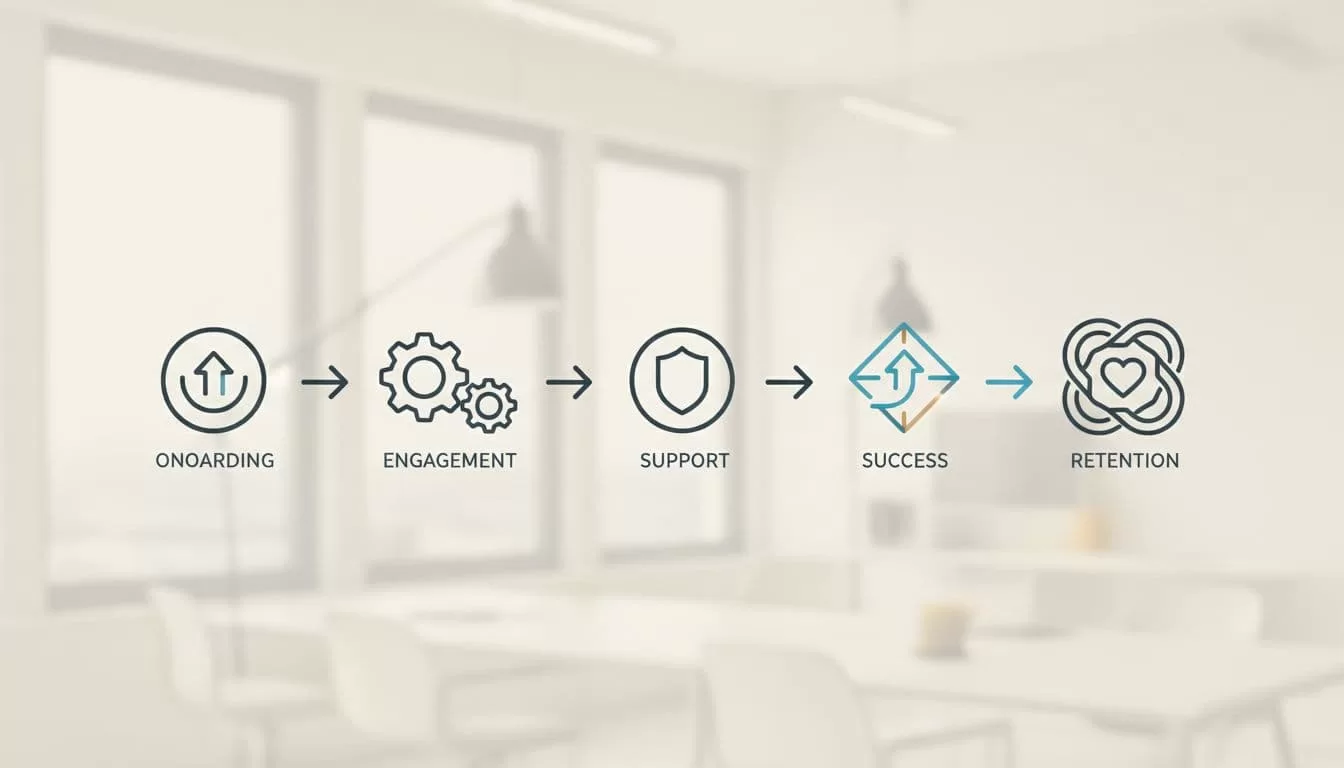
May 2026 updates improved leaderboards. Clients compete healthy, stay longer.
For scaling tips, coaches scaling on Skool use analytics like me. Track engagement, adjust content.
Wins compound. One cohort averaged 2x revenue goals because check-ins caught stalls early.
Conclusion
Skool handles my coaching clients from signup to success. Dedicated spaces, tiered offers, steady posts, locked classrooms, calendar check-ins, and progress tracking create a loop that retains. Clients transform, I scale without burnout.
Pick one step today: set a test group. Watch engagement rise. Your clients deserve that focus.
