How I Host Skool Group Coaching Calls in 2026
A coaching program built from scattered tools feels like a house with five front doors. Members miss the live room, lose the replay, and ask the same question twice. Running Skool group coaching inside one place removes most of the friction...

A coaching program built from scattered tools feels like a house with five front doors. Members miss the live room, lose the replay, and ask the same question twice. Running Skool group coaching inside one place removes most of the friction.
Skool now offers native calls, a built-in calendar, and replay hosting. This guide explains how to schedule, run, and follow up on a coaching call inside Skool, where an outside tool still helps, and which fixes solve common problems. Verify features and prices on the official Skool pages, because the platform changes often.
What Skool handles for group coaching
A coach no longer needs to push members into Zoom for a normal weekly call. According to a Skool press release dated October 27, 2025, live streaming supports up to 10,000 participants in one session and is available to all Skool communities. The release says the replay becomes part of the member library, with engagement and attendance data available afterward.
A third-party review from SkoolPrep describes the day-to-day experience differently. The review says owners schedule calls inside Skool, members join with one click, events sync to member calendars, and recordings attach to the event. The review also says Skool Call suits typical community sessions of dozens to a few hundred attendees and recommends other tools for audiences above 1,000. Treat the two sources as a range and test the feature with your own group size.
| Need | Best option |
|---|---|
| Weekly coaching calls, Q&A, and workshops | Native Skool live event |
| Replays tied to lessons or community posts | Native Skool recording attached to the event |
| Breakout rooms or advanced webinar controls | External tool linked from the event |
| Registration funnels and non-member guests | External webinar tool |
| Very large audiences above 1,000 | Test Skool first, then compare a dedicated webinar tool |
The SkoolPrep review lists polls as limited and says Skool Call lacks breakout rooms. Coaches who rely on small-group breakouts should plan an external room and post the link in the event description.
Plan and cost check
The Skool pricing page lists a Hobby plan at $9 per month with a 10% transaction fee and a Pro plan at $99 per month with a 2.9% transaction fee. The SkoolPrep review states Skool Call is included on both plans with no per-host fee. Confirm the current terms before launching a paid coaching group. Transaction fees apply to member payments, so a paid program should model fees at its expected revenue level.
Here is a simple way to compare the two plans. Estimate monthly member revenue. Apply each transaction fee. Add the plan price. The plan with the lower total cost wins at the chosen revenue level. The result shifts as the group grows, so repeat the math each quarter.
How to set up and run a Skool group coaching call
Prepare the member path before scheduling anything. Use one recurring call name, one clear event description, and one place for prep notes. Teams sharing agendas and worksheets behind the scenes can use Google Workspace collaboration for remote teams so co-hosts do not chase files across chat threads.
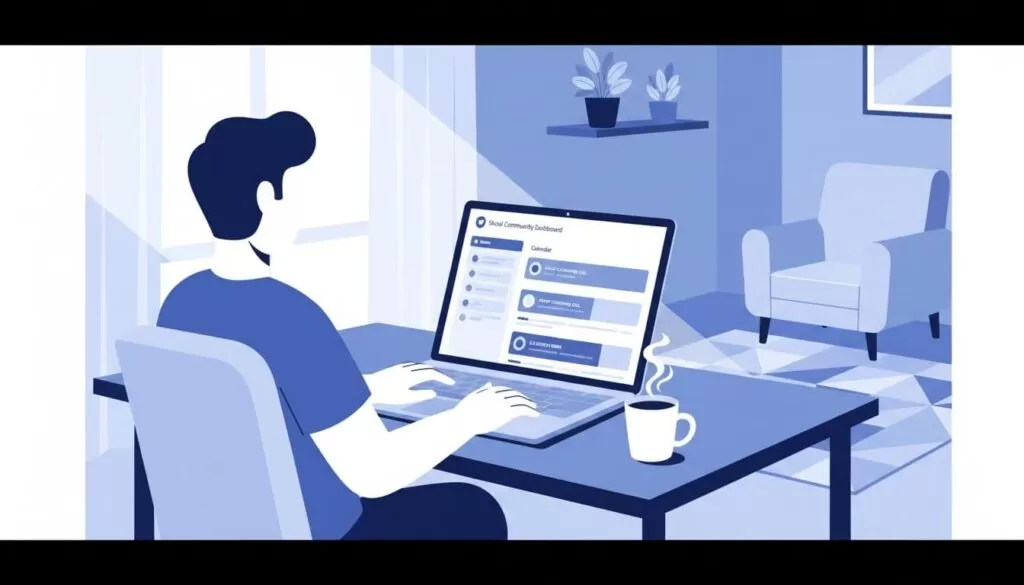
- Create the event in the Skool calendar. Add the title, date, time, and a weekly or monthly repeat.
- Write a short description. Include the topic, the audience, and one prompt so members arrive with context.
- Publish early. Early publishing gives members time to add the event to their calendars.
- Go live from the event page. Start from Skool and not from an outside meeting room.
- Keep the replay near the event. Post the replay in the same thread or lesson, and tell members where future replays will live.
Time zones cause missed calls in global groups. The SkoolPrep review says events sync to member calendars, which helps members see the correct local time. Still, state the time in one fixed zone inside the event description as a backup.

A call format members can follow
Long calls drift. A tight format keeps energy high and results visible.
| Segment | Length | Purpose |
|---|---|---|
| Wins and updates | 5 minutes | Celebrate progress and set a positive tone |
| Teaching block | 15 to 20 minutes | Cover one idea tied to a clear result |
| Hot seats or Q&A | 20 to 30 minutes | Apply the idea to real member situations |
| Weekly action | 5 minutes | Assign one action and name the next call date |
Tie each session to one concrete result. Examples include fixing onboarding friction, reviewing an automation workflow, or deciding what to measure next. A single result per call gives members a reason to attend and a way to report progress.
Practices to keep attendance up
- Keep a fixed day and time. A steady rhythm builds the habit.
- Name the session clearly. A specific title beats a generic label.
- Ask one pre-call question. Post the question in the community and use the answers as live material.
- Reward engagement. Skool attendance can feed the points and leaderboard system, according to the SkoolPrep review.
- Follow up fast. Post the replay, the action item, and a short summary on the same day.
Resources attached to a call need a tidy home. Worksheets, transcripts, and templates belong in one organized library. Teams can apply the same habits used in Google Workspace file storage for business so the resource library does not become a junk drawer.
Measuring whether the coaching works
Skool reports engagement and attendance data after live events, according to the October 2025 press release. Use the numbers as a starting point, then add simple outcome checks of your own. Track attendance rate, replay views, member questions per call, and the share of members completing the weekly action.
Compare the numbers month over month and not call over call. One quiet week rarely signals a problem. A steady decline over four weeks does. Ask members directly which part of the call helps most, and cut the segment nobody mentions.
- Attendance rate: members attending live divided by active members.
- Replay views: a sign of value for members in other time zones.
- Action completion: members reporting the weekly action as done.
- Retention: members still active after three months.
Pairing calls with lessons and community posts
A call works best as one part of a loop. Post the pre-call question in the community, run the call, then publish the replay with a short written summary. Link the replay to the matching lesson in the classroom area when the program includes coursework. Members who skip live sessions still follow the same path, and the written summary makes the replay easy to scan.
Keep one thread per call. Replies, wins, and follow-up questions stay together, and new members can read past threads to learn the culture of the group.
Quick fixes for common problems
- Members cannot find the call: remind them the event lives in the Skool calendar and event page and not in an email inbox.
- Attendance is soft: check the time slot, run a quick poll, and tighten the call topic.
- Audio or camera fails: join early, test on desktop and mobile, and close extra browser tabs.
- Replay confusion: post the replay link in the same thread and state where future replays will live.
- Group needs breakout rooms: run the breakout portion in an external tool and link the room from the event.
Most problems are loose screws and not broken walls. A simple path helps members show up, stay engaged, and return next week.
Preparing for the first paid cohort
A paid coaching group raises the stakes. Run a free test call with a few friendly members before the first paid session. Check audio, screen share, the event link, and the replay. Write a short member guide explaining where calls live, how to join, and where replays appear. Pin the guide at the top of the community.
Set expectations about call length, attendance, and homework. Members who know the rhythm in advance show up more often. Review refund and fee terms on the official Skool pages and in your own program policy before accepting payments.
Frequently asked questions
Does Skool need a Zoom integration for coaching calls?
No. Skool offers native live calls and events. Coaches needing breakout rooms or advanced webinar features can link an external tool from the event.
Can members watch a replay after the call?
Yes. Skool describes replays as part of the member library, and third-party reviews say recordings attach to the event. Test a recording before the first paid session.
How many people can join a Skool call?
A 2025 Skool press release cites up to 10,000 participants in one session. A 2026 third-party review suggests typical use of dozens to a few hundred. Test the limit with your own audience.
Which Skool plan fits a coaching group?
Skool lists Hobby at $9 per month with a 10% transaction fee and Pro at $99 per month with a 2.9% transaction fee. Compare total cost at your expected revenue and confirm current terms on the official pricing page.
Do Skool calls support breakout rooms?
A third-party review says no. Use an external tool for breakouts and post the link in the event.
Conclusion
The best part of Skool group coaching is the calm of giving members one clear home for the whole experience. Calls, replays, and community discussion live in the same place, and members always know where to look.
Start with one recurring event, one short agenda, and one replay workflow. Confirm current features and prices on the official Skool pages, add an external tool only when a real need appears, and keep the call rhythm steady.
