Skool vs Facebook Groups: Should Creators Make the Switch?
The Skool vs Facebook Groups choice comes down to reach versus focus. Facebook Groups gives you an audience already on the platform. Skool gives you a dedicated space built for courses, paid access, and member progress. This guide compares...

The Skool vs Facebook Groups choice comes down to reach versus focus. Facebook Groups gives you an audience already on the platform. Skool gives you a dedicated space built for courses, paid access, and member progress. This guide compares both so you can decide when a switch makes sense.
Facebook Groups costs nothing to start. Skool charges a monthly fee and a transaction fee on the entry plan. The cost gap matters less than the job each tool performs. A free hangout and a paid program need different things from a platform.
Skool prices below come from the official Skool pricing page, read in October 2026. Facebook Group features change often, so confirm current options in the official Meta help center before you plan a move.
Where Facebook Groups works well
Facebook Groups has one large advantage. Most people already hold an account, so joining takes a few taps. A new group can gain its first members from friends, pages, and posts with almost no setup. For a local audience, an early idea test, or a free interest group, this low friction matters.
Facebook Groups also offers tools for membership questions, post approval, and moderator roles. Admins can use these tools to screen new members and keep spam low. Review the current options in the Facebook Help Center because Meta updates group settings often.
- Free to run. No monthly plan or transaction fee applies to a basic group.
- Built-in audience. Members already use the app daily.
- Low friction. Joining requires no new account or password.
- Discovery. Public groups can surface in search and suggestions.
Where Facebook Groups starts to strain
Free often comes with noise. Members open Facebook and meet ads, reels, messages, and alerts before they reach your group. Good posts sink as new posts arrive. Useful answers get buried. Moderators spend real hours on spam and repeat questions.


Structure is the larger problem. A Facebook Group works as a feed with files, events, and live video. A feed does not create a member path. New members arrive, scroll, and ask questions the group answered months ago. Owners then answer the same questions again and again.
Paid access adds more strain. Facebook Groups does not offer built-in course hosting or a built-in checkout for a paid program. Owners usually stitch together a payment tool, a course tool, and an email tool. Each added tool creates one more login, one more bill, and one more point of failure.
Platform risk also deserves a thought. You do not own the audience inside a Facebook Group. Rules, reach, and features can change without notice. Keep an email list outside the platform so you can reach members if the group changes.
Signs your group has outgrown the format
- Members ask where to find lessons, replays, or old answers every week.
- Moderators spend more time deleting spam than helping members.
- Sales happen through direct messages and spreadsheets.
- Paying members and free members share one noisy feed.
- Your best content lives in files nobody opens.
Two or three of these signs justify a trial of a dedicated platform. Five signs mean the group already acts as a business asset and deserves a stronger home.
What Skool changes
Skool puts the community feed, the classroom, and the calendar inside one layout. Members find lessons, discussion, and events in the same place. Owners can sell access, host videos, and run live calls without adding outside tools.
Skool lists two plans. Hobby costs $9 per month with a 10% transaction fee. Pro costs $99 per month with a 2.9% transaction fee. Both plans include unlimited members, courses, videos, and live calls, plus a custom URL and an affiliate program. The pricing page shows a yearly toggle with two months free, but the yearly prices do not appear in the page text. Confirm the figures on the official Skool pricing page.
| Area | Skool | Facebook Groups |
|---|---|---|
| Cost | $9 per month (Hobby) or $99 per month (Pro) | Free to run |
| Transaction fee | 10% on Hobby, 2.9% on Pro | No platform sales fee because no built-in checkout |
| Members | Unlimited on both plans | No paid limit |
| Courses | Unlimited courses and videos | No dedicated course area |
| Live sessions | Unlimited live calls | Live video inside the group |
| Structure | Feed, classroom, and calendar | Feed, files, events, and live video |
| Member discovery | Limited to your own promotion | Strong, because the audience already uses Facebook |
| Data ownership | Platform account, export options vary | Platform account, export options vary |

Skool also adds a points and levels system with a leaderboard. Members earn points for activity, and owners can tie access to levels. Skool does not let owners set exact point values. Read more in this guide to Skool gamification tools, and note the author earns commissions on Skool sign-ups.
Skool does not replace every feature. Check whether you need quizzes, certificates, or timed lesson release. Test each item inside a trial account before you move paying members.
Cost comparison with real numbers
Facebook Groups costs less on paper. A paid program on Facebook still needs outside tools, and those tools carry their own fees. Add up every tool before you compare. The list below shows the lines to count.
- Payment tool. Count monthly fees and per-sale fees.
- Course tool. Count hosting fees and any video storage.
- Email tool. Count the plan for your list size.
- Moderation time. Count weekly hours multiplied by your hourly rate.
Skool bundles the first three lines into one plan. Pro at $99 per month with a 2.9% fee on $5,000 in monthly sales costs $99 plus $145, or $244. Hobby at the same sales costs $9 plus $500, or $509. The figures exclude payment processor charges and taxes. Run the same formula with your own sales number. A group with no sales pays only the monthly plan fee.
When to move and when to stay
Move to Skool when the community is part of the product. Paid memberships, group coaching, course access, client support, and cohort learning all fit this model. A focused home beats a crowded social feed in these cases.
Stay on Facebook Groups in a few cases. Keep the group for broad reach, casual conversation, or early demand testing. A free group with no lessons and no payments may not need a new platform.
A hybrid setup works well for many owners. Use Facebook for discovery and free conversation. Invite paying members into Skool for lessons, calls, and support. This keeps the wide top of the funnel and protects the paid experience from noise.
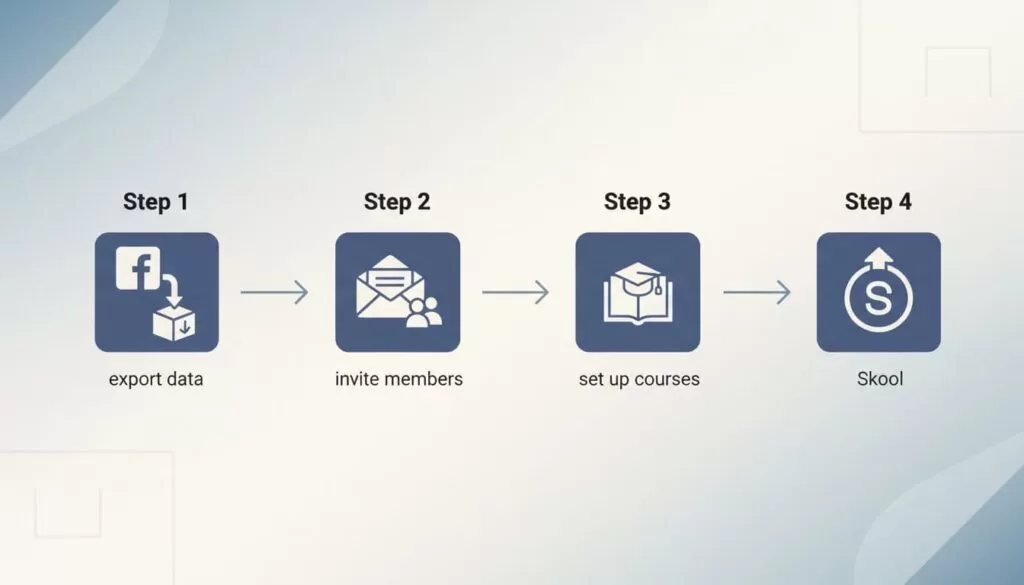
How to move a community to Skool in five steps
An active group needs a planned move. Treat the change like moving a shop to a new street. The new sign matters less than the welcome inside.
- Pull out the best material. Save top posts, frequent questions, and live replay links. Turn them into starter lessons and pinned threads.
- Build the new space first. Set up clear categories, one quick lesson, an intro post, and the first event before you invite anyone.
- Announce one date. Send one message by email and one pinned post. State the reason, the date, and a single link.
- Run a short overlap. Keep both spaces open for two to four weeks. Answer deep questions in Skool first and use the old group for reminders.
- Stop posting value in the old group. Members follow activity. Once the best conversation lives in Skool, the group follows.
Facebook does not hand you a neat customer list. Use checkout records, email lists, and pinned posts to reach members. Collect email addresses during the move so the next change goes easier.
A one-month audit before you switch
Measure before you decide. Track one month of activity and answer the questions below.
- How many sales came from group members?
- How many support questions did moderators answer twice?
- How many lessons or files live outside the group?
- How many members ask where to find old posts?
High counts point toward Skool. Low counts point toward staying put. Revisit the audit every quarter as the community grows.
Frequently asked questions
Is Skool better than Facebook Groups?
Skool suits paid communities and courses. Facebook Groups suits free groups and broad reach. Neither wins in every case.
How much does Skool cost?
Skool lists Hobby at $9 per month with a 10% transaction fee and Pro at $99 per month with a 2.9% transaction fee. Confirm current prices on the official Skool pricing page.
Can I use both Skool and Facebook Groups?
Yes. Many owners keep a free Facebook Group for discovery and move paying members to Skool.
Do I lose members when I move?
Some members will not follow. A clear date, a short overlap, and a welcome message reduce the loss. Keep an email list outside both platforms.
Does Facebook Groups offer paid memberships?
Meta changes its paid group options over time and by region. Check the Facebook Help Center for current availability before you plan around a paid group.
Conclusion
Facebook Groups offers reach at no cost. Skool offers structure, courses, and payments in one place. Choose Facebook for free conversation and early tests. Choose Skool when the community supports a paid offer. Confirm every price on the official pages and test the move with a small group first.

