Adopt a Smart Social Media Scheduling App Like Someli
A messy posting process steals more time than most teams admit. One draft lives in a spreadsheet, another sits in a chat thread, and a third gets published late because someone forgot the time zone. I approach social tools the same way I ap...

A messy posting process steals more time than most teams admit. One draft lives in a spreadsheet, another sits in a chat thread, and a third gets published late because someone forgot the time zone.
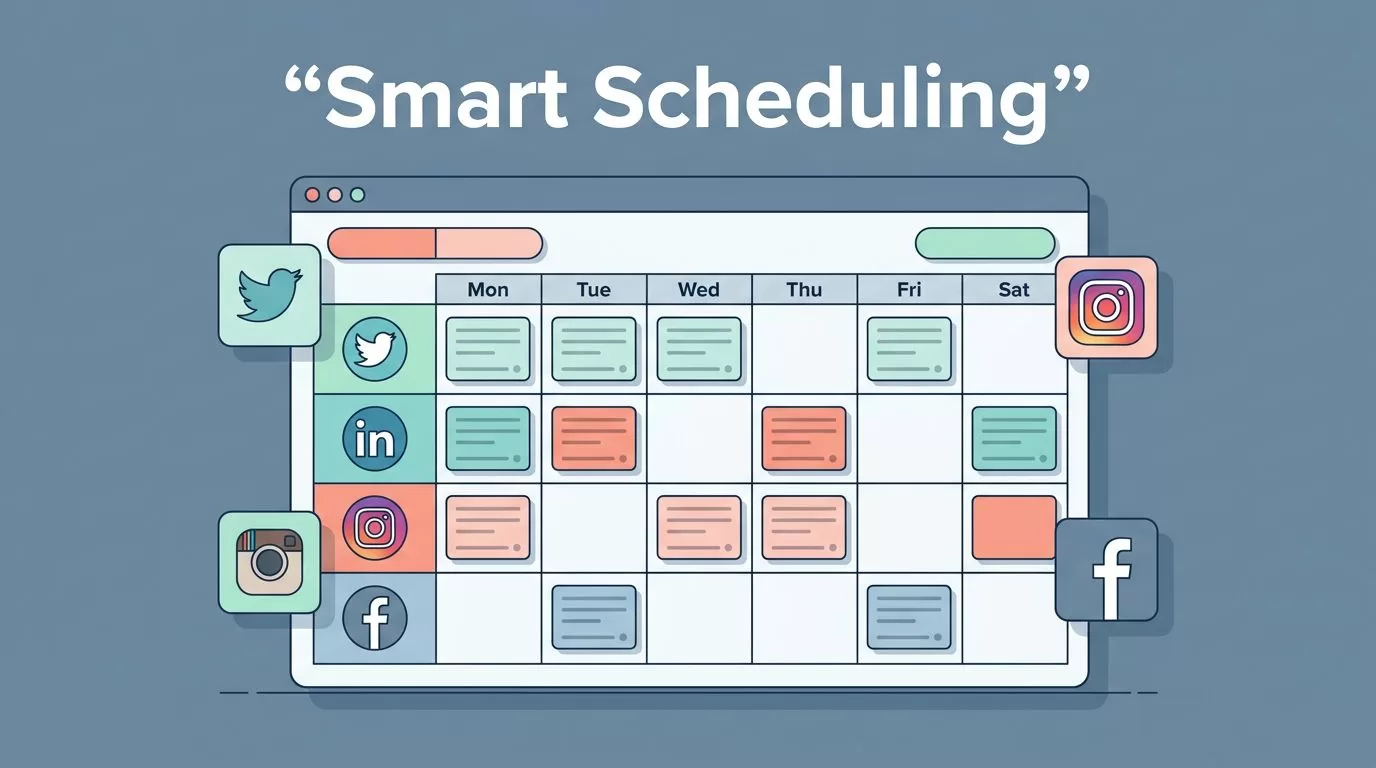
I approach social tools the same way I approach every software decision in our editorial approach to business technology: I care about what changes the work, not what looks good in a demo. A social media scheduling app like Someli matters when it keeps planning, approvals, publishing, and reporting in one place.
Key Takeaways
- A smart scheduler keeps one content plan visible across every channel.
- I care most about approvals, timing, collaboration, and reporting.
- Someli is the kind of tool I want when I need fewer moving parts.
- The rollout matters as much as the software, because a bad setup creates more work.
- Good scheduling software should save time and reduce mistakes, not hide them.
Why I Want One Calendar for Every Channel
When I manage posts without a scheduler, the week feels brittle. A last-minute campaign change can knock out the rest of the plan. A good calendar keeps that from happening.
That is why I like scheduling tools in the first place. Adobe’s overview of why you need scheduling tools matches what I see in practice, because it points to fewer errors and less manual posting. I do not need every task automated. I need the repetitive parts handled so I can think about the message.


A smart scheduler also gives me one source of truth. That matters when I am balancing LinkedIn posts, Instagram captions, X updates, and short-form video reminders. Without that view, I end up asking the same question all day, “What is going out next?” With it, I can see the whole week at once.
Time zones make the case even stronger. If I post for teams, customers, or prospects across regions, manual publishing turns into a small headache machine. A scheduling app lets me load the work once, then release it at the right hour.
Team coordination improves too. I can draft content, route it for approval, and publish only after sign-off. That keeps the message clean and cuts the back-and-forth that usually lives in email.
Sprout Social’s 2026 roundup of social media scheduling tools shows how crowded this category has become. I do not see that as noise. I see it as proof that teams want less friction and more control.
What I Look for Before I Adopt One
I do not adopt a scheduler because it has a long feature page. I adopt it because it fits the way my team actually works.
A tool like Someli makes sense to me when it does the basics well and leaves room for growth. I want content planning, platform-specific publishing, and clean handoffs between people who write, review, and approve. I also want reporting that tells me something useful instead of burying me in vanity numbers.
Here is the simple checklist I use before I trust a tool:
| Capability | Why I care | What I check |
|---|---|---|
| Content calendar | I need one place to plan launches and recurring posts | Drag-and-drop views, weekly and monthly planning |
| Multi-platform publishing | I want one draft to fit several channels | Native previews, channel-specific edits, post formatting |
| Approval workflow | I need fewer mistakes and clearer ownership | Comments, permissions, and sign-off steps |
| Analytics | I need to know what actually worked | Engagement, clicks, saves, and timing patterns |
| Asset organization | I want captions, images, and video in one place | File library, tags, and reusable templates |
The biggest mistake I see is choosing software around a feature that sounds exciting but gets used once. I would rather have a solid approval path than a flashy AI prompt that nobody trusts.
If the app hides the plan behind the publish button, I lose visibility fast.
I also pay attention to how a tool handles collaboration. If my designer, copywriter, and social lead all touch the same post, I want comments attached to the draft. I do not want feedback scattered across five channels.
Someli is the kind of practical example I think about here. I would want it to act like a working table, not a storage closet. The best tools keep the campaign visible while the work is still in motion.
How I Roll It Out Without Breaking the Schedule
I never move everything at once. That usually creates more confusion than the old process.
Instead, I start with a controlled rollout. The first month is about structure, not perfection. I want to see whether the app fits our habits before I load the whole machine into it.
- I audit the current posting process.
I list every channel, recurring series, campaign date, and approval step. That tells me where posts get delayed and where the same work gets repeated. - I build the first calendar around core content.
I load the posts that matter most, then I leave a little room for real-time updates. A calendar packed wall to wall breaks the first time a priority changes. - I set roles before I invite the team.
Writers, reviewers, and approvers should not share the same permissions. Clear roles reduce accidental edits and keep the chain of review clean. - I create a simple publishing rhythm.
I group similar posts together, then spread them across the week. That keeps the feed active without making the team live inside the app. - I test one channel at a time.
If a tool behaves well on LinkedIn, that does not mean it is ready for every format. I prefer to learn channel by channel, then expand.
That rollout style matters because social publishing is tied to other work. Campaigns change. Product launches slip. Leadership wants a new angle. A good scheduler absorbs that pressure better than a messy one.
I also use the rollout to find friction early. If approvals take too long, the system needs a lighter review path. If posts need too many edits after upload, my templates are weak. If team members skip the platform and move work into chat, the workflow is wrong.
A scheduling app should reduce the number of places I have to think. When it works, I can spend more time on message quality and less time on logistics.
The Metrics I Watch After the Switch
I do not judge a scheduler by how busy it makes me feel. I judge it by whether the system gets cleaner.
The first number I watch is consistency. Are we publishing on the dates I planned? Are we filling the calendar the way we expected? Missed posts usually point to a process problem, not a creativity problem.
Then I look at engagement by format. Some posts will always beat others. I care more about the pattern than the outlier. If educational carousels beat pure promotional updates, I adjust the calendar. If short text posts drive better clicks on one channel, I lean into that.
I also track the time I spend on scheduling work. That number matters more than people think. If my team saves two hours a week, that is not a minor win. It gives us more room for campaigns, community replies, and better drafts.
The last thing I watch is whether the tool helps me reuse strong content without making the feed feel stale. A smart scheduler should help me recycle good ideas with a new angle, a fresh visual, or a better time slot. It should not make every post look copied and pasted.
That is where a smart social media scheduling app earns its place. It gives me structure first, then speed second. If the app keeps the calendar clear, the team aligned, and the reports easy to read, I know I made the right choice.
Conclusion
A smart scheduler changes the pace of the work. It gives me one plan, one publishing rhythm, and one place to see what is happening next.
Someli is the kind of tool I look for when I want fewer bottlenecks and better control. I want the calendar to stay visible, the approvals to stay clean, and the reporting to tell me something I can use.
If my posting process starts feeling like a pile of sticky notes, I know it is time to replace it with a better system, not more reminders.

