Set Up Your Stripe Affiliate Integration in Rewardful
Affiliate tracking can look finished before it has captured a single paid invoice. That is the failure to prevent. A Stripe affiliate integration must carry one referral from the affiliate link to the Stripe customer, then to the paid invoi...

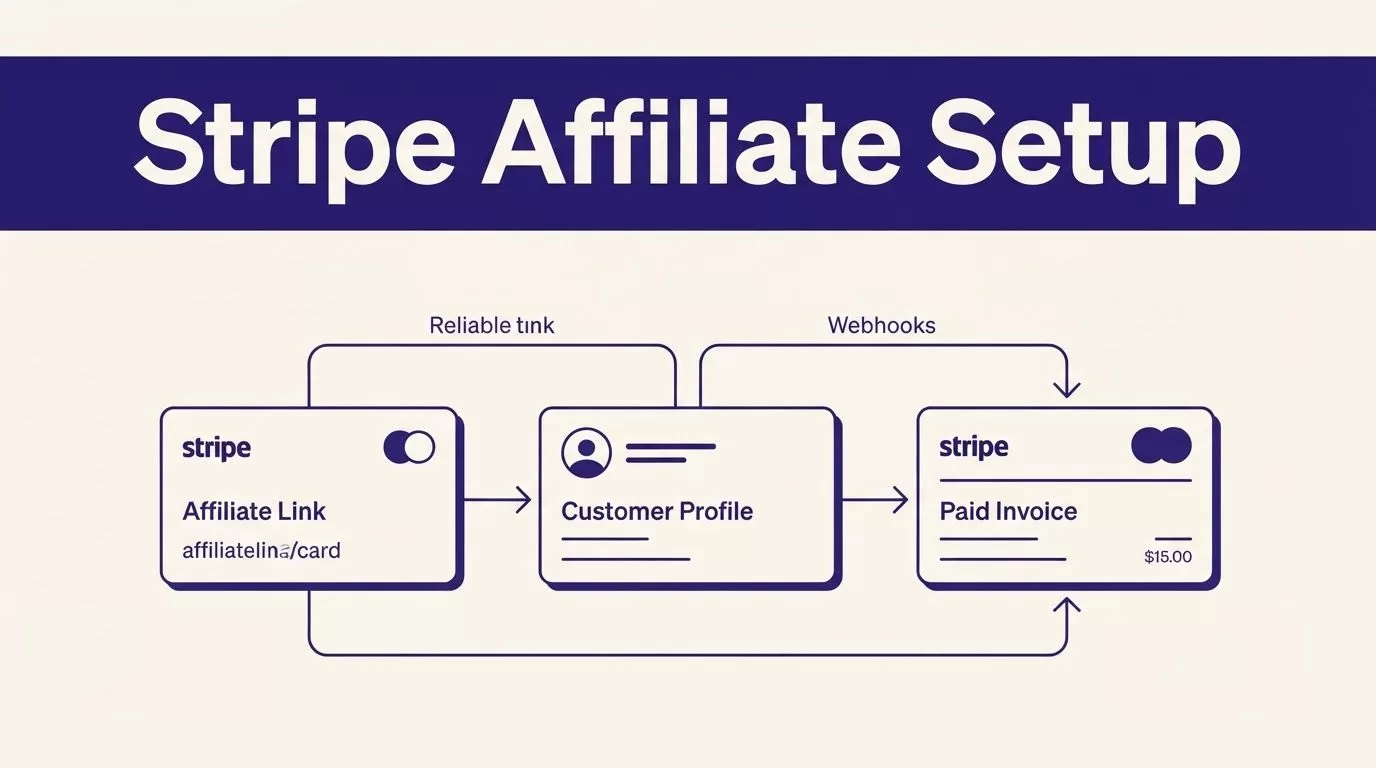
Affiliate tracking can look finished before it has captured a single paid invoice. That is the failure to prevent.
A Stripe affiliate integration must carry one referral from the affiliate link to the Stripe customer, then to the paid invoice or subscription payment. If one handoff fails, you can miss a conversion, credit the wrong partner, or approve a commission that should not exist.
Build one billing path first. Test it with a controlled referral. Then invite affiliates.
Build Your Stripe Affiliate Integration Around One Billing Path
Rewardful tracks referral activity while Stripe remains the payment system. Stripe creates customers, collects payments, issues invoices, and records refunds. Rewardful uses those records to connect a payment with the affiliate who sent the referral.
Rewardful explains that it reads Stripe activity such as customer creation, invoice payments, and refunds through webhooks in its guide on how Rewardful uses your Stripe account.
Confirm the Setup Requirements First
Before you connect anything, confirm you have:
- A Rewardful account and access to the Stripe account that receives customer payments.
- One active product, price, or subscription plan in Stripe.
- Access to your marketing site and app code, if you need to install the tracking script.
- A test affiliate account or internal referral link for verification.
- A clear owner for commission approvals and payout questions.
Start with one checkout route. Do not launch Payment Links, Stripe Checkout, a pricing table, and a custom API flow at the same time. Each path passes referral data differently.

Map the Referral Before You Touch Settings
Write the full path in one sentence: an affiliate shares a link, a visitor lands on your site, the visitor signs up or starts checkout, Stripe creates a customer, Stripe records payment, and Rewardful attributes the commission.
That map gives you a practical test plan. You need proof at each point, not a dashboard connection alone. Save the referral URL, Stripe Customer ID, invoice or payment ID, expected affiliate, and expected commission for every launch test.
A connected account proves authorization. It does not prove that a referral reaches the paid Stripe record.
Connect Rewardful to the Stripe Account That Bills Customers
In Rewardful, select Connect with Stripe. Stripe will ask you to sign in and authorize the connection. Use the Stripe account that creates the customer and receives the subscription payment.
After authorization, Stripe returns you to Rewardful. You can then create or launch your first affiliate campaign.
Check the Account Before You Continue
A SaaS team can have several Stripe accounts. One may handle production subscriptions. Another may belong to a prior product, a regional entity, or a test project. Rewardful can only attribute transactions from the connected account.
Check the Stripe account name, live products, and recent customer records before you approve the connection. If your developer owns Stripe access, have them confirm the correct account rather than guessing.
Rewardful’s two-way Stripe sync is designed to keep affiliate data, transactions, and coupon performance aligned with Stripe activity. Keep Stripe as the source of truth for payment status, refunds, and subscription invoices.
Keep One System of Record for Payments
Do not build a manual spreadsheet that overrides Stripe payment data. A spreadsheet is useful for launch testing and exception review. It should not decide whether a customer paid.
Use Stripe for payment facts. Use Rewardful for referral attribution and affiliate commission records. When a refund occurs, review the Stripe record first. Then confirm the related Rewardful transaction reflects the same outcome.
Install Tracking and Pass the Referral to Stripe
Connecting Stripe is only one half of the setup. Rewardful also needs to capture the affiliate referral before checkout begins.
Add the Rewardful Script Across Your Site
Install Rewardful’s STEP 1 tracking script in the <head> of your marketing site and application. It needs to load on the pages where visitors arrive, register, upgrade, or begin payment.
Do not add it only to the thank-you page. By then, the referral may already be lost.
If your landing site lives on one domain and your app lives on another, place the script on both. Test the exact route an affiliate visitor follows. A referral that works on the homepage but fails after signup is not ready for launch.
Use the Right Stripe Field for Your Checkout Method
Rewardful stores the captured referral in Rewardful.referral. Your payment flow must pass that value into the Stripe customer or Checkout session.
Use the setup that matches your billing method:
| Payment method | Referral data to pass | Important check |
|---|---|---|
| Stripe Checkout | client_reference_id | For server-side Checkout, set customer_creation to always. |
| Stripe Payment Links | Rewardful’s supported Payment Links flow | Turn on “Save Payment Details for Future Use” so Stripe creates a customer record. |
| Stripe Pricing Table | client-reference-id | Set it from Rewardful.referral. |
| Custom Stripe API flow | Stripe customer metadata named referral | Read Rewardful.referral before you create the customer. |
For a custom form that creates Stripe customers, Rewardful also documents the data-rewardful attribute for the form. Do not pass the referral only after payment succeeds. It must exist when Stripe creates the customer or checkout record.
Configure Commission Rules Before You Add Affiliates
Your campaign rules should match how you sell. A simple SaaS offer needs a simple starting rule.
Start With One Clear Commission Model
Set the commission rate, eligible plans, and commission duration. For example, a $49 monthly plan with a 20% recurring commission creates a $9.80 commission for each eligible paid invoice.
Decide how refunds, cancellations, upgrades, coupons, and annual plans should work. Write those rules in plain language for your team and affiliates. A vague rule creates payout disputes later.
Rewardful’s Stripe App Marketplace listing describes support for flexible commission structures, affiliate links, coupon tracking, and mass payouts. Use those options after your first campaign works. Complexity can wait.
Create an Internal Affiliate First
Create one internal affiliate account before recruiting partners. Give it a distinct referral link or code. Do not reuse a founder’s personal link for testing.
This account gives your team a stable control record. You can verify the same affiliate, referral link, Stripe customer, and commission rule every time you change checkout settings.
Keep a short launch record with the campaign name, commission rate, test date, person who approved it, and result. Store failed tests separately. Do not overwrite them with a later successful run.
Test Referral Tracking Before You Go Live
Use Stripe test mode when you are changing Checkout, a Payment Link, a pricing table, or custom API code. Test mode lets you check your Stripe payment flow without charging a real card.
Test data and live payment data are separate. A successful test checkout confirms your implementation. It does not prove that live invoices will appear in the right campaign after launch.

Run a Small Approved Test Batch
Rewardful’s onboarding checks use a referral URL with a format such as ?via=install. Open your internal affiliate link in an incognito or private browser. This avoids a previous referral affecting the result.
Run these checks in order:
- Open the affiliate link in a private browser and confirm the landing page loads.
- Complete the signup or checkout path in Stripe test mode if you are validating code or checkout configuration.
- Confirm the referral value reaches the correct Stripe field for your payment method.
- After launch, run one controlled live transaction when your billing and refund policy allows it.
- Compare the affiliate, Stripe customer, paid invoice, and Rewardful commission record.
Track accepted outcomes, not page views or button clicks. A completed browser session only proves that the browser completed its actions. It does not prove that the correct affiliate received credit.
Fix Missed Conversions, Payment Errors, and Webhook Problems
Most issues fall into three groups: the referral was never captured, Stripe did not receive the referral data, or Rewardful did not receive the right Stripe transaction.
Check a Missed Conversion From the Start
First, open the affiliate link in a private browser. Confirm it contains the expected ?via= value. Then confirm the Rewardful script loads on the landing page, signup page, and payment entry point.
Next, inspect the Stripe customer created by the test. Look for the expected client_reference_id or referral metadata. If that value is missing, the problem is in your website or checkout handoff, not the commission rule.
Review Incorrect Subscription or Payment Tracking
A signup is not always a paid subscription. Review the Stripe customer, subscription, paid invoice, and refund status before you change a commission.
For Payment Links, check that “Save Payment Details for Future Use” is enabled. For server-side Checkout, confirm customer_creation is set to always. Without a Stripe Customer object, Rewardful cannot reliably connect the referral to future subscription invoices.
Do not approve a commission based on a confirmation page alone. A paid invoice is the payment evidence that matters.
Investigate Connection and Webhook Failures With IDs
Check that the correct Stripe account remains connected in Rewardful. Then collect the Stripe Customer ID, invoice ID, payment ID, referral URL, timestamp, and affiliate email from the failed test.
Do not reconnect the account repeatedly or run the same test without changing anything. That creates noise and makes the root cause harder to find. Compare a failed record with one accepted record from the same campaign.
If your checkout uses custom endpoints, subscription migrations, or multiple billing paths, document the data flow before changing live campaign rules. For help reviewing that setup, Book A Call.
Keep the Launch Small and Verifiable
A reliable Stripe affiliate integration does not depend on guesswork. It captures the referral before checkout, stores it with the right Stripe record, and ties commissions to real payment events.
Start with one campaign and one internal affiliate. Verify the customer, invoice, refund behavior, and commission record before you send links to partners.
A small test with complete records is more useful than a large launch full of exceptions.

