Deploy a Sustainability Reporting Bot With Twin.so
Most sustainability reporting delays start before the writing begins. Energy bills sit in one system, travel data in another, supplier files arrive as spreadsheets, and nobody owns the full evidence trail. A sustainability reporting bot can...
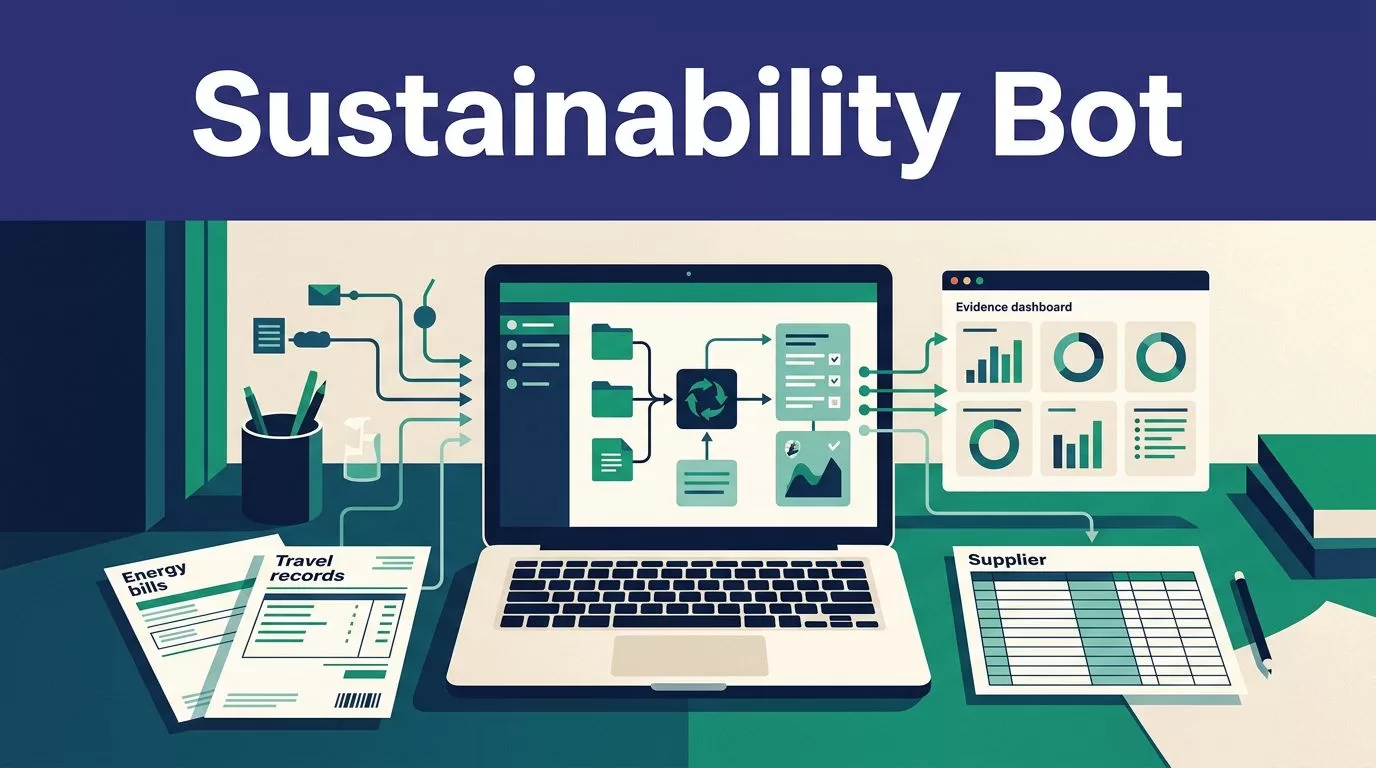
Most sustainability reporting delays start before the writing begins. Energy bills sit in one system, travel data in another, supplier files arrive as spreadsheets, and nobody owns the full evidence trail.
A sustainability reporting bot can collect records, normalize fields, identify gaps, and prepare draft outputs. Twin.so can coordinate those tasks across APIs, SaaS tools, spreadsheets, data warehouses, and authorized browser sessions. It can’t decide whether your figures are correct or whether a disclosure meets a reporting standard.
Use Twin.so for collection and workflow execution. Keep definitions, validation, storage, privacy controls, assurance, and regulatory sign-off under your team’s control.
What a sustainability reporting bot can do with Twin.so
Twin.so is a general AI agent and workflow platform. Its public materials describe scheduled agents, event-driven triggers, OAuth integrations, API connections, and browser automation. The Twin Quickstart documentation covers these core workflow patterns.
The best sustainability use case is a controlled pipeline with a known source, a fixed schema, and clear failure rules.

Collect approved source records
Connect the bot to approved data sources such as utility systems, travel platforms, procurement tools, finance software, supplier portals, and internal data warehouses.
Twin’s public product information claims more than 5,000 integrations. Its examples include Notion, QuickBooks, Intercom, Rippling, Stripe, and data warehouses. That doesn’t confirm a native connector for your carbon-accounting or reporting platform. Check the current integration directory and your workspace before designing around a named connector.
Use APIs first. API retrieval usually provides more stable fields, clearer request logs, and predictable repeat runs. Use the Web Agent when a permitted source has no suitable API, requires a browser login, or stores the required data behind a dynamic interface. Twin’s Web Agent guide describes browser tasks, schedules, and REST API triggers.
Organize evidence and draft reports
The bot can combine records, flag missing fields, group data by reporting period, and prepare a draft data pack. It can also compare the current period with a previous approved dataset when those records are available.
Keep raw values beside normalized values. If a source reports electricity as 12500 kWh, don’t store only the converted value. Preserve the original amount, unit, source, date, and conversion rule.
Twin.so is not a dedicated sustainability accounting system or model-training platform. Your team still owns emissions calculations, factor selection, methodology documentation, storage, labeling, and final report preparation.
Define the reporting scope before building
A broad instruction such as “collect our sustainability data” leaves too many decisions to the agent. Define the reporting question first. Then define the data contract.
Choose the standard and boundary
Decide which reporting framework applies to the output. IFRS S1 covers general sustainability-related financial disclosures. IFRS S2 covers climate-related disclosures and points to greenhouse gas measurement using the GHG Protocol. Review the IFRS Sustainability Disclosure Standards before setting the workflow’s output fields.
GRI uses a different reporting focus. Its standards help organizations report their impacts on the economy, environment, and people. Use the official GRI Standards when GRI reporting is part of your process.
Set these rules before collection:
- The legal entity and organizational boundary.
- The reporting period and time zone.
- The facilities, subsidiaries, and operations included.
- Scope 1, Scope 2, and selected Scope 3 categories.
- Required units, currencies, activity measures, and conversion rules.
- Approved sources and data owners.
- Permitted estimates, exclusions, and empty values.
For Scope 3, document the category and calculation method instead of asking the bot to infer one. The GHG Protocol Scope 3 Standard provides the relevant accounting methodology.
Create a field-level schema
Give Twin a fixed schema. Each record should have one purpose and one clear source.
A practical emissions record may include:
- Entity name, facility ID, and source system.
- Activity type, raw value, raw unit, normalized value, and normalized unit.
- Reporting period, transaction date, and source timestamp.
- Scope, category, calculation method, and factor reference.
- Source URL or file ID, source record ID, and collection timestamp.
- Quality flag, reviewer status, and exception reason.
Tell the bot what to do when a value is missing. It should return unknown, not provided, or an exception. It shouldn’t guess a fuel type, factor, location, or reporting period.
Build the Twin.so workflow in stages
Keep collection, validation, and publishing as separate stages. This prevents a failed run from replacing the last trusted dataset with an empty or incomplete result.
Connect sources with the smallest useful access
Start with one reporting source. A monthly electricity export is easier to test than a workflow covering every supplier, office, and travel account.
Create an inventory with the source owner, permitted fields, authentication method, refresh schedule, and destination. Use OAuth or an approved connector where available. Twin’s public OAuth material describes account connections and automatic token refreshes, but the exact controls depend on the service and workspace.
Use browser automation only when the API route doesn’t meet the requirement. Browser sessions can break when a page changes, a login expires, a download moves, or pagination behaves differently. Twin describes browser automation as more expensive and less reliable than API-based execution.
Give the bot an operational prompt
Write instructions around sources, fields, evidence, and failure handling. A useful starting prompt looks like this:
Collect approved electricity records for the 2026 reporting period from the connected utility source. Return one row per source record. Preserve the raw amount and unit beside the normalized amount and unit. Include facility ID, billing period, source record ID, source URL or file ID, collection timestamp, and quality flag. Do not infer missing values. Stop and create an exception when the account is unavailable, the period is incomplete, or the file structure changes.
Add pagination rules, duplicate handling, date filters, and permitted destinations. State whether the bot may download files, update a database, or create only a draft.
Schedule only after the sample passes
Twin supports on-demand and scheduled agent execution. The Web Agent documentation also describes cron-based schedules, event-based triggers, and REST API execution.
Schedule collection around the source’s real refresh cycle. If a provider refreshes twice a year, running the workflow every day adds cost without adding current data. Record the source’s refresh behavior and review it when the provider changes its product.
Publishing should happen after validation. If validation fails, create an exception and retain the last approved dataset. Don’t overwrite trusted data with a blank response.
Build data-quality safeguards before deployment
A successful agent run isn’t proof of a correct sustainability record. The bot may reach the page and still miss a row, read the wrong period, duplicate a file, or return a plausible value without its unit.
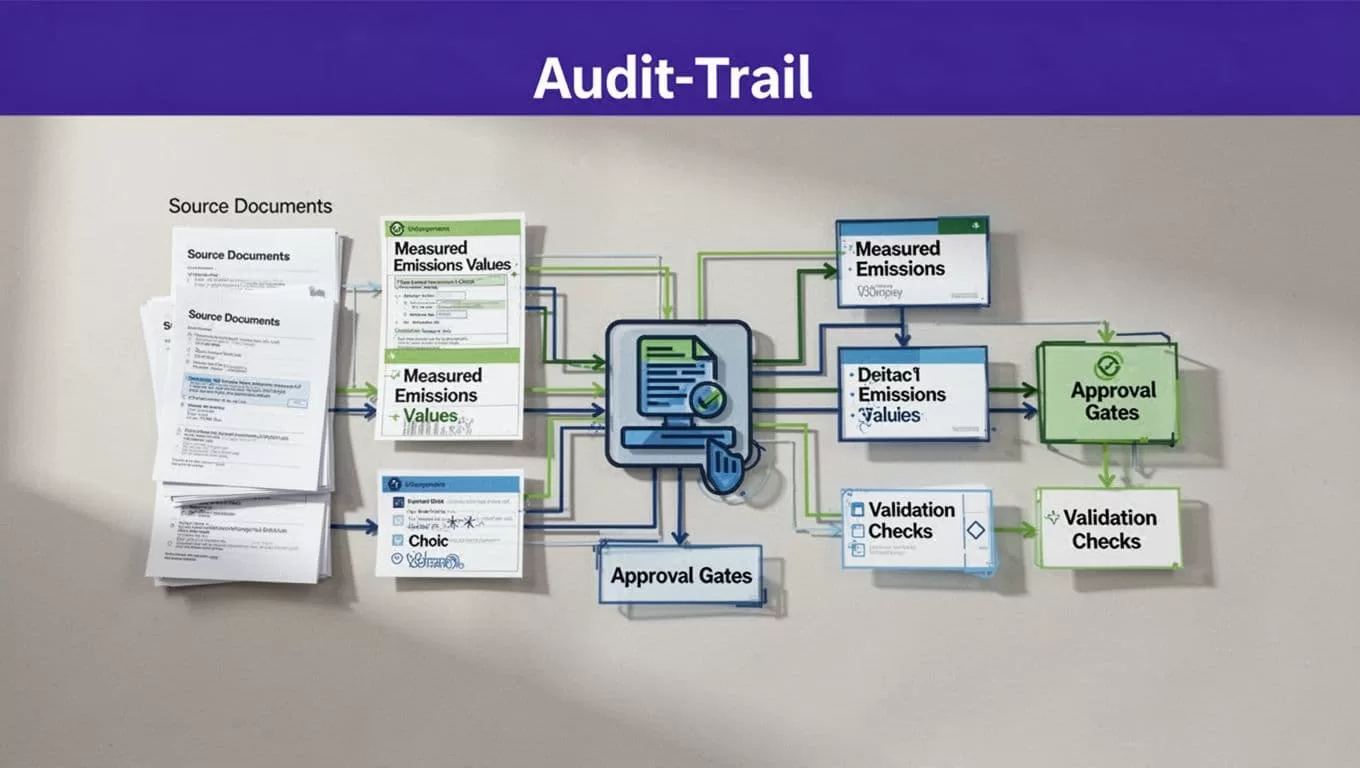
Validate values before acceptance
Use deterministic checks wherever possible. Examples include:
- Required fields aren’t blank.
- Units belong to an approved list.
- Dates fall inside the reporting period.
- Facility IDs exist in the master system.
- Numeric values pass reasonable range checks.
- Currency and time-zone rules are consistent.
- Source record IDs aren’t duplicated.
- Scope and category combinations are allowed.
- Current totals reconcile with the source export.
Keep warnings separate from hard failures. A missing supplier value may need review. An invalid unit should block publication.
Don’t force every check into Twin’s interface. Public materials confirm agent building, running, integrations, and browser automation, but they don’t confirm a dedicated sustainability validation module. Put complex controls in the destination database, spreadsheet, data-quality service, or reporting application when that is safer.
Preserve a complete audit trail
Store the raw report, normalized record, and reviewed output as separate versions. Add the collection timestamp, content hash, extraction method, license status, and quality flags. Record the agent or workflow version that produced the result.
A reviewer should be able to answer five questions:
- Which source produced this value?
- When did the bot collect it?
- What raw value and unit did the source provide?
- Which transformation or factor changed the value?
- Who approved the record for reporting?
Keep failed runs and exception reasons. They show where the source or workflow changed. Screenshots or source files can help with review when a browser workflow extracts data from a changing page.
Govern access, privacy, and human approval
Twin.so doesn’t make a data collection process GDPR compliant. Your organization remains responsible for the purpose, legal basis, source permissions, retention period, deletion requests, and treatment of personal or Google user data.
Review each source’s privacy notice, terms, license, rate limits, and export restrictions. A person being allowed to view a portal doesn’t automatically authorize automated collection. Don’t bypass authentication, paywalls, rate limits, or access controls.
Use an allowlist of domains, accounts, URL patterns, and fields. Exclude admin pages, customer records, account settings, payment data, and unnecessary personal information. Keep passwords and session tokens out of prompts, spreadsheets, and workflow logs. Grant the bot only the access needed for the approved task.
Twin’s public homepage currently lists SSO, dedicated infrastructure, SLAs, and a solutions engineer under its Scale offering. Those commercial and security details can change. Confirm them in the current contract and workspace. Don’t treat a plan label as proof of a specific compliance certification or data-residency arrangement.
Human experts remain responsible for:
- Data accuracy and completeness.
- Organizational boundaries and calculation methods.
- Emissions factor selection.
- Estimates and exclusions.
- Assurance evidence.
- Regulatory review and sign-off.
The bot can prepare the evidence package. It cannot replace the accountable reviewer.
Price the workflow by accepted records
Twin uses credits. Usage depends on agent building, research, API calls, browser actions, retries, and generated output. Public planning examples provide useful starting ranges, not a fixed quote.
| Workflow activity | Approximate published usage |
|---|---|
| Simple automation | 15 to 30 credits |
| 100-item extraction | 20 to 70 credits |
| Browser session with about 20 steps | 100 to 200 credits |
| Initial build and research | Usually higher than repeat runs |
Twin’s pricing documentation currently lists monthly bundles ranging from 2,000 credits at $20 to 50,000 credits at $463. Public pages also show different plan labels, including Starter, Growth, Scale, Mini, Mini+, and Pro. Confirm the live price, tax treatment, limits, and included features before budgeting.
Run a small approved batch. Track credits used, records returned, records accepted, failed pages, retries, duplicate rates, missing fields, review minutes, and corrections.
Calculate:
credits consumed / records accepted after validation
Repeat runs may cost three to ten times less than the initial build, but your own source mix controls the result. Scale only when accuracy, review time, traceability, and cost are stable. If the workflow spans several systems, Book A Call to map permissions, exception handling, and approval points before production deployment.
Conclusion
Twin.so can reduce the manual work behind sustainability data collection and report drafting. Its strongest fit is a scheduled, API-first workflow with browser automation reserved for authorized exceptions.
Start with one source, one reporting boundary, and one fixed schema. Preserve raw evidence, validate every accepted record, keep failed runs visible, and require human approval before publication. A reliable sustainability reporting bot doesn’t make judgment disappear. It gives your experts cleaner evidence and fewer repetitive tasks to review.
