Ticket Routing Automation Logic on Twin.so
Manual triage can make a support queue look busy before it becomes productive. Every ticket still needs reading, classification, and routing across email, chat, forms, and other channels. That work makes omnichannel routing important, while...
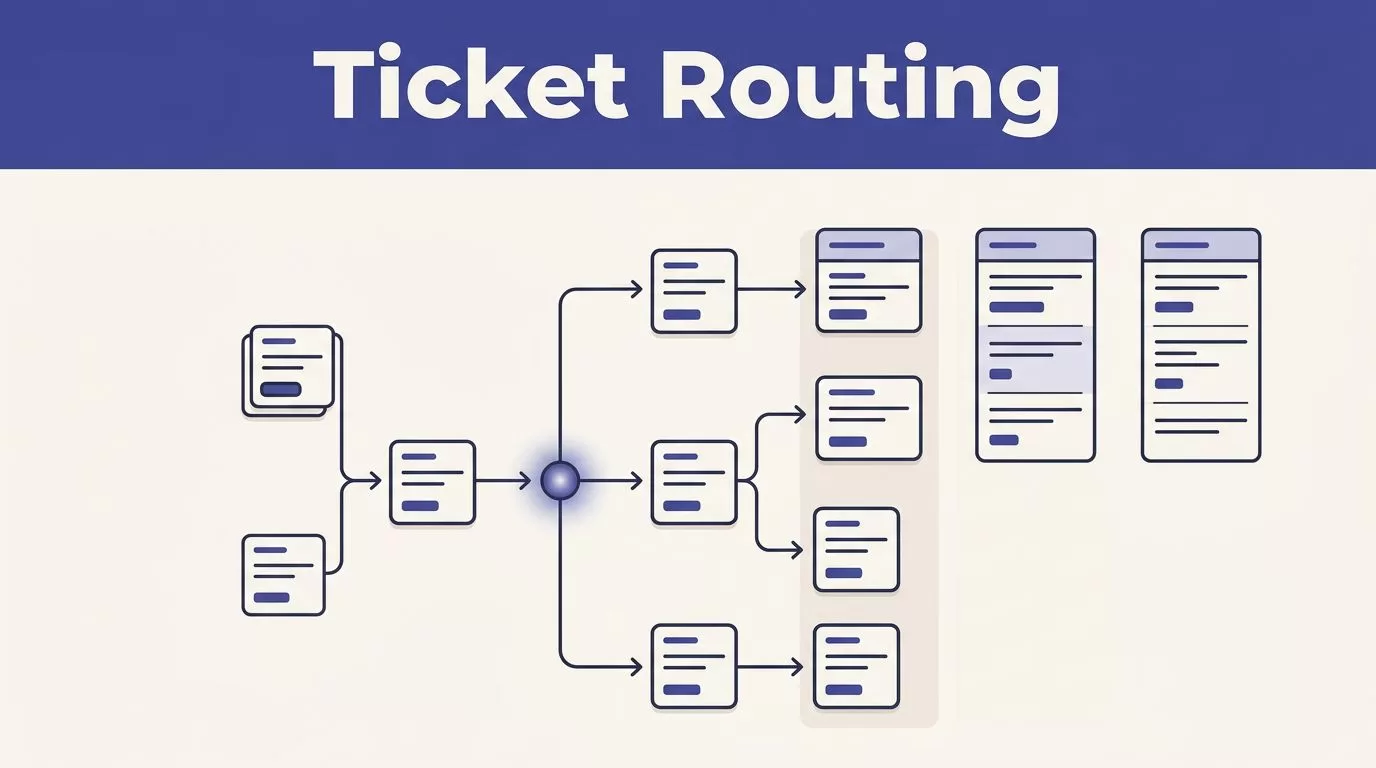
Manual triage can make a support queue look busy before it becomes productive. Every ticket still needs reading, classification, and routing across email, chat, forms, and other channels. That work makes omnichannel routing important, while slowing first response time and making ticket routing automation a practical operations requirement.
Twin.so can help you apply omnichannel routing across the tools your team already uses. First, define what the workflow must decide. Start with clear rules for ticket workflows, keep a safe fallback, and add AI where structured ticket data is missing.
Key Takeaways
- Start ticket routing automation with structured fields, clear rule priority, and a monitored fallback queue.
- Use Twin.so as an orchestration and decision layer while keeping the source ticketing system as the system of record.
- Choose routing models based on urgency, workload, capacity, and specialist skills rather than treating push, pull, round robin, and load balancing as interchangeable.
- Use AI to classify incomplete requests, but keep deterministic rules in control of security events, outages, SLAs, and other high-impact decisions.
- Measure route-level performance through response times, reassignment rates, fallback activity, SLA breaches, and customer satisfaction.
What the routing workflow should do on Twin.so
Automated ticket routing handles repeatable decisions across channels. An omnichannel routing workflow can move clear requests from email, chat, or phone to the right queue while people handle exceptions.
A routing workflow has four jobs in ticket workflows:
- Identify the ticket and read available fields from email, chat, phone, or a self service portal for omnichannel routing.
- Decide which queue, team, or individual should handle it through an omnichannel routing handoff, such as chat to a specialist team.
- Write the ticket assignment or routing result back to the connected system.
- Escalate exceptions instead of leaving them unassigned.
For a Twin.so workflow, keep the original ticketing system as the system of record for omnichannel routing across email, chat, and phone queues. Use the automation as a decision layer for ticket workflows. It reads incoming ticket information, applies routing models, and sends the result to the supported destination. Different routing models can distribute work across queues, teams, or individuals. The exact trigger, field, and action names depend on your Twin.so workspace and connected applications. Build with the fields and actions available in your environment.
Manual triage creates a predictable bottleneck. An agent opens tickets, interprets support requests, searches for owners, transfers work, and moves to the next ticket. That process repeats even when the request type is obvious. It also creates inconsistent decisions during volume spikes, staff absences, and shift changes.
Automating repetitive routing supports IT service management and aligns with ITSM best practices. The goal isn’t to remove judgment from the service desk. The goal is to reserve human judgment for exceptions in an omnichannel routing handoff, such as a phone case requiring a specialist.
Build the routing logic in Twin.so before adding AI
Start with a small routing map. For automated ticket routing, map repeatable ticket workflows before writing conditions. List the ticket sources, available fields, destination queues, ticket assignment rules, fallback owner, and escalation path for omnichannel routing. Don’t begin by writing dozens of conditions. Begin with the decisions your team makes most often.
Start with stable ticket fields
Use structured fields before free text whenever possible, including the source channel used for omnichannel routing. These fields improve ticket categorization and make routing decisions more consistent. Useful routing inputs include:
- Ticket source, such as email, form, chat, or an internal request channel.
- Request type, product area, customer tier, language, and region.
- Priority, impact, urgency, and service level agreements.
- Current status, creation time, previous assignment, and escalation state.
- Existing tags or category values supplied by the source system.
Subject lines and message bodies still matter, but they shouldn’t carry the entire routing decision. With omnichannel routing, a form’s selected category is more reliable than a short subject line. If a customer selects “billing,” use that value. Structured values keep ticket workflows consistent and give intelligent ticket routing a stronger foundation for later AI-assisted classification.
Set rule order before you create conditions
Rules need an explicit priority order governed by business rules. Treat these conditions as one of your routing models, then use later routing models for assignment choices based on availability or expertise. A useful sequence is:
- Security events, production outages, and broad access failures.
- Contractual SLA or customer-tier requirements.
- Product, language, region, and specialist skills.
- Current workload and agent availability.
- Default queue and human review.
In omnichannel routing, the first matching rule should normally control the route across channels. Consider three incoming support requests. “All employees cannot sign in” should reach an incident or access-response path before a general account queue. “Please add two seats” belongs with account administration or billing. “The API returns a 401 error after token rotation” needs an API-capable technical queue.
If Twin.so allows multiple branches to continue, add a stop condition or an explicit final assignment step. Otherwise, a later rule can overwrite a correct assignment.
Add a fallback and escalation path
Every route needs a destination that exists, an owner who can act, and a response when the normal path fails. For omnichannel routing, send tickets to a monitored intake queue when a specialist queue is unavailable. Add routing metadata so a support lead can see why the ticket landed there.
Don’t route a ticket into an empty queue and call the workflow complete. Check for an assigned owner, a valid status, and an acknowledgment event when those fields are available. For urgent requests, use ticket escalation through the connected system. That may be a priority update, a notification, or a handoff to an on-call process.
Use duplicate protection when the workflow can receive repeated events. A ticket ID combined with an event type usually gives the process a stable way to avoid assigning the same ticket twice.
Choose the right assignment model
The routing model controls how Twin.so distributes work after it identifies the right destination. In ticket workflows, these routing models determine how automated ticket routing turns eligible support requests into ticket assignment across channels.
After business rules define queue eligibility, choose routing models for ticket workflows that need omnichannel routing.
| Model | How it works | Best fit | Main risk |
|---|---|---|---|
| Push | The workflow assigns work to an agent or queue automatically. | Time-sensitive support requiring consistent omnichannel routing and strict SLAs. | Agents can receive work they aren’t ready to handle. |
| Pull | Agents select work from an eligible queue. | Teams with strong self-service habits. | Important tickets can wait behind easy requests. |
| round robin routing | Tickets rotate through a fixed agent sequence. | Similar tickets and teams with comparable capacity. | It ignores ticket effort and current workload. |
| load balancing | Work goes to the eligible agent with the lowest defined load. | Uneven workloads and mixed ticket volumes. | It depends on accurate workload data. |
| skill based routing | Tickets match agents using skills, products, languages, or permissions. | Technical support and specialist teams. | Old skill records produce bad assignments. |
Push and pull routing models solve different problems. Push routing gives the system control over urgency and coverage. Pull routing gives agents more control over timing and ticket choice in omnichannel routing. Many teams use push routing for incidents and SLA-sensitive requests, then pull routing for low-priority work.
Round robin routing rotates work across channels in an omnichannel routing setup, so it is fair by sequence. Load balancing is fair by capacity. These routing models don’t produce the same result. An agent can be next in a rotation while already handling three complex incidents. A load-balanced workflow needs a clear definition of agent capacity for omnichannel routing, such as open ticket count or weighted effort. Don’t use the label if Twin.so or the connected system can’t provide the data behind it.
Skill based routing also requires maintenance because these routing models depend on current skill lists, ownership rules, and backup coverage. Review those records when products change, and keep specialist matching accurate across omnichannel routing. A ticket about an authentication failure shouldn’t go to every technical agent. Update ticket workflows so it goes to an agent with the right access and product knowledge.
Use AI for classification, not for every decision
Artificial intelligence and machine learning can classify tickets when fields are incomplete in ticket workflows. A model can estimate intent, product area, sentiment, language, or urgency from the request text.
Email and chat may omit consistent fields, making omnichannel routing dependent on message text. Forms may provide structured data for omnichannel routing, but customers can still choose broad categories.
Other channels can limit omnichannel routing because formatting and metadata vary. When one request arrives through several sources, omnichannel routing needs channel-aware classification to avoid duplicate signals.
Use deterministic business rules for decisions with operational or contractual consequences. Security incidents, major outages, regulated requests, and urgent cases should have clear conditions. AI can supply a category or confidence score to inform routing models, but it shouldn’t control a high-impact model on its own or silently override a high-priority rule.
Set a confidence boundary. High-confidence classifications can proceed to automated assignment. Low-confidence results should go to a review queue within ticket workflows, with the original text and predicted category visible to the reviewer.
AI should fill missing context. It shouldn’t hide the reason a ticket was routed.
Review misclassified tickets each week. Look for repeated terms, missing categories, ambiguous product names, and requests that need separate rules. Update the input fields or routing conditions before relying on a model to correct the same mistake repeatedly.
Use Twin.so as an orchestration layer across systems
Native routing works well when every ticket, queue, skill record, and escalation policy lives in one service desk. Automated ticket routing gets harder when enterprise IT service management spans several systems. Support requests can start in a support platform, trigger a CRM account check, and reach engineering through an issue tracker. Twin.so can act as a workflow engine for omnichannel routing across these boundaries. Intelligent ticket routing classifies data from multiple sources before connected ticket workflows continue.
An orchestration layer separates those concerns:
- The source system stores the customer conversation and ticket history, giving ticket workflows a stable starting point for omnichannel routing.
- Twin.so is the workflow engine and decision layer for omnichannel routing. It evaluates available data and applies routing logic across connected systems.
- The destination system receives the assignment, update, or handoff, completing ticket assignment at the next omnichannel routing boundary.
- The workflow records the route, status, and failure result for each omnichannel routing handoff.
This architecture lets you change routing logic without rebuilding every source workflow. It centralizes routing models and ticket workflows, so workflow automation can adapt when queues, permissions, or agent capacity change. It also gives operations teams one place to inspect business rules, rule order, fallback behavior, and cross-system handoffs.
Limit the data passed between systems during omnichannel routing. Send only the fields required for classification and assignment. Redact credentials, payment details, and unrelated customer information from workflow logs. Apply data governance by restricting access to ticket content and recording the rule version, route decision, timestamp, and automation result.
Before deployment, test permissions and failure behavior at every omnichannel routing boundary. Trigger and action availability varies by workspace, so check the configuration options. A workflow that can read a ticket but cannot update its assignment field needs a different handoff. A workflow that can create a second record needs duplicate protection within connected ticket workflows. These are architecture issues, not routing preferences.
Measure SLA performance after deployment
Omnichannel routing supports service level agreements only when the right work reaches a staffed destination. Correct ticket assignment prevents delays during outages and urgent incident management work. Tickets sent to the wrong specialist or an unmonitored queue still wait.
Track the measures that expose both speed and routing quality after ticket workflows launch across omnichannel routing:
- Mean Time to Acknowledge, or MTTA.
- Mean Time to Resolution, or MTTR.
- First response time by queue and priority.
- Reassignment rate and unassigned ticket age.
- Fallback rate, automation confidence, human correction rate, and ticket escalation frequency.
- SLA breaches before and after the workflow launch.
- Customer satisfaction by queue and priority, alongside service speed.
Use ticket volume, resolution time, and escalation data to compare support requests with coverage. EasyVista’s ITSM guidance makes the same operational connection between IT service management data and staffing decisions at the service desk.
Review results by route, not only across the entire support organization. Use routing models for route-level reporting, especially when omnichannel routing spans channels. A lower average resolution time can hide a serious delay in the API queue. A higher automation rate can also hide more reassignments if the rules are too broad.
Run the workflow in a controlled test group first. Use real ticket patterns, with sensitive information removed, to test ticket workflows across omnichannel routing. Compare current automated results with historical data from prior routing patterns. Then compare the automated route with the route an experienced support lead would choose. Expand coverage only after the fallback queue, escalation path, and audit fields work correctly.
Troubleshoot common routing failures

Misrouted tickets
Check the ticket values Twin.so received for all support requests, not only those shown in the support interface. A failure in omnichannel routing can follow channel normalization, such as a missing product tag or spelling change. Then inspect the matched rule, rule order, and final assignment update in your ticket workflows.
For AI-classified tickets, compare the prediction and confidence with the final route when omnichannel routing changes channel context. Intelligent ticket routing can misclassify requests, so add a structured ticket categorization field when the error repeats.
Unassigned requests
Confirm the destination queue still exists and is reachable through omnichannel routing. Check that omnichannel routing has permission to update it through your ticket workflows. Then verify that classification ran before ticket assignment in the workflow engine.
Also check for an empty agent list, inactive users, failed retries, or a missing fallback path. The default route should point to a monitored queue. Urgent failures should trigger ticket escalation, not leave the request without an owner or next action.
Conflicting rules
Two rules conflict when they match the same request but send it to different destinations. Check omnichannel routing across channels, compare routing models, prioritize high-impact conditions, and narrow lower-priority rules. For example, a broad “technical issue” condition shouldn’t override a specific “security event” condition in incident management.
TeamDynamix’s service desk guidance also supports reducing manual work while tracking performance. Use those measures to find cross-channel conflicts in omnichannel routing and assess their impact on customer satisfaction.
Frequently Asked Questions
What is ticket routing automation on Twin.so?
Ticket routing automation uses workflow logic to classify incoming requests and assign them to the right queue, team, or individual. Twin.so can act as the decision layer across connected support, CRM, and issue-tracking systems while the source system remains the system of record.
Should AI control every ticket routing decision?
No. Use deterministic rules for security events, outages, contractual SLAs, and other high-impact requests. AI is most useful for classifying incomplete ticket data, with low-confidence results sent to human review.
Which routing model should a support team choose?
Choose push routing for urgent or SLA-sensitive work and pull routing when agents need more control over ticket selection. Round robin routing can work for similar workloads, while load balancing and skill based routing are better when capacity or specialist expertise differs.
What should happen when automated routing fails?
Every workflow should have a monitored fallback queue, an identifiable owner, and an escalation path for urgent requests. Check that the destination exists, the assignment was written successfully, and duplicate events cannot assign the same ticket twice.
How should teams measure ticket routing automation?
Track first response time, MTTA, MTTR, reassignment rate, unassigned ticket age, fallback rate, and SLA breaches. Review these measures by route, queue, priority, and channel so broad averages do not hide delays in a specific support path.
Conclusion
Effective ticket routing automation on Twin.so starts with a small, auditable rule set for ticket workflows and omnichannel routing. Use structured fields, set rule priority, and choose routing models that match your staffing.
AI can classify unclear requests, but deterministic rules should control security, outages, and channel coverage through omnichannel routing. Use routing models that give every exception a monitored fallback.
When systems connect, keep the source ticket intact and make each handoff visible in ticket workflows. Use omnichannel routing to support requests through controlled workflow automation.
