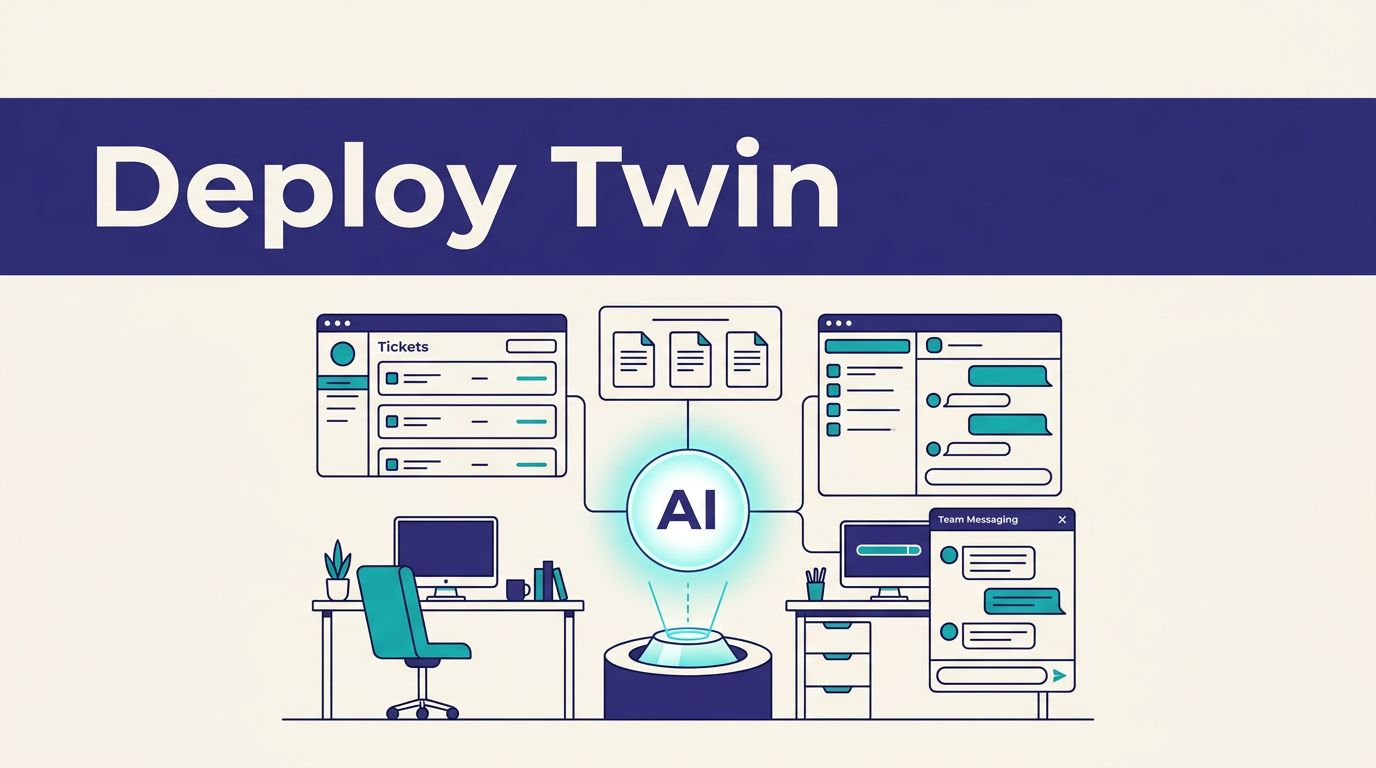
A Twin.so customer support AI agent can monitor tickets, search internal documents, draft replies, update records, and send team digests. You provide plain English input describing the objective, and Twin coordinates connected tools to complete the workflow. As an AI employee, it can handle repeatable support work within the permissions you set.
That approach fits support teams that spend hours moving information between HubSpot, Notion, Slack, and browser-based systems. It is accessible to non-technical users because they can describe the desired process without manually mapping every action. Set clear permissions and escalation rules before deployment, so the agent has no more authority than your queue needs.
Key Takeaways
- Twin can monitor HubSpot tickets, search approved Notion pages, draft or send replies, update records, and post Slack digests from plain English instructions.
- Start with a narrow queue, limited permissions, clear operating rules, and escalation paths for refunds, security issues, legal threats, conflicting policies, and low-confidence answers.
- Test the agent in draft mode with historical tickets and controlled accounts before enabling automatic replies, especially when browser automation or customer data is involved.
- Use Twin for variable, research-heavy support work, while keeping fixed and predictable actions in tools such as Zapier, Make, or n8n.
- Plan usage from real ticket data because credit consumption varies with API calls, document searches, browser steps, and generated replies; confirm current pricing before budgeting.
What Twin actually does
Twin is an autonomous AI agent platform. You provide an objective, connected systems, and operating instructions. That task execution model breaks the objective into actions, uses available tools, and returns a result.
Twin describes each agent as an AI employee that can work with APIs and web applications. Its autonomous AI agent capabilities include tool calls, web browsing, research, and updates inside business systems.
The difference matters when a support process crosses several applications. A normal automation may trigger when a new ticket arrives. An agent can inspect the ticket, identify the issue, search a knowledge base, select a response path, and update the record.
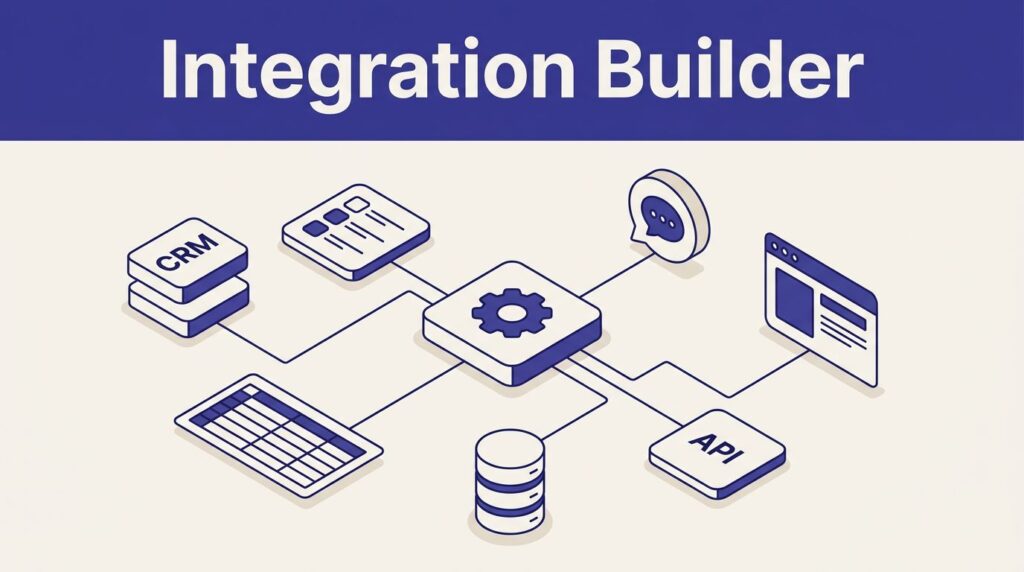
Twin can use native integrations and API connections where they are available. When a system lacks a usable public API, its browser agent can use browser automation to interact with the web interface. Confirm the current application connectors and browser permissions in Twin.so documentation before deployment.

How a customer support queue moves through the HubSpot ticket pipeline
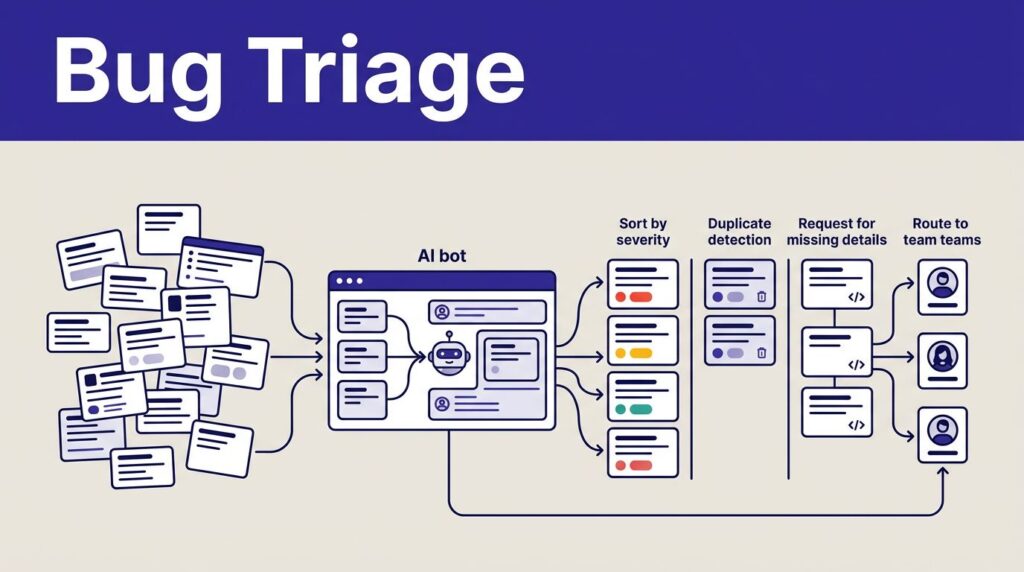
A practical support workflow starts with the HubSpot ticket pipeline as the ticket source. The agent checks for new or unassigned tickets, reads the subject and conversation history, and classifies the request.
Next, it performs knowledge base lookups in the approved Notion knowledge base. It uses the relevant article, policy, or troubleshooting procedure to draft a reply and update the ticket status.
The final step depends on your risk settings. Low-risk questions can receive automated replies. Sensitive cases should create a draft for review, assign the ticket to a human, or post an escalation in Slack.
Twin’s customer support queue walkthrough uses this same pattern: ticket routing, source checks, replies, and team digests.
The plain English input could look like this:
“Check new HubSpot tickets every 15 minutes. Read the full conversation. Search the approved Notion support pages before drafting a reply. Answer only when the confidence is high and the policy is clear. Assign billing, security, refund, legal, and angry-customer cases to the support lead. Post a Slack daily digest at 9:00 AM.”
That instruction gives the agent a trigger, sources, decision rules, and output destination. You still need to confirm that each action is supported by your connected workspace.

Deploy the support workflow in five steps
-
Define the queue boundary before connecting anything. Choose one stage or ticket category within the HubSpot ticket pipeline for the first deployment. Document the trigger, required fields, ticket owners, response target, and allowed status changes. Do not start with every support request.
-
Connect HubSpot, Notion, and Slack with limited permissions. Use read-only access for the knowledge base during testing. Give the agent only the HubSpot actions it needs, such as reading tickets, adding internal notes, changing ownership, or updating status. For web-only systems, assess whether browser automation is appropriate, since available capabilities vary. Review credential management and current integration settings in Twin.so before granting send or write access.
-
Write the operating prompt as a procedure. Tell the agent what to inspect, which sources to trust, what it can change, and when it must stop. Avoid instructions such as “handle support tickets intelligently.” Use direct rules instead:
“Use the Notion page named Refund Policy as the source for refund requests. If the ticket does not contain an order number, ask for the order number and leave the status unchanged. Never promise a refund. Assign requests involving payment disputes to the billing team.”
-
Add escalation rules before enabling automated replies. Escalate when the knowledge base has no answer, two pages conflict, the customer requests a refund, an account appears compromised, or the ticket contains a legal threat. Also escalate when the customer has replied twice without resolution. These rules prevent an incomplete lookup from becoming a confident but incorrect answer.
-
Test with historical tickets and controlled accounts. Ask questions that expose failure points:
- “What happens when the customer has no account ID?”
- “Which policy wins when two Notion pages give different refund limits?”
- “Will a password-reset request be sent automatically?”
- “What happens if HubSpot or Notion is unavailable?”
- “Can the agent draft a reply without changing the ticket status?”
Start in draft mode. Compare the agent’s classification, source selection, reply, status update, and escalation decision with the result a trained support employee would produce. Move to automatic sending only after the error patterns are understood.
If the workflow affects several systems or customer data, Book A Call to review the permission model and escalation path before launch.
Use self-healing logic with clear limits
Twin materials describe self-healing logic that can help an agent recover when an API response changes or a browser page no longer matches the original workflow. That can reduce maintenance for browser automation in multi-step support workflows, but it isn’t a reason to remove monitoring.
A changed button, missing field, expired credential, or new login challenge can still stop a browser agent. Use credential management checks for expired or rotated credentials. Configure failure notifications and require human review after repeated retries. Keep sensitive actions behind an approval step.
Long-term memory can help preserve relevant workflow context across tasks, depending on the agent configuration. Set an explicit retention limit for long-term memory. Payment details, credentials, personal information, and internal notes shouldn’t become permanent working context.
Track four operational measures during the pilot:
- Median first-response time before and after deployment.
- Percentage of tickets resolved without human editing.
- Escalation and incorrect-answer rates.
- Credits consumed per ticket and per browser session.
Don’t publish a response-time improvement without measuring your own queue. Ticket mix, knowledge-base quality, and approval steps affect the result more than the agent label.
Twin compared with Zapier, Make, and n8n
Twin is best suited to tasks that require judgment across several steps. Zapier, Make, and n8n are often better for fixed, predictable rules.
| Platform type | Best fit | Main operating model |
|---|---|---|
| Twin | Variable support tickets, research-heavy tasks, and browser automation | Give a goal, tools, rules, and approval boundaries |
| Zapier | Simple trigger-and-action workflows | Connect an event to predefined actions |
| Make | Visual branching and multi-step scenarios | Build modules and conditions in a scenario |
| n8n | Technical teams that need workflow control | Configure nodes, credentials, logic, and hosting |
Workflow automation works well with mapped paths, while agents handle more variable paths. Traditional automation tools check whether a condition is true, then follow a predefined route.
That flexibility has a cost. The agent needs stronger instructions, better testing, and more careful permissions. Use traditional automation tools for tasks such as copying a ticket field into a spreadsheet. Use an autonomous agent for reviewing a conversation, searching approved documentation, drafting a response, and deciding whether escalation is required.
The same boundary applies to adjacent use cases such as automated lead generation, which needs separate data and approval requirements.
The two approaches can also work together. Keep deterministic actions in your existing automation platform. Use Twin for classification, knowledge base lookups, browser-based research, and exception handling.
Twin pricing and credit planning for support teams
Twin uses usage-based pricing. Current public pricing information lists credit plans beginning at $20 or EUR 20 per month for 2,000 credits. Other listed tiers include 5,000 credits for $50 or EUR 50, 10,000 for $95 or EUR 95, and 20,000 for $189 or EUR 189. Larger tiers list 30,000 credits for $282, 40,000 for $373, and 50,000 for $463.
Twin’s public pages also show a separate plan presentation with Starter, Growth at $49 per seat, and Scale with custom pricing. These presentations use different structures. Confirm the current price, currency, included features, and credit rules in Twin.so’s pricing documentation before budgeting.
New accounts are described as receiving 1,000 credits immediately, plus 200 credits per day for 14 days, up to 3,600 credits during the trial period. Paid subscribers can purchase one-time top-ups.
A simple automation may use 15 to 30 credits. A browser automation session with about 20 steps may use 100 to 200 credits. According to Twin’s pricing documentation, running a deployed agent is often cheaper than building or researching a workflow.
Estimate capacity from your actual workflow and ticket mix. A ticket needing one API lookup and a status update uses fewer credits than one requiring several API calls, browser actions, document searches, and a generated reply. Start with a small queue, record credits per ticket, and forecast monthly usage.
Frequently Asked Questions
What can a Twin.so customer support AI agent do?
It can inspect HubSpot tickets, classify requests, search approved Notion documentation, draft replies, update ticket records, and send Slack digests. Its available actions depend on the connected tools, permissions, and browser access configured for the workspace.
Can Twin automatically send customer support replies?
Yes, but automatic sending should be limited to low-risk requests with clear policies and high confidence. Sensitive, unclear, or unsupported cases should create a draft, assign the ticket to a human, or trigger a Slack escalation.
How should a support team deploy Twin safely?
Begin with one queue stage or ticket category, connect systems with limited permissions, and write explicit operating and escalation rules. Test historical tickets in draft mode before allowing the agent to change records or send replies automatically.
How does Twin compare with Zapier, Make, and n8n?
Twin is better suited to variable support tasks that require classification, research, browser actions, or exception handling. Zapier, Make, and n8n are often better for deterministic workflows with predefined triggers, conditions, and actions.
How much does Twin cost for a support workflow?
Twin uses usage-based credits, and public pricing pages list multiple credit tiers and plan structures. Credit usage depends on the workflow, so teams should measure credits per ticket and confirm current pricing, features, and credit rules in Twin.so documentation before budgeting.
Final deployment checklist
The deployed support agent should have a narrow queue, approved sources, limited permissions, and explicit escalation rules. It should know when to answer, when to draft, and when to stop.
Connect HubSpot, Notion, and Slack only after confirming the current integration settings. Test missing data, conflicting policies, failed connections, and sensitive requests before automatic replies go live.
The goal isn’t to remove every human decision. It’s to reserve human time for tickets that require judgment while handling repeatable queue work with a measurable audit trail.