Use a Visual Programming Platform Like Twin.so for Workflow Automation
I care about automation that people can read without a decoding session. When a workflow is buried in scripts and hidden rules, it gets harder to trust and easier to break. A visual programming platform gives me a cleaner way to map work. I...

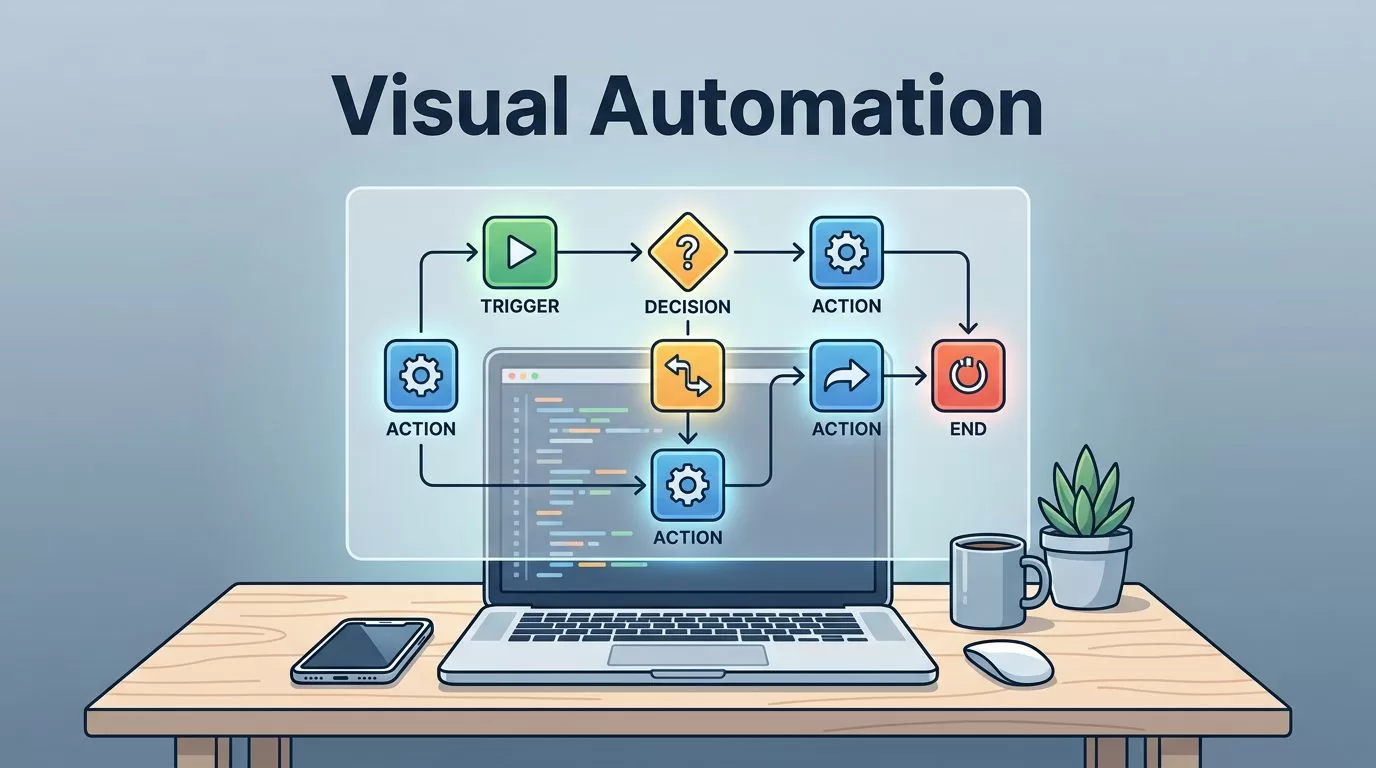
I care about automation that people can read without a decoding session. When a workflow is buried in scripts and hidden rules, it gets harder to trust and easier to break.
A visual programming platform gives me a cleaner way to map work. I can see triggers, decisions, and handoffs before anything runs. That matters when I’m building systems for operations, product, finance, or support.
Twin.so is one example I would look at in that space. It lets me describe tasks in plain English and then carry them out across apps and websites, which is useful when a process touches both APIs and browser screens. For a plain explanation of the broader idea, I like Comidor’s view of visual programming because it keeps the concept grounded.


What I expect from a visual programming platform
When I open a visual builder, I want the logic to feel like a map, not a maze. The best tools show me where a job starts, what happens next, and where it can fail.
I look for flows that read like plain business steps. If a vendor invoice lands in my inbox, I want to see the path clearly, extract fields, check the amount, update the record, and flag anything unusual. That structure makes it easier to review with non-technical teammates.
Clear logic, not hidden magic
I trust a tool more when I can trace every branch. A good workflow should show conditions, retries, and fallbacks on screen.
That matters in operations work. If a payment fails, I need the workflow to route the issue to the right person. If a customer form is missing a field, I need the automation to stop and ask for help instead of guessing.
Where plain English helps
Twin.so is interesting because it starts with language I already use. I can describe a task in normal words, then let the platform turn that into action across apps or websites.
That matters when a task changes often. A support triage flow, a weekly report, or a lead research task can shift from month to month. If I can restate the goal without rewriting code, I save time and reduce mistakes.
How I think about Twin.so in real work
I would not use a tool like Twin.so for every job. I would use it when the work crosses systems and the steps are stable enough to automate. It can click buttons, fill forms, run on a schedule, and connect through APIs when those are available, which gives me more options than a single-purpose app.
For teams in 2026, that mix matters because many systems still live in browsers. An old vendor portal may not have a clean API. A newer product might expose webhooks and endpoints. A practical platform handles both without forcing me to rebuild the process twice.
The cases I would test first are the ones that burn time every week:
- Operations checks: collect invoice details, update a sheet or database, and flag mismatches.
- Sales research: review company pages, capture key fields, and push them into a CRM.
- Support routing: sort incoming requests, tag urgency, and create the right internal task.
- Product feedback loops: gather user notes from tickets or forms, then group them for review.
I like this class of automation because it removes repetitive handwork without taking humans out of the loop. That balance matters when the stakes are high.
The workflows I would build first
I start with boring work on purpose. Boring work is where automation pays off fastest.
Operations workflows that save hours
Invoice follow-up is a strong candidate. I can have a flow watch a shared mailbox, pull out invoice numbers, compare them with a ledger, and alert finance when something looks off. If the platform supports browser actions, it can also work inside vendor portals that still resist neat integration.
Another useful flow is order reconciliation. I can pull order data from one system, compare it with fulfillment records, and surface exceptions each morning. That kind of task is repetitive, time-sensitive, and easy to measure.
Product and customer workflows that reduce noise
I also like workflows that tidy up feedback. A product team can collect notes from support tickets, app reviews, and intake forms, then sort them into themes. That gives me a cleaner read on what customers keep asking for.
A related use case is customer onboarding. I can trigger a welcome sequence, create internal tasks, and update a handoff checklist when a deal closes. Small steps like that keep teams aligned without adding more meetings.
For a broader look at the tradeoffs in visual programming, I also skim WeWeb’s 2026 overview of visual programming pros and cons. It helps me stay honest about where these tools fit and where they do not.
How I compare tools before I adopt one
I compare platforms by how they behave under pressure. A smooth demo means little if the workflow breaks when one field changes.
Here’s the short list I use when I evaluate a visual programming platform:
| What I check | What I want to see | Why it matters |
|---|---|---|
| Trigger support | Webhooks, schedules, and app events | I need the workflow to start at the right time |
| Action options | Browser steps and API calls | I need coverage when one integration path is missing |
| Branching logic | Conditions, retries, and fallback paths | Real work has exceptions |
| Approvals | Human review before risky actions | I want control on payments, writes, and external sends |
| Logs and history | Clear run records and error details | I need to debug without guessing |
If a platform handles those five areas well, I know it can support real work. If it hides them, I expect trouble later.
I also read the product language carefully. Some tools sound flexible but only cover narrow tasks. Others look simple and then become messy once a team adds approvals, permissions, and audit needs. For operations and product teams, those details matter more than a flashy first impression. The low-code benefits outlined by OutSystems line up with that reality, especially when teams want speed without losing control.
If one missing field can break the process, I treat the workflow as fragile, no matter how polished it looks.
Rolling it out without creating risk
I prefer small launches. A visual programming platform should make automation safer, not more chaotic.
- I begin with one repetitive process that already has a clear owner.
- I write the success rule in plain English before I build anything.
- I test the flow on a small batch or sample data.
- I add alerts, approvals, and a rollback path before I expand it.
That order keeps the first version useful. It also gives me a clean way to explain the workflow to other people on the team.
I also watch for hidden complexity. A task that needs seven branches and three external checks may still be worth automating, but it needs tighter controls. In those cases, I keep a human reviewer in the loop and I document the edge cases beside the flow. That way, the automation becomes a support system instead of a black box.
Conclusion
I use a visual programming platform when I want work to be visible, repeatable, and easy to change. That matters most when operations, product, and support all touch the same process.
Twin.so is a useful example because it shows how plain-English automation can reach across browser actions and APIs. I do not need every workflow to be fancy. I need it to be clear enough that I can trust it on a busy day.
The best automation is the one I can read, test, and fix without digging through a pile of code.

