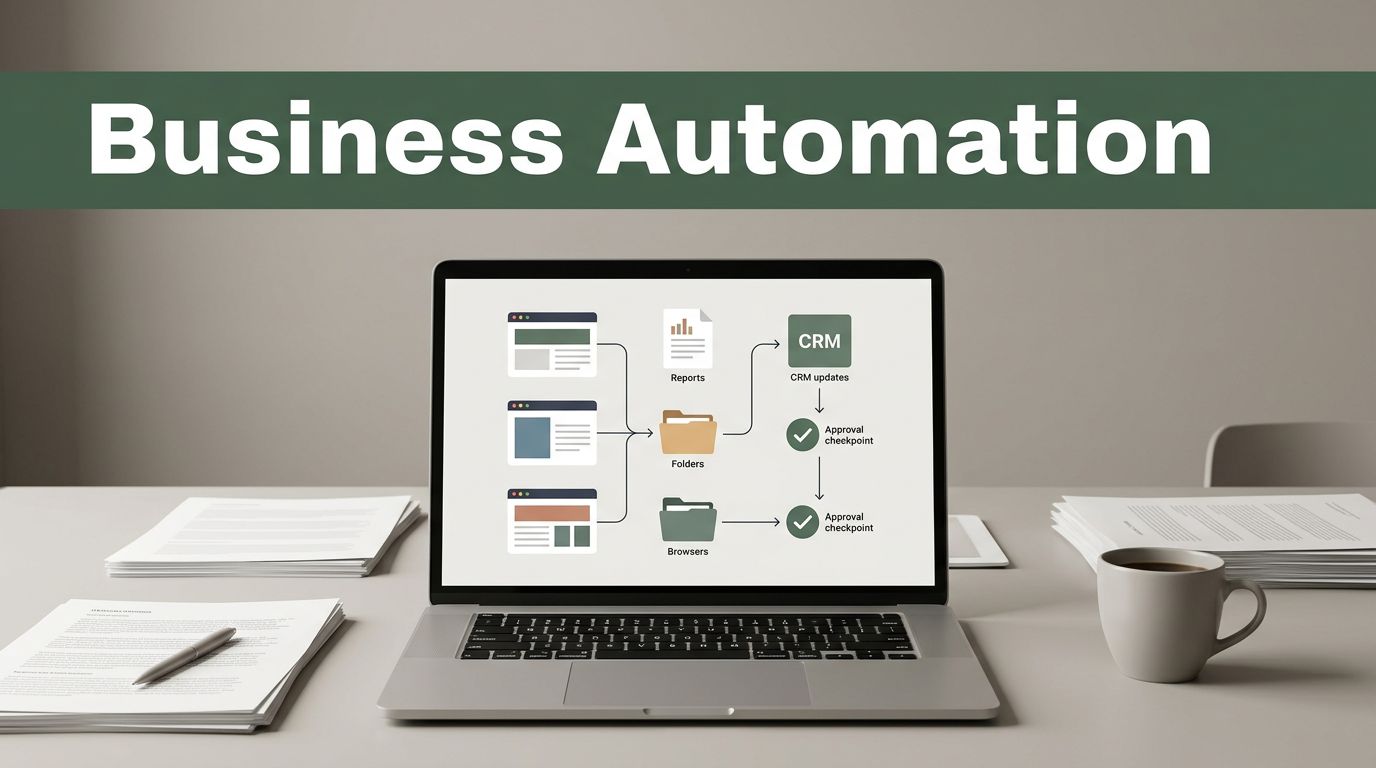
A consulting firm can win more work and still lose capacity every morning to browser tabs, manual downloads, copied updates, and follow-up messages. That is the gap consulting business automation should close.
Twin.so fits when a process already works but requires too many repeated browser actions. Use it to move information through approved systems, not to replace client judgment. Start with low-risk workflows, add review gates, and expand only after the run history shows consistent results.
The right starting point isn’t the most impressive workflow. It’s the one your team repeats often and can describe without debate.
Where to Start With Consulting Business Automation
Audit one normal week. Record every recurring task, the system used, the input required, the expected output, and the person who checks the result.
Include the small steps. Downloading a report, renaming a file, creating a project folder, updating a CRM field, and sending a reminder can consume more time together than one large task.
Prioritize work that meets these conditions:
- It repeats on a clear schedule or trigger.
- It follows rules that a new team member could document.
- It uses browser-based systems or structured files.
- A human can review the result before it affects the client.
Good first candidates include lead intake, proposal follow-up, client onboarding, recurring research collection, meeting-note processing, and project status updates.
Pricing decisions, scope changes, strategic recommendations, and final deliverables shouldn’t be first-wave automations. These tasks require context and professional judgment.
A simple test helps. If the task needs context from a client conversation, leave the decision with a consultant. If it moves known data between known places, it may fit Twin.so.
How Consulting Business Automation Works on Twin.so
Twin.so is most useful before your core business system makes a decision. It can be configured to automate browser activity such as opening an approved portal, locating a report, downloading a file, entering known information, and moving a workflow to its next state.
Your CRM, project platform, document store, or finance system should remain the source of truth.
Consider a recurring research engagement. A consultant receives reports from several client portals. A Twin.so workflow can collect the files, place them in a project folder, apply a consistent filename, update the project record, and create a review task.
The workflow should stop when the reporting period is wrong, a file is missing, or a client account asks for an unexpected verification step. It shouldn’t guess.
The same boundary applies to billing. Twin.so can prepare approved time records or supporting documents before the billing system calculates fees, taxes, contract rules, or invoice totals. Keep calculations and approvals in the finance system.
When comparing platforms, review browser automation, permissions, audit trails, and exception handling together. Gartner’s business process automation tool reviews provide a useful market reference, but your actual workflow should drive the decision.
The goal isn’t to replace an employee with one automation. The goal is to create a controlled chain of actions with a clear handoff.
Build a Twin.so Workflow in Four Stages
Don’t configure a long sequence before you know where it can fail. Build the smallest complete path first.
- Define the trigger and final output. Choose one event, such as a new signed engagement, a completed intake form, or a new reporting period. Then define the expected result. The project record is updated, required files are stored, and a consultant receives a review task.
- Prepare the inputs. List the fields Twin.so must read. Use consistent project names, client IDs, reporting periods, and file formats. Store documents in folders organized by project or engagement.
- Add actions and approval gates. Configure browser actions in the same order a trained operator would use them. Add a stop before external messages, financial changes, permission updates, or client-facing deliverables.
- Define exceptions and logs. Decide what happens when a page changes, a field is blank, a download fails, or two records have similar names. The safe response is usually to stop and assign a review task.
The best first workflow isn’t the one with the most steps. It’s the one with the clearest stop condition.
Test with real but low-risk work. Run the manual process beside the automated process until the outputs match. Then remove one manual step at a time.
This is how consulting business automation scales without turning a small data error into a client problem.
Automate Client Onboarding and Delivery Without Losing Control
Client onboarding is a strong starting point because it contains repeated data entry, document requests, folder creation, scheduling, and status checks. It also contains decisions that require a human.
A controlled workflow can start when a new engagement appears in an approved system. Twin.so opens the relevant client record, checks required fields, creates or updates the project workspace, stores signed documents, and adds standard onboarding tasks.
If an intake answer is missing or conflicts with the proposal, the workflow stops. It doesn’t guess.
After kickoff, the same pattern can support delivery. A recurring workflow can collect source files from a portal, place them in the correct project folder, update a task board, and alert the consultant when the review package is ready.
For meeting notes, export only approved summaries and action items into the project workspace. Keep raw notes separate from client-ready records. This preserves the source while giving the delivery team a structured starting point.

Twin.so can also prepare a draft status update from structured fields. A consultant should check the wording, dates, commitments, risks, and open decisions before anything goes to the client.
Use an approval queue instead of scattered notifications. Each item should show the client, project, source, requested action, and reason for the exception.
Don’t automate every client message at the start. Begin with internal reminders and document preparation. Add external email after testing recipient rules, duplicate prevention, and communication preferences.
Keep Human Oversight in the System
Automation should handle repetition. People should handle ambiguity, accountability, and judgment.
Keep a human approval step for:
- Changes to scope, pricing, discounts, or contract terms.
- Recommendations based on incomplete or conflicting client data.
- Reports that contain interpretation instead of copied fields.
- Actions involving sensitive access, payments, or regulated records.
- Exceptions that the workflow can’t classify with a documented rule.
Use least-privilege accounts. Limit each workflow to the systems it needs. Don’t share a personal password across the operations team.
Review session controls, multi-factor authentication, retention rules, and access logs before loading confidential client material into any automation.
Create a rollback path. If Twin.so updates the wrong record or stores a file in the wrong project, the operator needs a documented correction process. Keep original files, use versioned names, and avoid destructive actions until the workflow has a history of correct runs.
A review gate isn’t wasted automation. It keeps repetitive work moving while reserving professional judgment for the work clients pay you to do.
Measure the Pilot Before You Scale It
Set a baseline before changing the workflow. Measure manual processing time, the number of handoffs, missing fields, corrections, and client wait time.
After the pilot starts, track the same measures. Add run success, exception rate, reviewer time, duplicate actions, and tasks returned to the queue.
Don’t claim savings from a faster browser run if the team spends that time fixing bad outputs. Measure the full process, including review and correction.
A good pilot has one owner, one workflow, one system of record, and a written rollback procedure. Review early runs daily. Group failures by cause, such as missing data, changed page layout, incorrect permissions, or unclear business rules.
Fix the cause instead of adding random steps. If the issue is inconsistent project naming, standardize the naming rule. If the issue is missing documentation, add a required field or approval gate.
Once the workflow is stable, expand by process family. Onboarding may come first, followed by recurring reporting, research collection, and internal billing preparation.
Use concrete criteria when comparing adjacent tools. A business process automation comparison can help frame the review, but your own run history should decide.
The point of consulting business automation is capacity you can explain. You should know which manual actions disappeared, which approvals remain, and where the process still needs a person.
Conclusion
Scaling a consulting firm with Twin.so starts with workflow discipline. Map repeated browser tasks, keep core systems as the source of truth, and automate clean handoffs before complex decisions.
Begin with onboarding, document collection, status updates, or another low-risk process. Add validation, approval gates, logs, and a rollback path.
Good automation gives consultants fewer repetitive steps without removing the judgment clients depend on.