Scale Agriculture Automation With Twin.so Safely
Agriculture automation fails at scale when teams automate tasks before defining who owns the decision, the data, and the fallback. The software may complete a workflow while a farm operator still lacks a clear way to verify the result. Twin...
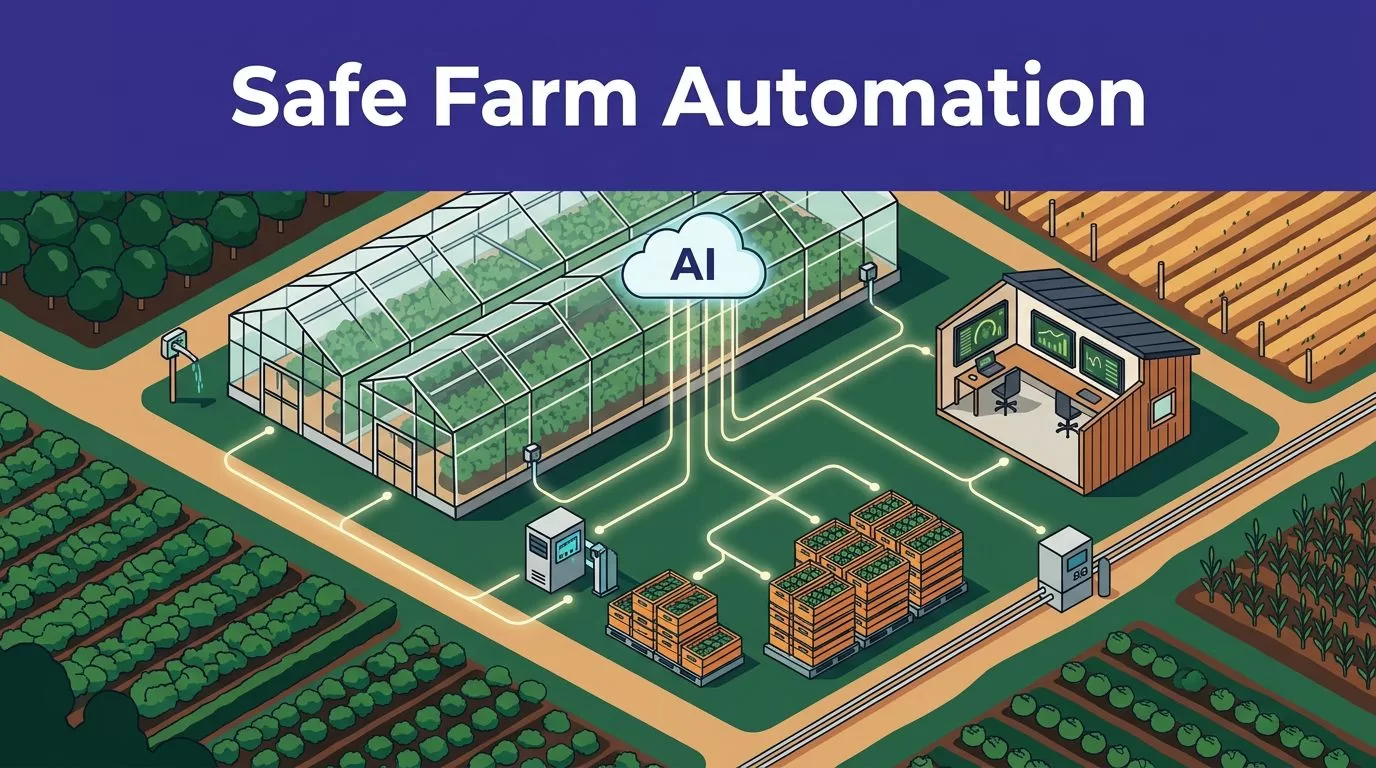
Agriculture automation fails at scale when teams automate tasks before defining who owns the decision, the data, and the fallback. The software may complete a workflow while a farm operator still lacks a clear way to verify the result.
Twin.so can help coordinate repeatable digital work across farm offices, greenhouses, equipment teams, and agricultural supply chains. It is a cloud AI agent platform, not a documented farm management system or machine-control package. Start with bounded workflows, connect only approved systems, and measure every run before expanding.
How Twin.so Fits Agriculture Automation
Twin.so’s public materials describe a platform for building, testing, deploying, and running autonomous AI agents. Each agent works inside a workspace where it can share context with other agents. You give the orchestrator a goal through chat, connect approved accounts, review test runs, and deploy the workflow for on-demand, scheduled, or API-triggered execution.
That model fits agriculture operations because many delays happen outside the field. Teams spend time checking portals, moving data between systems, preparing reports, requesting parts, confirming orders, and escalating exceptions. These tasks are repetitive, but they still need clear rules.
Use Twin.so for coordination and digital work
A farm group could use an agent to collect daily greenhouse readings from approved systems, identify missing records, and prepare an exception report for the grower. A fleet team could use it to check a telematics portal, find overdue service records, and prepare a maintenance queue.
An agricultural wholesaler could automate parts of order intake, supplier follow-up, delivery coordination, and invoice preparation. Twin’s public launch material describes a wholesale import workflow that handles orders, supplier communication, price decisions, delivery coordination, and invoicing. Treat that as a documented vendor use case, not proof of a farm-specific deployment or financial result.
The platform supports native app connections, APIs, webhooks, and browser-based UI automation when a system lacks a usable API. That flexibility matters because agricultural software stacks often include older portals and local systems.
The USDA’s specialty crop automation overview describes how automated devices can help identify production issues and support targeted management decisions. Twin.so can support the information workflow around those decisions, but it shouldn’t make an unapproved agronomic or safety decision by itself.
Keep it away from direct machine control at first
Twin.so’s public materials don’t document a tractor-control module, irrigation controller, livestock system, or agriculture-specific vertical package. Don’t present it as a replacement for a programmable logic controller, safety-rated controller, farm management system, or equipment manufacturer’s control layer.
A browser agent that can navigate a portal is not automatically qualified to start a pump, change chemical application settings, move a vehicle, or alter climate limits. Those actions need validated interfaces, permission controls, local safety logic, and a human recovery procedure.
Use Twin.so around the control system before placing it inside the control loop. It can prepare a recommended change, route it for approval, and record what happened. A purpose-built controller should handle the physical action.

Choose a Workflow With a Hard Boundary
The first workflow should have a clear start condition, a limited set of data sources, a defined output, and an obvious owner. Avoid projects described as “automate farm operations.” That phrase is too broad to test and too vague to govern.
Write the workflow in one sentence:
When approved sensor or business data arrives, Twin.so checks defined conditions, prepares an action or record, and routes exceptions to a named employee.
That sentence gives engineers something to build and operators something to review.
Good first candidates
Start with work that is frequent, digital, and easy to check. Examples include:
- Creating a daily exception report for missing greenhouse climate data.
- Matching harvest orders with approved supplier records.
- Checking whether equipment service tickets contain the required fields.
- Preparing purchase requests when parts inventory falls below an approved threshold.
- Comparing delivery updates with planned arrival dates.
- Summarizing quality records for a supervisor before the morning meeting.
Each workflow has a visible output. A person can compare the result with the source record. A failed run doesn’t immediately damage a crop, injure a worker, or create an irreversible financial obligation.
Avoid vague or high-risk starting points
Do not begin with a workflow that has unclear rules or poor data quality. “Optimize irrigation” is not a suitable first task unless the operation has defined crop thresholds, sensor validation, weather inputs, approval rules, and recovery controls.
Avoid direct automation of pesticide application, animal treatment, autonomous vehicle movement, emergency shutdowns, or safety interlocks. Those areas can become later integration projects after the farm has tested identity, data quality, logging, alerting, and human oversight.
A good pilot removes administrative work. It doesn’t remove accountability.
Match Twin.so to the Operation
Different agriculture businesses have different bottlenecks. The workflow should follow the operation’s actual delay, not the technology team’s preferred demo.
Farms need exception handling
A field operation may collect data from weather stations, soil sensors, machinery, scouting tools, and work-order systems. Twin.so can help consolidate approved records and identify missing or conflicting inputs.
For example, an agent can prepare a list of fields with incomplete scouting records, group them by region, and send the list to an agronomist. The agronomist still decides whether a field visit, treatment, or equipment check is required.
Greenhouses need repeatable daily checks
Greenhouses produce frequent readings and recurring tasks. A workflow can check climate records, irrigation logs, work orders, and crop notes at fixed times.
The output should focus on exceptions. Examples include a sensor that stopped reporting, an irrigation task without a completion record, or a temperature reading outside the grower’s approved review range. Twin.so can prepare the queue and notify the right person. It should not silently rewrite thresholds or issue control commands.
The USDA National Agricultural Library’s robotics research overview connects automation with more detailed crop and livestock management. The operational requirement is simple: detailed data needs equally disciplined review.
Equipment fleets need records, not guesses
Fleet automation works best when it starts with documentation. An agent can check service portals, inspection forms, parts records, and open work orders.
It can flag equipment with overdue inspections, identify duplicate tickets, and prepare a list of missing fields. A mechanic or fleet manager approves the status before it reaches the maintenance system.
Do not let a workflow close a safety-related work order based only on a text note. Require evidence such as an approved inspection record, technician confirmation, or a linked document.
Supply chains need controlled communication
Agricultural supply chains contain many repetitive digital steps. Agents can compare purchase orders with supplier confirmations, identify missing delivery data, and draft follow-up messages.
Twin.so’s UI automation can help when a supplier portal lacks an API. Test that approach on a small number of records. Portal layouts change, login challenges appear, and a browser agent can misread a page if the workflow doesn’t validate the expected fields.
Build the Workspace Before You Deploy
A reliable agent starts with a reliable operating boundary. Configure the workspace around one process, not around every document and account the business owns.
Map inputs, decisions, and outputs
Create a simple process map before writing the agent instructions.
Record:
- The event that starts the workflow.
- The systems and documents the agent may read.
- The fields it may create or change.
- The conditions that require a human review.
- The person responsible for approving exceptions.
- The evidence that proves the run completed correctly.
Separate facts from decisions. A sensor reading is a fact. A treatment recommendation is a decision. A supplier quote is an input. Accepting the quote is a business action.
That separation prevents a generated summary from being mistaken for an approved operational instruction.
Connect only the accounts the workflow needs
Twin.so’s documented connection options include native app connections, APIs, webhooks, and UI automation. Its quickstart materials describe OAuth connections for services such as Gmail, Google Sheets, and Slack.
Public Twin pages show different integration counts, including a claim of more than 2,700 apps and a larger count on a separate integrations page. Another public post references more than 5,000 APIs. Treat those figures as discovery aids. Confirm that the exact system, endpoint, permissions, and record types required by your workflow are available.
Use a dedicated account or service identity where possible. Give it read access by default. Add write access only after a successful review period.
Define approval before the first run
Write approval rules in plain language. For example, the agent may create a draft purchase request, but a procurement employee must approve it before submission. It may classify a maintenance ticket, but a fleet manager must approve closure.
Twin’s public documentation says users can inspect test runs before deployment. Use that review step as a formal control. Save representative inputs, expected outputs, rejected outputs, and the reason for each correction.
Run a Small Pilot and Review Every Result
A pilot should prove that the workflow is accurate, affordable, and recoverable. It doesn’t need to cover the entire business.
Select one location, one greenhouse zone, one equipment group, or one supplier queue. Use historical records and live records if both are safe to access. Keep a human in the approval loop during the pilot.

Test normal cases and failure cases
Normal records show whether the agent can complete the expected task. Failure cases show whether the process is safe.
Include missing sensor values, duplicate orders, outdated supplier records, changed portal layouts, expired sessions, invalid account permissions, and conflicting timestamps. Add a case where the correct action is no action.
Review each result for four questions:
- Did the agent read the correct source?
- Did it interpret the record correctly?
- Did it take only the permitted action?
- Did it create enough evidence for a person to verify the result?
A successful test is not only a completed run. It is a completed run with an accurate result, a usable log, and a safe response when conditions change.
Compare the pilot with the old process
Record baseline performance before deployment. Measure how long the manual task takes, how often records need correction, how many cases require escalation, and how much work remains after completion.
Then compare the same measures during the pilot. Separate automated completion from useful completion. An agent that processes 1,000 records but creates 100 incorrect records may increase cost.
Keep the pilot open long enough to include routine variation. A workflow that works on a quiet weekday may fail during harvest, delivery peaks, equipment breakdowns, or staff absence.
Treat Reliability and Safety as Product Requirements
Agriculture automation operates around people, animals, vehicles, chemicals, weather, and time-sensitive production decisions. Reliability isn’t a nice extra. It determines whether operators trust the system and whether they can recover when it fails.
Classify failures before they happen
Create failure categories for every workflow:
- The source system is unavailable.
- The data is incomplete or contradictory.
- The account has lost permission.
- The browser page has changed.
- The agent produces an uncertain result.
- The action succeeds but the confirmation is missing.
- The same event is processed twice.
Each category needs a response. The response may be a retry, a pause, a notification, a duplicate check, or a manual handoff. Never use unlimited retries for a workflow that can create orders, messages, payments, or physical actions.
Twin’s public materials describe isolated cloud execution and vendor-claimed behavior that can recover from some web layout changes. Treat those claims as capabilities to test. Don’t treat “self-healing” language as a substitute for monitoring or approval.
Build a manual fallback
Operators need a documented way to continue work when Twin.so, a connected system, or the network is unavailable. The fallback should include the last trusted data, the manual form or system, the responsible employee, and the point where automated processing can safely resume.
For a greenhouse, the fallback may be a printed inspection route and local controller procedure. For a fleet, it may be a maintenance board and manual sign-off form. For a supply chain, it may be an approved spreadsheet and a defined purchase-order review process.
Keep a run identifier for every automated action. If a workflow stops halfway, staff must know which records were processed and which still need review.
Keep safety controls outside the agent
The NIMSS research outline on farm automation safety identifies the need for safety standards and best practices when robots operate around farm workers. That principle applies to AI agents too.
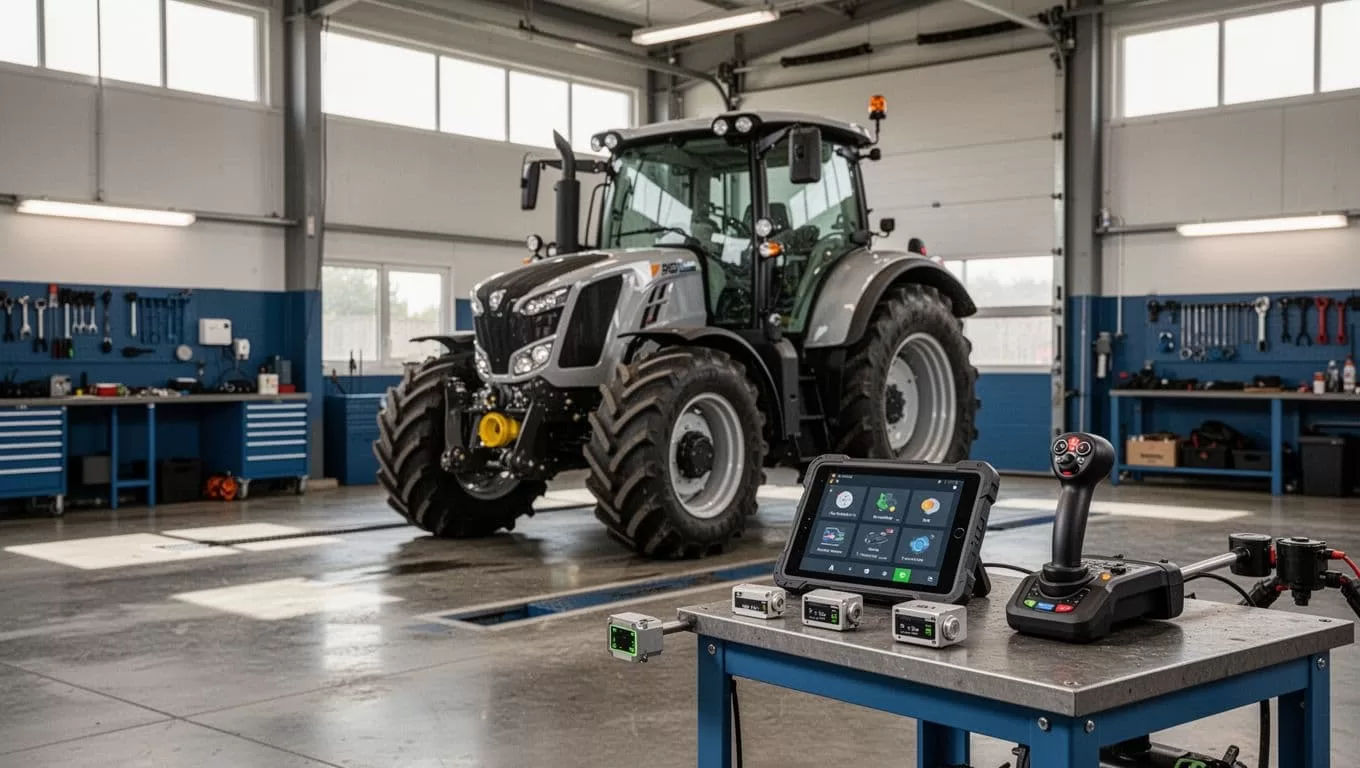
A cloud agent should not be the only control preventing a vehicle movement, pump action, chemical release, or animal-management error. Use local interlocks, equipment controls, physical inspection, and human approval where the consequence of a mistake is high.
Set Data Governance Rules Before Connecting Accounts
Agricultural data can include field boundaries, yields, equipment locations, employee records, supplier prices, customer information, and proprietary growing methods. Automation increases the number of systems that can access that data.
Minimize data and permission scope
Give the agent the smallest dataset that supports the task. A greenhouse exception report may need timestamped sensor values and zone identifiers. It may not need employee payroll data or full customer records.
Separate production, testing, and development workspaces. Use sample or masked records for early testing. Restrict exports and prevent agents from copying confidential data into unapproved documents, chat channels, or external models.
NIST’s agriculture IoT recommendations emphasize interoperability and common standards. Interoperability should include identity, access, event formats, timestamps, and audit records, not only the ability to connect two systems.
Verify the vendor terms
Twin’s public materials describe OAuth-secured account connections, token management, isolated execution environments, and managed security. They don’t provide, in the public information reviewed here, enough detail to assume a particular certification, data residency arrangement, retention period, or encryption specification.
Ask direct questions before production use:
- Where is workflow data stored and for how long?
- Is customer data used to train models?
- Which subprocessors can access the data?
- Can administrators export and delete logs?
- What happens when an OAuth token is revoked?
- Can access be limited by workspace, user, record type, and action?
- What evidence is available for security incidents?
Record the answers in the vendor review. Don’t rely on a general security label.
Measure Value With Operations Data
Measure agriculture automation as an operating system change, not as a count of agent runs. The useful question is whether the farm completed correct work with less delay, less rework, and no unacceptable safety or compliance risk.
Track quality, speed, and exceptions
Use a scorecard that combines efficiency with control.
| Metric | Calculation | What to watch |
|---|---|---|
| Automation completion rate | Successful runs divided by total runs | A high rate can hide bad outputs |
| QA accuracy | Correct reviewed outputs divided by reviewed outputs | Sample normal and difficult cases |
| Exception rate | Runs sent to human review divided by total runs | High exceptions may indicate poor rules |
| Rework rate | Records corrected after automation divided by processed records | Include duplicate actions |
| Cycle time | Time from trigger to approved result | Compare with the manual baseline |
| Labor minutes removed | Eligible volume multiplied by minutes removed | Don’t count manual approval time twice |
| Cost per successful result | Total monthly cost divided by correct completed results | Include monitoring and review |
Review the metrics by workflow. A farm office report, a greenhouse alert, and a purchase request have different acceptable error rates.
Calculate Twin.so usage before scaling
Twin.so uses credits for actions such as building, running, browsing, researching, and generating output. As of August 2026, public pricing lists paid tiers including 2,000 credits for $20, 5,000 for $50, and 10,000 for $95. Prices and limits can change, so use the current account terms for a final budget.
Public pricing materials also describe a trial with an initial credit allocation and daily credits during a limited trial period. A simple automation may use fewer credits than a browser workflow with many steps. Twin claims that deployed runs are often three to ten times cheaper than build work, but that is a vendor claim, not an audited farm benchmark.
Run a controlled sample and calculate:
Monthly cost = Twin.so usage + integration cost + monitoring time + human review time
Then compare it with:
Monthly benefit = eligible volume x minutes removed x loaded hourly rate / 60
Subtract rework and incident costs. A workflow only creates value when the correct result costs less than the manual alternative.
Scale in Gates, Not All at Once
Scaling agriculture automation means repeating a proven operating pattern across locations. It doesn’t mean giving every agent access to every system.
Train operators on control and recovery
Farm operators need to know what the agent can do, what it cannot do, and where to find the evidence for each action. Show them real examples of correct results, rejected inputs, duplicate records, and failed connections.
Create a short runbook with escalation contacts, approval limits, fallback steps, and restart conditions. Train supervisors to review exception queues instead of assuming a green status means every record is correct.
Engineers should own integration tests, access reviews, logging, and version changes. Operations leaders should own acceptable error rates and approval rules.
Add locations only after the workflow passes its gate
Use a release gate before expanding:
- The pilot meets its accuracy and cycle-time targets.
- Operators can complete the manual fallback.
- Permissions match the approved design.
- Logs identify inputs, actions, approvals, and failures.
- The monthly cost is understood.
- No unresolved safety or data-governance issue remains.
Then add one farm, one supplier group, or one equipment class. Keep the original pilot as a comparison site when possible.
If you need a technical review of the workflow boundary, data access, and pilot scorecard, Book A Call.
Conclusion
Twin.so is best positioned around agriculture operations, not as the safety layer for physical machinery. Use it to collect records, prepare decisions, coordinate people, and update approved business systems.
Start with one bounded workflow. Limit data access, review test runs, measure correct outcomes, and document manual recovery. Agriculture automation scales when operators can trust both the normal workflow and the procedure used when the workflow stops.
