Process Paddle Affiliate Payouts With Rewardful
An affiliate payout can be wrong even when the customer payment went through. The usual cause is a missing referral, an unrecorded refund, or a payout marked complete before finance checks the payment. A Rewardful Paddle integration works w...
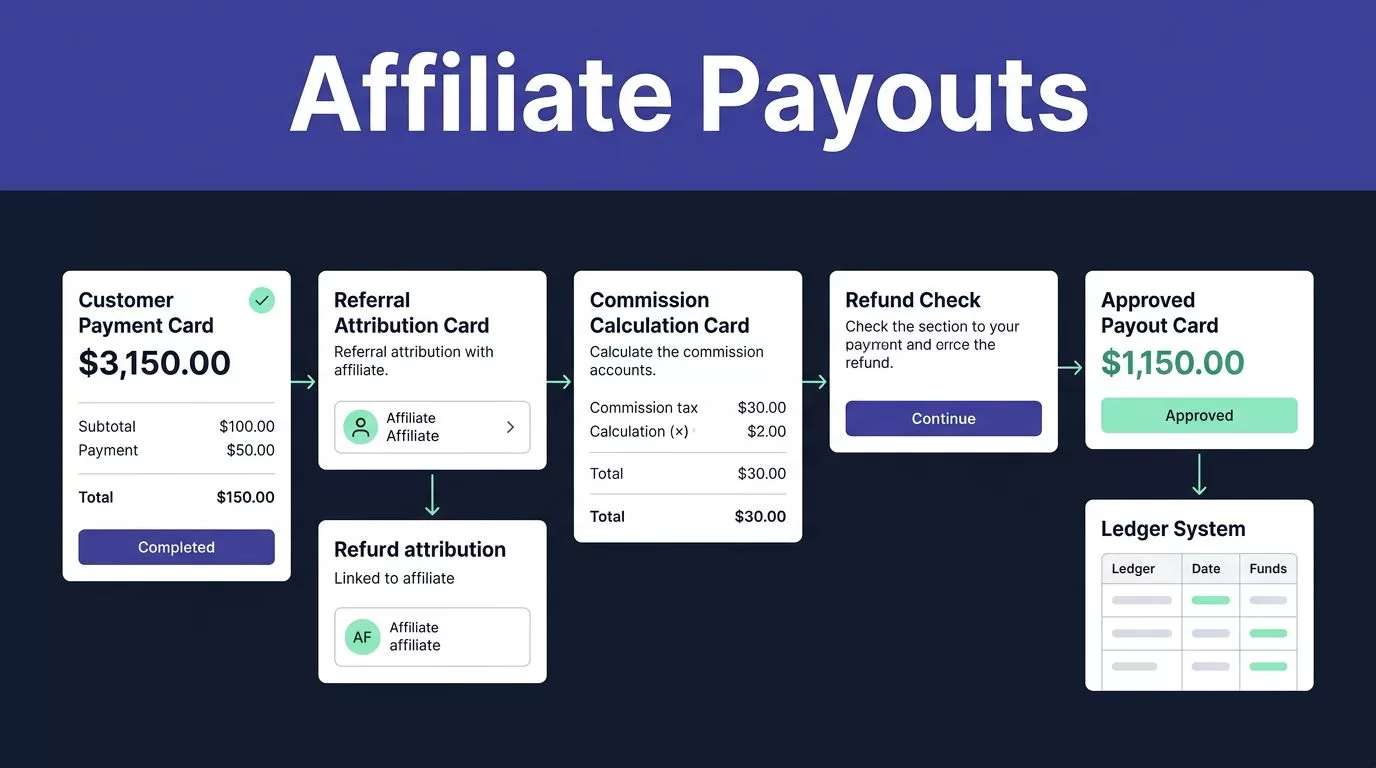
An affiliate payout can be wrong even when the customer payment went through. The usual cause is a missing referral, an unrecorded refund, or a payout marked complete before finance checks the payment.
A Rewardful Paddle integration works when each system has a defined job. Paddle Classic processes the customer sale. Rewardful tracks the referral and commission. Your team approves and sends the affiliate payout.
Build the connection first, then run a controlled payout process.
Confirm you have the right Paddle product
Rewardful’s documented Paddle connection works with Paddle Classic, not Paddle Billing. Paddle Billing is a separate product. Do not assume a Classic public key, webhook setup, or checkout passthrough will work in a Paddle Billing account.
Check the payment platform before you configure campaigns or invite affiliates. If your company already uses Paddle Billing, stop and confirm your supported tracking options before sending traffic to a new affiliate link.
Keep customer payments and affiliate payments separate
Paddle charges your customer. It doesn’t automatically send affiliate commissions from Rewardful.
Rewardful records qualifying sales and creates commission records. Your finance team then pays affiliates through PayPal, Wise, or Rewardful Managed Payouts. This split matters because a customer payment, a due commission, and a completed affiliate payment are three different records.
A paid customer invoice does not prove an affiliate has been paid. Treat each status separately.
Assign ownership before launch
Give one person ownership of tracking and another ownership of payout approval. The tracking owner checks referral data, webhooks, and campaign terms. The finance owner checks the due list, payment file, and completed payment reference.
Small teams can assign both jobs to one person. The review steps still need to happen in order.
Set up the Rewardful Paddle integration
Start in Rewardful and select Paddle as the payment processor. Then use the Paddle Classic account that receives your live customer payments.
The official Paddle Classic integration steps show the required connection points. Review them against the live dashboards before launch because menu labels can change.
Connect the public key and webhook endpoint
In Paddle Classic, copy the public key from Developer Tools. Paste it into Rewardful exactly as provided, including the BEGIN and END markers.
Next, copy the Rewardful webhook URL into Paddle Classic under Developer Tools and Events. Save the event notification settings after adding the URL.
The webhook sends payment and refund updates back to Rewardful. Without it, commission data can lag, disappear, or fail to adjust after a refund.
Pass the referral into checkout
Install the Rewardful JavaScript on the pages where visitors first arrive through affiliate links. Your Paddle checkout must also pass the Rewardful referral value through Paddle’s checkout passthrough field.
That value connects the affiliate click to the completed sale. When Paddle reports a successful payment, Rewardful checks the referral data and creates the attributed sale and commission.
Test the full path in a private browser window:
- Open a real affiliate link and visit the landing page.
- Start an eligible Paddle checkout.
- Complete a safe test transaction that matches your account rules.
- Confirm the affiliate, customer, sale amount, and commission appear in Rewardful.
- Run a direct checkout without a referral and confirm it creates no affiliate commission.
A working Rewardful Paddle integration needs both sides. A tracking script without checkout passthrough can still leave a paid customer without affiliate attribution.
Configure commission rules before sales arrive
Your campaign settings decide which sales qualify, how much affiliates earn, and when a commission becomes payable. Write these rules before you open the program.
Rewardful records the sale based on the amount the customer actually paid. Discounts and account balance adjustments can change that amount. A full or partial refund should also reduce the sale and recalculate the commission after Paddle sends the refund update.
Set a due date that matches your refund policy
Use the “Days before commissions become due” setting as a payment hold. Rewardful documents a 30-day default, but your program can use a different period.
Match the hold period to your actual refund and cancellation policy. Don’t set commissions due immediately only because affiliates want faster payment. A payout sent before a refund window closes can create recovery work later.
A commission becomes due after the hold period and after the affiliate reaches your minimum payout threshold. Check the threshold, eligible plans, recurring commission rules, and excluded transactions in each campaign.
Keep a deterministic commission record
Do not estimate payout expense from clicks or a dashboard total. Keep one fixed record for every commission you review.
| Field | What to retain |
|---|---|
| Affiliate and referral ID | The partner tied to the sale |
| Paddle payment reference | The customer payment or order record |
| Paid amount and currency | The actual amount received after adjustments |
| Campaign rule | Rate, fixed reward, and date checked |
| Rewardful status | Pending, due, held, or paid |
| Payout evidence | Method, date, reference, and reviewer |
Keep the original Paddle and Rewardful values unchanged. Put corrections, holds, and reviewer decisions in separate fields. This gives finance an audit trail when a commission changes after a refund or dispute.
Review due commissions before exporting a payout file
Open Rewardful’s Payments area, go to Payouts, and filter for Due commissions. Due means the commission passed your campaign hold and threshold rules. It does not mean the amount is ready to send without review.
Run a finance approval pass
Review each selected payout against the related Paddle payment before you export it.
- Match the affiliate, customer, payment reference, currency, and commission amount.
- Check for refunds, cancellations, chargebacks, plan downgrades, or account credits.
- Hold records with a missing payment method, disputed attribution, or unclear customer match.
- Export only the rows finance has approved for the current payout batch.
- Save the approved export with its date, reviewer, and batch identifier.
Do not use affiliate clicks as a payout check. A high click count can hide a broken checkout path or a customer who never completed payment.
Uploading a payout CSV is not payment evidence. Mark a commission paid only after the payment provider confirms the batch or transfer.
Create an exception list for every held row. Add the reason, the owner, and the next review date. This stops a missing PayPal address or refund dispute from turning into a duplicate payment.
Pay affiliates through the selected Rewardful method
Rewardful supports separate payout workflows. Select the method based on your team capacity, affiliate locations, payment provider requirements, and current provider pricing.
Check the Rewardful commission payment instructions before processing your first live batch.
Process PayPal or Wise batch payments
For PayPal or Wise, select approved due payouts in Rewardful and download the payout CSV in the format for that method. Upload it to PayPal mass payments or Wise batch payments, then review the provider’s final confirmation screen.
Confirm the recipient details, currency, fees, exchange rate, delivery country, and batch limits before release. PayPal and Wise can apply different fees and eligibility rules based on the sender account, recipient location, payment currency, and payment type.
After the provider confirms payment, return to Rewardful and mark only those completed rows as paid. Store the provider batch ID or transfer reference with the payout record.
Use Managed Payouts only after reviewing the terms
Managed Payouts uses a different model. Your company funds a payment to Rewardful, then Rewardful distributes commissions to eligible affiliates after the payment is accepted.
You still need to review pending and due commissions before funding the payout. Managed Payouts does not remove campaign controls, refund review, or finance approval.
Confirm current Managed Payouts fees, supported withdrawal methods, country availability, affiliate eligibility, and dashboard settings before enabling it. Affiliates may see different withdrawal options based on location and account details.
Tax reporting, contractor classification, withholding, and record retention also depend on your location and affiliate arrangement. Keep the records your accountant requires.
Fix the errors that cause payout disputes
Most failures fall into two groups: a sale never reaches Rewardful, or a commission reaches the payout list with the wrong status or amount.
Do not fix either problem by creating a second payout or manually overwriting the original record.
Investigate missing or incorrect commissions
Start with one affected order. Check the affiliate referral, the customer payment, the Paddle webhook delivery, and the Rewardful campaign rule.
Common causes include:
- The Rewardful script was missing from the first landing page.
- The checkout did not pass the referral value through Paddle passthrough.
- Paddle’s public key or webhook URL was connected to the wrong account.
- The sale did not meet the campaign’s plan, country, or product rules.
- The referral was overwritten before checkout.
Do not retry a paid customer checkout because attribution appears missing. Review the original payment and referral evidence first. A duplicate customer charge creates a larger support problem.
Handle refunds and failed payout details as exceptions
A partial refund should reduce the related sale and commission after Paddle reports it. If the commission does not change, check the webhook configuration and the Paddle refund record.
For payout failures, verify the affiliate’s PayPal email, Wise details, payout method, and country eligibility. Record rejected batches, missing details, duplicate payout requests, and disputed referrals in the exception list.
Every exception needs a written outcome. “Fixed” is not enough. Record whether it was paid, reversed, held, corrected, or rejected.
Build a payout process finance can trust
Start with a small approved batch before you process every affiliate. Use 25 recent referred customers if your volume allows it.
Include normal renewals, a discounted sale, a cancellation, a partial refund, a full refund, and an unsuccessful payment. This sample exposes broken rules that a clean batch can hide.
Measure reconciled payouts, not exported files
Track results that show whether the process is usable:
- Due commissions matched to a Paddle payment record
- Missing or duplicate affiliate attribution
- Refund-related commission reversals
- Payouts rejected by PayPal, Wise, or another provider
- Review and correction time per payout batch
A process that saves spreadsheet work but creates hours of payout corrections has failed. The useful measure is reconciled payouts, not exported commissions.
Keep a recovery file
Save the last trusted reconciliation file before changing scripts, campaign rules, webhook settings, or payout methods. If a checkout change breaks attribution, finance still has a verified record of what was previously due and paid.
Review a small sample each week. Match the affiliate, customer, Paddle payment, Rewardful commission, refund status, and final payout reference. Expand volume only after the records match.
Final payout control
The right process is simple: track the referral, verify the Paddle payment, wait through the refund window, review the due commission, then send and record the payout.
A Rewardful Paddle integration can give marketing and finance the same commission record, but it does not remove the need for approval. Keep Paddle sales, Rewardful commissions, and affiliate payment evidence linked in one audit trail.
