How to Scrape Pinterest Boards Rapidly on Twin.so
Manual Pinterest research breaks down when every board requires repeated copying, opening, filtering, and spreadsheet updates. If you need to scrape Pinterest boards, Twin.so can reduce that work with a browser-based, no-code extraction wor...
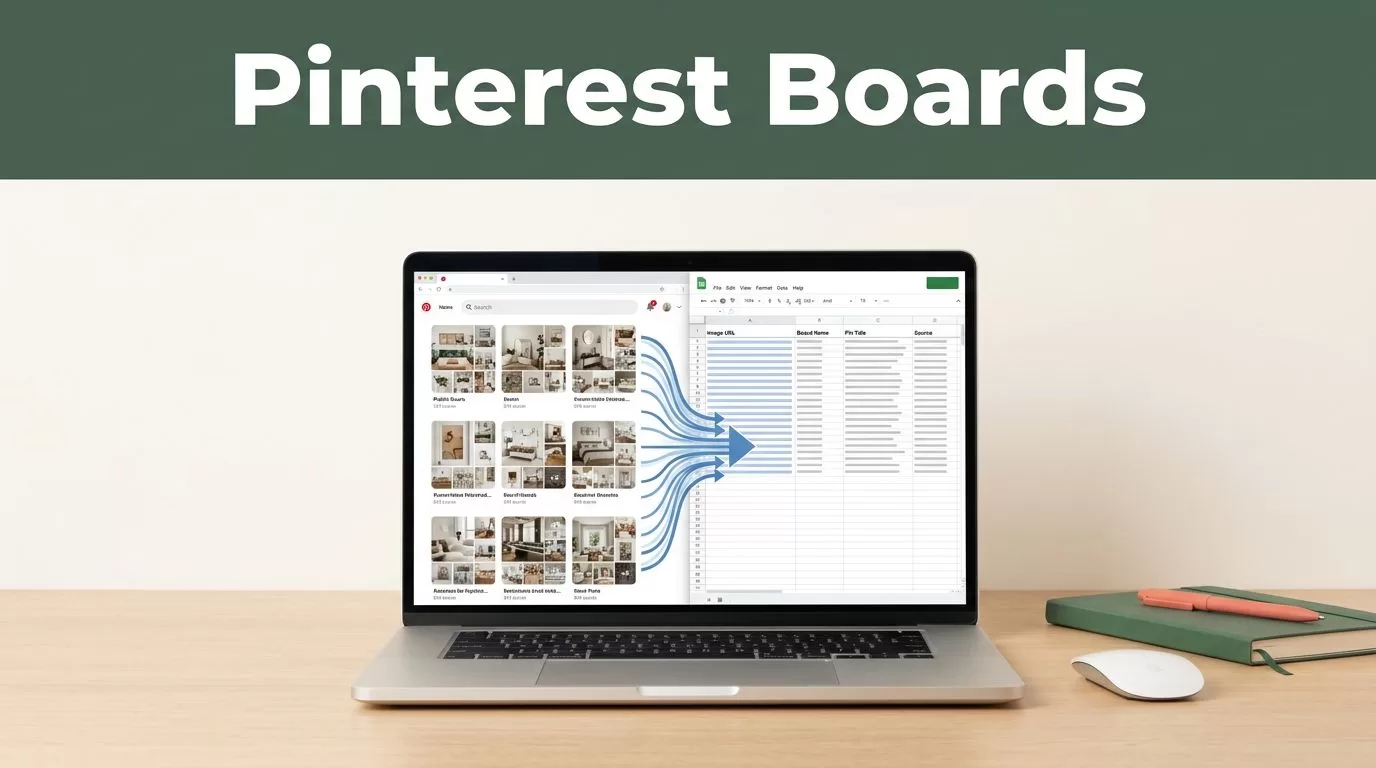
Manual Pinterest research breaks down when every board requires repeated copying, opening, filtering, and spreadsheet updates. If you need to scrape Pinterest boards, Twin.so can reduce that work with a browser-based, no-code extraction workflow.
The practical approach is simple. Give Twin a list of public board URLs, define the fields you need, send the results to a spreadsheet or database, and review the output before using it. Rapid collection doesn’t mean skipping controls. It means removing repetitive work while keeping data quality and compliance in place.
How to Scrape Pinterest Boards with Twin.so
Twin.so uses plain-language instructions, browser automation, and connected apps to complete web tasks. Its Web Agent can inspect a page, navigate through browser content, and extract information when a direct API isn’t available. Pinterest board research is a suitable use case when the boards and pins are publicly accessible.
Start with a clean input list. Store one public board URL per row in Google Sheets, Airtable, or another connected workspace. Include a project name or research category if you plan to combine several board groups later.
Your first Twin instruction should stay narrow:
Open each public Pinterest board URL from the input table. Collect only information visible without signing in. Return the board URL, board name, visible pin URLs, pin titles, descriptions, destination URLs, and image URLs when available. Write one pin per row to the output table. Do not access private content or bypass any restriction.
This prompt gives the agent a defined source, a limited field set, and a clear destination. It also prevents the workflow from collecting unrelated page content.
Twin’s broader automation model supports steps such as scraping, cleaning, organizing, and sending data to another system. That makes it more useful than a one-time copy tool when your team needs recurring research.
For context, Twin fits into the wider category of no-code automation tools covered in this no-code automation tools roundup. The important difference is how you define the task. A vague request creates inconsistent rows. A field-level instruction creates a usable dataset.
Define the Pinterest Data Before You Run Anything
A fast extraction workflow still needs a clear data model. Decide what a useful row looks like before you ask Twin to collect anything.
For trend research, you may need the board name, pin title, pin URL, image URL, description, and collection date. For product research, the destination URL and visible product details matter more. For competitor monitoring, you may also need the board owner, board URL, and the date when each pin was first observed.
Use a small set of fields for the first run. Every additional field increases the chance of missing values, inconsistent formatting, or unnecessary page visits.
| Field | Use |
|---|---|
| Board URL | Identifies the source board |
| Board name | Groups pins by topic |
| Pin URL | Provides a stable reference |
| Pin title | Supports topic and phrase analysis |
| Description | Adds visible context |
| Destination URL | Helps identify products or source pages |
| Image URL | Supports visual review |
| Collected date | Tracks changes over time |
Ask Twin to leave unavailable values blank. Don’t instruct it to guess missing titles, infer product prices, or create categories that aren’t visible on the page. Generated assumptions damage research quality.
You should also define duplicate rules. A pin can appear on multiple boards. Keep the pin URL as the primary identifier, then add the board URL as a separate relationship. This lets you see both the pin itself and the number of boards that contain it.
When you scrape Pinterest boards, the output should remain traceable. Keep the original URL beside every extracted value. That gives analysts a way to verify an unusual result without repeating the entire collection process.
Build a No-Code Twin.so Extraction Pipeline
Use a staged workflow instead of one large command. Each stage has one job. This makes errors easier to find and reduces unnecessary browser activity.
- Prepare the input table. Add public Pinterest board URLs in a single column. Remove duplicates and test each link in a normal browser window first.
- Connect the destination. Choose a spreadsheet, database, or CRM that your team already uses. Create the output columns before the first run so Twin has a fixed structure to follow.
- Write the extraction instruction. State the source, allowed access level, fields, duplicate rule, and output location. Tell Twin to collect only content visible on public pages.
- Run a small test batch. Start with two or three boards. Check whether the agent returns one row per pin, preserves URLs, and leaves missing fields blank.
- Add cleanup steps. Ask Twin to remove duplicate pin URLs, trim unnecessary whitespace, standardize dates, and separate board-level data from pin-level data.
- Expand the batch. Add more board URLs after the test output passes review. Use a schedule only after the workflow produces stable results.

A useful output structure has two tables. The first stores boards. The second stores pins and includes the related board URL. This prevents repeated board names from cluttering every record and makes later filtering easier.
You can also add a review column with values such as “unchecked,” “approved,” or “needs review.” Keep this separate from the extracted data. Analysts should be able to distinguish what Pinterest displayed from what a team member later classified.
Twin supports connected workflows, webhooks, and time-based triggers according to its product documentation. Use those features for controlled refreshes, not constant polling. A weekly or monthly collection schedule is usually enough for strategic trend research. Product teams tracking fast-moving categories may need a shorter interval, but they should set that schedule only after checking operational cost and page behavior.
Twin describes its Web Agent as the most expensive and least reliable execution mode in the platform. Treat that as an operating constraint. Browser extraction can handle pages without a convenient API, but it needs testing, narrow prompts, and review.
Use Board Data for Four Practical Research Tasks
Collected Pinterest data becomes useful when you connect it to a defined business decision. Don’t scrape boards simply because the information is available.
Trend research
Group pins by board topic, recurring phrases, destination domains, or publication date. Look for repeated visual themes and product categories across several boards. A single popular pin can be an outlier. Repeated patterns across unrelated public boards provide stronger evidence for a trend hypothesis.
Store the collection date so your team can compare new results with older snapshots. This helps separate a temporary spike from a topic that keeps appearing over time.
Content ideation
Use pin titles and descriptions to build a content research queue. Group related phrases, then compare them with your existing editorial calendar. Pinterest data can reveal how audiences frame a topic, but it shouldn’t replace keyword research, customer interviews, or performance data from your own channels.
Ask Twin to preserve the original wording in a source column. Add your editorial interpretation in a separate column. This prevents research notes from being mistaken for audience language.
Competitor monitoring
Track public boards associated with competing brands, retailers, publishers, or creators. Monitor new pin URLs, destination domains, and changes in board structure. You can send newly detected records to a review table rather than pushing every row directly into a CRM.
Set a clear monitoring rule before you begin. For example, collect only new public pins added since the previous run. This keeps the dataset smaller and prevents the team from reviewing the same content repeatedly.
Product research
Extract visible destination URLs and product-related descriptions from boards in a defined category. Then classify the destinations by retailer, manufacturer, product type, or price information when that information is displayed publicly.
Don’t treat Pinterest engagement or repetition as proof of demand. Use it as an input for product selection, merchandising, or landing-page research. Confirm commercial details on the destination site before making a decision.
For teams comparing workflow options, this discussion of low-code AI workflow automation tools provides useful context around browser tasks, connectors, and automation design.
Protect Data Quality and Pinterest Compliance
Only collect public information that you can access normally. Don’t ask Twin to sign into Pinterest, bypass a CAPTCHA, evade an access control, ignore a robots restriction, or work around a rate limit. Don’t collect private boards, private profiles, or information that requires unauthorized access.
Review Pinterest’s current terms and your own legal requirements before launching a recurring workflow. Privacy, copyright, database rights, and commercial-use rules can vary by location and by the type of information you collect. Public availability doesn’t automatically grant unrestricted reuse.
Limit the fields to what your project needs. Avoid collecting personal information that has no business purpose. Protect the output table with appropriate permissions, especially when it contains account names, contact details, or internal research notes.
Run quality checks after every scheduled collection. Compare the number of input boards with the number of processed boards. Check for empty URLs, duplicate pin records, unexpected domains, and sudden changes in row counts. A large increase can indicate a page-layout change rather than a real trend.
Keep a sample of source pages for manual verification. Review a few rows from each run and confirm that the values match what was publicly displayed. If the output changes after a Pinterest layout update, pause the schedule and revise the instruction.
A reliable process is:
- collect a small public sample;
- verify the fields and links;
- clean duplicates;
- approve the output;
- then increase the scope.
This sequence protects your team from building decisions on unverified rows.
Conclusion
Twin.so can help you scrape Pinterest boards rapidly when you provide public URLs, define exact fields, and route the results into a structured workspace. The strongest workflow separates board records from pin records, preserves source URLs, and tests a small batch before scheduling recurring runs.
Use the data for trend research, content planning, competitor monitoring, and product research. Keep collection limited to public information, respect Pinterest’s rules, and treat browser-agent output as research data that still needs review. Speed comes from a controlled pipeline, not from removing the controls.
