How to Configure White Label A/B Testing Workflows for Agency Clients
Agencies and CRO consultants live or die by client trust. When you run optimization experiments across multiple client properties, every dashboard needs to reflect professional execution. Your team needs clean client-facing testing workflow...
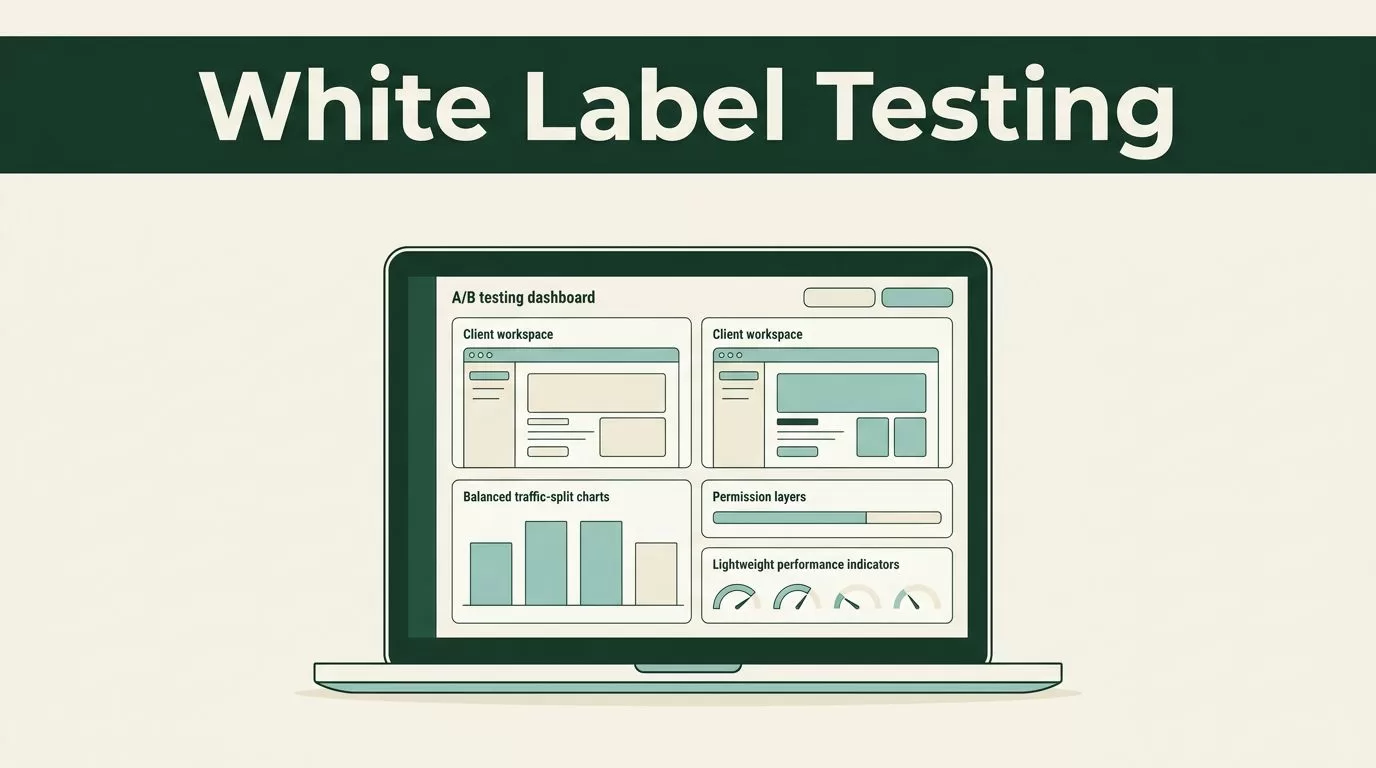
Agencies and CRO consultants live or die by client trust. When you run optimization experiments across multiple client properties, every dashboard needs to reflect professional execution. Your team needs clean client-facing testing workflows that separate project spaces without exposing internal agency tooling.
When you configure white label A/B testing environments inside Mida.so, you give clients direct visibility into their experiments while keeping administrative control under your own operational umbrella. You want a setup that avoids bloated code bundles, protects page performance, and presents data cleanly. Let us walk through the exact configuration sequence required to set up client-facing experimentation workflows.
Key Takeaways
- Organize client workspaces with strict permission boundaries before launching your first experiment.
- Install the lightweight tracking script in the header of each client property without blocking site rendering.
- Enforce strict traffic splits and minimum sample sizes to ensure data integrity before reporting lifts.
- Map conversion events to real business outcomes like qualified sales leads instead of shallow clicks.
Setting Up Your Agency Brand in Mida.so
Before you deploy scripts to client domains, configure your agency workspace parameters. Create a dedicated project folder for each client account to keep access rings secure and prevent cross-client data contamination. Name each workspace using clear internal naming conventions that match your CRM records.
Assign client stakeholders viewer roles so they can inspect live experiment dashboards without altering active test parameters. Restrict editor and publisher permissions to your internal strategists and developers. This separation stops accidental edits to live traffic rules while keeping transparency high for your clients.
Deploying the testing script requires placing a lightweight snippet inside the <head> tag of the target website. Because Mida.so relies on a compact script size of roughly 15 KB, it avoids the heavy rendering delays common in legacy enterprise testing platforms. Verify that the script loads asynchronously to protect Core Web Vitals and prevent mobile layout shifts.
Establishing Baselines and Tracking Parameters
You cannot improve conversions if you refuse to measure your starting point. Before you spin up any variant, pull historical conversion rates, bounce rates, and traffic volume directly from your analytics setup. Record the split between desktop users and mobile visitors because traffic behavior varies wildly across devices.
Map your primary conversion goals precisely within the workspace settings. If your client runs a B2B SaaS landing page, your primary metric should be completed demo requests rather than simple button clicks. For ecommerce properties, tie tracking events directly to completed checkouts and revenue generation.
Cross-check your tracking events against your CRM or billing database after initial deployment. A higher form completion rate means nothing if the added leads never become qualified opportunities or paying customers. Run test submissions yourself while monitoring browser inspection tools to confirm that conversion pixels fire once and only once per successful action.
Structuring Experiments and Controlling Traffic
Build every test around a single, falsifiable hypothesis that targets observed user friction. Avoid testing five different layout changes in a single variant because you will never know which design choice drove the resulting metric shift. Use standard fifty-fifty traffic splits to give control and variant experiences equal exposure.
Keep your targeting rules precise before launching the experiment to the public. If your test focuses specifically on mobile visitors arriving from paid search campaigns, configure those audience parameters inside the traffic allocation settings. Avoid changing your audience rules or traffic split mid-test, because altering parameters while an experiment runs corrupts sample purity and forces you to restart your data collection period.
Protect site performance by treating loading speed and interaction metrics as hard guardrails. If an optimized variant increases clicks while slowing down Largest Contentful Paint or introducing layout shifts, reject the update. A modest conversion gain is never worth a slower mobile experience that frustrates high-value prospects.
Reading Results With Business Context
A winning statistical confidence percentage on a dashboard does not guarantee a profitable campaign rollout. Evaluate raw conversion counts alongside percentage lifts to understand the real financial impact on the client business. A small percentage difference based on a handful of conversions should never drive a site-wide redesign.
Segment your performance data by device type and traffic channel before drawing conclusions. A variation that wins overall among organic search visitors might fail completely for paid ad traffic arriving from mobile devices. Check whether your results remain consistent across important customer segments to verify that the uplift holds where it matters most.
Store completed test outcomes in an internal experiment log alongside your original hypotheses. If a variant wins, document the permanent implementation steps for your development team. If a test loses, record what the result rules out so your team avoids repeating the same design mistake next quarter. For a deeper look at how leading platforms connect attribution data, you can review top marketing attribution software solutions to benchmark your reporting methods.
Conclusion
Configuring white label experimentation workflows requires a balance of technical precision and disciplined client communication. You build sustainable growth by replacing guesswork with structured tests that target real user friction while keeping agency operations organized. Keep your client workspaces secure, protect your sample sizes, and document every test outcome to build a reliable internal knowledge base. Review your active test configurations today and verify that your event payloads are flowing cleanly into your client reporting views.
