Automate Competitive Analysis Reports on Twin.so
Your competitor report can be accurate and still arrive too late to help. A monthly spreadsheet misses price changes, feature launches, new positioning, and customer complaints that appear between review cycles. Automated competitive analys...
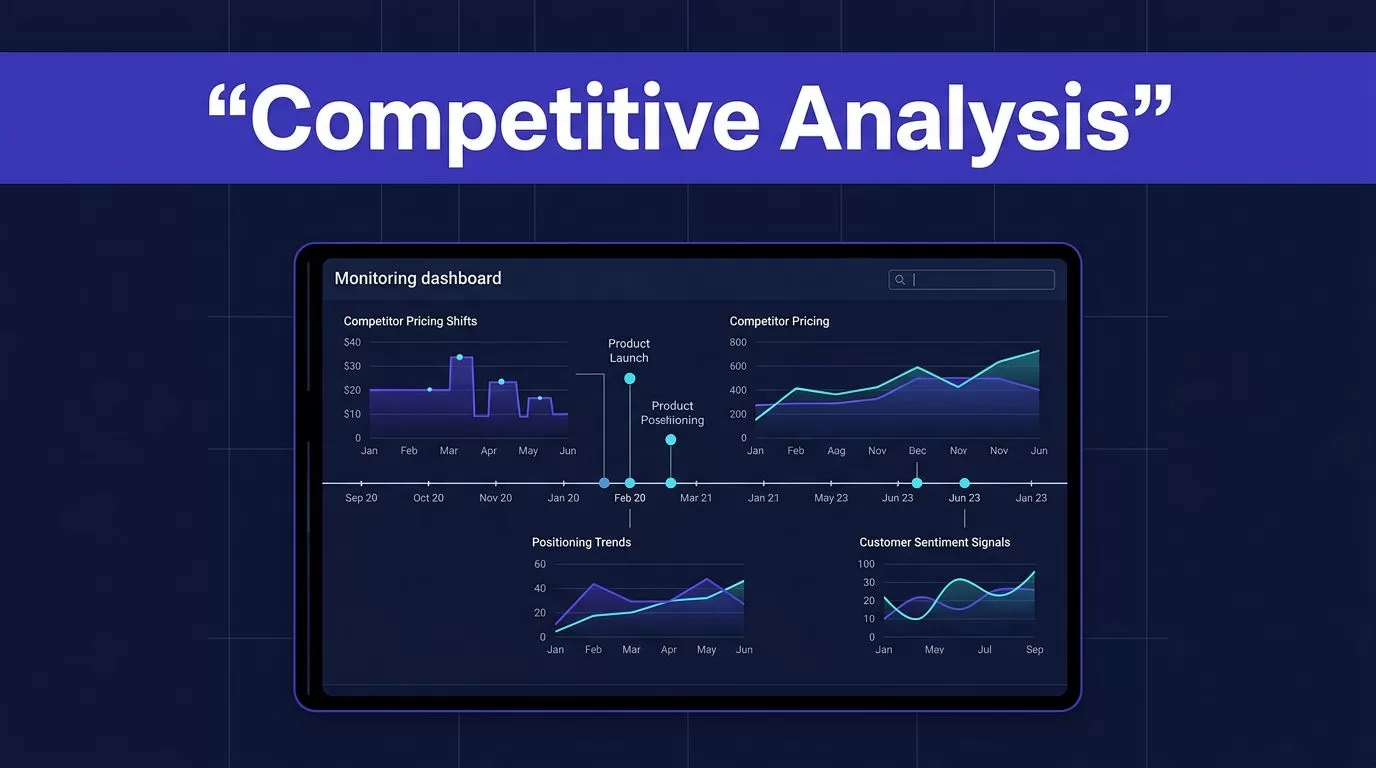
Your competitor report can be accurate and still arrive too late to help. A monthly spreadsheet misses price changes, feature launches, new positioning, and customer complaints that appear between review cycles.
Automated competitive analysis gives marketing, product, and sales teams a recurring view of competitor activity. Twin.so’s ai agents support automated competitor tracking across public pages and scheduled reports, helping teams collect timely evidence through channels they already use.
The process works best when you define the decisions first, then configure the research workflow around them.
Key Takeaways
- Automated competitive analysis helps teams monitor pricing, product launches, positioning, and customer signals between manual review cycles.
- The strongest workflows start with a specific business decision, a focused set of competitors and pages, clear research instructions, and a useful reporting cadence.
- Reports should preserve source URLs, detection dates, previous and current wording, likely impact, and a recommended owner so teams can verify and act on findings.
- False positives require review gates, classification, and human validation before findings reach sales, product, or customer-facing workflows.
- Twin.so works best as the recurring public-web research and reporting layer, while specialist tools and internal systems provide SEO, traffic, social, CRM, and private customer evidence.
Why Manual Competitor Research Stops Working
Manual competitor research creates three problems. It takes too long, results vary by researcher, and old findings remain in circulation after the market changes. The best competitive intelligence tools depend on the research question and data required.
A marketing analyst may review five pricing pages every Friday. A product manager may check release notes once a month. Sales may maintain a separate battlecard in a document nobody updates. These tasks create fragmented competitive intelligence instead of one operating report.
The right tool depends on the data you need. SEO competitor analysis uses different software from market share analysis and social listening platforms.
| Research need | Common specialized tools | Where Twin.so fits |
|---|---|---|
| Keywords and backlinks | Semrush, Ahrefs | Support keyword gap analysis and backlink profile analysis with public competitor changes |
| Traffic and market data | Similarweb, Owler, Valona, and other traffic analytics tools | Add context to monitored findings |
| Social discussions | Social listening platforms, Sprout Social, BuzzSumo | Monitor public conversations and mentions |
| Sales enablement | Klue and battlecard platforms | Turn approved findings into sales-ready updates |
| Website changes | Change detection tools and competitor monitoring software | Use AI agents to watch pricing, features, messaging, and content |
Twin.so is most useful as the recurring research and reporting layer. It doesn’t automatically replace every specialist platform or business intelligence software that aggregates multiple sources. SEO metrics, traffic estimates, CRM records, sales calls, and win-loss interviews still need their own sources. Broader market research intelligence and digital marketing intelligence also draw from different systems.
An API and AI-agent approach can extend the process when public web monitoring isn’t enough. Use dedicated data sources for quantitative metrics, and use AI agents when collection or classification needs more flexibility. Use Twin.so to collect, compare, classify, and distribute the findings.
Build an Automated Competitive Analysis Workflow on Twin.so
Twin.so’s AI agents support automated competitor tracking through repeatable automated workflows. Its use-case pages describe competitor website tracking across pricing, product launches, website updates, and social activity.
Start with a decision your team needs to make. “Track competitors” is too broad. “Alert product marketing when a rival changes packaging or adds a feature” is usable.
1. Define the monitoring scope
Choose three to five direct competitors first. Add adjacent companies only when they affect your positioning or product roadmap.
Create a page list for each company:
- Homepage and product pages
- Pricing and plan comparison pages
- Feature, changelog, and release-note pages
- Blog and resource pages
- Signup, demo, or onboarding pages that are publicly accessible
- Public social profiles and relevant Reddit discussions as directional public evidence for customer sentiment analysis
Website change detection is one capability, but a changed headline isn’t always important. Pricing strategy shifts, product feature updates, new enterprise plans, usage limits, integrations, and security claims usually deserve review.
2. Configure the research instructions
Give Twin.so’s AI agents clear inputs for automated data collection across page scans. Include competitor names, URLs, review frequency, change categories, and the people who need each report.
A useful instruction looks like this:
Monitor these competitor pages every weekday. Compare each page with the prior scan. Report only material changes to pricing, packaging, features, positioning, integrations, or launch activity. Include the page URL, date detected, previous wording, current wording, likely customer impact, and a recommended owner.
Use conditional instructions when the workflow supports them. For example, ask the agent to suppress alerts for cookie banners, timestamps, navigation changes, and other cosmetic edits.
3. Choose delivery channels
Twin.so describes Slack, email, and Google Sheets as delivery options for competitor intelligence. Use Slack for event-based alerts that provide real time insights. Use email for a daily digest, and Sheets for a searchable change log.
For longer research documents, Twin’s research report workflow lists Google Docs, Notion, and email as possible destinations. Confirm the current connection options inside your Twin.so workspace before deployment.
4. Set a useful cadence
Use different schedules for different signals. Pricing and product launches may need daily monitoring. Positioning, blog content, and broader market research may only need a weekly report.
Don’t send an alert for every page change. A high-volume feed trains people to ignore the system. If your selected Twin.so AI agents support quiet-day behavior, configure them to send reports only when material changes appear.
Design the Report Before You Automate It
Automation produces better results when the output follows a fixed structure. That structure supports data driven decision making by showing what changed, why it matters, and what to do next. The finished report becomes usable competitive market intelligence, not just a collection of webpage diffs.
ai agents can draft or organize the report, but the fixed sections keep the output easy to review.
Use these sections in every recurring report:
- The executive summary lists the three most important competitor moves since the previous report.
- The change log records the competitor, page, detection date, category, and source URL. Categories can include pricing, product, messaging, or content performance monitoring.
- The evidence section shows the previous wording and current wording. When ai agents organize it, they must preserve the source URL and both versions. Screenshots or page snapshots help reviewers verify the finding.
- The impact section explains the likely effect on pricing, positioning, product demand, or sales objections.
- The response section assigns an owner and recommends an action, such as updating a comparison page, revising a battlecard, or briefing sales.
- The open questions section records findings that need human review or additional data.
Keep the report factual. Separate observed data from interpretation.
A webpage diff is evidence, not a business conclusion. The team still needs to decide whether the change affects customers, deals, or product priorities.
A good weekly report might include this compact format:
| Field | Example |
|---|---|
| Competitor | Named company |
| Change | New annual plan added |
| Evidence | Previous and current page text |
| Likely impact | Creates a lower entry price |
| Recommended action | Review packaging comparison |
| Owner | Product marketing |
| Status | Needs review |
You can also use Twin’s pricing and launch tracker as a starting point for a recurring monitoring job. Its described workflow checks pricing pages, homepage copy, blog or changelog feeds, and signup flows, then compares new snapshots with prior runs.
Control False Positives Before They Reach Sales
Website change detection is useful, but raw diffs create noise. Competitor pages change because of currency settings, A/B tests, personalization, stock notices, tracking scripts, or legal copy.
Build a review gate into the workflow. Ask Twin.so to classify each finding as cosmetic, informational, commercial, or strategic. ai agents can help distinguish cosmetic changes from commercial ones, but they still need validation. Only commercial and strategic changes should create an urgent alert.
Use three validation rules:
- Require the page URL and detection date for every finding.
- Ask for the old and new wording instead of a summary alone.
- Route uncertain changes to a human reviewer before adding them to a sales document.
Check pricing changes in the same currency and plan view. Check localized pages separately. A different result for a visitor in another country may reflect regional pricing, not a global strategy shift.
Public web scraping also has limits. Automated data collection can’t reliably access private customer portals, gated sales materials, internal product roadmaps, or closed communities. JavaScript-heavy pages may return incomplete content. Rate limits and robots restrictions can block collection.
Use public sources for public claims. Add approved APIs, customer interviews, CRM data, and sales call records when the decision requires private evidence. A general-purpose model such as ChatGPT and ai agents can summarize or triage supplied information, but they can’t access proprietary sources on their own or replace continuous monitoring.
Turn Reports Into Sales and Product Actions
Automated competitor tracking creates value only when verified findings change a team workflow. Otherwise, reports become another document in a crowded folder.
When a verified competitor change appears, route it to the team that can act:
- Sales receives updated sales enablement battlecards with the new claim, customer implication, approved response, and source date.
- Product marketing receives a request to review comparison pages and campaign language.
- Product managers receive product feature updates that affect roadmap priorities or packaging.
- Founders and growth teams receive pricing strategy shifts, launches, and positioning changes in the weekly digest.
Keep these cards short. Each card should answer four questions:
- What changed?
- Which customer or deal does it affect?
- What should the salesperson say?
- What proof supports the response?
Don’t claim that automation will increase win rates by itself. Track whether sales uses the updates and whether competitor-related deals change after the process starts.
Useful metrics include alert precision, review time, report delivery rate, battlecard adoption, competitor mentions in win loss analysis, and conversion rate by named competitor. Track the number of material findings per month as well. A system that produces hundreds of alerts but no approved actions needs better filters.
You can connect the report to Slack, email, or Google Sheets first. After human review works, use ai agents to route approved findings into CRM or project-management tools. This prevents unverified findings from entering customer-facing workflows.
Know Where Twin.so Fits
Twin.so is a good fit as competitor monitoring software when your team needs recurring public-web research, change detection, and structured delivery. It helps you avoid maintaining a custom scraper for every competitor.
It is not a complete substitute for every competitive intelligence tool. Use Semrush or Ahrefs for seo competitor analysis. Use Similarweb for traffic and audience estimates. Use social listening platforms for larger-scale mention analysis. Use sales systems and interviews for private customer evidence.
The strongest setup combines these sources:
- Twin.so’s ai agents monitor public competitor pages and discussions.
- A specialist platform supplies SEO, traffic, or social metrics.
- A human reviews material findings.
- The approved result enters the report, battlecard, roadmap review, or campaign workflow.
Start with one report and one team. Monitor a small set of pages for two weeks. Review false positives. Adjust the instructions. Then expand coverage.
If you need help mapping the workflow to your research and reporting process, Book A Call.
Frequently Asked Questions
What is automated competitive analysis?
Automated competitive analysis uses software and AI agents to monitor competitor activity, compare changes, and deliver recurring reports or alerts. It helps teams track public changes without relying on manual research alone.
What should a competitor monitoring workflow track?
Start with pricing, product, feature, launch, positioning, and relevant content pages for three to five direct competitors. Add public social discussions or adjacent companies when they affect positioning, product priorities, or customer sentiment.
How can teams reduce false positives in automated reports?
Require the source URL, detection date, and previous and current wording for every finding. Classify changes as cosmetic, informational, commercial, or strategic, and route uncertain findings to a human reviewer before creating urgent alerts or sales materials.
Can Twin.so replace all competitive intelligence tools?
No. Twin.so can support recurring public-web monitoring and structured reporting, but specialist platforms are still useful for SEO, traffic, social, CRM, and other quantitative or private data. The strongest setup combines these sources with human review.
How do automated competitor reports create business value?
Reports create value when verified findings lead to an owner and a specific action, such as updating a battlecard, reviewing packaging, or changing campaign language. Teams should measure alert precision, review time, battlecard adoption, and competitor-related outcomes rather than alert volume alone.
Conclusion
A recurring competitor report should do more than list page changes. It should connect verified evidence to an owner, a business impact, and a next action.
Twin.so can support that process with ai agents that monitor public competitor activity and deliver scheduled intelligence through the channels your team already uses. Keep specialist data and private customer evidence in their proper systems.
The goal is not more alerts. It is faster strategic decision making based on current evidence.
