Build a Custom Referral Portal With Rewardful
A default affiliate dashboard gets the job done. It rarely matches your product, onboarding flow, or partner program rules. A custom referral portal gives partners one place to get links, check qualified commissions, review payout status, a...

A default affiliate dashboard gets the job done. It rarely matches your product, onboarding flow, or partner program rules.
A custom referral portal gives partners one place to get links, check qualified commissions, review payout status, and find program terms. It also gives your team control over the data, permissions, and support workflow behind those screens.
Build the portal as a thin product layer around Rewardful. Keep Rewardful as the source for attribution and commissions. Keep your application as the place where partners sign in and complete work.
DEFINE THE JOB OF THE PORTAL
Don’t start with screens. Start with the partner actions that need to happen without support tickets.
A SaaS partner usually needs to find a referral link, confirm the active campaign, see commission status, and understand why a payment changed. Your finance team needs a separate view for payout review and exceptions.
Keep the first release narrow. A portal with five reliable screens beats a large dashboard that shows stale or misleading data.
Separate affiliate work from admin work
Partners should see their own referral link, conversions, commissions, payout history, and program rules. They should never see another affiliate’s data.
Internal users need different access. Growth managers need campaign performance. Finance needs payout-ready amounts, payment references, reversals, and review notes. Support needs enough context to reproduce a report issue.
Build these views from the same normalized records. Change the fields and actions based on the user’s role.
Set a clear system boundary
Rewardful handles referral attribution and commission records. Stripe handles billing and payment events. Your portal handles branded access, identity mapping, display rules, and internal approvals.
Rewardful’s REST API overview states that merchants can create affiliate accounts and retrieve reporting data through a JSON REST API. That makes it suitable for a custom portal, but it doesn’t remove the need for your own portal database and access controls.
A referral portal is not your accounting ledger. Treat it as an operational view of referral and payout data.
PLAN YOUR CUSTOM REFERRAL PORTAL ARCHITECTURE
Your custom referral portal needs three layers. The browser renders partner data. Your application server applies access rules. Rewardful provides affiliate and commission records.

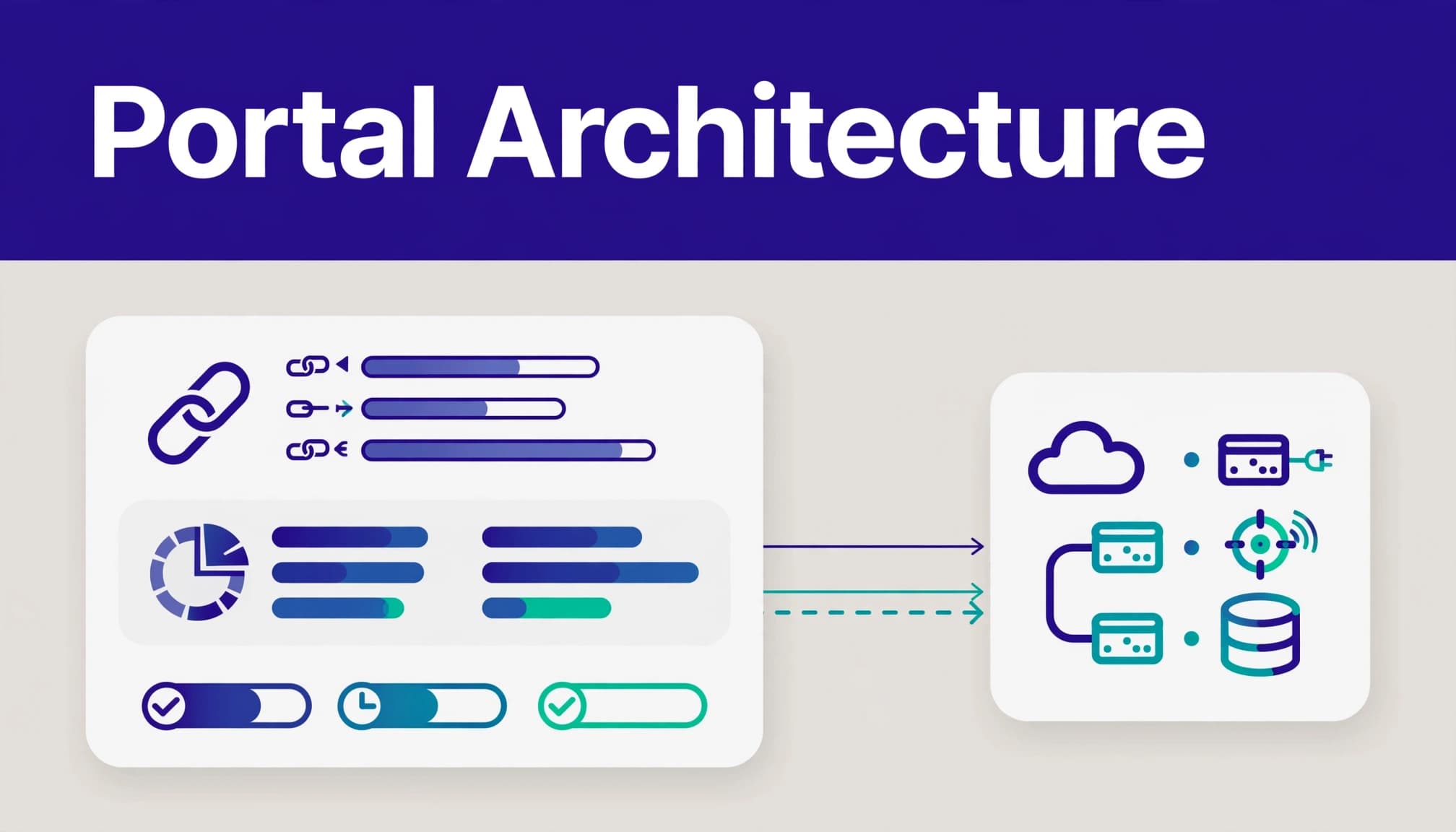
Never call Rewardful directly from browser code. The API secret is a server credential. A client-side call exposes it to every logged-in partner.
Store a local affiliate mapping record when you create or connect an affiliate:
| Local field | Purpose |
|---|---|
user_id | Connects the portal account to your application user |
rewardful_affiliate_id | Identifies the affiliate in Rewardful |
campaign_id | Records the intended program and commission rules |
portal_status | Controls whether the partner can use the portal |
last_sync_at | Shows the age of locally stored reporting data |
This mapping is the control point. Your portal should query Rewardful using the mapped affiliate ID, not an ID supplied by the browser.
Keep an event log and a reporting cache. The event log records what arrived and when. The cache gives partners a fast page load without making every browser request depend on a live third-party API response.
MAP IDENTITY BEFORE YOU BUILD SCREENS
Identity errors create the worst referral portal bugs. A partner who sees zero commissions may have a reporting problem. A partner who sees someone else’s commissions has an access-control problem.
Choose one account owner
Use your product’s existing authentication system when possible. A partner logs in with the same account they use for your SaaS product, then your server resolves the Rewardful affiliate record.
Don’t use email address matching as the only permanent key. Email addresses change. Shared inboxes exist. People can join under a personal address and later request a business address.
Create the mapping at affiliate creation time. Store the Rewardful affiliate ID, the local user ID, campaign ID, creation source, and approval status.
Handle affiliate creation on the server
Rewardful documents a Create affiliate endpoint for creating standard affiliates and customer referrers on demand. API-created affiliates do not require the normal email confirmation flow, and Rewardful does not send the usual welcome email.
That behavior is useful when your product already owns onboarding. Your app can create the partner record after a user accepts the referral terms, then send your own branded email.
For customer referral programs, create the affiliate record when your application creates the Stripe customer. Rewardful’s custom rewards setup guide calls for including the Stripe customer ID. Add the campaign ID when more than one campaign exists.
SET CAMPAIGN RULES BEFORE INVITING PARTNERS
A nice portal cannot fix unclear program economics. Define the rules before the first partner receives a link.
State the commission rate, whether it applies to collected revenue, the attribution period, payout timing, refund treatment, and any recurring revenue limit. Put those rules in the portal, not only in an email or help document.
Keep program status separate from commission status
A partner may be active while a commission is pending. A commission can later become due, paid, or voided. Don’t compress every state into a single “earnings” number.
Your portal should show at least:
- Pending commissions that can still reverse.
- Due commissions that have reached your payout rule.
- Paid commissions with the payment date and reference.
- Voided or reversed commissions with a plain-language reason when available.
Rewardful’s documented commission states include pending, due, paid, and voided. Label them carefully. A pending balance is not cash the partner can forecast.
Publish fraud and traffic rules
Rewardful tracks the billing relationship. Your business still sets participation rules.
Write down your policy for self-referrals, duplicate accounts, fake trials, coupon leakage, trademark bidding, prohibited paid traffic, and unauthorized incentives. Add a review path for high refund rates, unusual conversion rates, or closely related customer payment details.
Don’t automatically accuse an affiliate based on one metric. Flag the account, preserve the original data, and route the case to an owner.
BUILD THE PARTNER ONBOARDING FLOW
The best partner flow has no mystery. A user applies or opts in, accepts terms, gets a referral link, and sees the next action.

Use a controlled creation workflow
Keep the process in your application backend:
- Confirm the signed-in user and their eligibility.
- Check whether a local affiliate mapping already exists.
- Create the Rewardful affiliate only when no active mapping exists.
- Save the returned affiliate ID and campaign ID in your database.
- Retrieve the affiliate record and store the referral URL for the portal.
- Show the link with approved promotional guidance and required disclosures.
The Rewardful affiliate object documentation describes the affiliate record that your portal can use to retrieve the referral URL. Use the returned value. Don’t assemble a tracking URL from assumptions about campaign slugs or link formats.
A simplified server workflow looks like this:
portal user -> local affiliate mapping lookupno mapping -> create affiliate through server-side API callcreate succeeds -> save affiliate ID and campaign IDretrieve affiliate -> store current referral URLreturn only the current user's portal data
Use an idempotency control in your application. If a browser retries after a timeout, the second request must not create a second affiliate record.
DESIGN A BRANDED PARTNER HOME PAGE
A custom referral portal should feel like part of your product. Use your product navigation, support paths, color system, and account settings pattern.
Keep the first screen practical. Put the referral link at the top. Add a copy action, a campaign name, and one short line that explains where the link can be used.
Below that, show a period selector, qualified customer count, pending commissions, due commissions, paid commissions, and the last data refresh time.
Explain numbers before partners ask
A $500 pending total and a $0 payout can both be correct. The portal must show why.
Use tooltips or short inline explanations:
- “Pending” means the commission has not met the payout rule.
- “Due” means the commission is eligible for payout review.
- “Paid” means your team marked the payment as complete.
- “Voided” means the commission no longer qualifies.
Show dates next to every important value. “Updated 9 minutes ago” is better than a dashboard that looks real-time but is actually yesterday’s cache.
Use plain language. Partners don’t need your internal Stripe event names or database IDs.
SHOW COMMISSION DATA WITHOUT MISLEADING PEOPLE
Your portal needs a reporting model that survives refunds, retries, and manual payout corrections.
Rewardful can provide commission data for reporting. Build a local read model that stores the fields your portal needs, such as affiliate ID, commission ID, amount, currency, state, source event date, due date, payout ID, and last observed update time.
Preserve adjustments instead of overwriting history
Don’t replace an old commission amount after a refund or reversal. Keep the original observed record and append an adjustment record with the date, amount change, source event, and reason.
This gives finance and support an audit trail. It also answers the common partner question: “Why did my total change after last month?”
Use a simple operational calculation:
Net approved earnings = paid commissions + due commissions – voids and recorded adjustments
Keep pending commissions outside that number. A pending balance belongs in the portal, but it doesn’t belong in your approved payout forecast.
USE WEBHOOKS FOR CHANGES, NOT AS YOUR ONLY DATABASE
Polling can fill gaps. Webhooks make the portal more responsive when referral, commission, or payout events change.
Rewardful sends webhook payloads as JSON POST requests. Its webhook documentation says the payload includes object, event, and request data. A successful receiver should return HTTP 200. Failed deliveries can retry for three days with exponential backoff.
Make every event safe to replay
Store the received payload before you update your read model. Record the event type, arrival time, object ID, processing result, and error message.
Then process the event with an idempotency rule. If the same event arrives twice, your handler should make no duplicate commission row and no duplicate customer credit.
Use this pattern:
- Receive the HTTPS webhook.
- Validate it using the current Rewardful guidance for your integration.
- Store the raw payload in restricted event storage.
- Check whether the event has already been processed.
- Update the affected affiliate, commission, or payout record.
- Mark the event complete only after the database transaction succeeds.
- Return HTTP 200.
If processing fails, return an error and let the documented retry process work. Don’t send a success response before the event is safely stored.
Rewardful’s explanation of how it uses your Stripe account also confirms that Stripe payment notifications drive its commission checks. That is why checkout, invoice, refund, and subscription test cases belong in your launch plan.
SECURE THE API, PORTAL, AND EVENT PATH
Treat the referral portal like a financial workflow. It displays earned amounts, connects customer data, and can influence payouts.
Rewardful’s API uses HTTP Basic Auth. The API secret is used as the username, with no password. Keep it in approved secrets storage. Rotate it when an employee with access leaves or you suspect exposure.
Restrict data by default
The browser should never receive another affiliate’s ID, customer email, Stripe customer ID, or raw webhook payload.
Use server-side authorization on every portal request. Check the current user against the local mapping before querying or returning any Rewardful data. Don’t trust a URL parameter like ?affiliate_id=123.
Keep payout actions behind internal roles. A growth manager can review performance. A finance approver can mark a batch ready. A support user can investigate a case. One role should not automatically receive every privilege.
Log each export, payout approval, status override, and terms change. Include the actor, timestamp, before value, after value, and reason.
TEST THE FULL REFERRAL AND PAYOUT PATH
A passing API call does not prove your custom referral portal is ready. Test the business record that appears at the end.
Use a staging environment or controlled test campaign. Create known test affiliates and use unique test customer identifiers. Test signup, link capture, checkout, paid invoice, refund, cancellation, commission update, portal display, and payout review.
Test difficult cases before launch
Include a duplicate signup request, a delayed webhook, a repeated webhook, a failed API request, a campaign mismatch, a refunded subscription, and an affiliate who loses access.
Check that the portal never displays a payment as final before the commission is due or paid. Check that a retry doesn’t create duplicate affiliates or duplicate credit entries.
Start with 20 to 50 approved partner records. Measure accepted records, not page views or webhook volume. Track missing records, duplicate records, failed runs, retries, review minutes, correction time, and payout exceptions.
A workflow that removes ten minutes of manual work but creates thirty minutes of correction work has failed.
For teams that need an implementation review across product, growth, and finance, Book A Call before opening the program to a large partner group.
KEY TAKEAWAYS
A branded portal works when it gives each partner accurate information without exposing sensitive data.
Keep Rewardful as the attribution and commission system. Use your application for authentication, permissions, branding, support context, and audit records.
Store affiliate mappings locally. Process webhook events idempotently. Preserve reversals as adjustment records. Review payout-ready commissions before money moves.
CONCLUSION
A custom referral portal should reduce partner confusion, not create another reporting system your team has to repair.
Start with referral links, commission states, payout history, and clear terms. Add automation after the records match what your finance and support teams accept.
Reliable referral data matters more than a large dashboard.
FAQS
Can a custom portal replace the default Rewardful dashboard?
Yes, if your portal provides the partner actions you need. Rewardful can remain the system that tracks referrals and commissions while your application provides the branded partner experience.
Keep the Rewardful API secret on the server. Use your own authentication and local affiliate mapping to decide what each partner can see.
How do I create customer referrers in Rewardful?
Create the affiliate when your product creates the related Stripe customer. Pass the Stripe customer ID so the customer can receive account-credit rewards where that program design applies.
Review Rewardful’s current customer referral setup instructions before release. API names, event behavior, and campaign settings can change.
Should the portal show pending commissions as earnings?
Show pending commissions, but separate them from due and paid amounts. Pending commissions can change because of refunds, cancellations, payment failures, or program rules.
Use clear labels and dates. A partner should never mistake a provisional amount for a completed payout.
Do I need webhooks if the portal can query the API?
Use both when possible. API reads can refresh records and repair gaps. Webhooks reduce delay when a referral or commission changes.
Your event handler must support retries and duplicate deliveries. Store the incoming event before changing your reporting records.

