How I Find Low Competition Keywords on Exploding Topics
If I want traffic before a topic turns into a packed freeway, I start with Exploding Topics. It helps me spot low competition keywords while interest is still young. Then I pressure-test those ideas with Google Trends, Google Search, and a...

If I want traffic before a topic turns into a packed freeway, I start with Exploding Topics. It helps me spot low competition keywords while interest is still young. Then I pressure-test those ideas with Google Trends, Google Search, and a keyword tool before I write a single page.
A rising line and a low difficulty estimate are not enough. I look for a real reader problem, a clear search intent, a SERP opening I can serve, and a useful next step for the business. Trends help me spot movement, but evergreen topics can still be good targets when they fit my audience.
Why Exploding Topics helps me spot trends before SERPs fill up
I treat Exploding Topics like a radar screen, not a final scorecard. Updated September 2026, this guide uses the platform as an early discovery source, not proof that a keyword has demand or will rank. Its trend data and keyword research features can help surface ideas, but I still verify each idea with Google, audience research, and a manual review of the search results. Tool features and data can change, so check the platform directly before relying on a specific metric.
When I browse the platform, I’m not chasing fireworks. I want a trend line that rises, settles, and rises again. That pattern usually hints at real use, not just social buzz. The platform’s trend views, related topics, and keyword tools help me move from a big signal to smaller, more usable angles. If I need a quick refresher on the basics, Exploding Topics’ keyword guide is a useful primer. I also like these examples of trends found early, because they show how much timing shapes results.
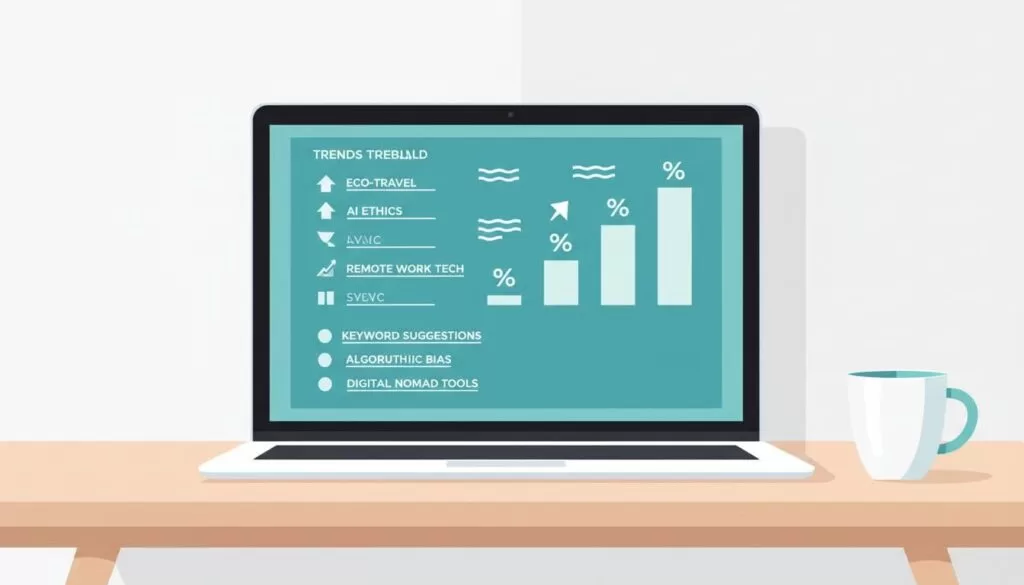
I don’t look for the biggest term first. I look for the earliest useful angle around it.
I use a quick filter before I save any topic:
| Signal | What I want to see | Red flag |
|---|---|---|
| Growth | Steady climb over months | One sharp spike |
| Intent | Clear problem or use case | Vague curiosity |
| Search results | Forums, thin posts, weak pages | Brand-heavy results |
| Expansion | Several related angles | Only one shallow page |
This is a shortlist, not a scorecard. A topic can be worth checking without a steady rise, but I still want a clear reader need and a realistic way to serve it. A red flag calls for more research, not an automatic yes or no.
My step-by-step process for finding low competition keywords
A trend tool is only one part of keyword research. I start with the reader, check what my site already knows, then use tools to expand and validate the ideas. This keeps the process useful even when I have no paid keyword subscription.
- Name the reader’s problem. Write down who you want to reach, what they are trying to do, and what gets in their way. Look at support questions, sales calls, comments, product reviews, and requests from clients. A phrase tied to a real need is a stronger starting point than a popular category with no clear reader.
- Check your own Search Console data. Review queries and pages that already earn impressions. Queries with impressions but few clicks may point to a weak title, an unclear page, or a result that does not match the search. Queries around positions 5 to 20 can show where a useful update might lift an existing URL. Open the page and confirm it can answer the question before you plan a new post. Search Console data is specific to your site, not a full measure of total demand.
- Use Exploding Topics to spot movement. Browse a category related to your audience or enter a seed topic. Check whether interest is steady, seasonal, or driven by one burst, then inspect related topics for narrower use cases. Treat trend charts, search-volume estimates, and difficulty signals as clues to investigate, not rankings or revenue forecasts.
- Expand the list with free Google features. Enter the seed phrase in Google Autocomplete and note the completions. Review People Also Ask and related searches for questions and adjacent needs. Google Keyword Planner can suggest related terms and help with planning; its volume figures may be ranges, and its forecasts are for ad planning, not a promise of organic traffic.
- Listen where people ask for help. Search relevant Reddit and Quora threads, LinkedIn discussions, customer reviews, forum posts, comments, and job listings when they fit the topic. Capture the exact wording, the task people want to finish, and the tools or products they mention. These sources can reveal niche phrases that keyword databases miss. Treat a few posts as qualitative clues, not proof of broad search demand.
- Use a keyword tool to compare candidates. Check a few promising phrases in a tool such as Ahrefs, Semrush, Keysearch, LowFruits, or Exploding Topics’ keyword research feature. Record volume and difficulty as estimates, and compare close variants rather than trusting a single score. AI can help brainstorm synonyms, questions, and angles, but AI-generated phrases are hypotheses until you check demand, intent, and the live results.
- Keep only ideas with a useful next step. Ask whether the topic fits your readers and can lead to a relevant guide, product, service, comparison, demo, newsletter, or other helpful action. A cluster does not need a fixed number of posts. Publish one strong page when that is enough, then add supporting pages only for distinct questions readers need answered.

A broad seed such as “vector database” can lead to candidates like “vector database for RAG,” “vector database pricing,” and “vector search latency.” These are research ideas, not confirmed opportunities. The worked example below shows how I would check the reader need, current results, and business fit before choosing a target.
Exploding Topics’ current keyword research feature lists estimates such as search volume, keyword difficulty, CPC, search results, and trend history. Use those figures to compare ideas, not as proof of attainable rankings, organic clicks, or sales. Check the platform’s current feature page before relying on a specific metric or access level.
How I validate demand and turn one trend into a cluster
Check the shape of demand in Google Trends
Start with Google Trends to see whether interest is steady, seasonal, rising, or tied to one news event. Compare a few related phrases in the same country and time range. Trends uses a normalized interest scale, so its chart is not a monthly search-volume count. A rising line is a reason to investigate, not a forecast that the phrase will keep growing or bring visitors. If a topic has a brief spike, ask whether your audience still needs the answer after the news cycle ends.
Expand and verify the exact wording
Use Autocomplete, People Also Ask, and related searches to collect the phrases Google connects with the topic. Try different modifiers, such as best, versus, pricing, setup, alternatives, examples, and problems. Use Keyword Planner to find additional terms and, when available, review its volume ranges and ad forecasts as planning clues. Then compare those phrases with questions from Reddit, Quora, LinkedIn, customer reviews, support conversations, and relevant job postings. Communities show how people describe a problem, but a thread or comment does not prove that many people search for it.
Review the live search results, not just a difficulty score
Search each finalist in Google on desktop and mobile. Results can vary by place, device, and time, so record the date and location of your check. First note what Google shows: articles, product pages, videos, forums, shopping results, local listings, or an AI overview. These features hint at the format and intent Google is serving. Next, open several top results. Do they answer the same question you plan to answer? Are they current, specific, and written for the same audience? Look for missing steps, shallow explanations, outdated details, poor examples, or a different use case. Also note whether well-known brands with strong topical authority fill most of the page.
A result page with a few weak or mismatched pages may offer an opening, but it is not a guarantee. If established companies dominate with detailed pages that closely match the query, you may need a narrower angle or a stronger reason to choose your content. A keyword difficulty score is a third-party estimate based on that provider’s method. It cannot fully measure your site’s expertise, the quality of your planned page, or how Google will treat the query. Do not use one score or one cutoff as the decision.
Match intent to the page and the next step
Separate informational searches from comparison, setup, pricing, and purchase searches. A reader asking what a tool is needs a clear explainer. Someone comparing products needs criteria, tradeoffs, and honest alternatives. A pricing search needs current cost details and what affects the bill. A setup query needs steps and troubleshooting. Match the page format to the results and give the reader a relevant next step, such as a template, product comparison, service page, demo, or related guide. Do not force a sales pitch onto an informational query that is not ready for it.
Worked example: “vector database for RAG”
Here is an illustrative process, not a report of current search metrics or a live SERP audit. Say an AI infrastructure site sees questions about retrieval-augmented generation (RAG). It starts with the broad idea “vector database,” then checks whether readers are trying to choose a database, connect one to a RAG pipeline, compare cost, or fix retrieval quality. Those needs suggest narrower queries and different pages. Before choosing one, the editor checks current Google results, keyword estimates, Search Console, and the site’s existing coverage.
| Candidate query | Reader need and likely intent | Demand estimate | SERP strength and page fit | Possible business path |
|---|---|---|---|---|
| vector database for RAG | Choose or understand a component, informational and research | Not measured here. Check Trends and keyword tools. | Review current results. Check Search Console and existing pages before creating a new one. | Architecture guide, implementation help, or a relevant product |
| best vector database for RAG | Compare options, commercial investigation | Not measured here. Compare close variants. | See whether results favor comparison pages, vendors, or technical tests. A generic list may not be enough. | Transparent comparison, evaluation checklist, or qualified lead |
| vector database pricing for RAG | Estimate total cost, commercial investigation | Not measured here. Validate demand and wording. | Check whether current pages explain pricing clearly and cover usage costs. | Cost calculator, pricing comparison, or consultation |
| connect a vector database to a RAG pipeline | Complete a setup task, instructional | Not measured here. Check question variants and trend history. | Look for tutorials that match the actual stack and skill level. | Setup tutorial, code example, or implementation service |
The table separates estimated search demand from business value. None of its demand cells should be filled with guesses. If tools show little volume but customers repeatedly ask the setup question, the site may still create a useful support page. If a phrase has estimated volume but the results serve another audience, it may be a poor target. The editor should choose one main page only after checking the real results and deciding what the site can explain better than the pages already ranking.
Build a cluster only when separate pages help
Group phrases by the problem and intent behind them, not just by shared words. A main RAG database guide could cover the core choice. A comparison page, pricing explainer, or stack-specific tutorial can support it if each answers a distinct need. If two phrases lead to the same results and require the same answer, combine them on one strong page. Link related pages where it helps readers move to the next question. A small, focused cluster is better than five to ten thin posts created to hit a quota.
Measure results after publishing
After publication, use Search Console to track impressions, clicks, click-through rate, and average position for the page and its queries. Give a new page time to collect data, then look for relevant queries it earns impressions for. If impressions grow but clicks stay low, review the title, description, and result-page fit. If the page appears for the wrong questions, improve its focus. If an existing URL already gets impressions for the topic, update and expand that page before creating a competing post. Use analytics or your CRM to measure sign-ups, leads, purchases, or other conversions separately. Search visibility is not the same as business value.
Balance estimates with reader value
There is no universal search-volume minimum or difficulty cutoff that makes a keyword worth pursuing. Weigh the estimates alongside the audience need, the current results, your ability to create a better page, and the next step that page can support. Search volume, intent labels, and difficulty scores are imperfect estimates. Use them to compare options, then make the decision from the evidence you can verify.

Low competition does not guarantee traffic. A niche query may have little measurable demand, and a page can still fail to rank even when some search results look weak. A small but real audience can be worthwhile when the topic solves an important problem and connects to a useful offer. A larger volume estimate can still be a poor choice if the search intent does not fit your page or business. Judge demand and difficulty as estimates, then weigh them against audience fit and the live results.
Low competition is a reason to investigate, not a promise of traffic.
When I build the cluster, I start with one main page, then map supporting posts around use cases, comparisons, costs, mistakes, and integrations. That structure lets me publish faster, link pages together, and build topical depth before the space gets crowded.
In short, I use Exploding Topics to surface ideas, then check the audience need, existing site data, search demand, intent, live results, and business fit. The best target is one I can answer well and measure after publication. No trend chart or difficulty score can guarantee rankings or revenue.
