Automate Feature Request Tracking on Twin.so
Feature requests are easy to collect and hard to keep usable. A message in Gmail, a Slack thread, and a sales note can all describe the same need, while your feature request tracking stays split across tabs. Twin.so can help by reading appr...
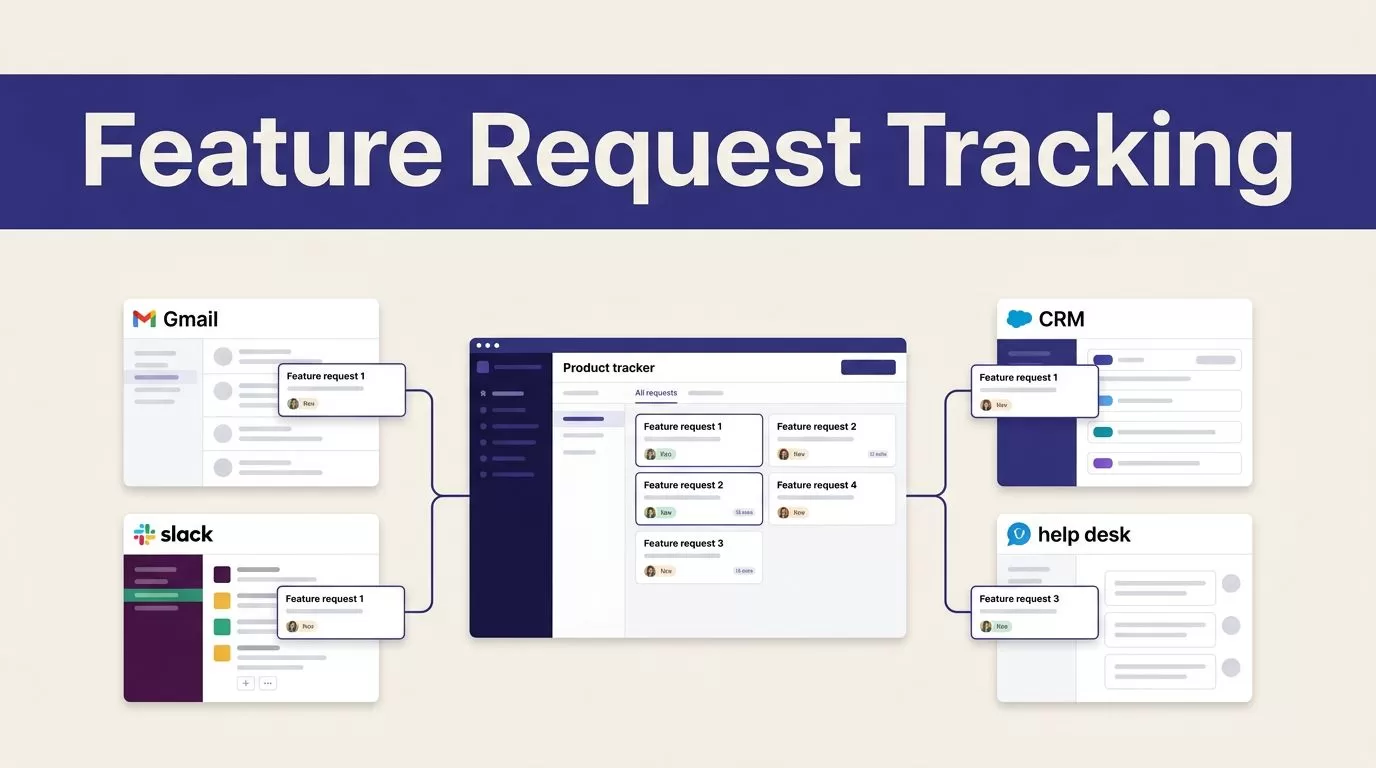
Feature requests are easy to collect and hard to keep usable. A message in Gmail, a Slack thread, and a sales note can all describe the same need, while your feature request tracking stays split across tabs.
Twin.so can help by reading approved sources, comparing requests, updating your existing system, and notifying customers after a feature ships. It isn’t a native product backlog tool, so the right setup uses Twin as the automation layer around your CRM, help desk, database, or product tracker.
A product manager discussion about an 800-request backlog shows what happens when intake grows faster than manual processes. The workflow below keeps the data organized without giving an AI agent control over roadmap decisions.
Use Twin.so as the Automation Layer
Twin.so is an AI agent and automation platform. You describe a workflow in natural language, then the agent can work across connected tools and websites. Its browser automation can click, type, and navigate when an application has no usable API. Time triggers and webhooks can start workflows on a schedule or after an event.
That makes Twin useful for product operations. It can read feedback from Gmail or Slack, extract structured details, search existing records, update approved systems, and send follow-up messages when the required permissions and connections are available.
Traditional feature request tools may include feedback widgets, voting, and single sign-on. These common capabilities are outlined in Frill’s feature request software guide. Twin.so should not be treated as a replacement for every one of them.
| Workflow job | Twin.so can handle | Keep with your team |
|---|---|---|
| Intake | Read approved emails, messages, and forms | Decide which sources are valid |
| Normalization | Extract fields and create consistent titles | Review unclear requests |
| Duplicate checks | Compare new feedback with existing records | Approve uncertain matches |
| Prioritization | Calculate a score from available data | Make the roadmap decision |
| Notifications | Send approved updates through connected channels | Control the message and audience |
Twin should move customer evidence through your product system. It shouldn’t become the place where roadmap decisions happen.
Automate feature request tracking on Twin.so
Start with the destination. Choose the system that will hold the canonical request record. This could be your current product database, CRM, help desk, or project management tool. If Twin can connect through an integration, API, or browser workflow, it can help move data there. If not, select a supported destination before building the agent.
Create the request fields before you connect any automation. Use a consistent structure:
- Request title
- Customer problem and desired outcome
- Requester name and email
- Account name and account ID
- Source channel, message URL, and date
- Customer plan or segment
- Affected account count
- Current status
- Duplicate or related request links
- Impact score
- Date of customer notification
Next, map each intake source. Use a shared Gmail label for product feedback. Use a dedicated Slack channel for customer requests. Ask sales and support teams to include the account ID and source link whenever they submit feedback manually.
Then describe the workflow in Twin’s agent builder. A useful instruction can look like this:
Read new feature feedback from the approved Gmail label and Slack channel. Extract the request, requester, account, evidence, urgency, and source URL. Search existing request records before creating a new one. If the problem matches an existing record, append the new evidence and link the source. If the match is uncertain, mark it as Needs review and create no new record. Write only to the approved feature request system. Do not contact customers or promise a delivery date.
Run the first version on a schedule if your intake tool doesn’t provide a webhook. A daily scan is enough for many small SaaS teams. Use event-based triggers when your connected tools support them and your team needs faster updates.
The first run should create a review queue. Don’t start with unattended writes. Check whether Twin extracts names, account IDs, links, and request details correctly before expanding access.
Remove Duplicates and Attach Customer Context
Duplicate handling needs clear rules. “Find similar requests” is too vague. Tell the agent what counts as the same request and what should remain separate.
Twin should compare the underlying customer problem, not only the wording. “Add SSO,” “support SAML for our workspace,” and “we need identity provider login” may describe the same need. “Allow login with Google” may be a separate implementation or a different request entirely.
Use three outcomes:
- Link the new message to an existing record when the problem and desired outcome match.
- Create a new request when the customer is asking for a different outcome.
- Send the item to review when the match is uncertain.
When Twin finds a match, it should append the new evidence instead of creating another record. Store the source message URL, requester, account, and date. Add the account as a voter or affected customer when your destination system supports linked records. Otherwise, store the account ID in a structured field.
Customer context makes the request useful to product managers. After the initial match, ask Twin to look up available CRM data. Twin’s published use cases include CRM updates and syncing workflows with systems such as HubSpot and Salesforce. Use those connections only when your account data is available and the permissions are restricted.
Useful context includes the account owner, plan, seat count, renewal date, segment, current health status, and prior conversations. Don’t copy an entire customer record into the request. Pull only the fields your product team needs.
A request from one account may show a local preference. The same request repeated by several accounts in a target segment may point to a broader product problem. A feature request management guide also places centralization and categorization before prioritization. Your Twin workflow should follow the same order.
Prioritize Requests by Customer Impact
Twin can prepare prioritization data. Your product team still owns the decision.
Set a scoring model before asking the agent to rank anything. A simple model can use 1-to-5 ratings for:
- Number of distinct accounts requesting the capability
- Revenue or renewal exposure
- Frequency of the underlying problem
- Urgency, such as a security, compliance, or workflow blocker
- Fit with the current product strategy
- Estimated implementation effort
Give each factor a weight. A compliance blocker may carry more weight than request volume. A request from several high-value accounts may rank above a popular request from free users. The correct weights depend on your product strategy.
Ask Twin to calculate the score, store it in the request record, and write a short reason for the result. The reason should cite the account count, customer segment, revenue field, or source messages that support the score.
For example, a request repeated by five enterprise accounts with the same workflow problem should show five linked accounts and a clear explanation. A request with many internal mentions but no affected customer records should not receive the same score automatically.
Keep a human review step before changing a request to Planned or In progress. Twin can sort the queue and prepare a weekly review. It should not decide that a feature is strategically correct based only on message volume.
Use statuses that match your actual process: New, Triaged, Planned, In progress, Shipped, and Not planned. Avoid adding statuses that no team member understands. The status field drives later automation, so simple names reduce errors.
Notify Requesters When a Feature Ships
Customer follow-up is where feature request tracking becomes useful. A request shouldn’t disappear after the product team closes it.
Set the shipped workflow around a status change. When a request changes to Shipped, Twin can retrieve the linked requesters and account owners. If your system doesn’t provide an event trigger, schedule a scan for shipped records that lack a notification date.
Before sending anything, the agent should check four fields:
- The requester has a valid email or approved communication channel.
- The request has not already received a shipping notification.
- The feature name and help documentation are ready.
- The account is allowed to receive the update.
Send the message through the connected Gmail workflow or another approved channel. Record the notification date, channel, and message link in the request record. This prevents multiple teams from contacting the same customer about one release.
Keep the message factual. A useful update can say:
SAML SSO is now available for your workspace. You can enable it in Settings > Authentication. Reply if you need help with setup.
Don’t include an unapproved roadmap promise. Don’t tell customers that a feature is coming unless the product team has approved that wording. If a request is Not planned, use a separate internal review process unless your team has a clear customer response policy.
Internal notifications can use the same workflow. Twin can post a short update in a product or customer-success Slack channel with the shipped feature, linked requests, affected accounts, and notification status.
Add Controls Before the Agent Runs Unattended
Automation should remove repetitive work without creating new cleanup work. Add controls before you grant Twin broad write access.
- Start in read-only mode. Have the agent extract requests into a review queue for several runs.
- Restrict access to the approved inbox, Slack channel, CRM fields, and request destination.
- Require a source URL for every new record or update. Missing evidence should stop the write.
- Use confidence rules. High-confidence matches can be linked automatically. Uncertain matches should wait for review.
- Block external messages until a shipped status, valid contact, and approved feature link are present.
- Keep an audit field with the agent run time, action taken, and source record.
Test the workflow with duplicate requests, missing account IDs, forwarded emails, unclear wording, closed accounts, and already-notified records. Review the output after each test. A browser-based action can fail when a page layout changes, so the agent needs a visible error state and a manual fallback.
Measure the workflow after launch. Track median time from intake to triage, duplicate rate, percentage of records with complete customer context, manual edits per request, false duplicate matches, and time from shipment to customer notification.
If the workflow crosses your inbox, CRM, request database, and customer email, an implementation review can help define permissions and failure handling. Book A Call when your team needs help mapping those steps.
Conclusion
Twin.so works best as the automation layer around your existing product system. It can collect feedback, normalize requests, compare duplicates, add customer context, prepare impact scores, and trigger approved notifications.
Your team still controls the source of truth, roadmap decisions, customer messaging, and write permissions. Build the workflow in review mode first, then expand automation after the records are accurate.
Good feature request tracking doesn’t mean collecting more messages. It means turning scattered customer evidence into one usable record with a clear owner, impact, status, and next action.
