How to Build HIPAA Compliant Automation on Twin.so
Automating healthcare workflows accelerates patient intake and data routing, but handling protected health information without strict technical controls triggers massive federal penalties. Healthcare operations leaders and technical teams n...

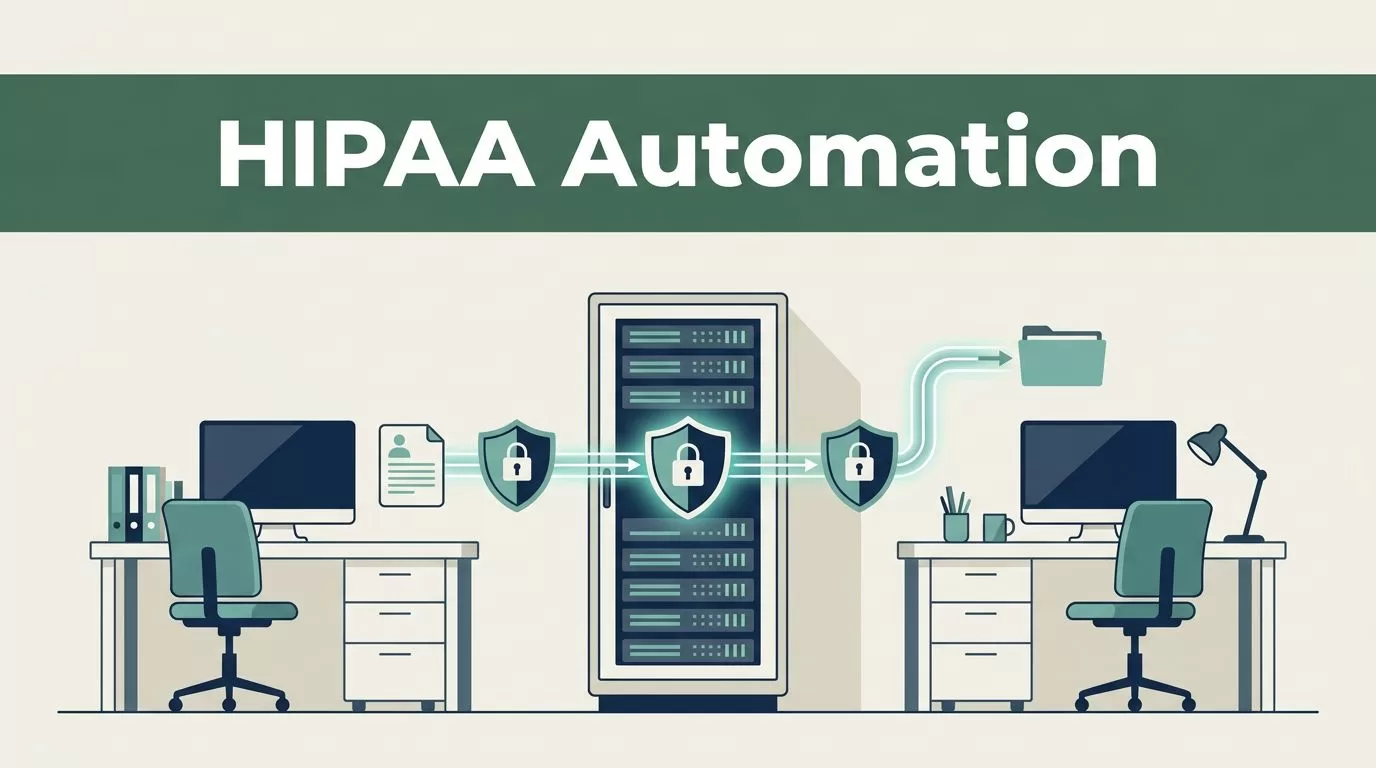
Automating healthcare workflows accelerates patient intake and data routing, but handling protected health information without strict technical controls triggers massive federal penalties. Healthcare operations leaders and technical teams need reliable pipelines that protect sensitive records while eliminating manual bottlenecks. When you deploy HIPAA compliant automation across your organization, you reduce human error and speed up administrative turnaround times. Building this infrastructure requires more than selecting a modern platform. You need a structured deployment plan that aligns software features with federal security standards.
Understanding Healthcare Data Security and Platform Scope
Operational efficiency matters in modern healthcare, but regulatory adherence dictates your system architecture. When you evaluate platforms like Twin for your data pipelines, you must look past basic feature lists. You need to inspect how the environment handles data in transit and at rest. Every database table, API endpoint, and webhook receiver must enforce encryption standards that meet federal benchmarks.


Many organizations assume that cloud tools handle security automatically, but your internal engineering team remains responsible for configuration accuracy. You must define clear boundaries for where protected health information enters your environment. If your automated workflows ingest patient intake forms, appointment requests, or clinical notes, those payloads contain electronic protected health information. For a deeper breakdown of how data flows through modern secure systems, review What Is HIPAA Compliant Workflow Automation?.
Platform architecture determines whether your system can scale securely. You must verify that your database instances reside in isolated virtual private clouds with strict firewall rules. Shared hosting environments introduce vulnerabilities that violate security guidelines. Your technical operators need root access level visibility into server logs to spot unauthorized connection attempts immediately.
Establishing Legal Boundaries and Business Associate Agreements
Technology selection represents only the first step in your compliance journey. You cannot legally process protected health information on any third-party platform without executing a formal Business Associate Agreement. This contract legally binds the software vendor to uphold federal privacy and security standards. Twin Health and similar enterprise platforms market themselves as compliant, but you must request their official Business Associate Agreement documentation before transmitting patient records.
Federal guidelines from the Department of Health and Human Services state that a Business Associate Agreement must outline specific responsibilities. The vendor must agree to report any security incidents or data breaches without unreasonable delay. They must also ensure that any subcontractors handling your data adhere to the same stringent rules. If a vendor refuses to sign this agreement, your legal team must halt integration immediately.
Your organization also needs to conduct a comprehensive risk assessment before launching any automated workflow. Document every point where patient data crosses system boundaries. Identify potential vulnerabilities in your API connectors and third-party integrations. For practical strategies on structuring your internal compliance reviews, consult the guidance on How to Automate Healthcare Workflows While Staying Compliant.
Risk assessments are not static documents. You must update your threat matrix whenever you add new automated triggers, modify database schemas, or onboard new engineering personnel. Maintaining an active audit trail of your risk evaluations proves due diligence if federal regulators examine your operations.
Configuring Secure Permissions and Access Controls
Unrestricted administrative access destroys the security posture of any digital workflow. You must implement strict role-based access controls across your Twin.so workspace. The principle of least privilege dictates that every user and automated service account receives only the permissions necessary to complete their specific tasks.

Start by auditing your current user directory. Remove terminated employees, contractor accounts, and inactive service tokens immediately. Next, assign granular permission groups based on operational roles. Front desk staff need access to scheduling modules, but they do not need permission to modify backend database connectors. Clinical supervisors need access to patient history logs, but billing personnel should only view financial fields.
Modern platforms require multi-factor authentication for every active login. Password-only authentication leaves your environment vulnerable to credential stuffing and brute force attacks. Enforce hardware token authentication or authenticator app verification for all internal operators. For comparative insights on how top-tier platforms handle user permissions and security credentials, examine Top 4 HIPAA Workflow Automation Tools.
Service accounts used by your automated workflows require special handling. Do not use master API keys that grant universal access across your entire tech stack. Generate scoped API tokens with narrow permissions for each specific automation script. Rotate these tokens on a strict schedule to minimize the impact of any potential credential leak.
Designing End-to-End Workflows with HIPAA Compliant Automation
Building practical pipelines requires mapping every step of your data journey from ingestion to storage. When you design HIPAA compliant automation, you must eliminate manual data entry points where typos and oversight introduce compliance risks. Consider a standard patient intake scenario where a web form submits new patient details into your database.
First, configure your ingestion form with client-side and server-side validation rules. Ensure that data fields accept only expected formats for phone numbers, dates, and identification numbers. Encrypt all payload data in transit using TLS 1.3 protocols before it hits your server endpoints. Unencrypted HTTP traffic must be blocked entirely at the load balancer level.
Second, establish automated data masking for non-essential personnel. When an automation script routes a notification to a general messaging channel, strip out sensitive identifiers like Social Security numbers and detailed diagnostic codes. Send only the necessary operational flag, such as a notification that a new intake file is ready for review.
Third, configure automated data retention and purging routines. Federal rules prohibit retaining protected health information indefinitely when it is no longer required for treatment, payment, or healthcare operations. Set up scheduled database cron jobs that securely purge temporary cache files and staging tables after a defined retention window. For a comprehensive overview of healthcare automation standards and technical best practices, review the Best Healthcare Automation Tools Guide.
Monitoring and Audit Trails for Healthcare Operations
Visibility prevents minor system anomalies from turning into catastrophic data breaches. You must configure comprehensive logging across every component of your automated pipeline. When an automated script reads, writes, or modifies patient records, the system must record the event in an immutable audit log.
Your audit trail needs to capture specific metadata for every transaction. Record the exact timestamp, the unique user identifier or service account token, the IP address of the origin, and the specific database table affected. Store these log files in a dedicated, write-once-read-many storage bucket to prevent tampering by unauthorized users or compromised system accounts.
Review your audit logs on a regular schedule rather than waiting for an annual compliance audit. Set up automated alerting rules that trigger when unusual activity occurs. If a service account attempts to download an unusually large volume of patient records outside normal operating hours, your security team must receive an immediate notification. For specialized operational workflows in clinical environments, see the guidance on Best HIPAA-compliant Automation Tools for Therapy Practices.
Incident response planning forms the final layer of your monitoring infrastructure. Document exact escalation procedures for your engineering and compliance teams. If a security anomaly occurs, your staff must know how to isolate affected server instances, revoke compromised access tokens, and notify affected stakeholders according to federal breach notification rules.
Enforcing Workforce Training and Internal Policies
Software configurations and legal contracts mean nothing if your internal team bypasses security protocols for convenience. You must establish clear standard operating procedures for every employee who interacts with your automated workflows. Human error remains the leading cause of security incidents in healthcare organizations.
Conduct mandatory compliance training for all new hires before granting them access to production systems. Refresh this training annually for your entire workforce. Your curriculum must cover basic security hygiene, including password management, phishing recognition, and the proper handling of electronic protected health information.
Create internal documentation that clearly outlines what employees can and cannot do within your automation platform. For example, explicitly forbid exporting patient data into local spreadsheets or transmitting records through unsecured consumer messaging apps. Make sure your team understands the disciplinary consequences of violating these internal policies.
Establish a clear channel for employees to report suspected security vulnerabilities or suspicious system behavior without fear of retaliation. When staff members spot an awkward permission setting or a broken webhook, they should feel empowered to report it immediately to your technical lead. Quick internal reporting stops minor configuration mistakes from evolving into reportable security breaches.
Managing Third-Party Integrations and API Security
Modern automation relies heavily on connecting disparate software tools through webhooks and application programming interfaces. Each external connection introduces a potential vulnerability that could compromise your entire compliance posture. You must audit every third-party service before linking it to your core database.
Review the security certifications and compliance documentation of every external vendor you use. Do not rely on marketing claims alone. Request SOC 2 Type II reports, penetration test summaries, and architecture diagrams. If a vendor cannot provide proof of security hardening, find an alternative provider that meets your operational standards.
Secure your webhook endpoints by verifying request signatures. When an external service sends data to your automation platform, your server must validate the cryptographic signature attached to the payload. This verification step prevents malicious actors from injecting false data packets into your automated pipelines.
Limit outbound data sharing to the absolute minimum required for the task. If an external billing service only needs a patient billing identification number and an invoice total, do not transmit clinical notes or diagnostic summaries in the same payload. Minimizing your data footprint reduces your liability if an external partner suffers a security compromise.
Testing and Validating Your Automated Pipelines
Deploying updates to a healthcare automation pipeline requires rigorous pre-production testing. You must never test new workflows directly in your live production environment using real patient records. Doing so violates federal data minimization rules and introduces unacceptable risks.
Set up an isolated staging environment that mirrors your production infrastructure. Populate this staging database with synthetic test data that mimics the structure of real patient records without containing actual identifiers. Test your data ingestion forms, routing scripts, and database writes thoroughly within this sandbox environment.
Run failure mode simulations to see how your automation platform handles unexpected errors. What happens if the destination database goes offline while an intake script is running? Does your error-handling routine retry the connection securely, or does it drop the payload into an unmonitored local queue? Verify that failed transactions trigger appropriate alerts without exposing sensitive data in plain-text error logs.
Document every test cycle and save your validation reports. When federal auditors or insurance underwriters review your compliance posture, your test logs serve as tangible evidence that your engineering team validates every system modification before deployment.
Conclusion
Maintaining healthcare compliance requires constant vigilance across your legal, technical, and operational processes. No single software platform makes an organization compliant on its own. You must combine secure platform configurations with rigorous risk assessments, strict access controls, and ongoing workforce training.
Always consult qualified legal and compliance professionals to review your specific operational workflows before launching public-facing automation. By taking a disciplined approach to system design, you protect sensitive patient data while unlocking the full efficiency of modern digital tools. Implement these safeguards today, audit your access controls regularly, and build reliable systems that stand up to regulatory scrutiny.

