Bulk Email Verification With Hunter.io: Pricing, CSV, and API
Updated September 23, 2026. Bulk email verification checks a list of addresses before you use it in a campaign or add the results to a CRM. This guide explains Hunter.io’s CSV workflow, current credit math, result labels, API consider...

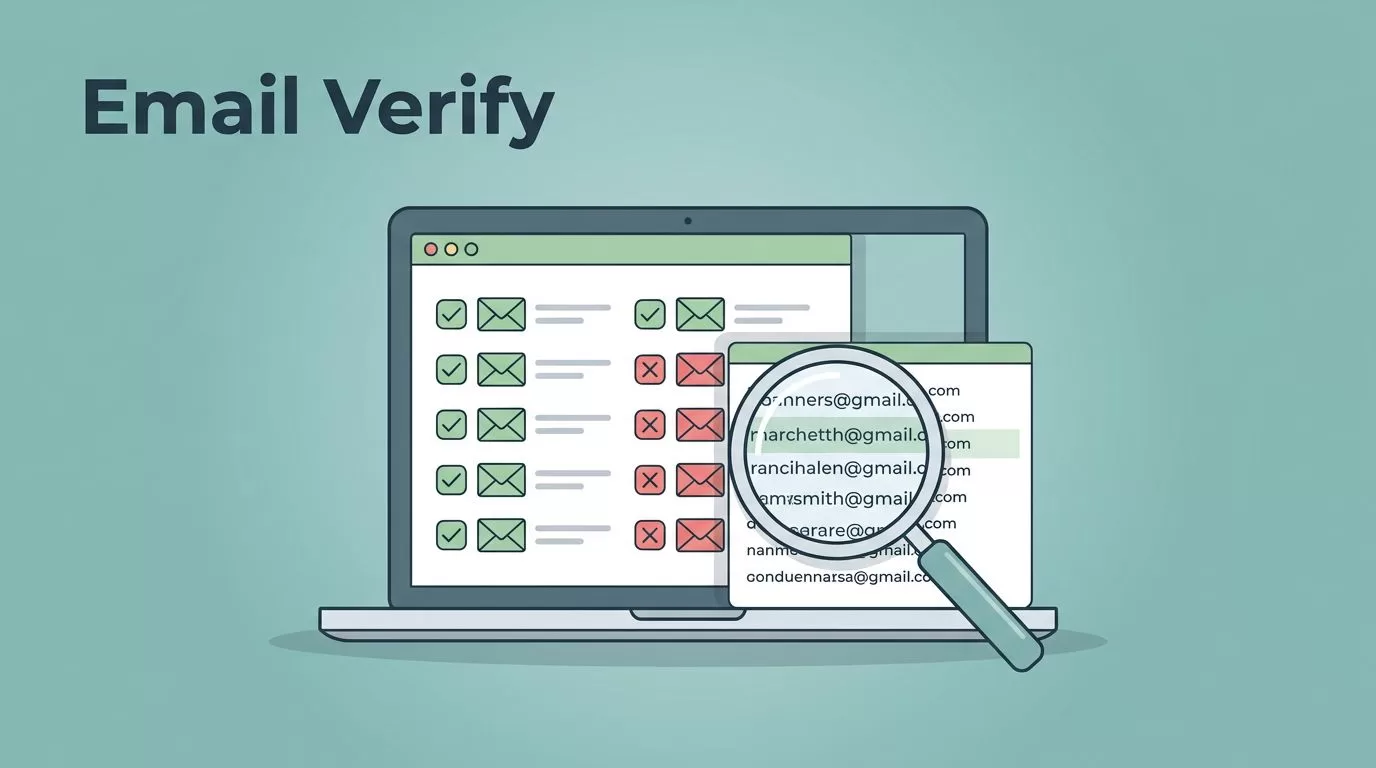
Updated September 23, 2026. Bulk email verification checks a list of addresses before you use it in a campaign or add the results to a CRM. This guide explains Hunter.io’s CSV workflow, current credit math, result labels, API considerations, and privacy checks. It is for marketers and sales teams who need a repeatable way to review a list, not a promise that every address will reach an inbox.
Quick answer: what is bulk email verification?
Bulk email verification checks many addresses in one job to estimate whether each one can receive mail. Email validation often refers to the same wider process, but a syntax-only validation checks format, not mailbox existence. A fuller verification may check the domain’s DNS and mail records and ask the receiving server for a signal. Server checks can be blocked or inconclusive, and results can change later. Hunter’s Bulk Email Verifier accepts a CSV or pasted list; use it for one-time or occasional list cleaning. Use the Email Verifier API when your system needs to check new records as they arrive or run a controlled recurring workflow.
A verification result is one data point. It does not prove that the person gave consent, wants your message, will engage, or will see it in the inbox. Keep an unchanged source file, join results back by a stable row ID, review uncertain records, and stage any CRM or campaign update before applying it to live contacts.
How Hunter verification works, and what the checks mean
Verification combines checks that look at the address and domain with signals from the receiving mail server. Syntax checks catch malformed addresses. DNS and MX checks look for a domain configured to receive mail. An SMTP check asks the mail server how it would handle an address, but a server can block or obscure that response. Hunter does not send a message to the mailbox during verification. See Hunter’s overview of how verification works.
These checks answer different questions. A working domain is not proof that one person’s mailbox exists, and a server response is not a test of inbox placement. Hunter’s current verifier labels are Valid, Invalid, Accept-all, Disposable, and Unknown. They are tool results, not campaign instructions. Use the table below as a starting point, then consider the record’s source, age, consent, and intended use.
Hunter also returns a Confidence Score. Its FAQ says this score is most useful for Accept-all results and is based on signals such as address-format patterns and observed successful engagement, not a live mailbox check. Hunter recommends prioritizing Accept-all addresses above 85%, but that threshold still does not prove that an address will accept your message.
Hunter’s published status list does not provide separate verdicts for role-based addresses, hard bounces, soft bounces, or spam traps. A role address such as support@company.com may be a working inbox, but could be unsuitable for an individual-person campaign. Hard and soft bounces are delivery outcomes reported after sending, not pre-send verification statuses. Treat spam-trap screening as a separate capability to confirm with a vendor; a Valid result is not evidence that a contact is trap-free.
Hunter pricing and how to estimate a list
Pricing snapshot checked September 23, 2026. Hunter’s help center says verification on its All-in-One Outreach plans uses 0.5 credit for each address that receives a billable result. Unknown results do not use credits, and disposable addresses are skipped. The pricing page lists add-on Verification credits at $50 per 1,000. The Data Platform has separate credit terms, so do not apply the All-in-One calculation to every account.
| Addresses submitted | Maximum credits at 0.5 each | Illustrative top-up cost* |
|---|---|---|
| 1,000 | 500 | $25 |
| 10,000 | 5,000 | $250 |
*This is a ceiling estimate if every row is billable and you buy add-on credits at the listed $50 per 1,000 rate. It excludes the plan fee and tax. Included monthly credits, unused credits, Unknown results, skipped disposable addresses, and account-specific terms affect the actual charge. Check Hunter’s pricing page, current balance, and task limit before uploading. Hunter’s bulk-verification instructions say a job can contain up to 100,000 addresses, but available credits can limit how many are processed.
Hunter or another verifier?
Compare tools on the workflow you need, not on an accuracy percentage without its test method. Here is a practical comparison of Hunter and ZeroBounce based on their current product, pricing, help, and trust pages. Recheck the linked terms before buying because plans and integrations change.
| What to compare | Hunter | ZeroBounce |
|---|---|---|
| Bulk and API | CSV/TXT bulk jobs and an Email Verifier API. Good fit when prospect research, verification, and CRM workflows sit in Hunter. | Bulk file validation and a real-time Email Validation API. Good fit when you want to review its broader deliverability-tool bundle. |
| Connections | Hunter lists Google Sheets, HubSpot, Salesforce, Pipedrive, Zoho, Zapier, Make, and other connections on its integrations page. Confirm the exact action supported for your account. | Its official site promotes integrations and API/SDK support. Check the current integration catalog for your exact CRM or form tool. |
| Unknown and catch-all | Unknown is not charged on the documented All-in-One workflow. Accept-all is a separate status and is less certain than Valid. | The vendor documents Unknown and Catch-all outcomes; its facts page says Unknown results are not charged. Confirm current credit rules for other results. |
| Price model | Plan credits plus add-on Verification credits; the current published add-on rate is $50 per 1,000 credits. The 0.5-credit All-in-One rate makes 1,000 billable addresses about $25 before plan fees. | Its pay-as-you-go guide lists 2,000 credits for $39 and 10,000 for $129. ZeroBounce ONE includes 10,000 credits monthly for $99 per month, or $79 per month billed annually. Unknown results and duplicates are not charged, and credits do not expire. See the pricing and billing terms and confirm current details at checkout. |
| Security review | Review Hunter’s current privacy and contractual terms for retention, deletion, and your intended data use. | Its trust center describes security evidence and says uploaded validation files are deleted within 30 days, with manual deletion available. |
Choose Hunter for a straightforward CSV cleanup or when your sales team already uses its prospecting and CRM connections. Consider ZeroBounce if its available validation workflows, integrations, and trust documentation fit your team’s requirements. Neither vendor’s result replaces a small pilot, contract review, or your own sending controls. If a different service is on your shortlist, compare its current API limits, credit rules for Unknown and catch-all results, file retention, deletion controls, and integration details before uploading a full list.
Step-by-step: bulk email verification in Hunter’s UI (CSV file upload that doesn’t bite back)
I use the UI when I’m cleaning a one-off bulk email list, sharing results with a teammate, or I want a quick download for the CRM.


Here’s the workflow I follow for bulk email verification:
- Keep a master copy. Save the source export unchanged. Add a stable
record_idor source row number in your own working copy. Hunter documents CSV/TXT upload and a results CSV with addresses and status, but do not assume extra source columns will be preserved in the export. - Clean and deduplicate carefully. Trim spaces and normalize addresses for matching. Identify blank cells, malformed addresses, and duplicate emails before upload. If multiple CRM contacts share one email, keep their IDs and map one verification result back to each record. Hunter says separate bulk CSV files are not cross-checked for duplicate addresses, so splitting a list can result in duplicate charges.
- Run a controlled pilot. Test a small sample with known valid, malformed, duplicate, blank, and risky or old addresses. Confirm the results match the right source rows. Check how your export handles blanks, duplicates, and failed or unknown records. Review surprising results before scaling.
- Start the bulk job. In Hunter, open Bulk, choose Email Verifier, then upload a CSV/TXT file or paste addresses one per line or separated by commas. Hunter documents a maximum of 100,000 addresses per job. Check available credits and the limit in your account first. The job starts using credits when launched; canceling may not reverse checks already completed.
- Export and reconcile. Download the finished results. Join them to the master data using a normalized email plus your stable ID or an explicit row mapping. Do not match by row order alone. Keep the original email, source, result, verification time, and any review decision.
- Stage changes before production. Save a staging export and have a second person review a sample. Only then suppress or update records in a CRM or campaign tool. Retain a change log so you can reverse a mistaken import.
Keep a master file like the example below for matching and audit history. Upload only the address column unless Hunter’s current upload flow confirms that extra fields are supported:
| record_id | source | collected_at | |
|---|---|---|---|
| R-1001 | alex@example.com | event signup | 2026-08-15 |
| R-1002 | taylor@example.org | webinar | 2026-08-18 |
| R-1003 | jordan@example.net | customer inquiry | 2026-08-20 |
Before I upload, I do three “cheap” cleanups that prevent ugly surprises as part of email list cleaning:
- Syntax validation: trim spaces, lowercase domains, remove commas and stray quotes, dedupe.
- Domain sanity check: fix obvious typos (gmial.com), do an mx record lookup, remove placeholder domains.
- MX awareness: if a domain has no MX records, it’s usually dead for outreach.
A small bulk email list can hide big problems. Ten percent invalid email addresses in a 5,000-row upload is 500 hard bounces you didn’t need; those invalid email addresses add up fast.
Plan limits can cap how many emails you can verify per bulk task (and you’ll also stop once credits run out). Since these limits can change, I always check what Hunter shows inside my account before large runs.
Use Hunter’s API for recurring or real-time checks
A CSV job fits an occasional cleanup. An API workflow fits a form, CRM sync, or recurring import where new records arrive every day. Hunter’s Email Verifier endpoint checks one address per request. Put requests through a queue rather than blocking a signup form while a remote mail server responds. You can accept the form, mark the contact as pending, and decide what follow-up is allowed after the check returns.
Request and response example
The current endpoint is GET https://api.hunter.io/v2/email-verifier. Hunter accepts an API key in a header or query parameter. A header keeps the key out of the URL, browser history, and many request logs:
curl --get 'https://api.hunter.io/v2/email-verifier' \
  --data-urlencode 'email=alex@example.com' \
  -H "Authorization: Bearer $HUNTER_API_KEY"
A shortened response example is shown below. The current API guide identifies data.status as the verification result. Read the full response and current API reference for fields your integration needs; do not build against an old third-party example.
{
  "data": {
    "status": "valid"
  }
}
Queue work, respect limits, and resume safely
- Chunk locally. The verifier takes one email per call, not a CSV batch. Put records into small application-side work units, such as 50 to 100 rows, and checkpoint each row. That is an operational starting point, not a Hunter batch-size limit.
- Throttle requests. Hunter’s current API documentation lists up to 10 requests per second and 300 per minute for the Email Verifier. The per-minute cap is the tighter sustained limit. Start below it, such as 3 to 4 requests per second, and monitor responses and your account quota.
- Handle pending checks. A request that takes longer than about 20 seconds can return HTTP 202 while Hunter continues the check. Keep that record pending and poll the same email-verifier endpoint later for the result instead of marking it failed.
- Retry only transient errors. Back off with a cap for timeouts, 5xx responses, or a 403 rate-limit response. A 429 usage-limit response needs a quota or plan fix, not endless retries. Correct malformed requests and invalid credentials before trying again.
- Prevent duplicate work locally. Store a unique run ID and source record ID. Before calling Hunter, check whether that record already has a completed result for the same normalized address and verification run. Save status, returned score or flags when present, source record, check time, attempt count, and the action taken. Do not assume the API supplies an idempotency key.
For a failed job, restart from the last saved checkpoint, not from row one. For a form, keep the original signup event separate from the verification result so a retry cannot create duplicate contacts or send the same follow-up twice. Verify current field names, limits, and credit rules in the Hunter API reference before deployment.
What to do with each status: my decision checklist (send, warm-up, enrich, suppress)
Verification only helps if it changes what you do next. This is the routing map I use in sales ops discussions to manage bounce rate, protect sender reputation, and handle invalid email addresses effectively.

Here’s the checklist I apply after bulk runs:
| Hunter result | Suggested action | What it does not prove |
|---|---|---|
| Valid | May be considered for a relevant, permission-based campaign. Keep monitoring actual bounces. | It does not guarantee delivery, inbox placement, consent, or engagement. A mailbox can change after the check. |
| Invalid | Suppress from marketing sends. Correct or replace the address only with a reliable source. | It does not tell you whether the person has another address or whether a different channel is appropriate. |
| Accept-all | Hold for review. Check the Confidence Score and source quality. If you choose to test, use a small, carefully monitored, permission-based send. | The domain accepts mail broadly; this cannot confirm the specific mailbox. A score or warm-up does not remove that uncertainty. |
| Unknown | Hold. Check for a temporary server issue and consider one later recheck. If it stays unknown, do not treat it as safe by default. | The server did not provide a clear mailbox result. Unknown is not the same as valid. |
| Disposable | Usually suppress from ongoing marketing lists, then review the signup or source if the record matters. | The label does not establish who used the address or why. It is not a spam-trap verdict. |
Do not move Accept-all or Unknown addresses into a campaign just because you reduced send volume or ran a warm-up. If your policy permits a test, first review source and permission, isolate the segment, and monitor actual delivery outcomes. Otherwise, hold the record or leave it out.
Choose a workflow and confirm integrations
For a one-time campaign cleanup, export a CSV, pilot it, verify the list, and import only reviewed results. For new signups, use an API or an approved form integration to check asynchronously. Avoid holding a signup page open while a mail server check runs. For CRM maintenance, Hunter lists connections for HubSpot, Salesforce, Pipedrive, and Zoho, plus a Google Sheets add-on. It also lists Zapier and Make workflows, including connections to spreadsheet tools. Check the current Hunter integrations page to confirm which data and actions each connection supports.
If your form, CRM, or campaign system is not directly supported, use the documented API or an export/import file that your provider permits. Keep a staging copy and test the mapping before syncing. An integration can move data; it does not decide whether your contacts are appropriate to email.
Privacy and data handling checklist
Email lists contain personal data. Before uploading them, limit what you send to the fields the verification workflow needs. Use these controls:
- Remove unrelated fields such as notes, phone numbers, and sensitive attributes. Keep a separate, access-controlled source record for joining results.
- Store API keys in a secrets manager or protected environment variable. Limit key access to the service that needs it, rotate keys when staff or vendors change, and never put a key in client-side code.
- Keep full contact addresses out of routine logs, analytics, screenshots, and support tickets. Log a record ID or masked value where practical.
- Read the vendor’s current privacy notice, terms, data-processing agreement, retention period, deletion process, subprocessors, and data-location options. Ask the vendor for current security evidence if your review requires it.
- Set an internal retention period for source files and verification exports, restrict who can download them, and securely delete working copies when no longer needed.
These steps reduce exposure, but an API key, retry policy, or vendor certification does not by itself make a workflow legally compliant. Confirm the lawful basis, notice, consent, and contractual duties that apply to your use case with your privacy or legal team.
Verification is one part of deliverability
A verifier can flag some addresses that may reject mail. It cannot guarantee inbox placement or protect a sender reputation on its own. Deliverability also depends on permission and list source, relevant content, sending volume, complaint rates, engagement, and proper SPF, DKIM, and DMARC authentication. Watch hard bounces and temporary soft bounces after sending, follow your email provider’s rules, and stop sending to contacts who opt out or complain. Verification is a list-quality check, not a substitute for good sending practices.
Conclusion
When I use Hunter.io for bulk email verification, I’m buying clarity for my bulk email list. I upload clean CSVs for email list cleaning, let the verifier label risk, then route each status with discipline to protect sender reputation and boost email deliverability. After that, the API helps me keep the same rules running quietly in the background for sustained email deliverability.
If you’re about to launch a new outbound push with your bulk email list, prioritize bulk email verification first to safeguard sender reputation, then ask one simple question: which rows deserve your attention to maximize email marketing ROI today?

