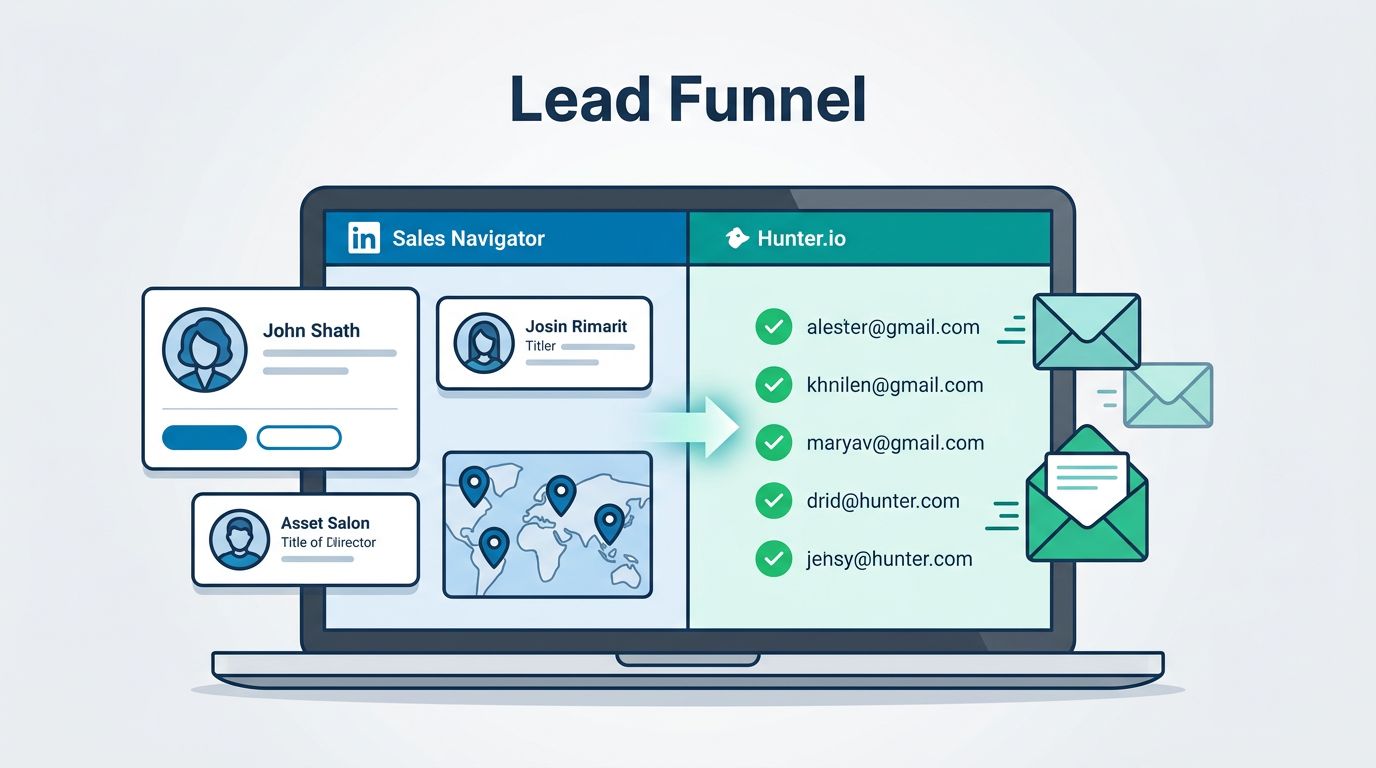
When I need B2B leads that don’t waste my time, I start with LinkedIn Sales Navigator and finish with Hunter.io. One tool helps me find the right people, the other helps me confirm how to reach them.
That pairing saves me from the usual mess, bad email guesses, dead inboxes, and half-finished spreadsheets. As of April 2026, that matters even more because inbox filters are less forgiving, and data changes fast. I use the two tools like a map and a compass, then I verify every step before I send.
Why I pair Sales Navigator with Hunter.io
Sales Navigator is where I build the target list. Hunter.io is where I turn that list into something I can actually use. I don’t treat them as rivals, I treat them as jobs in the same pipeline.
Sales Navigator gives me company size, title filters, geography, and activity signals. Hunter.io gives me email discovery and verification. That split keeps me from wasting credits on the wrong people.
Here’s the simple way I think about it:
| Task | LinkedIn Sales Navigator | Hunter.io |
|---|---|---|
| Find the right accounts | Strong | Weak |
| Narrow by role and seniority | Strong | Weak |
| Spot recent activity | Strong | Weak |
| Find work emails | Weak | Strong |
| Verify deliverability | Weak | Strong |
| Prepare outreach data | Medium | Strong |
I usually start with Sales Navigator because the search filters are better for intent and fit. Then I move to Hunter.io only after I know the lead is worth the cost of a credit. If I want the browser-side workflow, I keep my Hunter.io Chrome extension guide close, because it shows the fastest way to work while I’m already on a profile.

My step-by-step workflow from profile to verified email
I keep the process tight so I don’t drift into research for research’s sake. The goal is a clean list, not a crowded one.
- I build a narrow lead list in Sales Navigator.
I filter by title, company size, industry, and region. If I’m selling to ops leaders, I don’t chase random managers. I want decision-makers, or at least strong influencers. - I open the strongest profiles first.
I look for recent posts, job changes, and company growth signals. Those clues help me write a better first line later. A cold email lands better when it doesn’t feel blind. - I use Hunter.io to find the email.
From there, I test the person against the company domain. If I already know the company pattern, Hunter often gets me there fast. I also keep this Hunter.io lead generation workflow handy when I need the full list-building loop again. - I verify before I export.
I don’t skip this step. A good-looking address can still bounce. If I’m moving data into a sheet or CRM, I like patterns like the ones in this LinkedIn to Google Sheets workflow enriched with Hunter.io, because it keeps the handoff simple. - I write the first email from the research I already did.
I mention the company trigger, role, or recent change. That makes the message feel earned, not scraped.

I treat each email as a claim I need to prove, not a guess I hope works.
The checks I never skip
The biggest mistake I see is moving too fast from profile to send. That usually leads to weak deliverability and sloppy outreach. I’d rather skip a lead than damage my sending reputation.
I watch three things closely: accuracy, privacy, and bounce risk. Hunter.io is good at finding and verifying business emails, but it’s still a data tool, not a legal shortcut. Public contact data doesn’t mean I can ignore consent, relevance, or good judgment.
To keep myself honest, I use a quick mental checklist:
| Check | What I look for | Why it matters |
|---|---|---|
| Role fit | Can this person buy, influence, or route the message? | Stops wasted sends |
| Email confidence | Does Hunter give me a solid match? | Reduces bad guesses |
| Verification status | Is the address safe enough to mail? | Protects deliverability |
For bounce control, I follow the same habits I use in my Hunter.io bounce rate guide. I send small batches first, watch bounce patterns, and suppress bad addresses fast. If I see a catch-all domain, I slow down and test more carefully.
I also keep setup boring and solid. SPF, DKIM, and DMARC matter. So does a separate sending domain if I’m running steady cold outreach. Good data won’t save bad inbox hygiene.
For the workflow side, Hunter’s own integrations page is useful when I want to push verified contacts into my CRM without extra manual work. I also like the logic in Hunter’s workflow help, because it matches the way I think about stages, from import to enrichment to outreach.
Where this stack works best for me
This combination fits a few real-world use cases especially well.
- Sales reps use it to turn a filtered lead list into verified outreach.
- Founders use it when they need direct contact with a short list of high-value targets.
- Recruiters use it to find decision-makers, then verify addresses before outreach.
- Agency teams use it to build niche lists for one industry or one service line.
I think it works best when volume is not the goal. Precision is. Sales Navigator helps me aim, and Hunter.io helps me send with fewer mistakes. That matters when prices keep moving, because Sales Navigator Core now sits around the $100-a-month mark, and Hunter credits still disappear fast if I verify everything twice.
So I use the combo like a workshop, not a lottery ticket. I measure once, cut once, then send only when the lead and the email both look right.
When I use Hunter.io LinkedIn Sales Navigator this way, the process feels calm instead of chaotic. I find better people, verify cleaner emails, and write messages that sound like I did the work. That’s the whole point, better research, fewer bounces, and outreach that respects the person on the other side.