MemberSpace vs Ghost in 2026 for Paid Content Sites
Paid content tools often fail for one simple reason, they make the wrong thing easy. MemberSpace and Ghost solve the same business problem, but they do it from opposite directions. I choose MemberSpace when I already have a website and need...

Paid content tools often fail for one simple reason, they make the wrong thing easy. MemberSpace and Ghost solve the same business problem, but they do it from opposite directions.
I choose MemberSpace when I already have a website and need a paywall. I choose Ghost when I want the membership, newsletter, and site to live in one place. For most people comparing memberspace vs ghost in 2026, that choice decides the rest.
My short answer: MemberSpace is the better add-on. Ghost is the better all-in-one publication.
For the page slug, I would use memberspace-vs-ghost-2026.
Table of contents
- MemberSpace vs Ghost at a glance
- Pricing in 2026 and what I watch for
- Features that matter for paid content sites
- Setup, branding, and site control
- Which one I pick for different site types
- Pros and cons I keep in mind
- Conclusion
- FAQ
MemberSpace vs Ghost at a glance
I compare these tools by structure, not by hype. One wraps around an existing site. The other becomes the site.
I also keep a broad third-party comparison open, like Ghost vs. MemberSpace on Cuspera, because it helps me sanity-check the feature split.
| Category | MemberSpace | Ghost | My read |
|---|---|---|---|
| Core role | Adds paid access to an existing site | Runs the content site itself | MemberSpace fits what I already own, Ghost asks me to build around it |
| Best known for | Paywalls, tiers, gated pages, downloads | Publishing, newsletters, member management | Ghost feels like a publisher, MemberSpace feels like access control |
| Site setup | Works on top of WordPress, Squarespace, Wix, and more | New site or self-hosted install | MemberSpace is lighter on migration |
| Depends on my stack | Built in | Ghost wins when email is part of the product | |
| Payments | Stripe only | Stripe payments, with no Ghost platform fee on sales | Ghost is cleaner on fees |
| Ideal user | Creator with an existing website | Writer, publisher, or newsletter-led brand | The business model decides it |
That table is the whole story in plain form. If I already have a strong site and only need to monetize parts of it, MemberSpace makes sense. If I want the whole experience under one roof, Ghost is the better fit.
Pricing in 2026 and what I watch for
Pricing changes the answer faster than feature lists do. As of June 2026, MemberSpace starts with a Starter plan at $39 per month and a Growth plan at $99 per month. I also see a yearly discount, usually around 20% when I pay annually.
The catch is the platform fee. MemberSpace takes a fee on sales, and the current baseline is 4%, with some recent user reports suggesting a higher number in practice. On top of that, Stripe still takes its own processing fee. I verify the live billing page before I commit, because fee math matters more than sticker price.
Ghost looks cheaper on the surface if I already know how to manage a site. Self-hosted Ghost can be free aside from hosting and Stripe. Ghost Pro starts at $29 per month for the first 1,000 members, then rises as the member count grows. Ghost also does not add its own transaction fee on Stripe sales, which makes the math easier when the audience gets bigger.
I keep one eye on 2026 membership platform roundups when I want to see how these prices sit next to other tools. I also scan creator platform alternatives when I want a second opinion on the market.
| Platform | Starting price | Platform fee | Payment processor | Best pricing fit |
|---|---|---|---|---|
| MemberSpace | $39 per month | About 4% on sales, plus Stripe | Stripe only | Smaller teams that want to monetize an existing site |
| Ghost Pro | $29 per month for the first 1,000 members | No Ghost fee on Stripe sales | Stripe | Publications that want lower fee drag over time |
| Self-hosted Ghost | Software can be free | No Ghost fee on sales | Stripe, plus hosting costs | Technical teams that want full control |
The price gap only tells part of the story. MemberSpace costs more when sales are small, but it can save a full rebuild. Ghost can be cheaper in the long run, but only if I am willing to live inside its system.
Features that matter for paid content sites
When I charge for content, I care less about a pretty dashboard and more about how the product behaves after launch. Members need to sign up cleanly, pay without friction, and get access without confusion.
What MemberSpace gives me
MemberSpace is built for gated access. I can lock pages, sell one-time content, or run recurring memberships without moving my whole site. That matters when the public site already works and I only want to charge for a slice of it.
I also like the flexibility in payment setup. MemberSpace supports tiers, free trials, timed plans, and upgrades or downgrades. It accepts Apple Pay and Google Pay, and it lets members sign in with Google. That lowers friction at the point where people usually quit.
In 2026, the new Member Menu hub gives me another way to organize files, videos, and posts inside the app. That helps when I want a cleaner member area without rewriting every page on my site.
MemberSpace feels strongest when I need to protect a library, a premium resource vault, or a small catalog of paid pages. It is less about publishing and more about access.
What Ghost gives me
Ghost feels like a publishing engine with memberships attached. I can publish posts, send newsletters, manage subscribers, and sell access in the same place. That is a big deal when email is part of the product.
The editor is clean. The member tools sit inside the platform. The whole workflow feels built for people who write first and sell second. Ghost also has an open-source core, so technical teams get more room to shape the stack if they want to self-host.
That is why Ghost usually wins with newsletter-first creators, magazine-style sites, and anyone who wants a content business to feel like a real publication instead of a patched-together bundle of tools.
If I want a broader membership-platform view, Ghost vs. MemberSpace on Cuspera matches the split I keep seeing in practice. Ghost is built around publishing. MemberSpace is built around gates.
Setup, branding, and site control
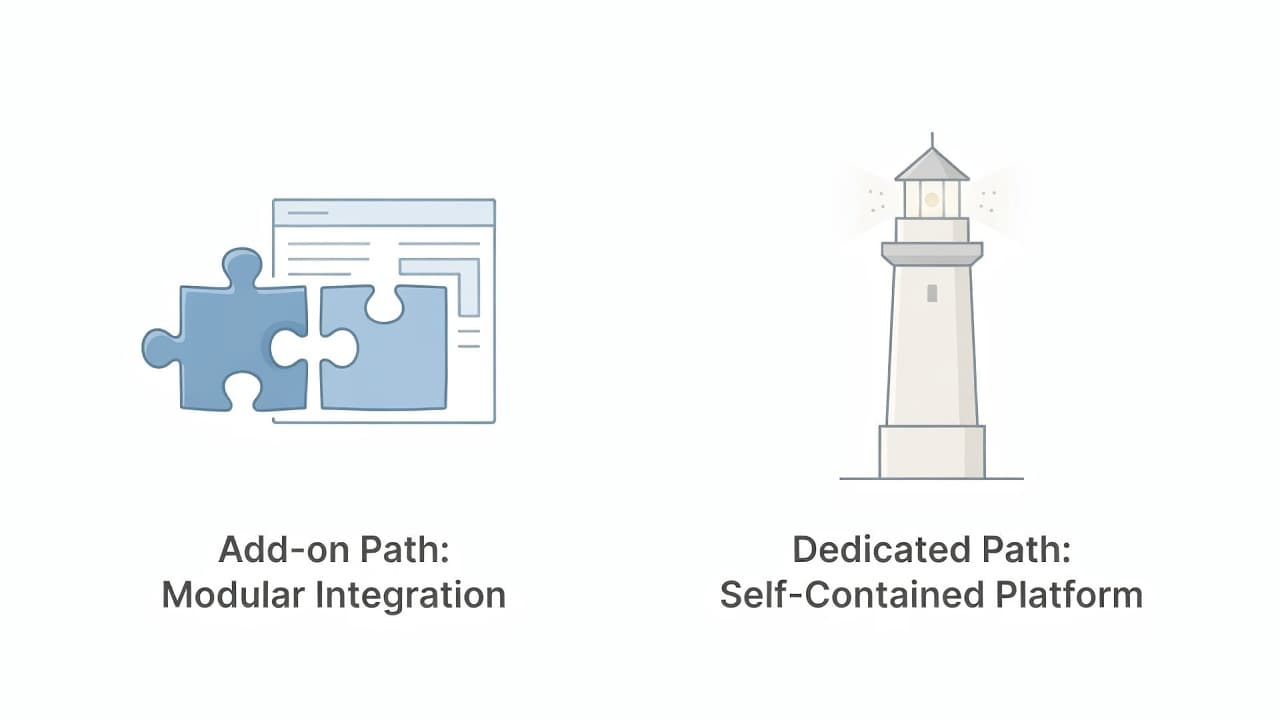
The setup story is where the decision stops being abstract.
MemberSpace keeps me close to the website I already have. That matters when I have spent time on branding, SEO, and page structure. I do not want to throw that away just to add paid access. When I already have a Squarespace site, I lean on my Squarespace paywall integration guide because the job is to lock selected pages, not to rebuild the house.
Ghost asks for more commitment up front. If I choose Ghost, I am choosing its publishing model, its content flow, and usually a migration of some kind. That is not a flaw. It is the tradeoff for having the site and the membership logic live together.
Branding works differently too. MemberSpace can fit inside my current design, but I still depend on the host site for most of the visual feel. Ghost gives me a more native publishing look, which is useful when I want the paid area and the public site to feel like one product.
If I am deciding between a lightweight add-on and a fuller business stack, I keep my MemberSpace vs Podia comparison and MemberSpace vs Outseta breakdown nearby. Those articles help me tell the difference between a paywall tool and a broader operating system.
The control question is simple. If I want to keep my current CMS and layer paid access on top, MemberSpace is easier. If I want a single publishing base with fewer moving parts, Ghost is cleaner.
Which one I pick for different site types
I make the choice faster when I map it to the site I already plan to run.
I pick MemberSpace when…
I already have a site that works. That might be WordPress, Squarespace, Wix, or Webflow. I want to sell premium articles, templates, courses, downloads, or a private resource library without changing the rest of the site.
I also pick MemberSpace when I care more about access control than publishing architecture. If I already have email, marketing pages, and a brand voice elsewhere, I do not need my membership tool to take over those jobs.
For a lot of service businesses, consultants, and creators with an existing audience, that is the cleaner path. I keep my site. I add the paywall. I keep shipping.
I pick Ghost when…
I am starting fresh, or I am ready to move the whole experience into one place. Ghost makes sense when the paid content is tied to newsletters, recurring posts, or a writer-led publication.
I also choose Ghost when I want the site to behave like a real media property. The member list, the email system, and the content layer sit together. That reduces the number of tools I have to manage every week.
If I want a platform that handles more of the business, I compare Ghost with broader stacks first. If the issue is just protected content on an existing site, Ghost is usually more machine than I need.
For a creator choosing between a membership layer and a full content platform, my rule is blunt: MemberSpace protects what I already built, Ghost becomes what I build next.
Pros and cons I keep in mind
I like simple tools, but I never buy them without looking at the tradeoffs.
MemberSpace pros
- It fits an existing website.
- It handles recurring and one-time payments.
- It works well for gated pages, downloads, and tiered access.
- It avoids a full redesign or migration.
MemberSpace cons
- The platform fee cuts into revenue.
- Stripe is the only payment processor.
- The member experience still depends on my current site stack.
- It can feel bolted on if I want a publication-style workflow.
Ghost pros
- Membership and publishing live in one system.
- The newsletter workflow is built in.
- It has no Ghost platform fee on Stripe sales.
- It works well for writer-led brands and premium newsletters.
Ghost cons
- I may need to rebuild or migrate my site.
- Self-hosting takes technical comfort.
- Pricing rises as membership grows.
- It is less attractive if I only need a narrow paywall.
I care about these tradeoffs because they shape my day after launch. A platform should save time long after the first sale.
Conclusion
The difference between MemberSpace and Ghost in 2026 is clear once I strip away the marketing. MemberSpace is an access layer for a site I already own. Ghost is a publishing system with memberships built in.
If I already have a working site and want to sell access to a few pages, MemberSpace is the easier move. If I want the membership to feel like the whole publication, Ghost gives me a cleaner base.
I still verify live pricing and feature limits on the vendor site before I buy, because both products update often. The right choice is the one that matches my structure, not the one with the longest feature list.
FAQ
Is Ghost cheaper than MemberSpace in 2026?
Usually, yes, if I look only at platform fees. Ghost Pro starts lower than MemberSpace’s monthly plans, and Ghost does not add its own fee on Stripe sales. MemberSpace starts higher and adds a sales fee, so I check the live pricing page before I decide.
Can I use MemberSpace with my existing website?
Yes. That is one of its biggest strengths. I use it when I want to keep my current site and add paid access on top. It works well with common site builders, which makes the setup less disruptive.
Which one is better for newsletters?
Ghost is better for newsletters. The email system lives inside the platform, so my content and my subscriber list stay in one place. MemberSpace can support paid access, but it does not replace a publishing-first email system.
Does Ghost charge transaction fees?
Ghost does not add its own platform fee on Stripe sales. I still pay Stripe’s processing fee, and I still check the current Ghost pricing page before launch because plan details can change.
Which one do I pick for a paid course library?
I usually pick MemberSpace if the course library sits on an existing site. I pick Ghost only if I want the course area to live inside a wider publication or membership brand. The right answer depends on whether I am adding access or building a new home for the content.
