Warehouse Automation Tools Built for Your Operation
A warehouse can have scanners, robots, and software yet still lose hours every day. Late receiving updates, inaccurate inventory, manual order routing, and unresolved exceptions create delays that more equipment won’t fix. Warehouse a...
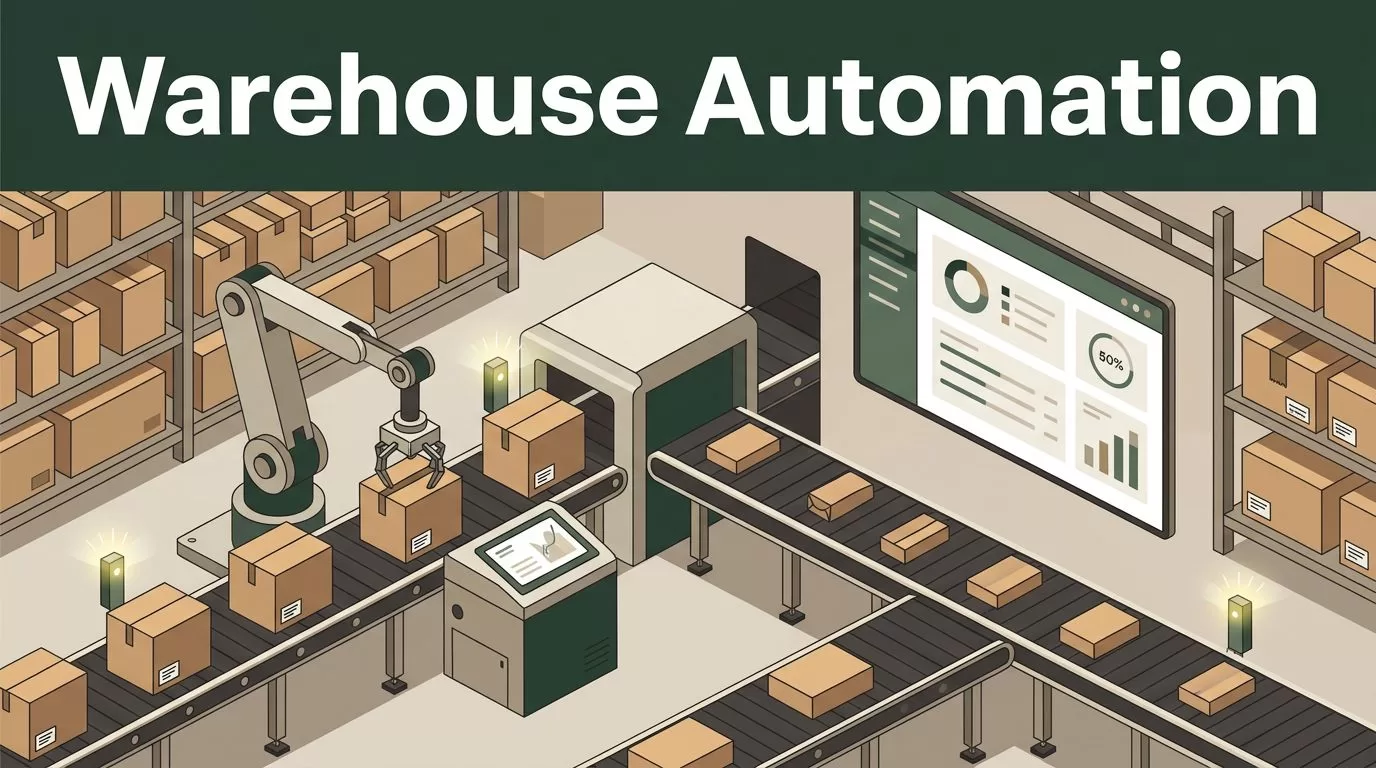
A warehouse can have scanners, robots, and software yet still lose hours every day. Late receiving updates, inaccurate inventory, manual order routing, and unresolved exceptions create delays that more equipment won’t fix.
Warehouse automation tools built around your actual workflows can reduce that friction. Twin.so-built solutions can help connect warehouse data, automate repeatable decisions, and keep employees focused on tasks that need judgment. The right starting point is not a large technology purchase. It’s a clear operational problem.
Why warehouse automation tools need an operational fit
Warehouse automation covers more than robots. It can include software that controls inventory updates, order routing, replenishment, picking priorities, exception handling, and reporting.
SAP’s warehouse automation overview describes automation across receiving, storage, picking, packing, and shipping. Those activities don’t always require the same technology. A conveyor may solve one bottleneck. Better task logic may solve another.
Most warehouses already use several systems. A warehouse management system stores inventory and order data. An order management system handles sales channels. An enterprise resource planning system stores purchasing and financial records. Scanners, scales, printers, carrier platforms, and material-handling equipment add more data sources.
The problem starts when those systems don’t share information at the right time. An order may be ready in the ecommerce system but not released in the warehouse. A receiving team may identify a shortage that purchasing doesn’t see. A manager may discover an inventory issue only after a customer order fails.
A Twin.so-built tool can be designed around these handoffs. It can collect data from connected systems, apply defined rules, and send the next task to the correct person or system. The exact integration method and supported systems must be confirmed during technical review.
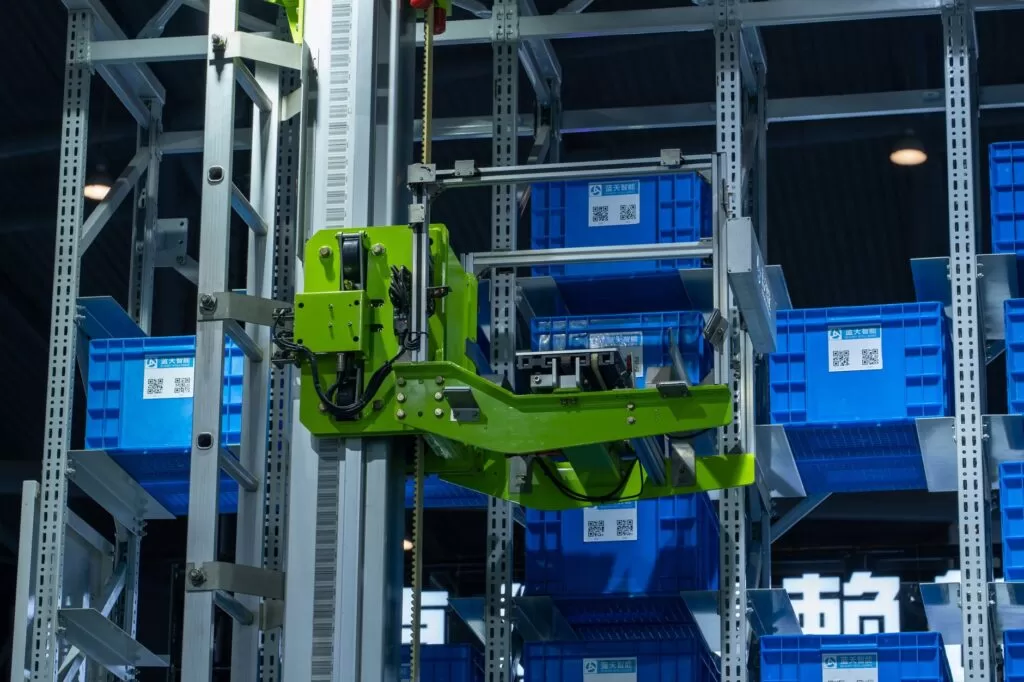
Photo by Peter Xie
The goal is practical. Remove avoidable manual work without hiding important decisions inside an untraceable process.
What Twin.so-built warehouse automation tools can automate
The strongest use cases have three qualities:
- The process happens often.
- The inputs are available in a reliable format.
- The next action follows a clear rule.
Receiving is a good example. A workflow can compare an advance shipping notice with purchase order data and scanned quantities. If the shipment matches, the system can move it to the next receiving step. If the quantities differ, it can create an exception for review instead of allowing bad data into inventory.
Inventory control offers another use case. A tool can compare scan events, stock records, open orders, and replenishment thresholds. It can identify an unusual variance and direct an employee to perform a count. That does not replace the count. It reduces the time spent finding where the count is needed.
Order fulfillment can also benefit from task automation. A workflow may sort orders by promised delivery date, inventory location, carrier cutoff, or special handling requirement. It can send urgent work to a queue and hold an order when a required item is unavailable.
Goods-to-person systems are one example of technology used to reduce unnecessary picker travel. NetSuite’s warehouse automation guide covers this approach alongside other warehouse automation types. A Twin.so-built tool doesn’t need to replace that equipment. It may help coordinate the surrounding work, such as releasing tasks, checking status, or escalating delays.

Common software workflows include:
- Creating receiving tasks when a shipment reaches a defined status.
- Checking order data before release to picking.
- Alerting supervisors when inventory falls below a set threshold.
- Assigning exceptions to employees based on location or responsibility.
- Reconciling completed scans with the expected transaction record.
- Producing daily reports for orders, shortages, aging tasks, and unresolved errors.
These workflows support labor efficiency because employees spend less time copying data between systems. They support accuracy because the system applies the same rule each time. They support scale because higher order volume doesn’t require every step to be handled through email or spreadsheets.
The result depends on data quality and process design. Automation cannot correct an unclear rule or an unreliable source record.
How to evaluate Twin.so-built warehouse automation tools
Evaluate the tool against your operation, not against a product demo. Ask for a workflow that uses your systems, your data fields, and your exception cases.
1. Map every required integration
List the systems involved in the target process. Include the WMS, ERP, OMS, TMS, ecommerce platform, carrier tools, scanners, printers, and equipment controls.
Ask how each system exchanges data. The answer may involve APIs, webhooks, scheduled files, database connections, or another approved method. Confirm what happens when an integration is unavailable. A useful tool needs a clear failure state, not a silent gap.
Ask Twin.so to identify which connections are standard, which require configuration, and which require custom development. Record the owner for each connection.
2. Test a real workflow
Use a representative set of orders, receipts, or inventory records. Include normal transactions and difficult cases. A clean demo doesn’t show how the process behaves when a barcode is missing or a quantity doesn’t match.
Measure the current workflow before testing. Useful baseline metrics include:
- Dock-to-stock time.
- Order cycle time.
- Picks completed per labor hour.
- Inventory adjustments.
- Mis-pick and short-pick rates.
- Time spent resolving exceptions.
- Manual touches per order.
Then compare the same measures during the pilot. Don’t claim improvement until your own data shows it.
3. Inspect exception handling
A warehouse automation tool needs more than a success path. It must handle the cases that cause work to stop.
Test missing barcodes, damaged goods, duplicate orders, incomplete addresses, unavailable inventory, failed scans, late replenishment, and carrier cutoffs. Confirm whether the tool creates an assignment, requests approval, retries the action, or pauses the transaction.
Every exception should have an owner, a status, and a record of what happened. If employees still need to search across email and spreadsheets, the workflow isn’t complete.
4. Check permissions and audit records
Warehouse data affects customers, inventory, payments, and staff. Review access controls before deployment.
Ask whether the solution supports role-based permissions, approval steps, login controls, and activity logs. Confirm which users can change rules or release blocked orders. Check how long transaction records are stored and how administrators export them.
Security review should include data sent to external services, service accounts, credentials, and backup procedures. Your IT and compliance teams need these answers before production access is approved.
5. Define the financial case
Separate software savings from hardware savings. A workflow tool may reduce manual data entry without changing your conveyor capacity. A robotics project may require facility changes, maintenance, training, and integration work.
Calculate the full cost. Include implementation, subscriptions, support, internal labor, testing, equipment changes, and downtime risk. Then compare that cost with measurable operational gains.
Don’t judge the project only by labor reduction. Fewer order errors, faster exception resolution, lower inventory adjustment volume, and better shipment visibility may carry equal value.
Adopt through a controlled warehouse pilot
Start with one bottleneck. Receiving discrepancies, order release, replenishment alerts, or exception assignment are usually easier to test than a full warehouse redesign.
Document the current process. Write down who performs each step, which system holds the source data, what decision rules apply, and what happens when the process fails. This gives Twin.so a usable operating specification.
Next, connect the minimum systems needed for the pilot. Avoid adding every data source at once. A smaller scope makes errors easier to isolate and gives employees a clear process to learn.
Run the automated workflow beside the current process for a defined test period. Keep a human approval step for decisions that could release incorrect inventory, cancel an order, or create a financial adjustment. Compare the results against the baseline.
Train the employees who will use the workflow every day. Show them how to review an exception, correct bad data, and escalate a system failure. Adoption fails when a tool is technically available but operationally unclear.
Industry coverage continues to focus on robotics, artificial intelligence, and machine learning, but warehouse automation trend coverage also points to the importance of software and integration. The practical lesson is direct: start with the process, then choose the technology that supports it.
Expand only after the pilot meets its agreed criteria. Add another workflow when the first one has stable data, trained users, documented ownership, and a reliable fallback process.
Control risk as the system grows
Automation creates new dependencies. If a rule is wrong, the system can repeat the error faster. If an integration fails, work may stop in several places. If employees don’t understand the exception queue, unresolved tasks can accumulate.
Assign an owner for every automated workflow. That person should review performance, approve rule changes, and coordinate with IT or the implementation team.
Keep a manual fallback for important operations. Employees should know how to receive goods, release orders, and verify inventory when a service or connection is unavailable.
Review the system after changes to products, carriers, warehouse layouts, or order policies. A rule that worked for one facility may fail after a new location or sales channel is added.
Ask Twin.so for documentation covering the data model, integration points, permissions, test process, support path, and change controls. You should know how to modify the workflow without creating an operational blind spot.
Adopt warehouse automation tools built by Twin.so with a clear plan
Warehouse automation works best when it solves a defined process problem. Twin.so-built tools can support that work by connecting operational data, applying repeatable rules, routing exceptions, and giving managers a clearer view of daily activity.
The decision should rest on evidence. Map your systems, test real transactions, measure the baseline, review permissions, and confirm how failures are handled. Don’t accept performance claims that your own pilot cannot verify.
If your warehouse still depends on manual handoffs for receiving, inventory, fulfillment, or exception management, explore a Twin.so solution around one high-volume workflow. A controlled adoption plan gives your team a practical path to better speed, accuracy, labor use, and future scale.
