Sending Money to the Philippines with Remitly: My Hands-On Guide
I remember the first time I needed to wire cash to family in Manila. Banks dragged their feet with high fees and poor rates. Remitly changed that. It lets me send dollars fast, straight to pesos, without the usual headaches. You face the sa...


I remember the first time I needed to wire cash to family in Manila. Banks dragged their feet with high fees and poor rates. Remitly changed that. It lets me send dollars fast, straight to pesos, without the usual headaches.
You face the same issues if you run a business with overseas teams or support relatives abroad. Delays eat trust. Bad rates shrink what arrives. Remitly fixes this with clear options and quick delivery. Let’s walk through how I handle Remitly Philippines transfers today.
Why Remitly Fits My Cross-Border Needs
Remitly stands out for sends from the US to the Philippines. I pick it for reliable cash pickups at spots like Cebuana Lhuillier or bank deposits to BPI. No more chasing checks or waiting weeks.
It supports my freelance workflow. I pay contractors there often. The app shows exact pesos received upfront. That transparency beats guessing with traditional wires. Plus, promos for new users sweeten first tries.
I compare it to tools like Wise business fees in 2026. Remitly shines on speed for urgent needs, though Wise edges out on repeat rates sometimes. For family support or quick supplier payments, Remitly keeps things simple.
Security draws me in too. They lock accounts with two-factor checks. Funds stay safe even if phones go missing. I sleep better knowing that.
Step-by-Step: Set Up and Send Your First Transfer
I start every transfer the same way. Download the Remitly app or hit their site. Sign up with email and a password. Add your phone for alerts.
Next, enter recipient details. Full name, Philippine address or phone, and pickup spot if needed. I double-check names against IDs to skip bounces.
Pick amount and speed. Economy saves cash but takes days. Express zips it over, often same day. The app quotes fees and rates live.
Fund it. I use debit for speed or bank for big sums. Review the summary. It spells out dollars out, pesos in, arrival time. Hit send.
Verification kicks in for larger amounts. I upload ID once. Future sends fly smoother. My first transfer hit a partner store in hours.
Here’s the flow I follow:
- Log in and tap “Send Money.”
- Select Philippines, enter amount.
- Choose delivery like cash pickup.
- Add payer and payee info.
- Pick payment, confirm quote.
- Send and track.
Track via app notifications. Recipients get texts too. I share PINs securely over calls.
Delivery Methods That Match Real Life
Remitly offers choices that fit how Filipinos get cash. Cash pickup works best for rural spots. Head to 20,000+ locations. No bank needed.
Bank deposit lands direct in accounts at BPI or UnionBank. Ideal for salaried workers. Mobile wallets like GCash fill in gaps. Home delivery even drops envelopes at doors in cities.
I mix them based on need. Family prefers pickup for instant access. Businesses like deposits for records.

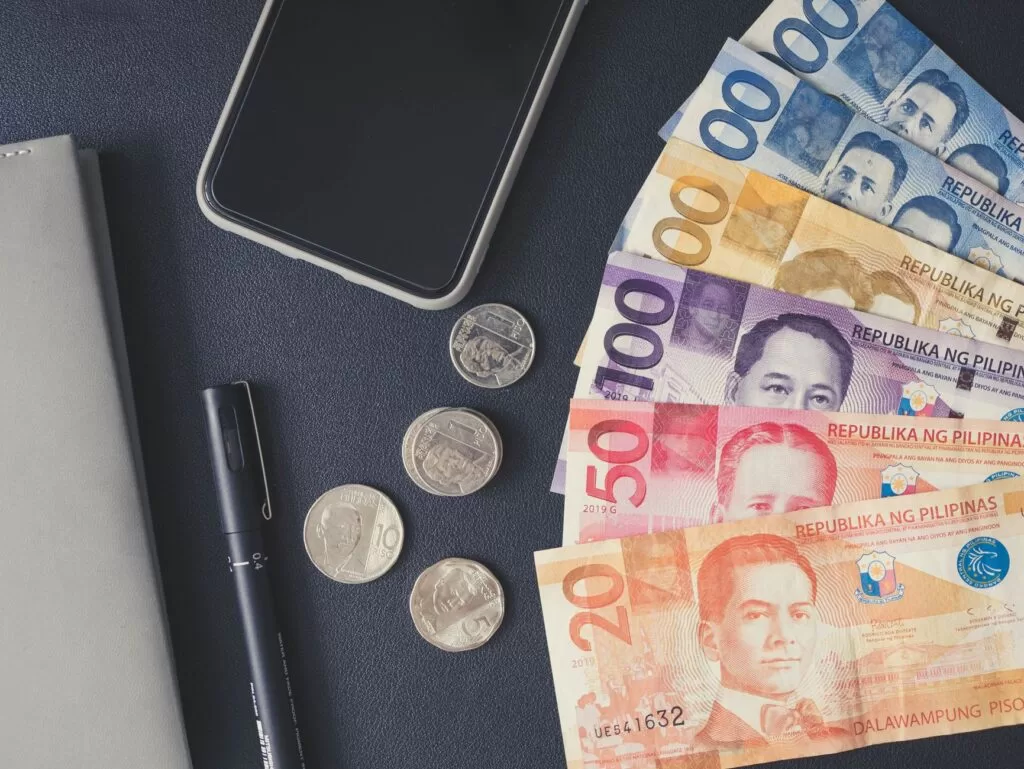
Photo by Angie Reyes
Transfer times vary. Economy: 3-5 days. Express: minutes to hours if debit-funded. Guarantees back fees if late. Check Remitly’s Philippines delivery options for partners.
Breaking Down Fees, Rates, and True Costs
Fees depend on method and size. First transfers often run $0 with promo rates. Repeats add small charges.
| Delivery Method | Typical Fee (After First) | Best For |
|---|---|---|
| Bank Deposit | $0 | Accounts |
| Mobile Wallet | $0 | Quick digital |
| Cash Pickup | $2.99-$4.99 | No bank |
| Home Delivery | $4.99 | Convenience |
Exchange rates beat banks. New users get boosts like 62 PHP per dollar on $1,000. Standard: closer to 56-59 PHP. Always preview before lock-in.
I cut costs by sending over $1,000. Fees drop to 0.75%. Economy mode skips speed premiums. See Remitly USD to PHP rates for live quotes. Rates shift daily, so verify.
Compare to banks: They pad 3-5%. Remitly shows mid-market minus a sliver.
Payment Options, Limits, and Quick Verification
I fund with bank ACH for free on big sends. Debit cards speed Express. Credit works but watch cash-advance risks.
Limits start low: $2,999 daily for newbies. Bump to $30,000 with verification. No cap per se, but partners set receives.
Verification takes minutes. Photo ID, selfie, address proof for highs. I did mine once; now it’s seamless.
Businesses note: Ties into tools like Wise for international business transfers. Remitly suits one-offs over volumes.
Practical Tips to Cut Costs and Skip Delays
Send midweek. Weekends slow banks. Use Economy for non-urgents; save 1-2%.
Batch payments. Hit thresholds for zero fees. First-timers grab promos via app.
Avoid credit cards. Fees stack. Test small sends first.
Watch recipient limits. Some banks cap $10,000 daily. Confirm details exact.
Track everything. Apps notify both ends. If stuck, chat support resolves fast.
Pro tip: Pair with local details from services like Wise US bank account details for incoming flows.
Key Takeaways from My Remitly Runs
Remitly makes sending to the Philippines straightforward and cheap for most. Pickups and deposits cover bases. Fees stay low, speeds impress.
I stick with it for reliability. Always check quotes fresh, though. Rates and rules evolve.
Next time you need pesos stateside, fire up Remitly. It delivers more where it counts.

