Rewardful Referral Tracking for Reliable Stripe Attribution
An affiliate program can send plenty of clicks and still produce unreliable revenue data. The failure usually sits between the referral link, your checkout flow, and the Stripe customer record. Rewardful referral tracking gives you a way to...

An affiliate program can send plenty of clicks and still produce unreliable revenue data. The failure usually sits between the referral link, your checkout flow, and the Stripe customer record.
Rewardful referral tracking gives you a way to connect those steps. It only works when your campaign links, site script, checkout method, and commission rules agree. Build the path first, then invite more partners.
Work Backward From the Conversion You Need
Start with the event that should earn a commission. For most SaaS teams, that is a paid Stripe customer, not a page visit or a completed signup form.
Rewardful monitors activity in the Stripe account you connect. Its SaaS affiliate tracking platform supports affiliate and customer referral programs built around that payment data. Your job is to make the referral identity survive long enough to reach Stripe.
Define What Counts as a Referral
Write down your conversion rule before you set a rate. Keep it plain.
A qualified referral might be a new customer who pays their first invoice. It might be a subscription that stays active beyond your refund window. It might exclude free trials, internal accounts, coupon-only orders, or existing customers.
Also decide whether a customer referral differs from an affiliate referral. Customer advocates may get a fixed credit. Professional affiliates may get a percentage of recurring revenue. Don’t force both groups into one rule if their economics differ.
Map the Full Customer Route
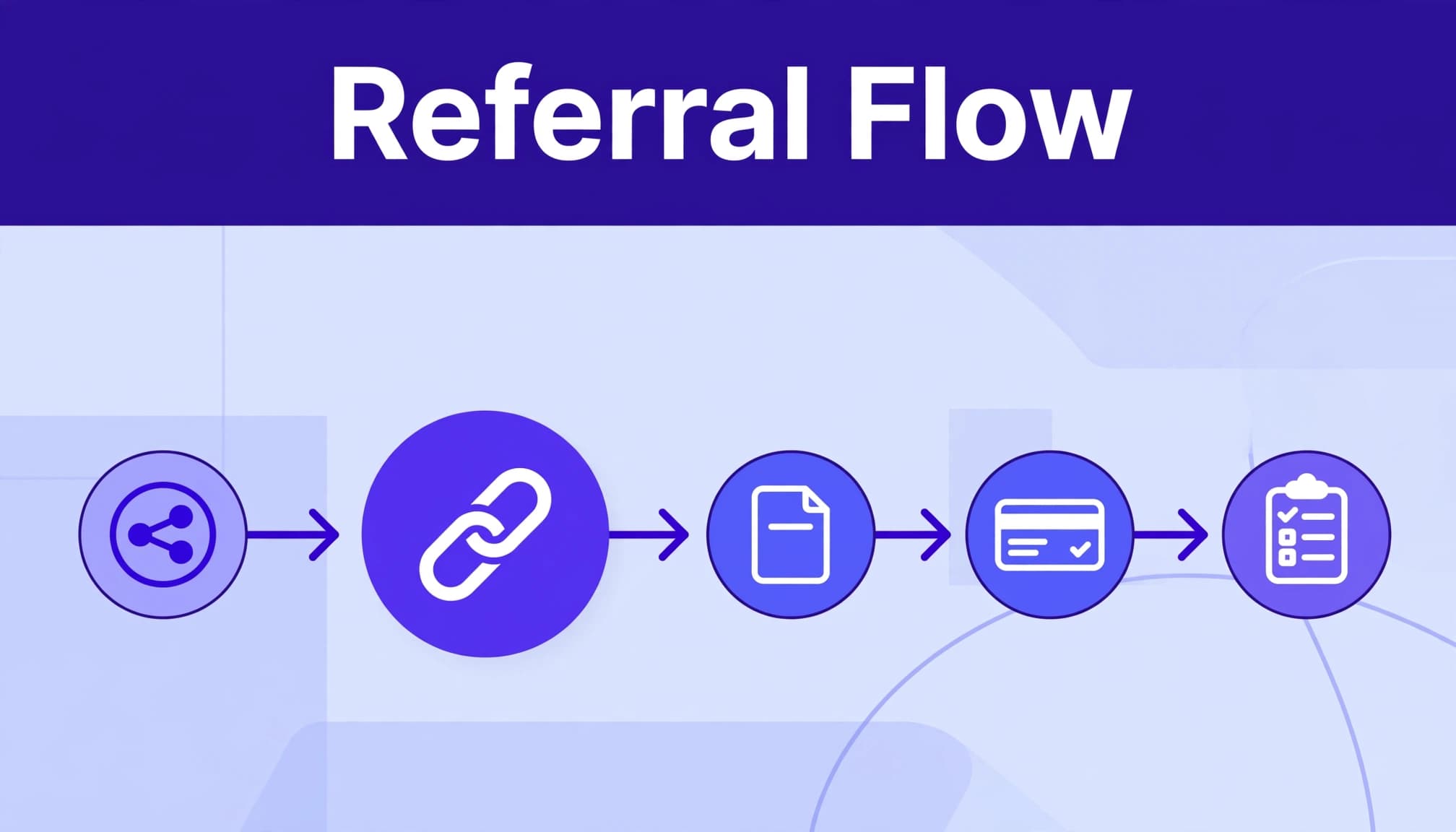
Draw the route on one page:
- A partner shares a unique referral link.
- A visitor lands on your marketing site.
- The tracking script stores the referral ID in the browser.
- The visitor reaches Stripe Checkout, a Payment Link, a Buy Button, or your custom billing flow.
- Stripe creates or updates a customer record.
- Rewardful receives the relevant Stripe activity and records the conversion or commission.
A gap at any stage breaks attribution. A visitor can click a valid link, then reach checkout without a usable referral value.
Build Rewardful referral tracking before recruiting affiliates
Connect Rewardful to the Stripe account that receives your customer payments. Confirm you are working in the intended Stripe environment before testing. Live and test account connections can vary based on your Rewardful and Stripe setup.
Next, create the campaign that controls the offer. A campaign is where you set the commission structure, affiliate terms, and attribution period. Give each campaign a clear purpose, such as “Partner Program” or “Customer Referral.”
Put the Tracking Script on Every Entry Page
Install Rewardful’s browser tracking script across the root domain and relevant subdomains where visitors can arrive. The script detects a referral visit and stores the referral value in the visitor’s browser.
Don’t install it only on the pricing page. An affiliate may send traffic to a comparison page, a webinar registration page, or a product-specific landing page. The script must load before the visitor starts checkout.
If your marketing site and app use different subdomains, test both routes. Cookie behavior, consent tools, redirects, and tag managers can affect the result.
Give Partners One Clear Link per Campaign
Partners should use the referral link generated for their account and the correct campaign. Don’t ask them to manually add referral parameters to random URLs unless your setup supports that workflow.
Use campaign-specific links when your offers differ by audience or channel. This keeps reporting cleaner and limits payout disputes later. Rewardful also describes several affiliate tracking methods for SaaS, including link and code-based approaches.
A click record proves traffic arrived. It does not prove the referral ID reached a Stripe customer.
Preserve the Referral ID at Stripe Checkout
The checkout method determines the technical work. Stripe-hosted flows can look simple in a browser but still need a setting or attribute to retain attribution.
Use the integration path that matches your billing architecture. Don’t copy a Stripe Checkout method into a Payment Link setup and expect the same result.
| Checkout method | What needs attention | Common failure |
|---|---|---|
| Stripe Checkout in the browser | Tracking script must run before checkout opens | Script loads too late |
| Server-side Stripe Checkout | Pass referral value to the Checkout Session | Blank or missing reference value |
| Stripe Payment Links | Carry referral ID into the link and create a customer | Guest-style payment creates no customer |
| Stripe Buy Button or Pricing Table | Add the documented Rewardful attribute | Embedded element lacks referral data |
| Custom Stripe API flow | Store referral value in customer metadata | Metadata key or value is missing |
Handle Server-Side Checkout Carefully
For a server-side Checkout Session, read the referral value from the browser before your server creates the session. Rewardful documents Rewardful.referral as the value to pass through.
Its server-side guidance uses Stripe’s client_reference_id for that referral ID. Only send the field when you have a real value. Stripe Checkout can reject an empty client_reference_id.
You also need Stripe to create a customer for the checkout flow. Rewardful’s documented approach requires customer_creation to be set to always. Check your current Stripe API version and Checkout Session settings because implementation details can change.
Use Customer Metadata in Custom Flows
If your product creates Stripe customers through your own backend, store the referral value as Stripe customer metadata under the referral key. Rewardful uses that value to associate the customer with the referring partner.
This is a small field with a large job. Preserve it when your signup flow creates the customer. Don’t wait until a later invoice or subscription update.
For Payment Links, Buy Buttons, and Pricing Tables, follow the current Rewardful instructions for that exact Stripe surface. Some flows require Stripe to save payment details for future use so a customer record exists. The setting name and available options can vary in Stripe.
Set Cookie Windows and Commission Rules That Match Sales
Your referral window should match how buyers behave. A self-serve product with a 10-minute purchase cycle needs different rules than an annual contract with a 45-day evaluation.
Rewardful lets you adjust cookie duration and commission terms. Its cookie and commission options also cover Stripe Promo Codes for cases where a partner cannot rely on a referral link.
Match the Cookie Period to Buyer Intent
Set a cookie duration you can explain to affiliates. A short window may fit an impulse purchase. A longer window may fit a team plan with stakeholder review.
Don’t promise a 90-day commission window in a partner deck if the campaign uses a shorter duration. Document last-click behavior, code attribution rules, and exclusions before launch.
If a buyer clears cookies, changes devices, or returns through another partner, the original referral may not receive credit. State that risk in your terms. It prevents support tickets built on assumptions.
Keep Payout Rules Separate From Traffic Metrics
Clicks are diagnostic data. Conversions show attribution. Commissions show what the system has calculated under your rules. Payouts show money that has actually left your business.
Track these numbers separately:
- Referral clicks show whether partners can send qualified visitors.
- New Stripe customers show whether the checkout path retains attribution.
- Commission records show the result of your campaign rules.
- Refunds, cancellations, and reversals show where expected revenue changed.
- Paid commissions show the cash cost of the program.
A campaign with fewer clicks can produce better customers. Review retained referred revenue and paid commission cost, not click volume alone.
Validate Referral Links Before You Launch
Run tests before you announce the program. Use an incognito or private browser window for every fresh test. A normal browser may contain an old cookie that hides a real problem.
Create a test account in the correct Stripe environment. Then use a live-looking referral route from landing page through payment confirmation. Keep the test record separate from production reporting.

Pre-Launch Referral Tracking Checklist
Use this short checklist for each checkout route:
- Open a partner’s campaign link in a private browser window.
- Confirm the landing page loads the Rewardful script.
- Move through signup and checkout without losing the referral path.
- Confirm Stripe creates the customer record your flow expects.
- Check that the referral value reaches
client_reference_idor customer metadata when your integration needs it. - Verify the test conversion appears under the expected affiliate and campaign.
- Test a refund or cancellation path if your program pays recurring commissions.
- Repeat the test from another domain, device type, or checkout entry point that customers use.
Keep a test log with the campaign, partner ID, landing URL, checkout type, Stripe environment, test date, and result. This gives your team a baseline when an update breaks attribution later.
Test the Failure Cases Too
A happy-path test is not enough. Test a direct visit with no referral. Test a referral visit that abandons checkout. Test a customer who returns after the cookie period. Test an existing customer if your program excludes them.
Also test coupon use if you accept partner codes. Referral links and promo codes may follow different attribution rules. Check the actual campaign configuration before you promise credit.
Monitor Reports and Investigate Gaps
Don’t scale a program based on the number of links created. Scale it when the records match your conversion rules with little cleanup.
An independent Rewardful implementation overview highlights its use of first-party cookies and unique affiliate links. Those mechanics still need a regular operating review.
Review Accepted Referral Outcomes
Run a weekly review by campaign, partner, landing page, and checkout method. Check for missing conversions, duplicate records, unusual refund activity, and sharp differences between clicks and paid customers.
Measure outcomes your team accepts after review. A process that creates 50 commission records but needs hours of correction work is not working well.
Store the last trusted report separately from each new export. Keep the reporting period, source system, campaign, reviewer, and any adjustment reason. Never overwrite history when a commission changes.
Build a Support Record People Can Reproduce
When something looks wrong, collect evidence before contacting support. A good record includes:
- The landing-page URL and referral link used.
- Campaign name, partner ID, and any SubID or channel reference.
- Stripe customer ID or Checkout Session details that your team can safely share.
- Test date, browser type, checkout route, and expected result.
- A screenshot of the relevant report rows and the reporting date range.
Don’t start with “the commission is missing.” State the funnel event. For example, a known partner link was clicked, a new Stripe customer paid, and no conversion appeared after the normal processing window.
The cause may be a broken script, a missing customer record, an expired cookie, a later referral click, or a campaign rule. Evidence reduces back-and-forth.
Final Checks Before You Scale
Reliable Rewardful referral tracking is a controlled handoff between a partner link, a browser value, Stripe customer data, and a commission rule. One missing handoff turns valid traffic into untraceable revenue.
Start with one campaign and a small group of partners. Test every checkout route, retain the last trusted report, and fix attribution errors before you increase spend or payouts.
