Your social channels can look active and still run badly. Posts get approved in email. Assets live in chat threads. Performance data sits in another tool. By the time the team finds the latest version, the window has already passed.
A social media dashboard fixes that when it gives your team one place to plan, review, publish, and measure. Someli is built for that kind of work. It helps teams cut the noise, keep ownership clear, and move faster without losing control.
Key Takeaways
- A scattered tool stack slows approvals, creates version drift, and hides performance data.
- A centralized dashboard gives every role one shared view of content, status, and deadlines.
- Someli helps teams handle planning, collaboration, approvals, and reporting in one workflow.
- A clean setup starts with roles, publishing rules, and a simple review cadence.
- Centralized reporting makes it easier to spot what works and repeat it.
Why scattered workflows slow teams down
Most social teams do not fail because they lack ideas. They fail because the work spreads out. One person writes copy in a doc. Another drops comments in Slack. A manager checks the calendar in one tool and analytics in another. That is a lot of movement for a simple post.
The problem gets worse when several people touch the same asset. Versions change. Feedback gets missed. Approval turns into a hunt. If you have ever asked, “Which file is final?” you already know the issue.
If a post needs three tools and two approval threads, the workflow is already too brittle.
A centralized setup cuts that drift. It gives the team a shared source of truth. That matters for agencies, marketing teams, and growing businesses that need speed without sloppy handoffs.
Sprout Social’s social media workflow best practices make the same point. The handoff is where time disappears.

What a team social media dashboard should handle
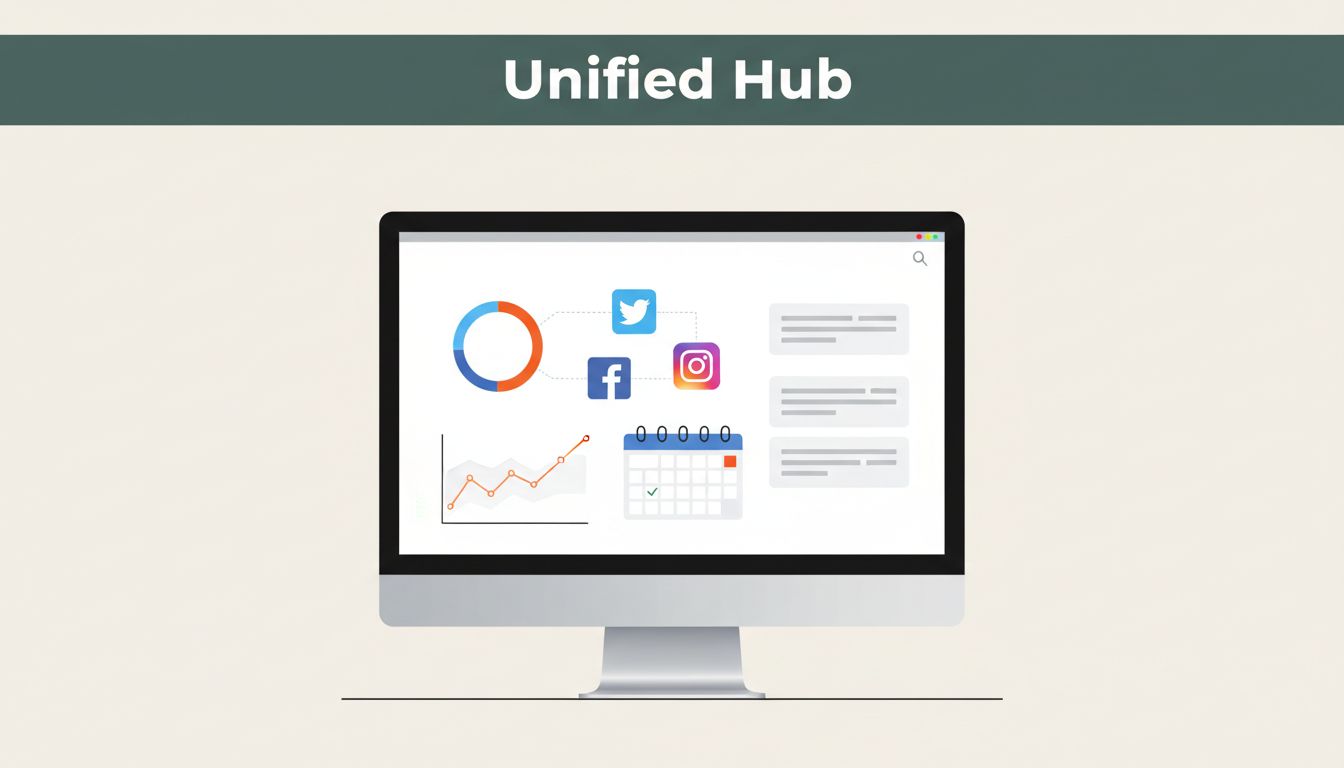
A good dashboard does more than store posts. It gives each role a place to work without stepping on the next person. That means planning, drafts, approvals, scheduling, and reporting need to live together.
Here is the basic split between a scattered stack and a centralized setup.
| Task | Scattered stack | Centralized dashboard |
|---|---|---|
| Planning | Calendar in one app, notes in another | One shared content calendar |
| Collaboration | Comments in chat, edits in docs | One draft with visible feedback |
| Approvals | Email chains and follow-up messages | Review status in one place |
| Publishing | Manual copying between tools | Scheduled posts from the same workspace |
| Reporting | Metrics in separate logins | Performance tied to the content plan |
That difference matters because it lowers the number of handoffs. It also makes ownership clear. When someone opens Someli, they should know what is due, who owns it, and what still needs approval.
This is also where consistency gets easier. Brand voice, visual assets, and campaign timing stay aligned because the team is working inside one system. Monday’s enterprise social media management guide points to the same operational fix, central routing reduces response time.

How Someli centralizes planning, approvals, and publishing
Someli matters when your team needs fewer handoffs and less confusion. The goal is not more software. The goal is one working surface.
Start with the content calendar. Put every campaign, post, and promotion in one view. That lets the team see gaps, overlaps, and deadlines before they become problems. A marketing manager can spot a quiet week. A social lead can see when two posts compete for the same audience.
Then move approvals into the same workspace. A copywriter drafts the post. A designer attaches the visual. A manager reviews it in context. Nobody needs to chase a screenshot or dig through a thread. Feedback stays attached to the asset.
Someli also helps when several people post for different channels. One person may own LinkedIn. Another may own Instagram. A third may handle community replies. The dashboard keeps those tasks separate without splitting the system.
That separation is important for agencies too. A client team can review content without changing the internal process. A brand team can protect voice and timing. Everyone sees the same status. Everyone works from the same version.
The result is simple. Less backtracking. Less rework. More consistency across every channel.
A simple setup plan for your team
You do not need a giant rollout. You need a clean start. Use the same steps every time.
- List every channel and owner.
Write down who publishes, who approves, and who tracks replies. If a channel has no owner, fix that first. - Set the dashboard structure.
Create folders, labels, or views by campaign, brand, or channel. Keep the structure simple enough that a new hire can follow it fast. - Move content planning into one calendar.
Add upcoming posts, launch dates, and recurring promotions. This gives everyone the same timeline. - Define review rules.
Decide who signs off on copy, design, legal, and final publishing. Put the order in writing. Do not leave approvals to memory. - Use one weekly check-in.
Review what is live, what is blocked, and what needs attention. Keep it short. The dashboard should do most of the work.
This setup is boring in the right way. Boring means predictable. Predictable means fewer mistakes.

Tracking results without leaving the dashboard
Publishing is only half the job. You also need to see what happened after the post went live. If analytics live in another tool, the review process gets slow again.
A centralized dashboard helps you connect output and outcome. You can look at the post, the channel, the date, and the result in one view. That makes it easier to answer basic questions. Which format got the most saves? Which campaign drove the most clicks? Which post needed a second edit before it was approved?
Keep the review loop practical. Do not bury the team in vanity metrics. Focus on a few numbers that guide the next round of content. For most teams, that means reach, engagement, clicks, and conversions tied to campaign goals.
Zapier’s 2026 social media tool roundup is useful if you want a broader view of how teams compare tool stacks. The pattern is the same. One workspace is easier to manage than several disconnected ones.
When reporting lives beside planning, your next move gets clearer. You can reuse strong formats. You can pause weak ones. You can show stakeholders what shipped and why it mattered.
Conclusion
A scattered workflow adds friction at every step. A centralized social media dashboard removes that friction and gives the team one place to work. That is the core value of Someli for teams that care about speed, clarity, and control.
If your team is still moving posts through docs, chats, and separate logins, the fix is straightforward. Bring planning, approvals, publishing, and reporting into one system. Then keep the process tight.
That is how teams move from constant follow-up to clean execution.