How I Automate Lead Capture for Service Businesses With Zapier
Missed leads cost service businesses more than most owners admit. A form submit sits in a shared inbox, a chat message waits on a phone, and a call gets logged after the lead has cooled. I use Zapier lead capture to move that first touch in...

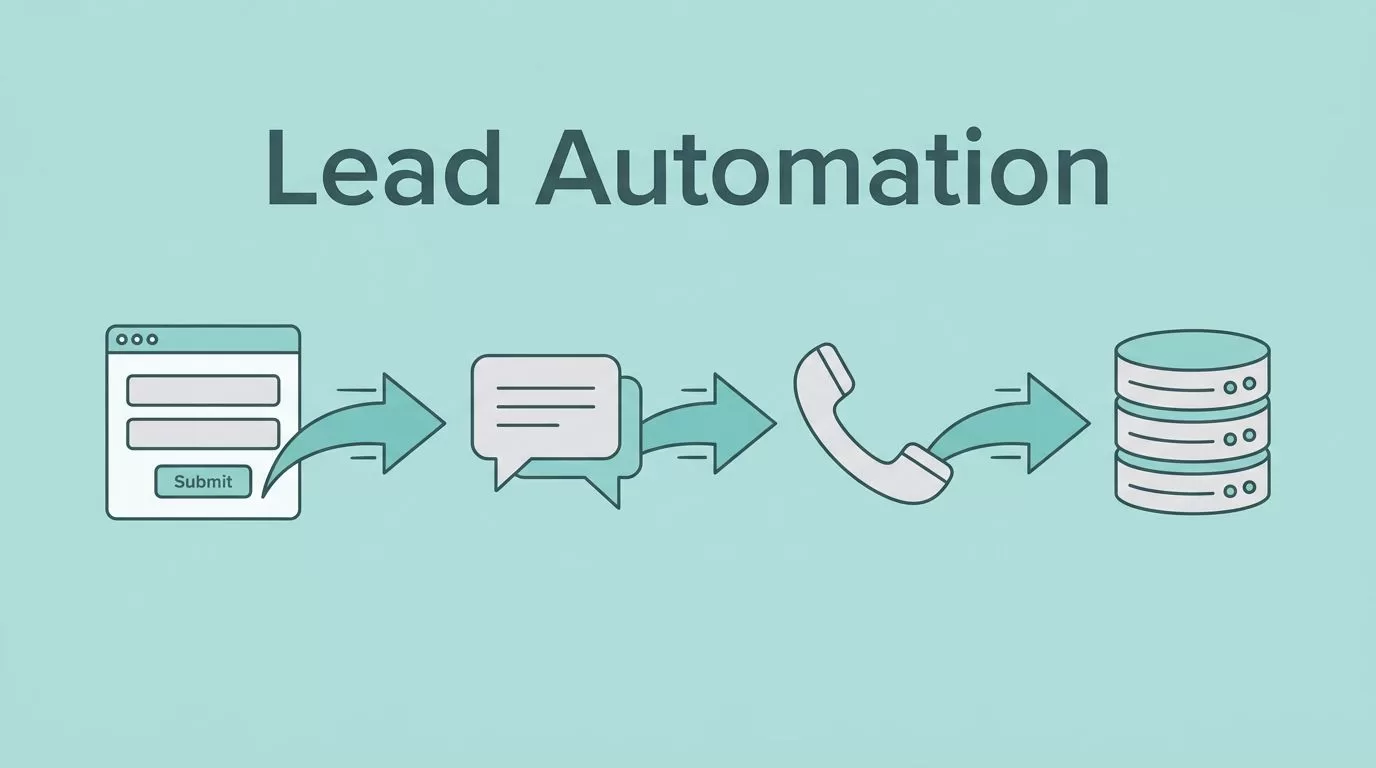
Missed leads cost service businesses more than most owners admit. A form submit sits in a shared inbox, a chat message waits on a phone, and a call gets logged after the lead has cooled.
I use Zapier lead capture to move that first touch into a CRM, a task list, and an inbox within minutes. That speed matters for agencies, law firms, home service companies, consultants, med spas, coaches, and local providers.
I start by fixing the lead path, because automation only works when the handoff is clear.
Why service businesses lose leads before they ever reply
Most lost leads do not fail because of bad marketing. They fail because of slow handoffs.
A prospect fills out a form, then waits. Someone on the team copies the details later. Another person forgets to assign the lead. By the time anyone replies, the lead has already called three competitors.
Zapier can shorten that gap, which is why lead management keeps showing up in automation use cases. Zapier’s own analysis of 10,000 workflows found that lead management is a top use case for AI automation, and that matches what I see in service teams every day. For context, I found this summary useful: Zapier workflow data on lead management.
My rule is simple, every new lead needs a home, an owner, and a next step within minutes.
Build the lead path before you build the Zap
I do not start with fancy automation. I start with a clean route.
Every lead should move through the same basic chain, source, capture, assignment, and follow-up. If any step is fuzzy, the Zap just moves confusion faster.
Here is the stack I reach for most often:
| Lead source | App combo I like | Why it works |
|---|---|---|
| Website form | WPForms or Typeform + Zapier + CRM + Gmail | Simple, fast, easy to test |
| Chat or booking widget | Zapier Chatbots or Calendly + Zapier + Slack + CRM | Good for live interest |
| Paid ads | Meta Lead Ads + Zapier + Google Sheets or CRM | Keeps ad leads from sitting in a portal |
| Referral form | Custom form + Zapier + task app + email | Helps me assign high-trust leads fast |
I keep the first version boring. That helps me spot broken fields, duplicate records, and slow alerts before they hurt revenue.
For service businesses, the most useful question is simple, “Where does the lead go next?” If I can answer that in one sentence, the automation is probably ready.
The Zapier workflows I use for fast follow-up


The workflows I use most often are plain, but they do the job.
- A form submission creates a CRM record, then sends a Slack alert to the right owner.
- A new lead triggers an instant email reply with a calendar link.
- A high-value lead gets routed to a senior rep instead of a general inbox.
- A new contact gets checked for bad data before it enters my pipeline.
That last step matters more than most people think. I verify emails before I let them sit in a CRM, because bad data turns follow-up into noise. I use Hunter.io SMTP checks for lead capture when I want to reduce bounce risk and keep lists clean.
I also like a second pass for leads that need warm follow-up. If I want a sequence that keeps working after the first reply, I pair capture with building nurturing sequences in Recruit CRM. That setup helps when a lead is interested, but not ready today.
For law firms, response speed matters even more. Ruby’s guide on client intake and follow-up with Zapier lines up with what I see in legal intake, where one missed call can mean a lost case.
App stacks that fit different service models

Different service businesses need different tools, but the pattern stays the same.
| Business type | Good starting stack | What I optimize for |
|---|---|---|
| Agency or consultant | Typeform, Zapier, HubSpot or Pipedrive, Slack | Fast routing and clean sales notes |
| Law firm | Website form, Zapier, calendar tool, CRM, email | Intake speed and case assignment |
| Home services | Form, Zapier, SMS tool, scheduling app, CRM | Quick callbacks and booked appointments |
| Med spa or coach | Booking form, Zapier, email platform, CRM | Follow-up and no-show prevention |
I like to keep one message for one job. A lead should not get five different alerts from five different tools.
When a team already lives in a CRM, I care more about follow-up than features. If the CRM can track tasks and sequences, I can make the rest lighter.
A simple implementation checklist for your first workflow

I keep my launch checklist short.
- Pick one lead source, such as a website form or ad lead.
- Decide where the lead should land first, usually a CRM or spreadsheet.
- Map the fields I need, name, email, phone, service type, and source.
- Add one instant action, like an email, Slack alert, or task.
- Test with a real dummy lead, then fix anything slow or missing.
After that, I send three more tests from different devices. I want to catch mobile form issues, duplicate submissions, and bad field mapping.
Zapier’s menus and app labels can change over time, so I always verify the current triggers and field maps in my account before I call a workflow finished.
What I watch after the first lead comes in
The build is only half the work. The other half is watching the lead move.
I check three things first, response speed, data quality, and assignment accuracy. If those are strong, the workflow is doing its job. If one of them slips, I fix it before I add more steps.
I also keep an eye on lost leads that never made it into the CRM. Those are the quiet leaks that cost the most.
When lead capture works, the business feels calmer. The inbox has less chaos, the team stops copying the same data twice, and the first reply lands while the lead still remembers why they reached out. That small gap, between form fill and first response, is where a lot of revenue hides.

