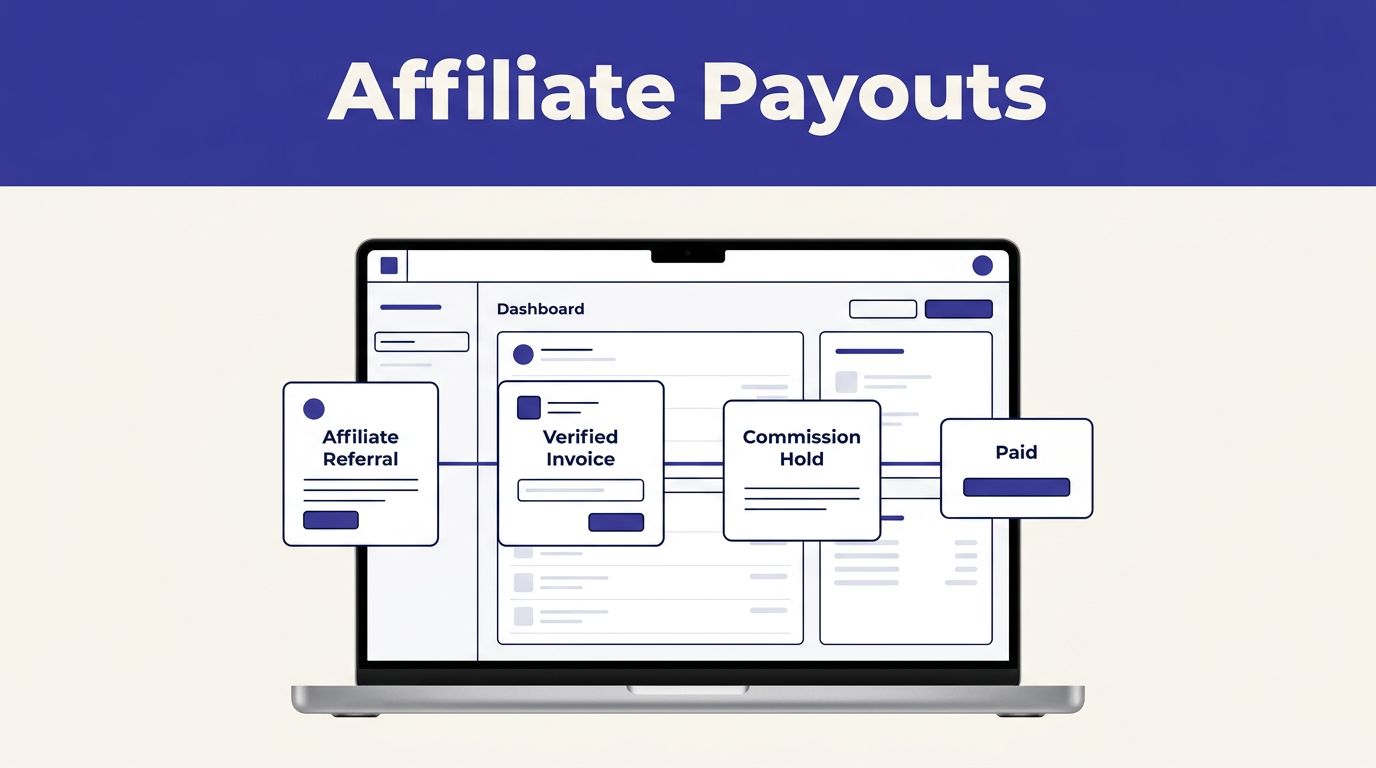
Affiliate commissions become a finance problem when nobody can trace a payout back to a paid invoice. Affiliate payout software gives your team a record of the referral, the commission, the hold period, and the final payment status.
Rewardful works well for SaaS teams that bill through Stripe or Paddle. It tracks attribution and commissions, but it does not replace your billing system or your finance review process. Build the operating rules first, then connect the systems.
Know What Rewardful Does, and What It Does Not
Rewardful is affiliate tracking software for subscription businesses. It connects to Stripe or Paddle, records referred customers, and calculates commissions from billing activity. Review Rewardful’s product overview before you select a launch path.
Your affiliate payout software should create a clean commission record. It should not become a black box that finance trusts without checking.
| Activity | Rewardful role | System or team that owns it |
|---|---|---|
| Affiliate links and attribution | Tracks referrals and commissions | Rewardful |
| Customer charges and subscriptions | Reads billing events | Stripe or Paddle |
| Refunds and charge activity | Adjusts commission records when connected | Stripe or Paddle |
| Affiliate approval and fraud review | Stores program data | Your program manager |
| Moving payout funds | Supports payout workflows and records status | Finance, payout provider, or Managed Payouts |
Rewardful has native billing connections for Stripe and Paddle. If you bill through another processor, do not assume an affiliate conversion will appear without custom work.
Set owners before you connect accounts
Give one person ownership of campaign settings and affiliate approvals. Give finance ownership of payout timing, payee checks, tax records, and payment reconciliation.
Your growth team can recruit partners. It should not approve its own exception payouts. Separate the person who creates a commission rule from the person who releases money.
A commission record is not proof that a payout is valid. The paid invoice, referral record, refund status, and affiliate identity must match.
Set Up Affiliate Payout Software in Rewardful
Start with one campaign. A single campaign makes early testing easier and gives finance one set of rules to verify.
Rewardful’s guide to creating your first campaign covers the core setup. You enter a campaign name, website URL, and commission amount. Rewardful supports percentage and fixed-amount commissions.
Create a launch campaign with clear limits
Set the campaign name to something your team can recognize in reports. Avoid labels like “Main Program” if you run several partner types.
Define these rules before you invite anyone:
- State whether the reward uses collected revenue after discounts, not list price.
- Choose a percentage or fixed commission amount.
- Decide if commissions recur, and set the maximum number of paid invoices if needed.
- Set a cookie window and explain how coupon attribution works.
- Set a minimum payout threshold and a pending period that fits your refund policy.
Rewardful campaigns are recurring by default until the referred customer cancels. That can be useful for retained SaaS revenue. It can also create an open-ended liability if you do not set a limit.
Write affiliate terms people can use
Affiliates need more than a commission percentage. State when they earn, when a commission becomes due, and what reverses it.
Your terms should cover self-referrals, internal purchases, duplicate accounts, coupon leakage, fake signups, trademark bidding, and unauthorized incentive traffic. Add a rule for disputed claims. State what evidence your team needs before it changes attribution or commission status.
Keep the terms version and effective date with each campaign record. A partner should not discover a payout rule after the payout date.
Connect Stripe or Paddle and Test the Checkout
Connect billing before you promote the program. Referral tracking depends on the customer and payment records reaching Rewardful correctly.
Connect Stripe with the right expectations
In Rewardful, select the Stripe connection option and authorize the account that processes your SaaS subscriptions. Rewardful needs access to billing data so it can identify customers and commission events.
Rewardful cannot withdraw funds, issue refunds, change product pricing, or control your Stripe balance. Stripe permissions in Rewardful make the boundary clear: Stripe handles financial activity.
Run a controlled test before launch. Use an internal affiliate account, open its referral link, complete an approved test checkout, and confirm each record:
- The affiliate received credit.
- The referred customer appears once.
- The paid invoice amount matches the billing system.
- The commission uses the right rate.
- The commission is in the expected pending state.
Configure Paddle carefully
Paddle requires more implementation work. If you use Paddle Classic, add the public key, configure the required webhooks, and pass Rewardful’s referral value through the checkout flow.
Follow Rewardful’s instructions for integrating with Paddle Classic. The referral value must survive the checkout request. A backend change that replaces the full passthrough object can remove that value without an obvious error.
Do not treat a referral click as proof of revenue. Paddle’s payment and subscription notifications are the proof point.
Check the event chain after every checkout change
Checkout updates break affiliate programs more often than campaign settings do. Test attribution after a new pricing page, coupon change, billing migration, or checkout redesign.
Keep the last trusted commission report before each release. If paid conversions suddenly drop or duplicate records appear, stop automatic approvals and review the connection.
Define Commission Rules Finance Can Review
A good commission rule answers one question: what business event creates a payable reward?
Rewardful can calculate percentage-based or fixed rewards. Your policy needs to define the revenue base, timing, exceptions, and approval path around that calculation.
Tie the commission to cash actually collected
Use the amount the customer paid after discounts, account credits, and approved adjustments. Do not calculate commission from the public plan price if the invoice shows a different collected amount.
Set recurring commissions only when the customer relationship supports them. A 20% recurring reward for 12 paid months is easier to forecast than an unlimited lifetime promise.
Record these fields for each active referral:
- Affiliate name and payment method.
- Customer ID and billing platform ID.
- Invoice amount, currency, and payment date.
- Commission rate, maximum duration, and pending date.
- Refund, reversal, or exception status.
This record lets finance answer a simple question later: why did this person receive this amount?
Keep applications and exceptions in a review queue
Do not approve every affiliate application automatically during launch. Review the applicant’s website, audience, traffic methods, payment details, and relationship to your company.
Use statuses such as New, Approved, Rejected, and Needs Review. Store the reviewer decision separately from the original application. That gives you an audit trail when a partner disputes a rejection or payout delay.
Review Commissions Before They Become Due
Rewardful tracks pending, due, paid, and voided commission states. Your team still needs a review process before due commissions become payouts.
Use the pending period as a refund hold
Set the pending period to cover your normal refund window. Rewardful’s default pending period is 30 days after the original sale, but your campaign settings should match your own refund policy.
Review a small sample each week against Stripe or Paddle. Compare the affiliate, customer, paid invoice, commission amount, and refund status. Track missing attribution, duplicate claims, internal purchases, and unusual refund rates.
Measure approved customers and cleared commissions, not clicks. High click volume has little value if staff spend hours correcting payouts.
Handle refunds and disputes outside the dashboard assumptions
Stripe processes refunds. Rewardful does not issue them. When your Stripe integration is configured correctly, Rewardful can adjust commissions for events such as refunds, cancellations, upgrades, and downgrades. Review the custom Stripe integration guidance before relying on automated adjustments.
For a payout dispute, freeze the affected commission or payout record while you check the billing record and referral evidence. Keep screenshots, invoice IDs, customer IDs, affiliate messages, and the final reviewer decision together.
A paid status is an accounting record. It is not a substitute for recovering money already sent through PayPal, Wise, or a bank.
Issue Payouts and Reconcile Every Run
Commissions become payable after they clear the pending period and meet your minimum payout threshold. Review the due list before you export or send funds.
Use the standard payout workflow
Rewardful supports PayPal, Wise, and an “Other” payout workflow. For standard mass payments, export the due payout file, upload it to your payout provider, confirm the transfer result, then mark the matching payouts as paid in Rewardful.
Use a generic export only when your finance team has a controlled payment process outside PayPal or Wise. Check Rewardful’s payout documentation for current payment setup requirements.
Keep a payout run record with:
- Payout date, file name, and payout provider.
- Affiliate count and total approved amount.
- Rewardful export date and report owner.
- Provider confirmation or transaction reference.
- Failed, returned, and unpaid items.
Do not mark a payout as paid until the transfer is confirmed.
Consider Managed Payouts when manual files create risk
Rewardful Managed Payouts can reduce the manual payment work for eligible programs. Rewardful states that Managed Payouts charges a 3% processing fee. Affiliates may receive funds through local bank transfer or SEPA transfer, wire transfer, PayPal, or check, depending on availability.
Read the current Managed Payouts merchant FAQ before you switch. Some affiliates may need identity or residence documentation, and payment options can vary by location.
Managed Payouts can handle disbursement logistics. It does not remove your responsibility to approve valid commissions.
Use This Rewardful Adoption Checklist
Complete this list before you invite affiliates:
- Connect the correct Stripe or Paddle account.
- Create one campaign with a documented rate and revenue base.
- Set recurring limits, cookie rules, payout threshold, and pending days.
- Publish rules for refunds, fraud, self-referrals, and coupon use.
- Assign separate owners for campaign changes, commission review, and payouts.
- Test a referral link, checkout, paid invoice, and commission record.
- Review weekly samples against Stripe or Paddle.
- Hold or void commissions with missing attribution or disputed billing.
- Export only reviewed due commissions.
- Save the payout report and provider confirmation before marking records paid.
- Keep the last trusted commission report available for recovery.
Track refund and reversal rates by affiliate. Also track review minutes and correction time. A program that creates dozens of commissions but requires hours of repair is not working.
If your team needs a controlled review of the setup, payout process, and finance handoff before launch, Book A Call.
Final Thoughts
Rewardful gives SaaS teams a practical way to track referrals and calculate affiliate commissions. The reliable part is the operating process around it.
Set clear rules, test the billing connection, hold rewards through the refund window, and approve every payout against a real invoice. Affiliate payout software works when each payment can be traced to a valid customer, a paid billing event, and a recorded decision.