Affiliate payouts break when marketing, finance, and payment operations use different rules. Rewardful partner payouts need one commission policy, one due-date policy, and one confirmed payment process before your first affiliate earns a cent.
Get those controls in place first. Then Rewardful can track the right commissions, finance can release the right amount, and partners know when money will arrive.
SET PAYOUT RULES BEFORE YOU TOUCH SETTINGS
Start with a written payout policy. Don’t build it from memory when the first monthly payout is due.
Your policy should state the commission rate, eligible revenue, payout frequency, maturity period, refund treatment, chargeback treatment, minimum threshold, and payment methods. Put the policy where affiliate managers and finance can both access it.
Give each payout decision an owner
The affiliate manager owns campaign terms and partner approvals. Finance owns payout approval, funding, reconciliation, and tax records. The payout operator runs the payment batch. One person can hold more than one role in a small team, but the responsibilities should still be separate.
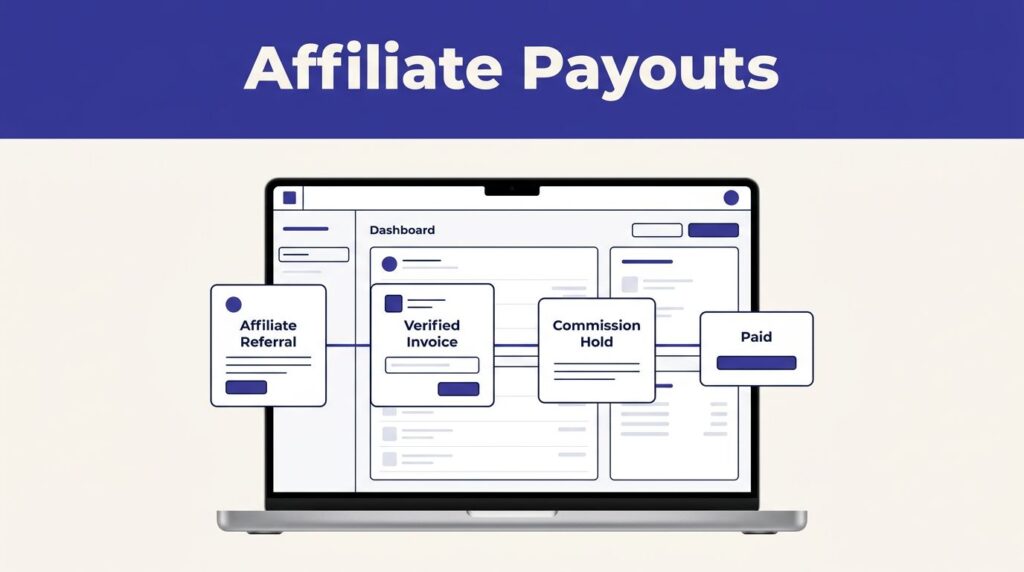
Set an approval rule before anyone can mark a commission paid. A useful rule is simple: finance approves the due total, then the payout operator releases funds, then finance reconciles the provider receipt.
A payout marked “Paid” should mean the provider confirmed the transfer, not that someone downloaded a payout file.
Rewardful supports manual and managed payout paths. The responsibility changes by method, but your internal control does not. You still need a record of what was owed, what was approved, and what actually cleared.
CONFIGURE COMMISSIONS AND DUE DATES
Commission setup drives every later payout decision. If the campaign rule is vague, your payout report will be vague too.
Define what the partner earns
State whether the commission is a percentage or fixed amount. Also state whether it applies to the first invoice, recurring invoices, upgrades, discounted invoices, trials, or a defined number of billing periods.
For example, a SaaS company might pay 20% recurring commission on a $200 monthly subscription. That produces a $40 commission for each eligible paid invoice. The same company may exclude free trials and commissions below a $50 minimum payout threshold.
Use separate campaigns when partner terms differ. Don’t overwrite a standard affiliate campaign to accommodate one strategic partner.
Here is how the numbers change when refunds occur:
| Invoice event | Commission rule | Payout result |
|---|---|---|
| $200 subscription is paid | 20% recurring commission | $40 commission |
| Full refund before payout | Commission tracks refunded invoice | $40 is removed |
| $50 partial refund | 20% commission on refunded amount | Commission drops by $10 |
These examples assume percentage-based commission on paid revenue. Write different rules if your program pays flat bounties or milestone rewards.
Use the commission maturity period
In Rewardful campaign advanced settings, set the “Days before commissions become due” value to match your refund window and review process.
A 30-day delay is common when customers can request refunds during their first month. A shorter period may help partner satisfaction, but it exposes you to more reversals. A longer period protects cash flow, but it can make your program less attractive.
Rewardful’s commission and payout workflow shows how Stripe events can update commission values when invoices are refunded. Set the due-date delay before you begin paying partners. Changing it after a large batch has matured creates confusion.
CHOOSE A METHOD FOR REWARDFUL PARTNER PAYOUTS
Rewardful offers different payout paths. Choose one based on payment volume, geography, tax workload, and the amount of manual finance work your team can accept.
Use Managed Payouts when you want one funding process
With Managed Payouts, you connect a bank account and fund the payout with one payment. Affiliates complete their payout details in Rewardful and withdraw earnings through their dashboard when funds are available.
Rewardful states that Managed Payouts handles payouts and tax compliance on the merchant’s behalf, then combines the amount into one invoice. Review the current Managed Payouts merchant FAQ before rollout, especially if you pay affiliates in several countries.
This option reduces the work of collecting payment details, sending many transfers, and chasing invoices. It does not remove your need to approve the due amount.
Use PayPal or Wise mass payments when finance needs control
For manual payouts, select PayPal, Wise, or Other on Rewardful’s Payments page. Rewardful can export the due payouts CSV in a format for PayPal mass payments or Wise batch payments. “Other” produces a generic file for your selected process.
The workflow is direct: export due payouts, upload the file to PayPal or Wise, review the provider’s payment summary, send the batch, then return to Rewardful and mark confirmed payouts as paid. Rewardful’s PayPal and Wise mass payout guide covers the file-based process.
Do not mark the whole batch paid before the provider finishes processing it. If only some partners received funds, mark only those individual payouts as paid.
CONNECT BILLING DATA BEFORE YOU PAY ANYONE
Payout accuracy depends on billing accuracy. Connect your payment processor, confirm permissions, and test the data with real subscription events before your first payout cycle.
For Stripe users, Rewardful can track recurring commissions, upgrades, downgrades, cancellations, and refunds when the connection has the required access. Review the current Stripe permissions for Rewardful with the person who manages your Stripe account.
Let refunds settle before commissions mature
A refund changes the economics of the original sale. Don’t pay a commission immediately after an invoice posts if the customer still has time to request a refund.
Test a full refund and a partial refund before launch. Confirm that the original commission is removed or adjusted as expected. Then compare Rewardful, Stripe, and your accounting report before approving the due payout total.
Track refund rates by affiliate source as well. A high-volume partner who drives fast refunds can look profitable in signup data and unprofitable in paid revenue. This affiliate refund-rate tracking guide is useful for setting up source-level review.
Treat chargebacks as an exception process
A chargeback is not the same as a completed refund. It may remain open, reverse later, or require evidence from your team.
Create a hold rule for disputed invoices. If the related commission is still unpaid, keep it out of the payout batch until the payment status is clear. If the affiliate has already been paid, follow the recoupment or offset rule in your signed partner agreement.
Don’t deduct future earnings without a documented policy. Record the invoice ID, affiliate, disputed amount, case status, and final decision.
TEST THE PAYOUT FLOW WITH A SMALL BATCH
Don’t make the first payout run a full program launch. Start with five to ten approved partners, including internal test accounts if your setup allows them.
Run the cases that cause payout mistakes
Test one normal subscription, one recurring renewal, one full refund, one partial refund, one partner below your payment threshold, and one affiliate with incomplete payout details.
Check the result at every handoff. The referral should appear correctly. The commission should use the expected campaign rule. The commission should become due only after the configured delay. The payout export should match the due report.
Set your finance calendar around the monthly process. Rewardful notifies merchants when commissions are due, including an email on the first of the month.
Reconcile the payout, not the export
A CSV export proves that data was prepared. It does not prove that money arrived.
Keep a payout register with the payout period, affiliate name, Rewardful amount, provider amount, currency, provider confirmation, payment date, reviewer, and exception status. Add the provider receipt or transaction reference to the same record.
Measure accepted payouts, not completed admin actions. Track failed payments, duplicate attempts, review minutes, correction time, provider fees, and cost per completed payout. A process that creates more cleanup than it removes is not ready for a larger partner base.
HANDLE FAILED PAYMENTS, TAX, AND ACCESS CONTROLS
Failed payouts need a controlled response. A pending transfer, rejected transfer, and returned transfer are different cases.
Fix failed payouts without paying twice
First, check the provider status. Do not upload the full payout batch again because one recipient failed. That can create duplicate payments for everyone else.
Keep the failed payout unpaid in Rewardful until you have a confirmed resolution. Ask the affiliate to update payout details through the approved workflow if details are missing or invalid. Use limited retries for temporary provider issues. Escalate identity, account, or compliance requests instead of retrying them repeatedly.
If someone marks a payout paid by mistake, Rewardful allows you to go to the Paid view and revert that payout to unpaid. Keep the original receipt, error message, and correction record together.
Collect payment and tax details through the right channel
Managed Payouts may require affiliates to complete two-step verification, identity checks, residence documentation, or tax documents based on their location and circumstances. Rewardful’s affiliate onboarding instructions explain that flow.
Do not collect bank details in email, chat, or an unprotected spreadsheet. Limit access to payout exports. Give finance access only to the data needed for payment and reconciliation.
For manual PayPal or Wise payments, your business still needs its own tax reporting and accounting process. Rewardful can support the workflow, but it cannot replace your finance team’s records or local tax advice.
PRE-LAUNCH CHECKLIST FOR REWARDFUL PARTNER PAYOUTS
Complete these checks before you invite affiliates or announce a payout date:
- Write the commission, refund, chargeback, threshold, and maturity rules in your partner terms.
- Connect Stripe or your payment system and test referral, invoice, renewal, cancellation, and refund events.
- Set the correct “Days before commissions become due” value in each campaign.
- Select Managed Payouts, PayPal, Wise, or Other in the Payments area.
- Confirm who approves payouts, funds them, marks them paid, and reconciles the provider results.
- Test a small batch with complete and incomplete affiliate payment details.
- Store payout exports, payment receipts, invoices, exception notes, and reviewer approvals in one controlled location.
- Create a fallback process for provider outages, failed transfers, and missing affiliate information.
If your payout process crosses several teams or payment providers, Book A Call before you scale the program.
FINAL PAYOUT CONTROL
Rewardful partner payouts work when commission rules, billing events, payment methods, and finance approval all match. The payment step is the last step, not the whole process.
Start with a controlled batch. Confirm each payout against the provider result. Then expand only after your team can explain every exception and recover from a failed payment without guessing.