Deploy B2B Affiliate Software With Rewardful
A B2B affiliate program fails when attribution, billing, and payout records disagree. You don’t need more partner applications. You need a system your team can verify against Stripe. B2B affiliate software gives you the tracking layer...
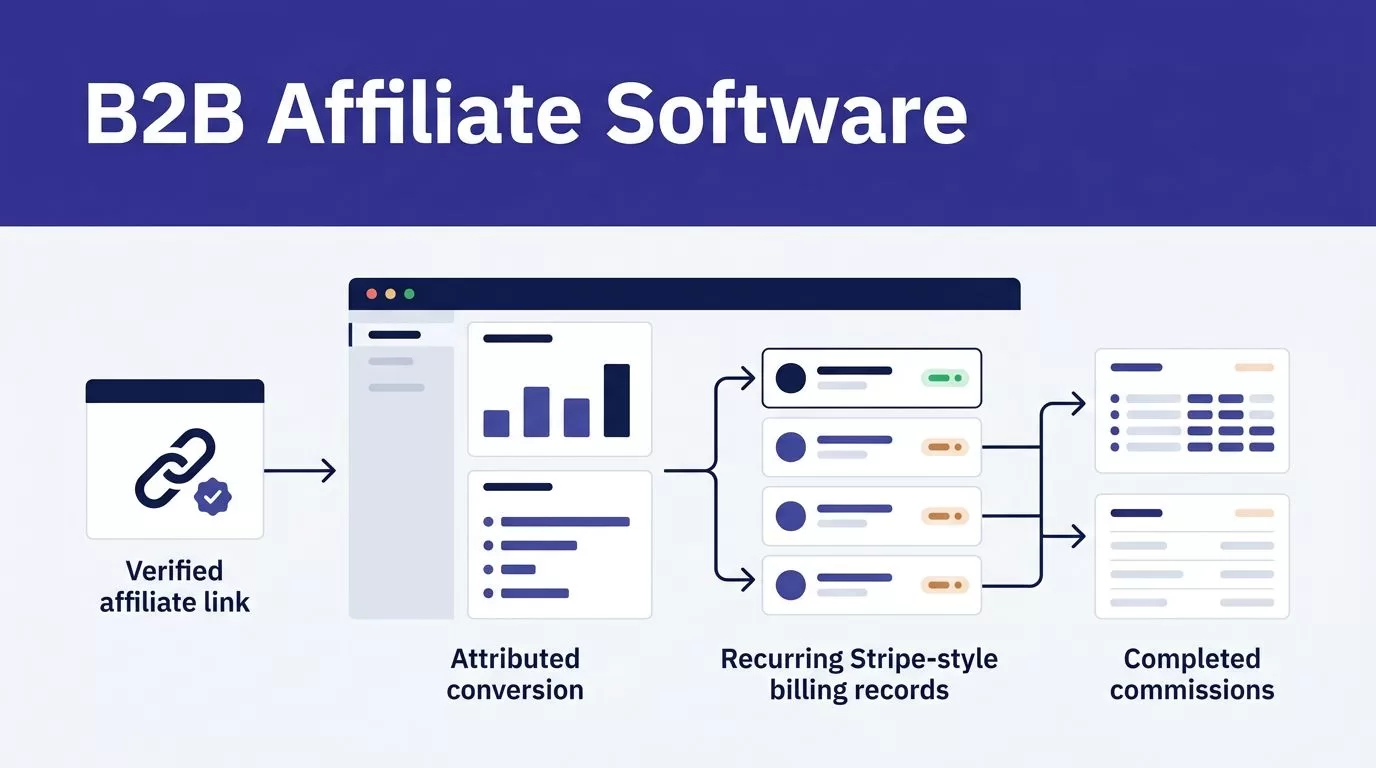
A B2B affiliate program fails when attribution, billing, and payout records disagree. You don’t need more partner applications. You need a system your team can verify against Stripe.
B2B affiliate software gives you the tracking layer between an affiliate link and a paid SaaS customer. Rewardful fits this job when Stripe is your billing system and recurring revenue is part of the commission model.
Start with the operating rules. Then connect billing, test the full path, and launch with a small approved group.
Define the program before you invite partners
Don’t open applications before you decide what counts as a qualified referral. A partner needs clear terms. Your finance team needs the same definitions.
Set these rules before creating a Rewardful campaign:
- Define the customer type you will pay for, such as a new self-serve account, a sales-qualified account, or a first paid workspace.
- Exclude self-referrals, existing customers, refunded purchases, internal tests, and reseller deals that already have a commission agreement.
- Decide whether a commission applies to the first invoice, a fixed period of recurring revenue, or the full paid customer lifetime.
- Set the approval owner for affiliates, disputed referrals, exceptions, and payouts.
- Keep your refund window longer than your payout hold period.
B2B sales cycles can be slow. A referral may start with a trial, then convert after a procurement review. Your attribution window and terms need to match that reality.
A referral click is not a payable referral. The record must link an approved partner, a new customer, a successful payment, and a valid commission rule.
Create one internal document with campaign rules, exclusions, payout timing, and escalation contacts. Give sales, support, finance, and partnerships access to the same version.
Deploy B2B affiliate software in the right order
Rewardful connects to Stripe so it can associate referred customers with subscription and invoice activity. It doesn’t replace Stripe as your billing system.
Review Rewardful’s Stripe permission requirements before authorizing the connection. The access supports referral creation and commission calculations. Stripe still controls charges, refunds, pricing, and subscription changes.

Create one campaign with a narrow purpose
Start with one campaign for one partner group. For example, launch a recurring-revenue campaign for SaaS consultants who refer new customers.
Name the campaign so your team can identify it later. “Agency partner recurring” is better than “Main campaign.” Use separate campaigns when the economics or eligibility rules differ.
A content creator, integration agency, and referral partner may all need different offers. Combining them creates unclear terms and makes later reporting harder.
Add your affiliate application and approval process
Require applicants to provide a website, primary channel, target audience, payout method, and business location. Ask how they plan to promote the product.
Use manual approval at launch. Reject vague applications, coupon-only sites that don’t fit your policy, and applicants who cannot explain their traffic source.
Store an approval decision with the reviewer, date, and reason. Don’t overwrite rejected applications if they reapply later. A record of the first decision helps when a disputed referral appears.
Connect Rewardful to the correct Stripe checkout path
Tracking must work with the exact way customers buy. A successful Stripe connection alone doesn’t prove that referral data reaches checkout.
Use the integration that matches your billing flow
For a custom Stripe implementation, follow Rewardful’s custom Stripe integration method. Your technical team needs to pass referral information through the customer and checkout flow without breaking normal purchase behavior.
If you use Stripe Pricing Table, install the Rewardful tracking script on the page and configure the required attribute on the pricing-table element. Rewardful’s Stripe Pricing Table integration guide documents that setup.
Don’t mix instructions from another checkout method into your production flow. Payment Links, Pricing Table, client-side Checkout, and server-side Checkout don’t pass referral context in the same way.
Test the referral journey, not only the script
Use a private browser window. Open a real affiliate referral URL. Complete a test signup with a new email address and follow the account through the first successful Stripe payment.
Then compare the records:
- Confirm the affiliate visit appears in Rewardful.
- Confirm the new customer shows the expected referral attribution.
- Confirm Stripe shows the same customer and paid invoice.
- Confirm the expected commission appears with the correct value.
- Refund or cancel the test purchase if your billing setup allows it, then confirm the commission changes correctly.
Keep screenshots, customer IDs, invoice IDs, affiliate IDs, and test dates in one launch folder. These become your baseline when someone changes checkout code later.
Set commission structures that work for B2B SaaS
Your commission rate must leave room for payment fees, support costs, onboarding, refunds, and gross margin. A high rate can attract partners. It can also create an unprofitable channel.
Here are practical structures for B2B affiliate software programs.
| Commission model | Best fit | Example terms |
|---|---|---|
| Recurring percentage | Consultants and SaaS educators | 20% of paid subscription revenue for 12 months |
| Fixed bounty | Higher-priced plans with clear activation | $250 after the first paid invoice clears |
| Limited recurring rate | Agencies with strong audience fit | 15% of paid revenue for the first 6 months |
| Qualified-account bounty | Sales-led SaaS with manual review | $500 after a referred account meets written qualification rules |
The rate isn’t the full agreement. State whether taxes, credits, account balance payments, discounts, and refunded amounts change the commission basis.
Write terms partners can follow
Use short terms. Avoid phrases such as “qualified referral at our discretion” without a definition.
Your affiliate terms should state:
- The referral attribution window.
- The commission rate and how long it applies.
- The customer events that create, reverse, or delay a commission.
- Prohibited promotion methods, including self-referrals and misleading claims.
- The payout threshold, schedule, and supported method.
- The process for disputed referrals and terminated accounts.
Rewardful states that commissions become due after 30 days by default, or after a custom period you configure, subject to the minimum payout amount. Review Rewardful’s explanation of commissions and payouts before publishing terms that conflict with your account settings.
Treat refunds as part of the commission model
A refund isn’t an edge case. It is part of normal subscription billing.
Don’t pay an affiliate before the product refund period ends. When a refund, partial refund, cancellation, or failed payment occurs, check the related commission before payout approval.
Your team should reconcile paid Stripe invoices, approved commissions, reversals, and actual payouts. Keep the original referral record intact. Add correction records rather than changing history without an explanation.
Complete the pre-launch checklist
Launch with five to 20 approved partners, not your entire prospect list. A small group exposes tracking gaps without creating a large payout cleanup project.
Before sharing links, confirm the following:
- Your Stripe account is connected to the intended Rewardful account and campaign.
- Referral tracking is present on every page that can lead into checkout.
- Each checkout route has passed a new-customer attribution test.
- Commission rules match your written affiliate terms.
- Support knows where affiliates submit missing-attribution claims.
- Finance has a payout review date, owner, and reconciliation sheet.
- Sales knows how to flag an affiliate-sourced account in a sales-led deal.
- Your team has tested refunds, cancellations, and duplicate customer scenarios.
- Affiliate links, application pages, and terms are live on your production domain.
Run the same test twice. The second test should not create duplicate referrals, duplicate commissions, or repeated customer records.
If your team needs help mapping the billing, referral, and approval workflow before launch, Book A Call.
Run the program with weekly billing checks
A dashboard can show clicks and pending commissions all day. Finance needs paid, valid, reconcilable referral revenue.
Reconcile accepted referrals against Stripe
Each week, pull a small sample of newly attributed customers. Compare Rewardful and Stripe side by side.
Check the affiliate, customer, subscription, paid invoice, commission amount, and refund status. Mark each record as Draft, Needs Review, Approved, or Rejected.
Track these measures:
- Paid customers with confirmed affiliate attribution.
- Missing or duplicate referral records.
- Self-referral and internal-purchase exceptions.
- Refund-related commission reversals.
- Time spent investigating a disputed payout.
- Approved commission value compared with actual payout value.
Measure accepted referrals, not referral clicks. A program that generates busy dashboards but requires hours of correction work is not operating well.

Resolve payout exceptions before sending money
Rewardful offers payout options that can include managed payouts. Review the current Managed Payouts merchant FAQ before changing your payout process or affiliate terms.
When an affiliate says a payout is missing, first check whether the commission is pending, due, approved, processing, or paid. Then check the Stripe invoice, refund status, payout method, and payment reference.
Don’t create a second payout because the first one appears delayed. Assign the issue to one owner. Record the final outcome and supporting IDs.
Troubleshoot the failures that matter
Most B2B affiliate software problems fall into four categories: missing attribution, wrong commission amount, duplicate claims, or payout status confusion.
When attribution drops suddenly
Check the tracking script first. Then review the most recent checkout deployment, pricing-page update, consent-banner change, and domain change.
Open a private browser session and test a referral URL again. If the test fails, pause affiliate promotion until the path works. Keep a last trusted commission report so finance can separate known-good records from new exceptions.
When the commission amount looks wrong
Compare the Rewardful commission with the paid Stripe invoice amount. Check discounts, credits, plan changes, taxes, partial refunds, and campaign rules.
Don’t “fix” a value because it looks low or high. Save the invoice ID, referral ID, calculation basis, reviewer decision, and correction reason.
A completed checkout proves that payment worked. It doesn’t prove that affiliate attribution and commission logic worked.
Final checks before you scale
Rewardful works best when your partner terms, Stripe events, and payout review process follow the same rules. Start with one campaign, one checkout route, and a small approved partner group.
Expand after your weekly sample shows that customers, invoices, commissions, refunds, and payouts match. Reliable attribution is the real foundation of an affiliate program that can grow.
